
1. Product Overview
The MOVE SPEED ST10 is a portable solid-state drive (SSD) featuring a unique interactive touchscreen display. Designed for high-speed data transfer and secure storage, it offers up to 10Gbps transfer speeds via its USB-C 3.2 Gen2 interface. The device is compatible with a wide range of operating systems and devices, including iPhone, Windows, Mac, and various gaming consoles.

Image: The MOVE SPEED ST10 External SSD, showcasing its compact design and touchscreen interface.
2. Package Contents
Please verify that all items are present in your package:
- MOVE SPEED ST10 External SSD
- USB-C to USB-C Cable
- User Guide (this document)
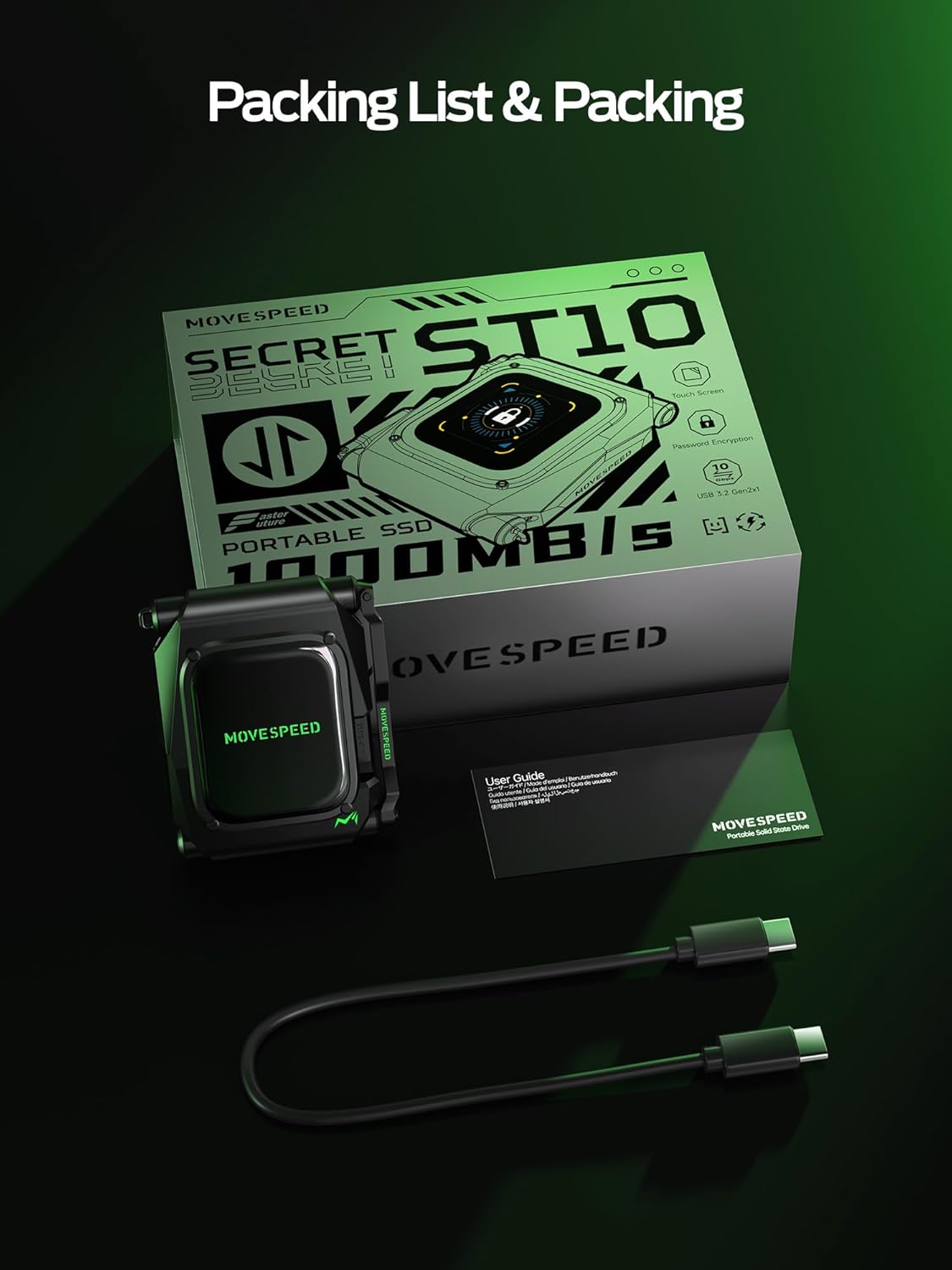
Image: The MOVE SPEED ST10 SSD, its packaging, and the included USB-C cable.
3. Setup Instructions
3.1 Initial Connection
- Connect one end of the provided USB-C cable to the USB-C port on the ST10 SSD.
- Connect the other end of the USB-C cable to a compatible USB-C port on your host device (e.g., computer, smartphone, tablet).
- The ST10 SSD's touchscreen will power on automatically upon connection.

Image: The MOVE SPEED ST10 SSD connected to a host device using the USB-C cable.
3.2 Touchscreen Configuration
Upon first use, or after a reset, you may need to configure basic settings:
- Language Selection: Navigate through the touchscreen menu to select your preferred language.
- Password Setting: For enhanced security, set a password using the on-screen keypad. This password will be required to access your data.
- Theme Style: Customize the display theme if desired.
3.3 Formatting the SSD
The ST10 SSD typically comes pre-formatted (e.g., exFAT) for broad compatibility. If you need to reformat the drive for a specific operating system or file system, follow these steps:
- Connect the ST10 SSD to your computer.
- Access your computer's disk management utility (e.g., Disk Utility on Mac, Disk Management on Windows).
- Select the ST10 drive.
- Choose the desired file system (e.g., APFS for Mac, NTFS for Windows, exFAT for cross-platform compatibility).
- Initiate the format process. Warning: Formatting will erase all data on the drive. Ensure you have backed up any important files before proceeding.
4. Operating the ST10 SSD
4.1 Touchscreen Interface
The integrated touchscreen provides real-time information and control:
- Real-time Stats: View current data transfer speeds (up to 10Gbps), device temperature, and power status.
- Disk Health: Monitor the overall health and status of the SSD.
- Security Controls: Access password settings and encryption options directly from the screen.

Image: The ST10's touchscreen showing temperature, speed, and disk health indicators.
4.2 Data Transfer
To transfer files, connect the ST10 SSD to your device. Once recognized, the drive will appear as an external storage device. You can then drag and drop files, copy, or move data as you would with any other external drive. The USB-C 3.2 Gen2 interface supports speeds up to 10Gbps (1.25 GB/s), allowing for rapid file transfers.
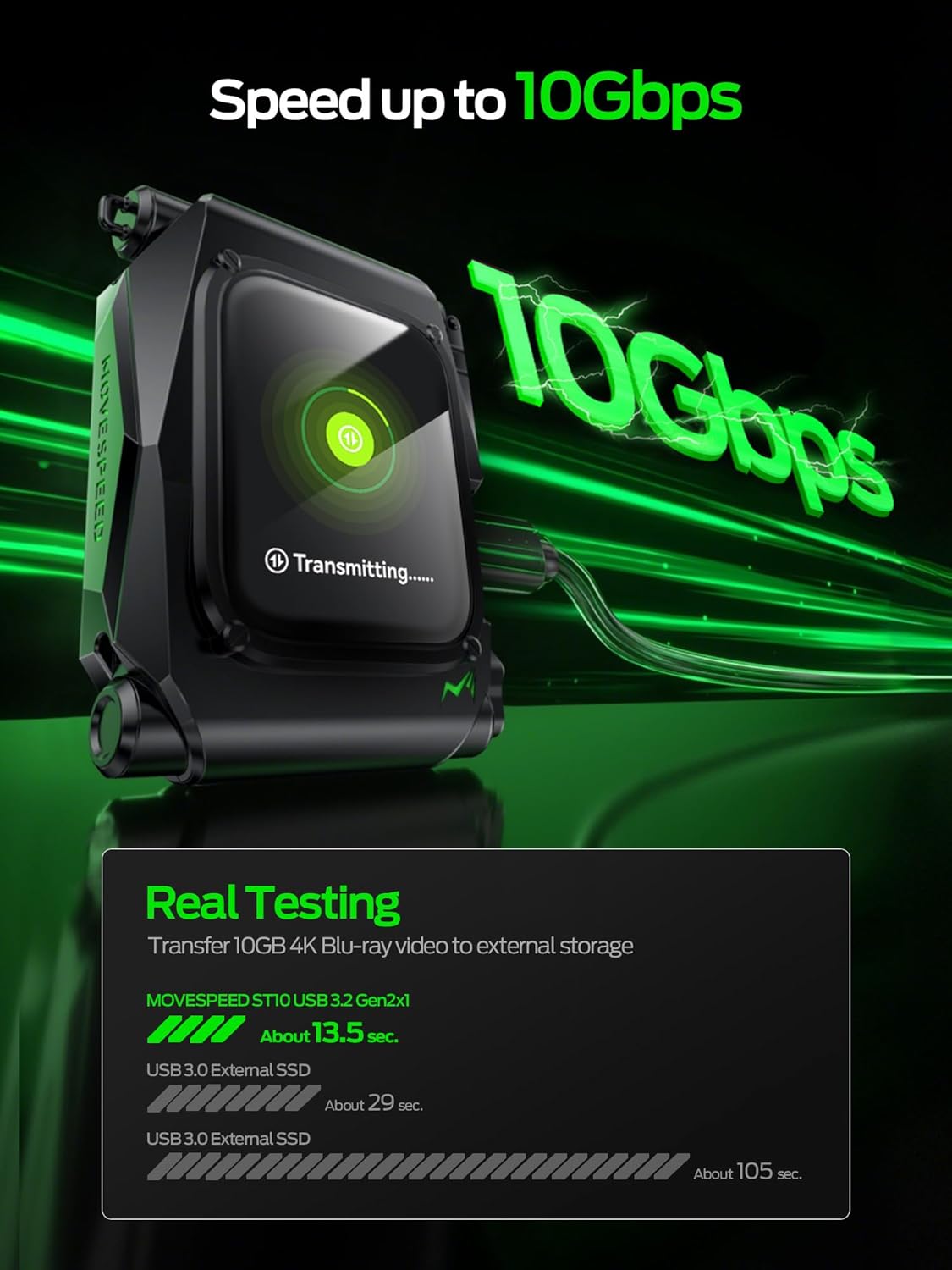
Image: The ST10 SSD connected to a laptop, ready for data transfer operations.
4.3 Security Features
The ST10 SSD incorporates security features to protect your data:
- Auto-Lock: The device can be configured to automatically lock when unplugged from a host device, requiring a password for subsequent access.
- Tap-to-Encrypt: When connected, you can initiate encryption directly from the touchscreen with a tap, securing your data.
4.4 ProRes 4K Video Recording (iPhone 15 Pro/Pro Max)
For iPhone 15 Pro or later models, the ST10 SSD supports direct recording of 4K 60Hz ProRes HDR videos. Connect the SSD to your iPhone via the USB-C port, and select the ST10 as the external storage destination within your iPhone's camera settings.

Image: The ST10 SSD attached to an iPhone, demonstrating its use for direct ProRes 4K video recording.
4.5 Official Product Video
Video: An official product video demonstrating the features and usage of the MOVE SPEED ST10 External Hard Drive.
5. Maintenance
To ensure the longevity and optimal performance of your MOVE SPEED ST10 SSD:
- Physical Care: The aluminum alloy casing provides durability and heat dissipation. Avoid dropping the device or exposing it to extreme temperatures or moisture.
- Cleaning: Use a soft, dry cloth to clean the exterior and touchscreen. Avoid abrasive materials or harsh chemicals.
- Data Backup: Regularly back up critical data stored on the SSD to another location to prevent data loss in unforeseen circumstances.
- Monitoring: Utilize the touchscreen to periodically check the disk's health and temperature.

Image: An illustration of the ST10's internal components and robust metal casing, highlighting its durability.
6. Troubleshooting
If you encounter issues with your ST10 SSD, consider the following:
- Device Not Recognized:
- Ensure the USB-C cable is securely connected to both the SSD and the host device.
- Try a different USB-C port on your host device.
- Test with a different USB-C cable if available.
- Restart your computer or host device.
- Slow Transfer Speeds:
- Verify that your host device's USB-C port supports USB 3.2 Gen2 (10Gbps). Older USB standards will result in lower speeds.
- Ensure the cable used is rated for USB 3.2 Gen2 speeds.
- Close other applications that might be using system resources or disk I/O.
- Touchscreen Unresponsive:
- Disconnect and reconnect the SSD.
- Ensure the screen is clean and free of debris.
- Data Access Issues (e.g., password forgotten):
- If you forget your password, there is no recovery method to access encrypted data. This is a security feature.
- If the drive becomes inaccessible due to a software issue and data recovery is not possible, reformatting the drive may resolve the issue (refer to Section 3.3).
If problems persist after attempting these steps, please contact MOVE SPEED customer support.
7. Specifications
| Feature | Description |
|---|---|
| Model Name | ST10 |
| Digital Storage Capacity | 1 TB (Terabyte) |
| Hard Disk Description | Solid State Drive (NAND Flash Memory) |
| Hardware Connectivity | USB 3.2 Gen 2 (USB-C) |
| Data Transfer Rate | Up to 10Gbps (1.25 Gigabytes Per Second) |
| Compatible Devices | Smartphone (iPhone 15 Pro/Pro Max for 4K ProRes), Windows, Mac, Microsoft Xbox SERIES S, Microsoft Xbox SERIES X, Nintendo Switch, Sony PlayStation 5 |
| Special Feature | Portable, Touchscreen Display |
| Enclosure Material | Aluminum Alloy |
| Item Weight | 0.28 Kilograms |
8. Warranty and Support
The MOVE SPEED ST10 External SSD is backed by a 3-year warranty. This warranty covers manufacturing defects and hardware malfunctions under normal use conditions.
For any issues or inquiries, MOVE SPEED offers global support. If a problem arises that cannot be resolved through troubleshooting, your unit may be eligible for replacement under warranty.
For further assistance, please visit the official MOVE SPEED store or contact their customer service directly.
Official Brand Store: MOVE SPEED Store on Amazon


