
1. Introduction
Thank you for choosing the Amaran Verge Key Light. This manual provides essential information for the safe and efficient operation of your device. Please read this manual thoroughly before use and retain it for future reference.
2. Safety Information
- Do not expose the light to water or high humidity.
- Do not disassemble or modify the product. Unauthorized modifications may void the warranty and pose a safety risk.
- Use only the provided power adapter or a compatible USB-C PD power source.
- Keep the light away from flammable materials.
- Ensure proper ventilation during operation to prevent overheating.
- Avoid direct eye exposure to the light source, especially at high brightness settings.
3. Package Contents
Verify that all items are present in your package:
- Amaran Verge Key Light
- USB-C Power Adapter
- Instruction Manual

Image: Amaran Verge Key Light and its included USB-C power adapter.
4. Product Overview
The Amaran Verge Key Light is a compact, edge-lit rectangular panel designed for desktop creators, streamers, and video recording. It offers versatile control options and a soft, diffused light output.
Key Features:
- Bi-color Temperature: Adjustable from 2700K to 6500K.
- Soft Light Output: 26W power, providing up to 3,160 lux at 0.5m (4300K).
- Silent Operation: Fanless design ensures noise-free recording.
- Stepless Brightness Control: 0-100% dimming.
- Multiple Control Options: Front-facing knobs, Amaran Desktop App, and Stream Deck plugin.
- Special Lighting Effects: Includes 7 built-in effects: Fireworks, Faulty Bulb, TV, Strobe, Explosion, Fire.
- Power Input: USB-C PD compatible.
- Mounting: Integrated 1/4-20 inch screw mount for tripods, light stands, or other mounting solutions.

Image: Front view of the Amaran Verge Key Light, showcasing its sleek design and Amaran Verge branding.

Image: Close-up view of the integrated 1/4-20 inch screw mount, designed for easy attachment to various stands.
5. Setup
- Mounting the Light:
- Locate the 1/4-20 inch screw mount on the bottom or side of the Amaran Verge Key Light.
- Attach the light to a compatible tripod, light stand, or desk clamp using the screw mount. Ensure it is securely fastened.
- Connecting Power:
- Connect the provided USB-C power adapter to the USB-C port on the light.
- Plug the power adapter into a suitable power outlet. The light requires a power delivery (PD) compatible source.
6. Operating Instructions
6.1 Power On/Off
Locate the power button on the device. Press it once to turn the light on, and press it again to turn it off.
6.2 Adjusting Brightness and Color Temperature (Manual Control)
The Amaran Verge Key Light features front-facing knobs for direct control:
- Brightness Knob: Rotate to adjust the light intensity from 0% to 100%.
- Color Temperature Knob: Rotate to change the color temperature from 2700K (warm) to 6500K (cool).

Image: A hand adjusting the front-facing knobs on the Amaran Verge Key Light to control brightness and color temperature.
6.3 App Control (Amaran Desktop App)
For advanced control and remote operation, download the Amaran Desktop App:
- Download and install the Amaran Desktop App on your computer or mobile device.
- Ensure your Amaran Verge Key Light is powered on and within Bluetooth range of your device.
- Open the app and follow the on-screen instructions to pair your light.
- Use the app interface to precisely adjust brightness, color temperature, and access special lighting effects.
6.4 Stream Deck Integration
The Amaran Verge Key Light supports integration with Stream Deck for seamless control during live streaming or content creation:
- Ensure your Stream Deck software is up to date.
- Install the Amaran plugin for Stream Deck.
- Configure custom buttons on your Stream Deck to control light settings such as power, brightness, color temperature, and special effects.
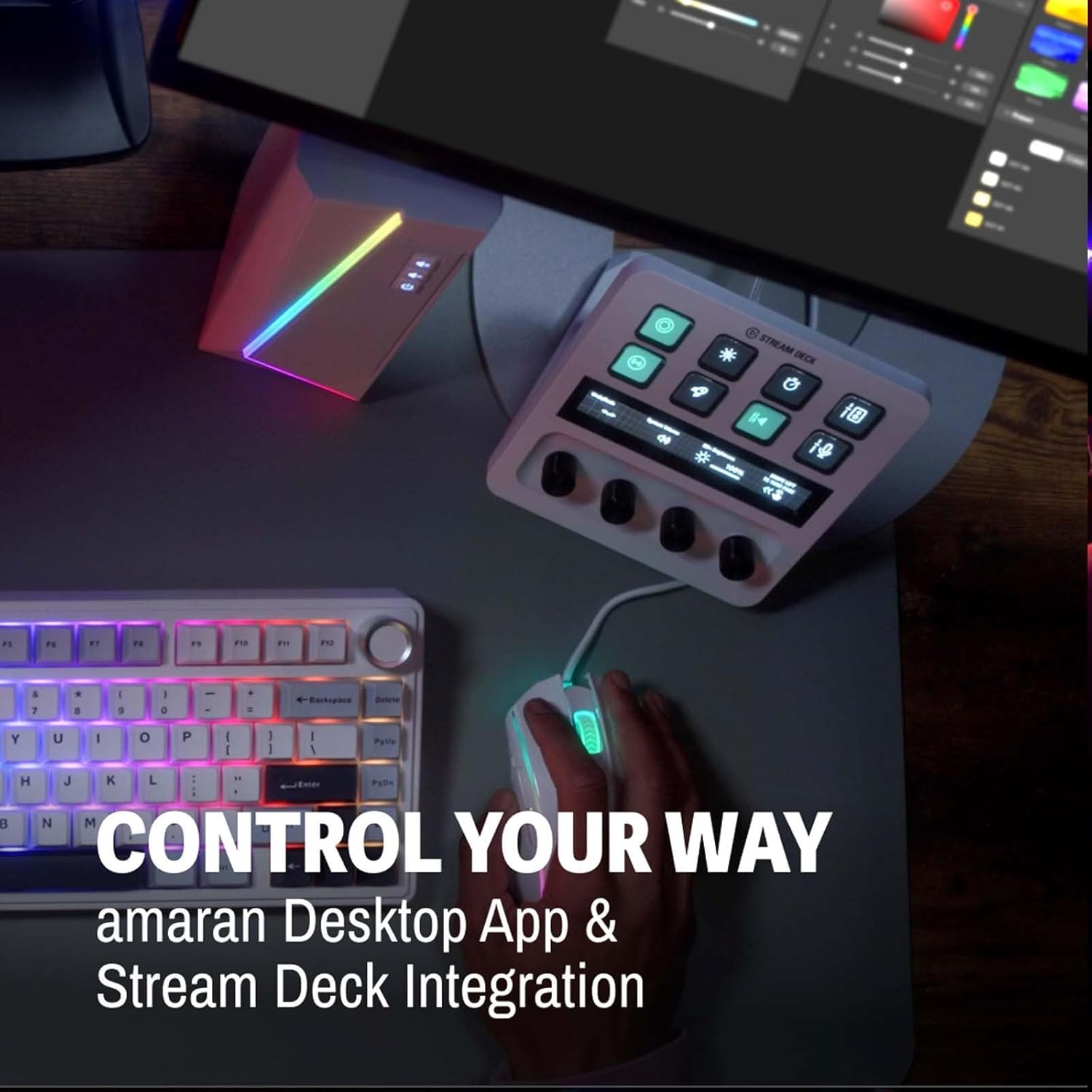
Image: A Stream Deck device integrated with the Amaran Verge Key Light, showing custom controls for lighting.
6.5 Special Lighting Effects
The light includes 7 built-in lighting effects. These can typically be accessed and controlled via the Amaran Desktop App or Stream Deck integration:
- Fireworks
- Faulty Bulb
- TV
- Strobe
- Explosion
- Fire
7. Maintenance
- Cleaning: Use a soft, dry cloth to clean the surface of the light. Do not use abrasive cleaners or solvents.
- Storage: When not in use, store the light in a cool, dry place, away from direct sunlight and extreme temperatures.
- Cable Care: Avoid bending or crimping the power cable excessively.
8. Troubleshooting
- Light does not turn on:
- Ensure the power adapter is securely connected to both the light and a working power outlet.
- Verify that the power outlet is functional.
- Confirm that the USB-C power source is Power Delivery (PD) compatible and provides sufficient power.
- App control not working:
- Check if the light is powered on.
- Ensure Bluetooth is enabled on your control device.
- Make sure the light is within Bluetooth range.
- Restart the Amaran Desktop App and try pairing again.
- Light output is inconsistent:
- Check for any obstructions blocking the light panel.
- Ensure the power connection is stable.
9. Specifications
| Feature | Specification |
|---|---|
| Model | Verge Key Light |
| Color Temperature | 2700K-6500K |
| Power Output | 26W |
| Illuminance (0.5m) | Up to 3,160 lux (4300K) |
| Brightness Control | 0-100% Stepless |
| Cooling | Fanless (Silent) |
| Connectivity Technology | USB, Bluetooth (for App Control) |
| Hardware Interface | USB Type C |
| Compatible Mount Type | 1/4-20 inch screw mount, Cold Shoe |
| Item Weight | 3.3 pounds |
| Package Dimensions | 15 x 11.42 x 2.76 inches |
10. Warranty
Amaran products are covered by a limited warranty. Please refer to the official Amaran website or your purchase documentation for specific warranty terms and conditions. Keep your proof of purchase for warranty claims.
11. Support
For technical support, troubleshooting assistance, or further inquiries, please visit the official Amaran website or contact their customer service department. Contact information can typically be found on the product packaging or the Amaran website.