
1. Introduction
The LQWELL LED Curtain Light (Model 90695) is designed to provide versatile and atmospheric lighting for various indoor settings and non-inclement outdoor conditions. Featuring 300 warm white LEDs across a 3x3 meter curtain, it offers 8 lighting modes, dimmable brightness, and a convenient timer function, all controllable via a wireless remote. This manual provides essential information for the safe and effective use of your LED curtain light.

LQWELL LED Curtain Light installed over a window in a living room, emitting a warm white glow. Key features like 3000K Warmwhite, 300 LEDs, 8 Modes, and 3x3M dimensions are highlighted.
2. Package Contents
Please check the package contents to ensure all items are present and undamaged:
- 1 x LQWELL LED Curtain Light (3x3m, 300 LEDs)
- 1 x Remote Control (with button battery included)
- 1 x User Manual
3. Product Specifications
| Feature | Detail |
|---|---|
| Brand | LQWELL |
| Model Number | 90695 |
| Dimensions | 3 x 3 meters (Curtain Light) |
| Item Weight | 100 g |
| Number of LEDs | 300 |
| Light Color | Warm White |
| Color Temperature | 3000 Kelvin |
| Power | 5 Watts |
| Power Source | USB (Electric Cable) |
| Bulb Type | LED |
| Special Features | Remote Control, 8 Lighting Modes, Dimmable, Timer Function |
| Usage | Indoor / Outdoor (IP44 splash-proof for non-inclement weather) |
| Energy Label | A |
| Remote Battery | 1 C battery (included) |
4. Safety Information
Please read and follow these safety guidelines to prevent injury or damage to the product:
- Ensure the USB power source provides stable voltage (5V recommended).
- Do not immerse the light in water. The IP44 rating indicates splash resistance, not full waterproofing. Avoid use in heavy rain or snow.
- Keep the product out of reach of children and pets.
- Do not attempt to modify, disassemble, or repair the product. Contact customer support if issues arise.
- Unplug the light from the power source when not in use for extended periods or during cleaning.
- Before first use of the remote control, remove the transparent insulation strip from the battery compartment.
- Avoid placing the light near heat sources or in direct sunlight for prolonged periods.

The image shows the LQWELL LED Curtain Light decorating an outdoor tent during winter, highlighting its IP44 splash-proof rating for use in non-inclement weather conditions.
5. Setup
Follow these steps to set up your LQWELL LED Curtain Light:
- Unpack: Carefully remove the LED curtain light and its components from the packaging.
- Unroll: Gently unroll the light strings. The light is designed with multiple hooks on the main horizontal string for easy hanging.
- Position: Hang the main horizontal string (3 meters wide) in your desired location, such as a window frame, wall, or curtain rod. Ensure the vertical strings (3 meters long) can hang freely without tangling.
- Power Connection: Connect the USB plug to a compatible USB power source. This can be a standard USB wall adapter (not included), a power bank, a laptop, or a computer's USB port.
- Remote Preparation: Before using the remote control for the first time, locate the transparent insulation strip protruding from the battery compartment and pull it out.
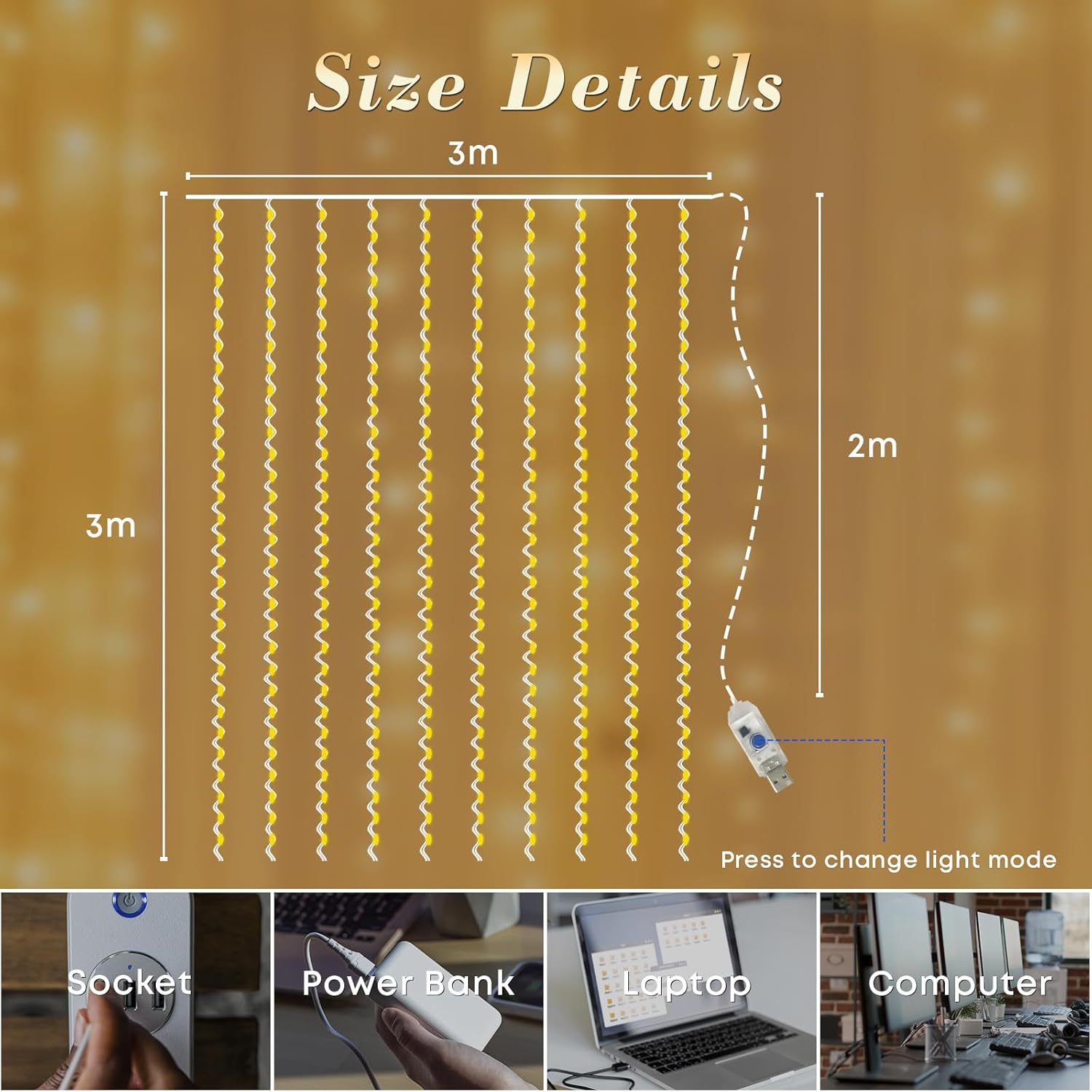
This diagram illustrates the dimensions of the LED curtain light, measuring 3 meters in width and 3 meters in height. It also shows compatible USB power sources such as a wall socket adapter, power bank, laptop, and computer.
6. Operation
Control your LQWELL LED Curtain Light using the provided wireless remote control.
6.1 Remote Control Functions

The remote control for the LQWELL LED Curtain Light is shown, detailing buttons for power (ON/OFF), timer, 8 lighting modes, and brightness adjustment. A note advises to remove the insulation strip before use.
- ON/OFF: Press the ON button to turn the lights on, and the OFF button to turn them off.
- Lighting Modes: Use the numbered buttons (1-8) to select from the 8 available lighting modes:
- Combination
- In Waves
- Sequential
- Slow Flash
- Chasing/Flash
- Slow Fade
- Twinkle/Flash
- Steady On
6.2 Timer Function
The built-in timer allows for automatic operation:
- Press the TIMER button on the remote. The light will automatically turn on for 6 hours, then turn off for 18 hours, and repeat this cycle daily.
- To deactivate the timer, press the TIMER button again.
A visual representation of the automatic timer function, showing the light turning on for 6 hours and then off for 18 hours, repeating the cycle.
6.3 Brightness Adjustment
Adjust the light intensity to suit your preference:
- Press the DIM + button to increase the brightness.
- Press the DIM - button to decrease the brightness.

This graphic demonstrates the dimmable feature of the curtain light, illustrating different brightness levels from 25% to 100%.
7. Maintenance
Proper care will extend the life of your LED curtain light:
- Cleaning: To clean the LED strings, gently wipe them with a soft, dry cloth. Do not use harsh chemicals, abrasive cleaners, or excessive moisture.
- Storage: When storing the light for extended periods, carefully coil the light strings to prevent tangling and damage. Store in a cool, dry place away from direct sunlight and extreme temperatures.
- Battery Replacement: If the remote control's range decreases or it stops responding, replace the button battery (Type C, included) with a new one. Ensure correct polarity.
8. Troubleshooting
Refer to the table below for common issues and their solutions:
| Problem | Possible Cause | Solution |
|---|---|---|
| Lights do not turn on. | No power supply or loose connection. | Ensure the USB plug is securely connected to a working power source. Try a different USB port or adapter. |
| Remote control is not working. | Battery issue or insulation strip not removed. | Check if the transparent insulation strip has been removed from the remote's battery compartment. Replace the remote battery if necessary. Ensure you are within range of the receiver. |
| Lights flicker or dim unexpectedly. | Unstable power supply or loose connection. | Ensure the USB power source is stable. Check all connections for looseness. |
| Timer function is not activating/deactivating. | Incorrect button press or remote issue. | Press the "TIMER" button firmly. Ensure the remote control is working correctly (see "Remote control is not working" above). |
9. Usage Examples
The LQWELL LED Curtain Light is versatile for various decorative purposes:

A close-up view of the LQWELL LED Curtain Light installed in a window, showcasing its warm white illumination and delicate appearance.
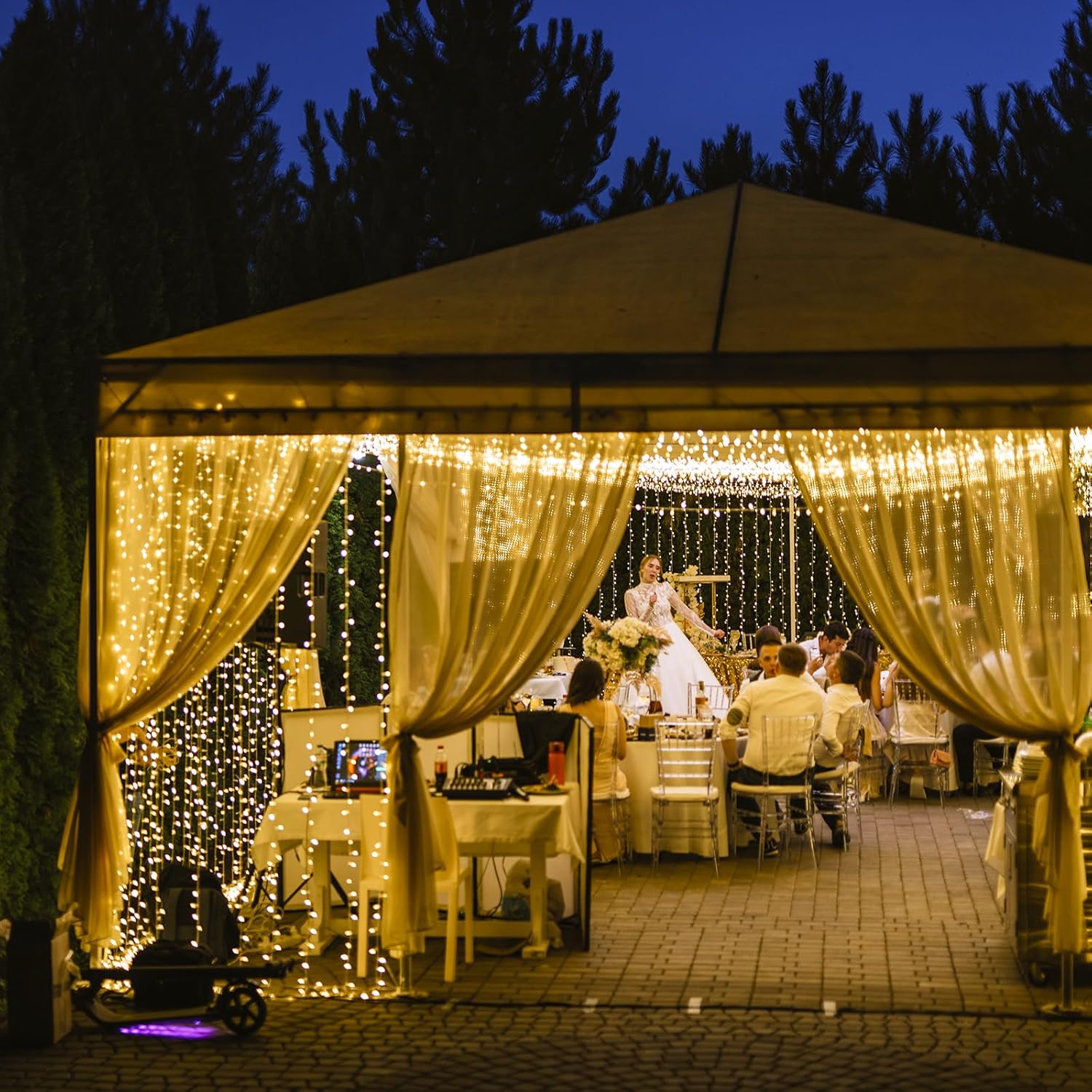
The image features the LQWELL LED Curtain Lights used as decorative lighting for an outdoor event, enhancing the ambiance with their warm glow.

A collage showcasing various applications of the LED curtain light, such as decorating for a wedding, enhancing a Christmas tree, and adorning a window.