
1. Introduction
Thank you for choosing the Leapwell Portable Bluetooth Desktop CD Player, Model L-CD202B. This device offers versatile audio playback options, including CD, Bluetooth, FM Radio, USB, AUX, AB Repeat, and Optical modes. Designed for both home and portable use, it features integrated speakers and a rechargeable battery. This manual provides essential information for safe and effective operation of your new CD player.
2. Safety Information
- Read all instructions before use and retain for future reference.
- Do not expose the device to rain, moisture, or extreme temperatures.
- Avoid placing the device near heat sources such as radiators, heat registers, stoves, or other heat-producing apparatus.
- Use only attachments/accessories specified by the manufacturer.
- Clean only with a dry cloth.
- Do not block any ventilation openings.
- Protect the power cord from being walked on or pinched.
- Unplug the device during lightning storms or when unused for long periods.
- Refer all servicing to qualified service personnel.
3. What's in the Box
Upon unpacking, please ensure all items are present and in good condition:
- Leapwell Portable CD Player
- Remote Control
- USB-C Charging Cable
- 3.5mm AUX Cable
- Instruction Manual
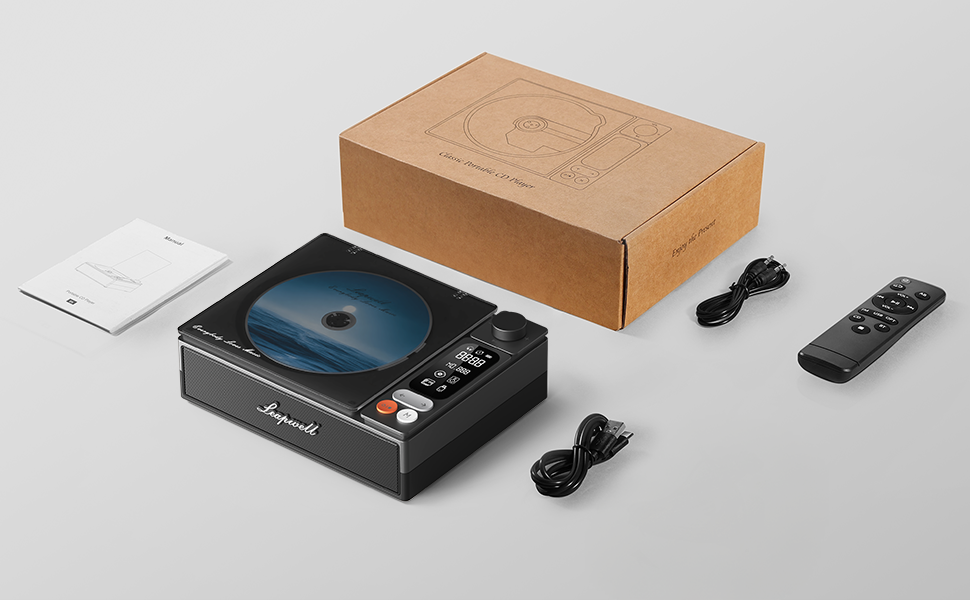
Image: All components included in the Leapwell CD Player package, including the player, remote, cables, and manual.
4. Product Overview
The Leapwell L-CD202B is a compact and versatile audio device designed for various listening preferences.

Image: Front view of the Leapwell Portable Bluetooth Desktop CD Player with a CD inserted and the dust cover open.
Key Features:
- 7-in-1 Playback Modes: Supports CD Play, Bluetooth (Receive & Transmit), FM Radio, USB, AUX, AB Repeat, and Optical Mode.
- HiFi Speaker System: Features an independent sound cavity design and inner magnetic speaker unit for enhanced sound detail and bass.
- Bluetooth 5.1: Allows seamless connection to mobile phones, tablets, and external Bluetooth speakers or headphones.
- Rechargeable Battery: Built-in USB-C fast-charging battery provides 4-5 hours of playback.
- Classic Design: Retro square design with a translucent CD dust cover, volume knob, and a 2.4-inch LCD display.
- Optical Output: For connecting to external decoders for lossless audio.
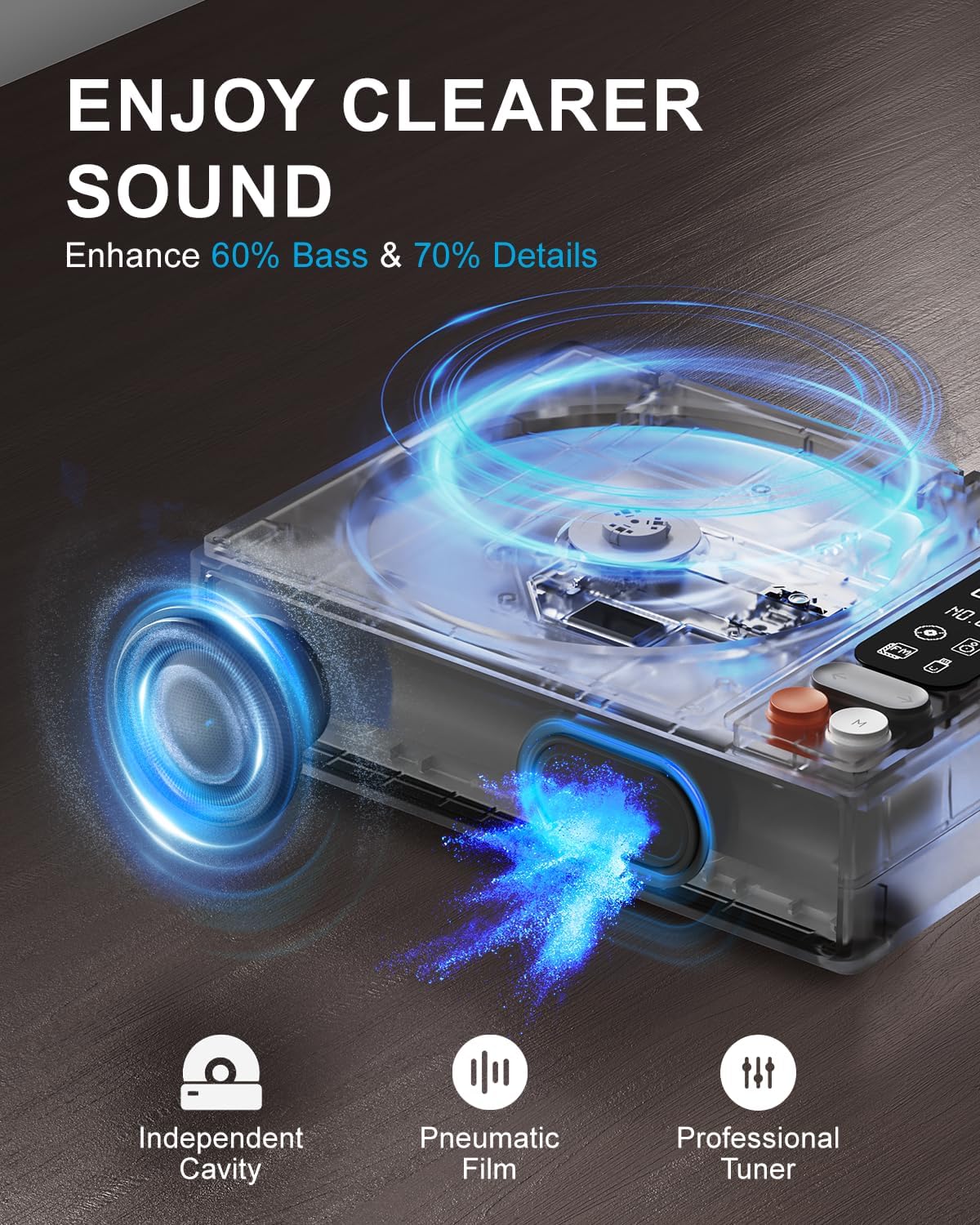
Image: Diagram illustrating the internal speaker design with independent cavity and pneumatic film for enhanced bass and sound detail.

Image: Close-up view of the Leapwell CD Player highlighting its classic design, volume knob, and digital display.
5. Setup
5.1 Charging the Device
Before first use, fully charge the CD player using the provided USB-C cable. Connect the USB-C end to the player's charging port and the other end to a 5V-2A USB power adapter (not included) or a computer's USB port. Charging via a computer's USB port will be slower.

Image: The Leapwell CD Player shown outdoors with battery indicators, emphasizing its portability and rechargeable battery.
5.2 Power On/Off
To power on the device, press and hold the power button. To power off, press and hold the power button again.
5.3 Loading a CD
- Gently lift the translucent dust cover.
- Place a CD onto the spindle, ensuring it is centered and flat.
- Close the dust cover. The player will begin reading the CD automatically or after selecting CD mode.
Video: Demonstration of loading a CD into the Leapwell CD Player and initiating playback. The video also shows the Bluetooth pairing process.
6. Operating Modes
The Leapwell CD Player supports multiple audio playback modes. Use the 'M' (Mode) button on the device or remote control to switch between modes.
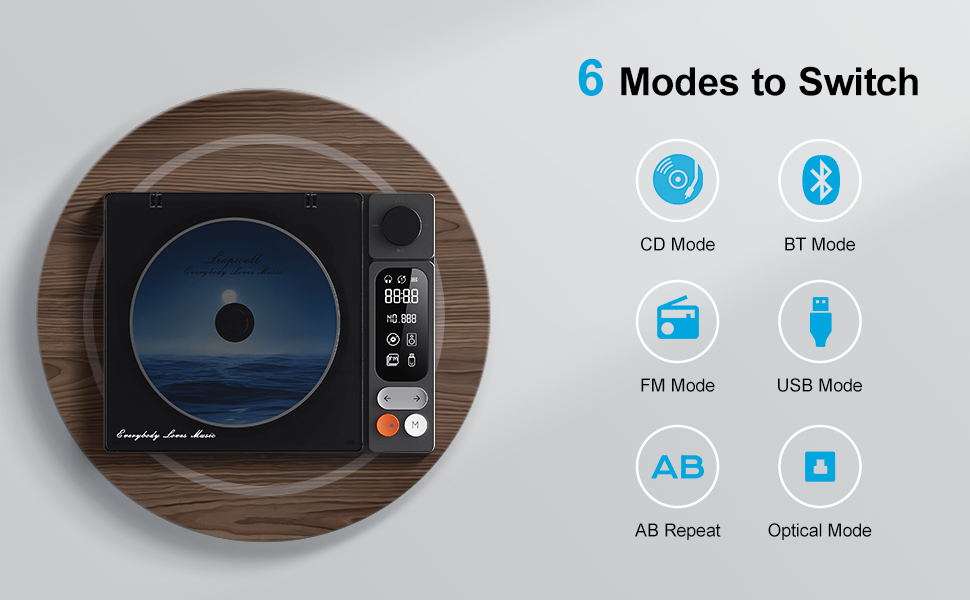
Image: Visual representation of the six main operating modes: CD, Bluetooth, FM, USB, AB Repeat, and Optical.
6.1 CD Play Mode
After loading a CD, the player will typically detect it and begin playback. Use the play/pause, next/previous track buttons, and the volume knob to control playback.
6.2 Bluetooth Mode
The device supports both Bluetooth Receive and Transmit modes.
- Receive Mode: Allows you to connect your mobile phone or tablet to the CD player and use its built-in speakers for audio output. Activate Bluetooth mode on the CD player, then search for 'CD player' on your external device's Bluetooth settings and pair.
- Transmit Mode: Enables the CD player to connect to external Bluetooth speakers or headphones. Activate Bluetooth mode on the CD player, then put your external Bluetooth device into pairing mode. The CD player will search and connect.

Image: A smartphone wirelessly connected to the Leapwell CD Player via Bluetooth, demonstrating the receive mode functionality.

Image: A woman enjoying music through Bluetooth headphones connected to the Leapwell CD Player, illustrating the transmit mode.
6.3 FM Radio Mode
Switch to FM Radio mode. Use the next/previous track buttons to scan for radio stations. The display will show the current frequency.
6.4 USB Mode
Insert a USB flash drive containing audio files into the USB port. The player will automatically switch to USB mode and begin playback. Use the track control buttons to navigate.
6.5 AUX Mode
Connect an external audio device (e.g., smartphone, MP3 player) to the CD player's AUX input using the provided 3.5mm AUX cable. Switch to AUX mode to play audio from the connected device through the CD player's speakers.
6.6 AB Repeat Mode
This mode allows you to repeat a specific section of audio. During playback, press the AB Repeat button once to set point A, and press it again to set point B. The player will continuously repeat the section between A and B. Press a third time to cancel.
6.7 Optical Mode
Connect the CD player to an external decoder or amplifier via an optical fiber cable (not included) using the optical output port. Switch to Optical mode to transmit digital audio for enhanced sound quality.

Image: The Leapwell CD Player connected to an external audio amplifier using an optical cable, demonstrating the optical output feature.
7. Controls
The CD player features intuitive controls for easy operation:
- Volume Knob: Rotate to adjust the volume level.
- Play/Pause Button: Starts or pauses playback.
- Next/Previous Track Buttons: Skips to the next or previous track/station.
- Mode (M) Button: Switches between different playback modes.
- LCD Screen: Displays track information, mode, time, and battery status.
- Remote Control: Provides convenient access to all functions from a distance of up to 15 feet.
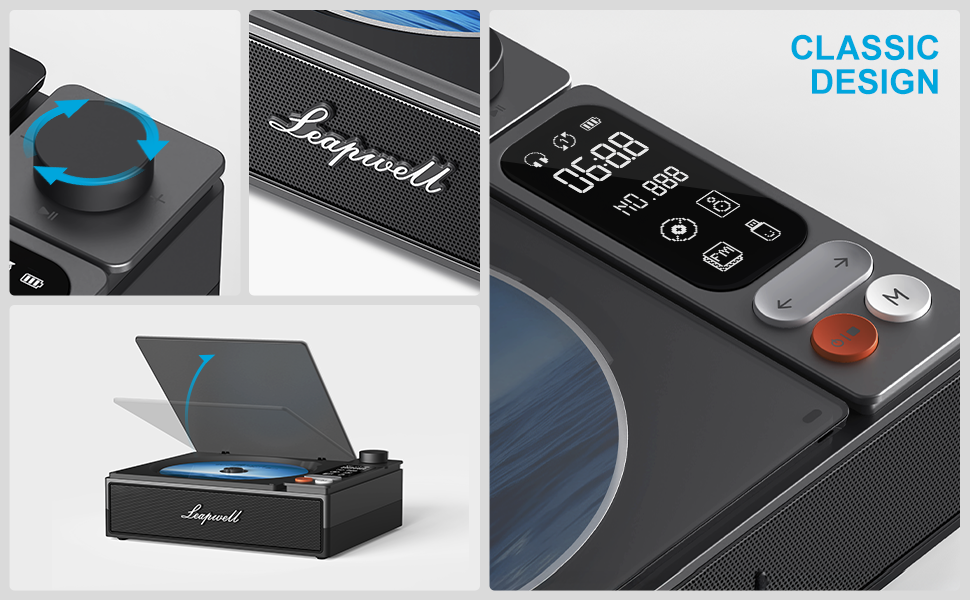
Image: Detailed view of the control panel, including the volume knob, playback buttons, mode button, and LCD display.
8. Maintenance
8.1 Cleaning the Device
Wipe the exterior of the CD player with a soft, dry cloth. Do not use liquid cleaners or abrasive materials. Keep the CD compartment free of dust and debris. Avoid touching the optical lens.
8.2 CD Care
Handle CDs by their edges. Store them in their cases to prevent scratches and dust accumulation. Clean dirty CDs with a soft, lint-free cloth, wiping from the center outwards.
9. Troubleshooting
If you encounter issues with your Leapwell CD Player, refer to the following common problems and solutions:
- No Power: Ensure the device is charged or connected to a power source.
- CD Not Playing: Check if the CD is inserted correctly and is clean. Ensure the device is in CD Play mode.
- No Sound: Adjust the volume. Check if external speakers/headphones are properly connected or paired via Bluetooth. Ensure the correct mode is selected.
- Bluetooth Connection Issues: Ensure the CD player is in Bluetooth mode and your external device's Bluetooth is enabled and in pairing mode. Try restarting both devices.
- Can it be used while charging? Yes, it can. Please unplug the power when not in use for a long time.
- Can it connect to Bluetooth headphones? Yes, it can. It can also connect to a mobile phone and play music.
- Can it be charged via a computer's USB port? Yes, it can. However, charging will be very slow. It is recommended to use a 5V-2A adapter for charging.
10. Specifications
| Product Dimensions | 7.3 x 5.7 x 2.5 inches |
| Item Weight | 1.4 pounds |
| Model Name | L-CD202B |
| Color | Black |
| Connectivity Technology | Auxiliary, Bluetooth, Optical, USB |
| Special Features | Anti-Skip Protection, Auto Power-Off, Bluetooth, Portable, Rechargeable |
| Batteries | 1 Lithium Ion battery (included) |
11. Warranty and Support
Leapwell CD Players come with lifelong technical support and 24/7 professional customer service. For any inquiries or assistance, please contact Leapwell customer support through the official channels provided at the time of purchase or on the Leapwell website.

