
Introduction
The eppfun SK003Pro is a Bluetooth 5.4 hands-free car speakerphone designed for clear communication and safe driving. It features advanced noise reduction, voice control integration, and multi-point connectivity.
Key Features:
- Bluetooth 5.4 Technology: Integrates the latest low-energy Bluetooth 5.4 chip for longer transmission distance and faster speed.
- Clear Communication: Equipped with a Bluetooth 5.4 chipset, integrated speaker, echo and background noise reduction, and volume control for clear calls.
- Hands-Free Calling: Utilizes an integrated microphone and DSP technology for effective noise reduction and excellent sound quality. The 3W integrated speaker delivers clear and loud audio.
- Voice Control: Supports safe driving with calls and navigation via Google Assistant/Siri Assistant.
- Multi-Point Connection: Connects to two devices simultaneously, allowing easy switching between music and calls.
- Easy Installation: Simple pairing with your mobile phone and attachment to the sun visor with the included clip.
1. Setup and Installation
Follow these steps to set up your eppfun SK003Pro speakerphone:
- Charge the Device: Before first use, fully charge the speakerphone using the provided USB Type-C cable. A full charge takes approximately 1.5 hours.

Image: The USB Type-C charging port and ON/OFF switch are located on the side of the device. Connect the provided cable to charge.
- Power On: Slide the ON/OFF switch to the "ON" position. The device will enter pairing mode.
- Pair with Your Phone:
- Enable Bluetooth on your mobile phone.
- Search for available Bluetooth devices.
- Select "eppfun SK003Pro" from the list to connect. A confirmation tone will sound upon successful pairing.
- Install in Vehicle: Attach the speakerphone to your car's sun visor using the integrated clip. Ensure it is securely fastened and does not obstruct your view.

Image: The speakerphone is designed to clip easily onto the car's sun visor for optimal microphone and speaker placement.
2. Operating Instructions
2.1 Basic Functions
- Answering/Ending Calls: Press the Call button (phone icon) once to answer an incoming call or end an ongoing call.
- Rejecting Calls: Press and hold the Call button for 2 seconds to reject an incoming call.
- Volume Control: Use the '+' and '-' buttons to adjust the call volume or media playback volume.
- Redial Last Number: Double-press the Call button to redial the last dialed number.
2.2 Voice Assistant (Siri/Google Assistant)
The eppfun SK003Pro supports voice commands through your phone's assistant.
- Activate Voice Assistant: Press the Microphone button (microphone icon) once to activate Siri or Google Assistant on your connected phone.
- You can then use voice commands for navigation, making calls, sending messages, and more, ensuring safe driving.
2.3 Multi-Point Connection
The device can connect to two mobile phones simultaneously.
- Pair the first phone as described in the "Setup" section.
- After the first phone is connected, put the speakerphone back into pairing mode (usually by briefly disconnecting and reconnecting, or by holding the call button if it has a dedicated pairing function - refer to specific device prompts if available).
- Pair the second phone.
- The speakerphone will now be connected to both devices, allowing you to switch between them for calls or media.

Image: The speakerphone supports connecting to two mobile phones simultaneously, enabling seamless switching between devices.
3. Maintenance
- Cleaning: Use a soft, dry cloth to clean the device. Do not use liquid cleaners or aerosols.
- Storage: Store the device in a cool, dry place away from direct sunlight and extreme temperatures.
- Battery Care: To prolong battery life, avoid fully discharging the battery frequently. Charge the device regularly, even if not in use for extended periods. The high-quality lithium battery offers up to 500 hours of standby time.

Image: The device features an 800mAh lithium battery, providing extended standby time and reliable performance.
4. Troubleshooting
If you encounter issues with your eppfun SK003Pro, refer to the following solutions:
| Problem | Possible Cause | Solution |
|---|---|---|
| Cannot pair with phone. | Bluetooth is off on phone; device is not in pairing mode; device battery is low. |
|
| Poor call quality / Others cannot hear me clearly. | Microphone obstruction; low volume; environmental noise; device not positioned correctly. |
|
| No sound from speakerphone. | Volume too low; device not connected; media routed to phone speaker. |
|
| Voice assistant not responding. | Not activated; phone settings. |
|
5. Specifications
| Feature | Detail |
|---|---|
| Brand | eppfun |
| Model Number | SK003Pro |
| Color | Gray |
| Connectivity Technology | Bluetooth 5.4 |
| Compatible Devices | Smartphone, Tablet |
| Material | Acrylonitrile Butadiene Styrene (ABS), Metal |
| Speaker Output | 3W (Dual 3W speakers, 40MM Graphene Diaphragm)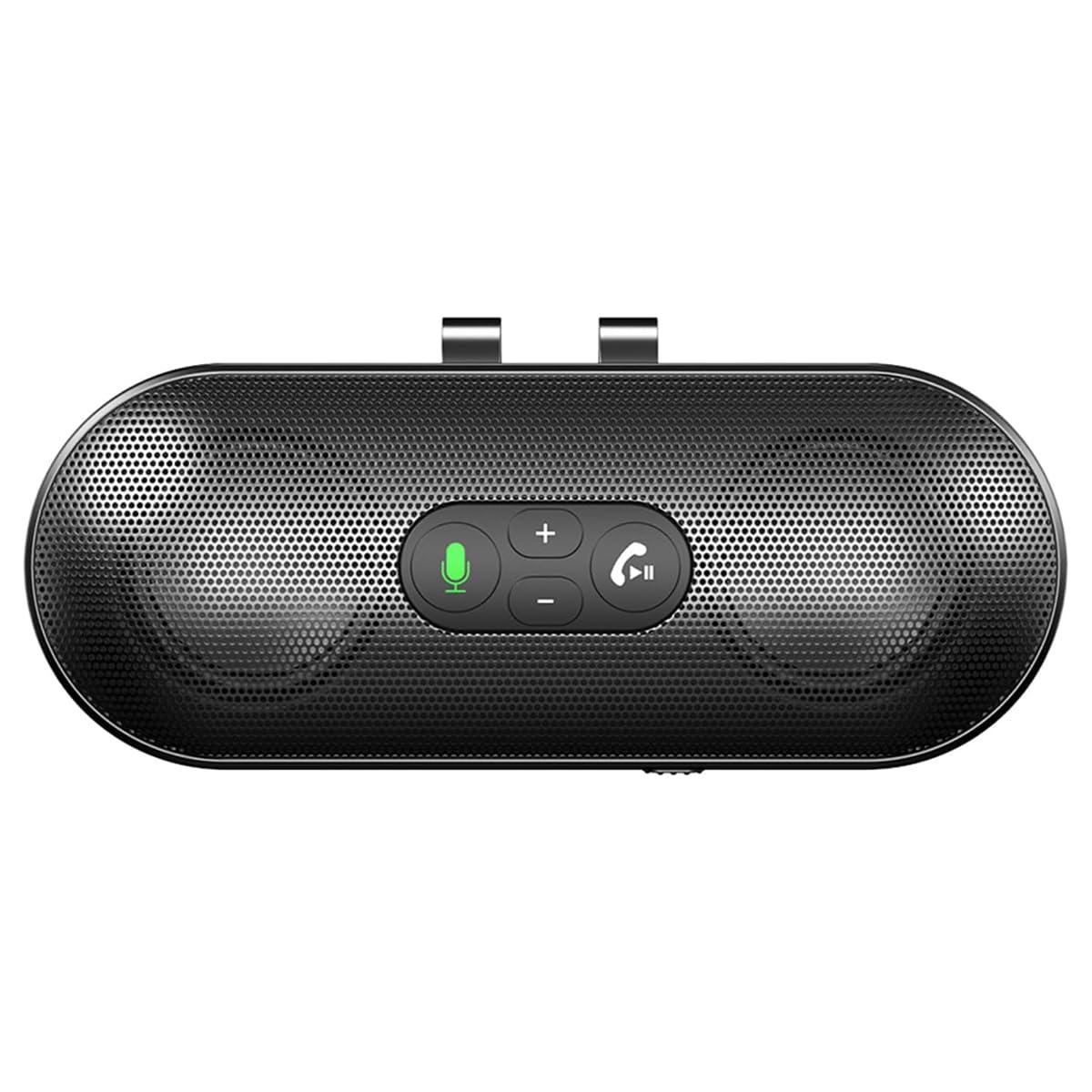 Image: The speakerphone features a powerful audio system with dual 3W speakers and 40mm Graphene Diaphragms for clear and loud sound. |
| Microphone | Integrated, High-definition with DSP noise reduction |
| Battery Type | Lithium-ion (800mAh) |
| Charging Port | USB Type-C |
| Charging Time | Approximately 1.5 hours |
| Standby Time | Up to 500 hours |
| Country of Origin | China |
6. Warranty Information
The eppfun SK003Pro comes with a manufacturer's warranty.
- Manufacturer Warranty: 1 year
- Please retain your proof of purchase for warranty claims.
- Warranty does not cover damage caused by misuse, accidents, unauthorized repairs, or normal wear and tear.
7. Customer Support
For further assistance or inquiries, please contact eppfun customer support:
- Manufacturer: eppfun
- Website: www.eppfun.com (Note: This is a placeholder URL, please refer to your product packaging or official documentation for the correct support website.)
- Email: support@eppfun.com (Note: This is a placeholder email, please refer to your product packaging or official documentation for the correct support email.)
When contacting support, please provide your product model number (SK003Pro) and a detailed description of the issue.