1. Product Overview
The Intoval K10B is a versatile vacuum magnetic phone holder designed for secure mounting in vehicles and other locations. It features a strong vacuum suction cup and an integrated N55 magnet for a firm grip on smartphones. The holder offers 360-degree rotation and adjustable angles for optimal viewing. It is compatible with a wide range of smartphones, including MagSafe-compatible iPhones and Android devices, and comes with magnetic rings for non-MagSafe phones.
- Strong Vacuum Suction Power: Delivers up to 8 kg of pull force, ensuring secure attachment to dashboards, windshields, mirrors, or glass.
- Enhanced Magnetic Grip: Built-in N55 magnet provides a strong hold. Includes two magnetic rings for broader phone compatibility.
- Full Angle Control: Features a 360° rotatable ball joint and telescopic adjustable arm for flexible viewing in portrait or landscape mode.
- Compact & Foldable Design: Measures 66 × 66 × 34 mm and weighs 81.5 g, making it easy to store and transport.
- Universal Compatibility: Works with smartphones between 4.7 and 7 inches, including iPhone, Android, and Pixel models, even with thick cases.
2. Package Contents
Please ensure all items are present in the package:
- Intoval K10B Vacuum Magnetic Phone Holder
- Magnetic Loops (2)
- Cleaning Bag (Wipes)
- Nano Double-Sided Adhesive Tape (2)
- Instruction Manual
3. Setup and Installation
Follow these steps to properly install your Intoval K10B phone holder:
- Prepare the Surface: Find a smooth, flat surface for mounting, such as a dashboard, windshield, or glass. Ensure the surface is clean and free of water stains. Use the provided cleaning wipes if necessary.
- Prepare the Holder: Before installation, rotate the turntable counterclockwise to its furthest extent.
- Attach the Holder: Place the holder firmly on the desired surface. Press down on the turntable and rotate it clockwise to the end to lock the product securely in place.
- For Non-Smooth Surfaces: If the surface is not smooth (e.g., textured dashboard), use the provided nano double-sided adhesive tape. Tear off one side of the adhesive, stick it to the surface, then peel off the other side before attaching the holder.
- Phone Compatibility (Magnetic Rings): If your phone or phone case does not have a built-in magnetic suction function (e.g., MagSafe), use one of the included magnetic loops. Tear off the adhesive tape from the back of the magnetic loop and the protective film from the front. Place the magnetic loop in the center of your phone or phone case. This allows non-magnetic phones to attach easily.

Image: The Intoval K10B phone holder securely mounted on a car dashboard and windshield, demonstrating its adaptability to various surfaces.

Image: A visual guide illustrating how to apply the magnetic rings to both iPhones and other smartphone models to ensure magnetic compatibility with the holder.
Video: An official installation tutorial demonstrating the step-by-step process of setting up the suction cup phone mount, including surface preparation and attachment.
4. Operating Instructions
Once installed, the Intoval K10B offers flexible and secure phone usage:
- Attaching Your Phone: Simply bring your phone (with or without a magnetic ring/MagSafe case) close to the magnetic surface of the holder. The strong magnets will securely snap your phone into place.
- Adjusting Viewing Angle: The holder features a 360° rotatable ball joint and a multi-angle phone plate. You can rotate your phone smoothly 360 degrees for portrait or landscape orientation. The telescopic adjustable arm allows you to extend or retract the phone for optimal viewing distance and height.
- Secure Hold: The powerful N55 magnets and vacuum suction cup ensure your phone remains stable and does not budge or fall, even during strong braking, sharp turns, or driving on rough roads.
- Versatile Use: The holder is suitable for various activities such as navigation, binge-watching videos, live broadcasting, or online learning. Its compact and foldable design also allows for use beyond the car, such as on train glass, dance studio mirrors, kitchen surfaces, or smooth desktops.

Image: The holder's adjustable zinc alloy rod and multi-angle phone plate, illustrating its 360-degree swivel and 180-degree folding features for flexible positioning.

Image: A comparison demonstrating the superior 3800g grip strength of the Intoval K10B's 24 N55 magnets, ensuring a secure hold.
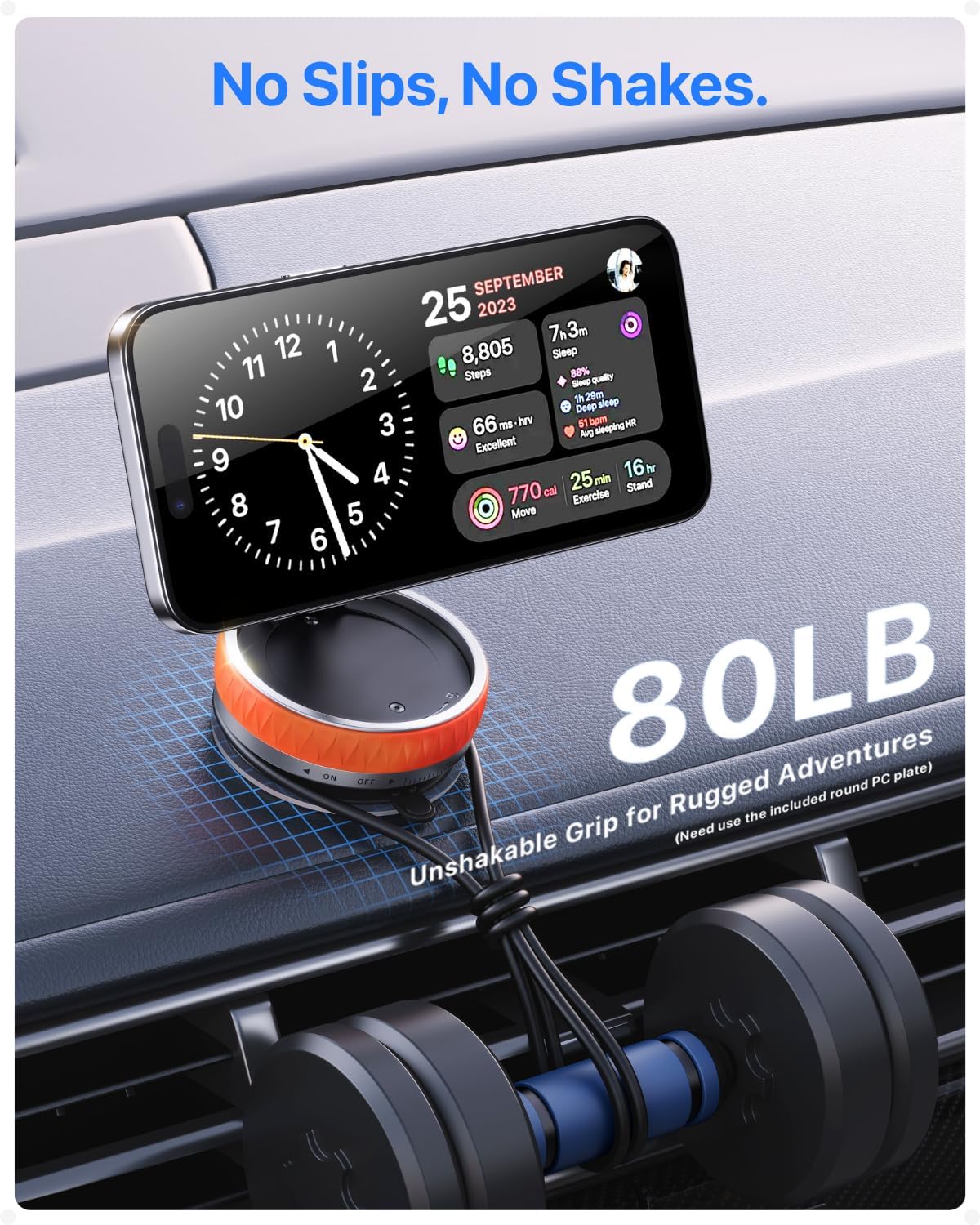
Image: A phone mounted on the holder in a car, emphasizing its unshakable grip and stability even during rugged adventures.

Image: A collage showcasing the holder's versatility, used on train glass, a dance studio mirror, in a kitchen, and on a smooth desktop.
Video: An official product video demonstrating the stable hold of the phone mount on various surfaces like the dash and windshield, highlighting its secure grip and adjustability.
5. Maintenance
To ensure the longevity and optimal performance of your Intoval K10B phone holder:
- Cleaning the Suction Cup: If the suction cup loses its grip, rinse it with warm water and let it air dry. Do not use harsh chemicals or abrasive materials.
- Cleaning the Magnetic Surface: Wipe the magnetic surface with a soft, dry cloth to remove dust or debris.
- Nano Adhesive Tape: The nano adhesive tape is reusable. If it gets dirty or loses stickiness, rinse it with water and let it air dry. It can be peeled off without leaving residue.
- Storage: When not in use, fold the holder into its compact form for easy storage.
6. Troubleshooting
If you encounter any issues with your phone holder, refer to the following common problems and solutions:
- Holder does not stick securely to the surface:
- Ensure the mounting surface is clean, dry, and smooth.
- Make sure the turntable is rotated fully clockwise to lock the suction cup.
- For textured or non-smooth surfaces, use the provided nano double-sided adhesive tape as described in the installation section.
- Clean the suction cup with water and air dry if it's dirty.
- Phone does not attach magnetically or falls off:
- Ensure your phone or case has a built-in MagSafe feature or that a magnetic ring is properly attached to the center of your phone/case.
- Check that the magnetic ring (if used) is securely adhered to your phone or case. If the adhesive is weak, replace the magnetic ring or use a stronger adhesive.
- Verify that the phone is centered on the holder's magnetic surface.
- Adjustable arm feels loose:
- The arm is designed for smooth adjustment. If it feels excessively loose, ensure all components are correctly assembled.
7. Specifications
| Model Number | K10B |
| Product Dimensions | 2.6 x 1.34 x 2.6 inches |
| Item Weight | 4.3 ounces |
| Brand | Intoval |
| Mounting Type | Car Screen, Dashboard, Windshield |
| Special Features | 360° Free Rotation, Easy to Use, Foldable Design, Multi-Angle Adjustment, One-Touch Lock, Strong Magnetic MagSafe Car Mount |
| Compatible Devices | Smartphones 4.7-7 inches (e.g., iPhone 12-16 series, Samsung Galaxy S/Note series, LG, Google Pixel, OnePlus, etc.) |
8. Warranty and Support
Intoval products are designed for durability and performance. For warranty information or technical support, please refer to the official Intoval website or contact their customer service directly. Keep your purchase receipt for warranty claims.


