
1. Important Safety Information
Please read all instructions carefully before operating the dehumidifier. Keep this manual for future reference. Failure to follow these instructions may result in electric shock, fire, or personal injury.
- Always connect the unit to a grounded power outlet.
- Do not operate the dehumidifier with a damaged power cord or plug.
- Ensure the unit is placed on a level, stable surface to prevent water spillage.
- Do not block the air inlet or outlet. Maintain at least 8 inches (20 cm) clearance around the unit.
- Unplug the unit before cleaning, moving, or performing any maintenance.
- Do not use the unit near flammable gases or combustible materials.
- If the unit has been stored on its side, allow it to stand upright for at least 24 hours before plugging it in to allow the refrigerant to settle.
2. Product Overview
The HUMILABS D024 is a high-efficiency 125-pint dehumidifier designed to remove excess moisture from areas up to 6,500 square feet. It features multiple operating modes, flexible drainage options, and user-friendly controls.

Image: The HUMILABS D024 dehumidifier in a living room setting, illustrating its effectiveness in reducing humidity from 80% to 30% across a 6500 sq. ft. area.
Key Features:
- High Capacity: Removes up to 125 pints of moisture per day, suitable for large basements and homes up to 6,500 sq. ft.
- Three Function Modes: Auto Mode, Drying Mode, and Sleeping Mode for versatile use.
- Dual Drainage Options: Manual drainage with a 2.14-gallon tank or continuous drainage via gravity or pump hose.
- Eco-Friendly Refrigerant: Utilizes R32 refrigerant.
- Portability: Equipped with 360° swivel wheels and ergonomic hidden handles.
- Smart Features: 24-hour timer, child lock, automatic defrost, two fan speeds, and removable filters.
- Quiet Operation: Operates at approximately 40dB, suitable for various environments.
Control Panel:

Image: Close-up of the HUMILABS D024 dehumidifier's easy-to-use control panel, showing the rotatable knob, LED humidity indicator, and buttons for Speed/Drain, Ion/Lock, Mode, and Timer.
The control panel features an LED humidity indicator, a rotatable knob for setting humidity, and buttons for various functions:
- ON/OFF: Power button.
- Rotatable Knob: Adjusts desired humidity level (30%-80%).
- SPEED/DRAIN: Adjusts fan speed and activates pump drainage.
- ION/LOCK: Activates air purification (ions) and child lock function.
- MODE: Selects operating modes (Dehumidify, Drying, Sleeping).
- TIMER: Sets 1-24 hour timer for automatic operation.
- Colorful Night Light: Provides ambient lighting.
3. Setup Instructions
Unpacking and Placement:
- Carefully remove the dehumidifier from its packaging.
- Place the unit upright on a firm, level surface. If the unit was transported or stored on its side, allow it to stand upright for at least 24 hours before plugging it in.
- Ensure there is at least 8 inches (20 cm) of space around the air inlet and outlet for proper airflow.
Drainage Options:
The HUMILABS D024 offers three methods for water removal:

Image: The HUMILABS D024 dehumidifier demonstrating both manual drainage into its 2.14-gallon tank and automatic continuous drainage using the included drain hose.
3.1. Manual Drainage (Water Tank)
- The dehumidifier is equipped with a 2.14-gallon (8.1-liter) water tank.
- When the tank is full, the unit will automatically shut off and an indicator light will illuminate.
- Carefully remove the water tank from the front of the unit, empty it, and reinsert it securely. The unit will resume operation.
3.2. Gravity Drainage (Continuous)
- For continuous drainage, attach the included 39-inch (1 meter) gravity drain hose to the drainage port at the back of the unit.
- Ensure the hose is sloped downwards to a suitable drain (e.g., floor drain, sink) to allow water to flow out by gravity.
- Verify that the internal drainage plug (located behind the water tank) is correctly positioned for gravity drainage as per the manual's diagrams.
3.3. Pump Drainage (Continuous)
- For drainage to a higher location, use the included 157-inch (4 meter) pump drain hose.
- Connect the pump hose to the designated pump drainage port.
- After connecting the hose and powering on the unit, press the SPEED/DRAIN button to activate the pump function. The pump will automatically remove collected water.
4. Operating Instructions
4.1. Power On/Off
- Plug the power cord into a grounded electrical outlet.
- Press the ON/OFF button to turn the unit on or off.
4.2. Setting Desired Humidity
- Rotate the knob on the control panel to set your desired humidity level, ranging from 30% to 80%.
- The unit will operate until the ambient humidity reaches the set level, then cycle on and off to maintain it.
4.3. Mode Selection
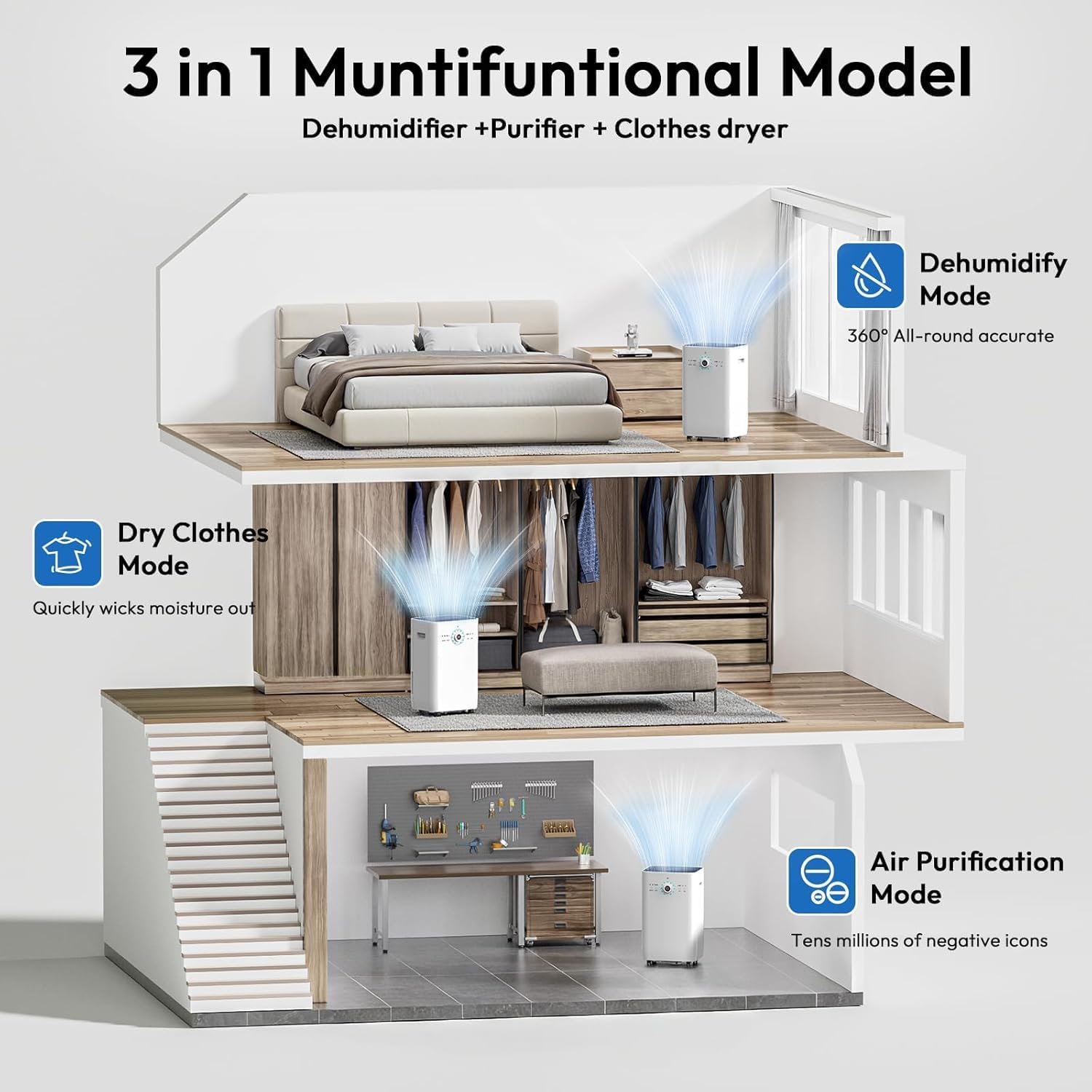
Image: The HUMILABS D024 dehumidifier illustrating its three functional modes: Dehumidify Mode for general moisture removal, Dry Clothes Mode for laundry, and Air Purification Mode for improved air quality.
Press the MODE button to cycle through the following options:
- Auto Mode: The unit automatically adjusts operation to maintain the set humidity level.
- Drying Mode: Provides continuous dehumidification with a target humidity of 30%, ideal for drying clothes in an enclosed space.
- Sleeping Mode: Turns off all lights on the control panel and operates at a lower fan speed for quiet operation, suitable for nighttime use.
4.4. Fan Speed
- Press the SPEED/DRAIN button (when not in pump drainage mode) to select between two fan speeds: Low and High.
4.5. Timer Function
- Press the TIMER button to set a delay for the unit to turn on or off (1-24 hours).
- Each press increases the timer by one hour. Once the desired time is set, the timer will activate.
4.6. Child Lock

Image: The HUMILABS D024 dehumidifier in a living room with a child playing, highlighting the child lock feature to prevent accidental setting changes.
- Press and hold the ION/LOCK button for 3 seconds to activate or deactivate the child lock.
- When activated, the control panel buttons will be locked to prevent unintended changes.
5. Maintenance
5.1. Cleaning the Air Filter

Image: A diagram illustrating the multi-layer filtration system and washable fabric pre-filter of the HUMILABS D024 dehumidifier, showing dust and particles being captured.
Regular cleaning of the air filter is crucial for maintaining the dehumidifier's efficiency and lifespan.
- Unplug the dehumidifier from the power outlet.
- Remove the filter from the back of the unit.
- Clean the filter with a vacuum cleaner or wash it with warm, soapy water.
- Rinse thoroughly and allow the filter to air dry completely before reinserting it.
- Reinsert the dry filter and plug the unit back in.
Recommendation: Clean the filter every two weeks or more frequently depending on usage and air quality.
5.2. Cleaning the Water Tank
- Empty the water tank regularly.
- Clean the tank with mild detergent and water to prevent mold and mildew growth.
- Rinse thoroughly and ensure it is dry before placing it back into the unit.
6. Troubleshooting
Before contacting customer support, please refer to the following troubleshooting guide:
| Problem | Possible Cause | Solution |
|---|---|---|
| Dehumidifier does not turn on. |
|
|
| Unit is running but not collecting water. |
|
|
| Unit is noisy. |
|
|
| Water leakage. |
|
|
7. Specifications
| Feature | Specification |
|---|---|
| Brand | HUMILABS |
| Model | D024 |
| Dehumidification Capacity | 125 Pints per Day (at 90°F, 90% RH) |
| Coverage Area | Up to 6,500 Sq. Ft. |
| Water Tank Capacity | 2.14 Gallons (8.1 Liters) |
| Refrigerant | R32 |
| Product Dimensions (D x W x H) | 14.09" x 15.75" x 26.22" |
| Wattage | 600 watts |
| Air Flow Capacity | 350 Cubic Meters Per Hour |
| Noise Level | ≤40dB |
| Number of Speeds | 2 (Low, High) |
| Included Components | Dehumidifier, Drain Hose (Gravity), Drain Hose (Pump), Removable Washable Filter, Removable Water Tank, User Manual |
8. Warranty and Customer Support
For warranty information or technical assistance, please contact HUMILABS customer support. Keep your purchase receipt and product model number (D024) handy when contacting support.
Refer to the product packaging or the official HUMILABS website for the most up-to-date contact information.

