
1. Introduction
Thank you for choosing the BYSAUD Twin Loft Bed with Desk and Storage Drawers. This manual provides essential information for the safe assembly, operation, and maintenance of your new loft bed. Please read all instructions carefully before beginning assembly and retain this manual for future reference.
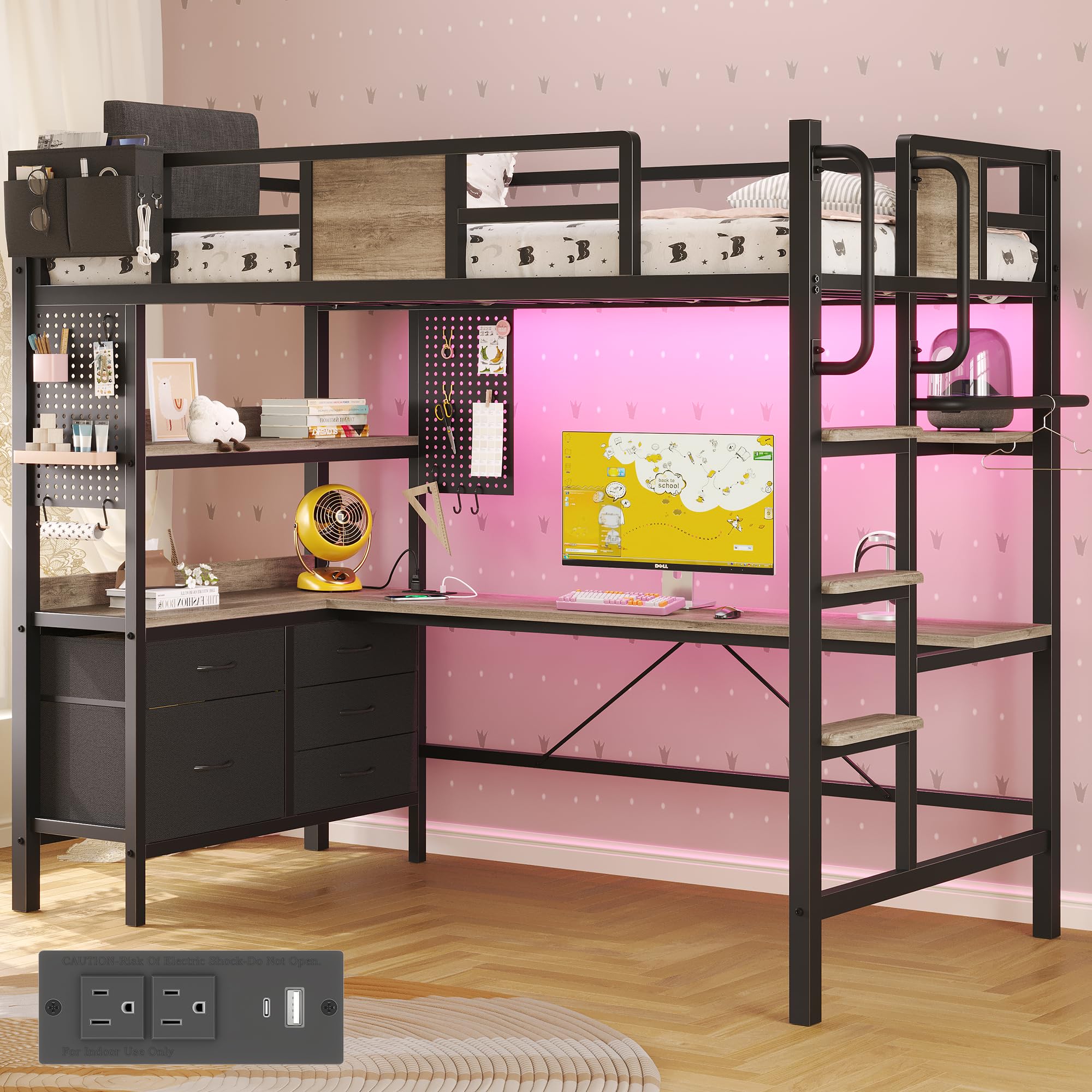
Image 1: Overview of the BYSAUD Twin Loft Bed with Desk and Storage. This image displays the complete loft bed unit, highlighting the elevated sleeping area, integrated L-shaped desk, storage shelves, drawers, and the ladder.
2. Safety Information
Your safety is paramount. Adhere to the following guidelines to prevent injury and ensure proper use of the loft bed:
- Maximum Weight Capacity: Do not exceed the maximum weight capacity of 400 pounds for the bed frame.
- Mattress Size: Use a correctly sized mattress for a twin bed to ensure proper fit and safety within the guardrails.
- Assembly: Assemble the Twin Size Loft Bed with Desk completely and securely according to the instruction manual. Ensure all fasteners are tightened.
- Pinch Points: Be aware of potential pinch points during assembly and when operating movable parts.
- Guardrails: The bed is equipped with full-length guardrails and an upholstered headboard for enhanced safety, preventing falls. The raised guardrail provides additional protection.
- Anti-Tipping Device: An anti-tipping device is included and must be mounted on the wall to protect the loft bed from tipping over.
- Ladder Safety: The ladder features 4-inch widened anti-slip boards on each step for a safer and more comfortable climb. Always use the ladder for access to the bed.
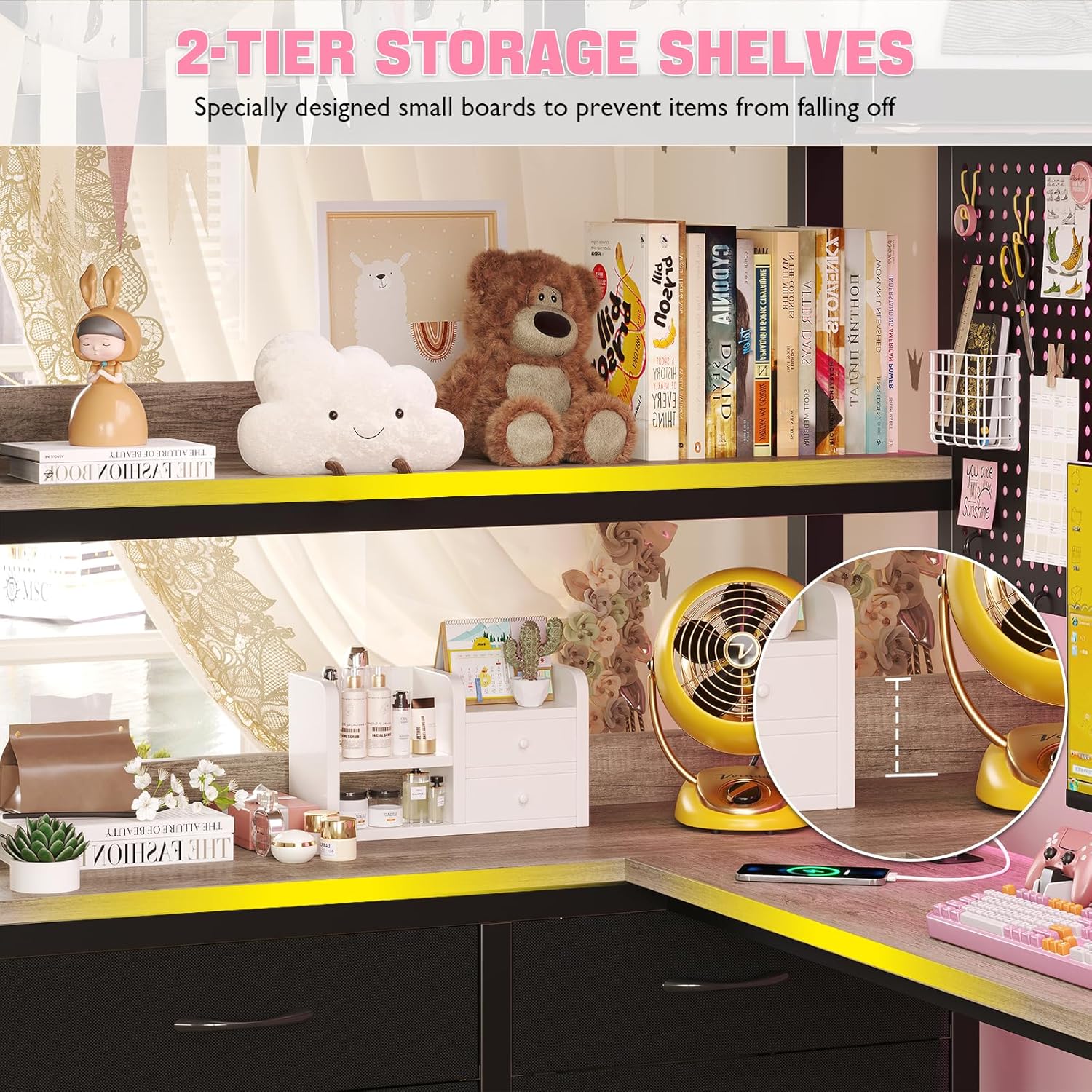
Image 2: Upholstered Headboard and Guardrail. This image shows the soft upholstered headboard and the protective guardrail, designed for comfort and safety.

Image 3: Wider Stair Treads. This image highlights the 4-inch wide stair treads, designed for improved comfort and safety during ascent and descent.
3. Package Contents
The BYSAUD Twin Loft Bed is shipped in two organized packages. Before assembly, verify that all components and hardware are present. Refer to the assembly video for a visual guide to all included parts.
Included Components:
- Headboard with Upholstered Backrest
- L-Shaped Desk
- 5 Storage Drawers
- 2 Tier Storage Shelves
- Power Outlets & LED Lights
- Twin Size Loft Bed Frame (Metal)
- 2 DIY Pegboards with 6 hooks
- Clothes Rack
- Assembly Hardware and Tools
4. Setup and Assembly Instructions
Assembly is required for this loft bed. A clear instruction manual and all necessary hardware and tools are included in the packages. Follow the step-by-step guide provided with your product. For a visual demonstration, please refer to the official assembly video below.
Key Assembly Features:
- Movable Ladder: The ladder can be mounted on the front or either side of the bed frame to suit your room layout.
- Modular Drawers: The 5 storage drawers are modular and can be rearranged based on your specific space needs.
- Anti-Tipping Device: Ensure the anti-tipping device is securely installed to a wall stud as per instructions.
Assembly Video Guide:
Video 1: Official assembly guide for the BYSAUD Twin Loft Bed with L-Shaped Desk. This video provides a step-by-step visual walkthrough of the assembly process, demonstrating how to put together the bed frame, desk, and storage components.

Image 4: L-Shaped Study Desk. This image illustrates the spacious L-shaped desk, providing a dedicated area for study or work beneath the loft bed.

Image 5: Five Large Storage Drawers. This image shows the five spacious, repositionable drawers, offering ample storage for various items.
5. Operating Instructions
LED Lights:
The integrated LED lighting system can be controlled via a smart application or the included remote control. Explore over 60,000 colors and 29 dynamic modes to customize your room's ambiance. The music-sync feature allows the lights to pulse with audio, creating an immersive experience.

Image 6: Loft Bed with RGB LED Lights. This image demonstrates the customizable RGB LED lighting feature, illuminating the desk area beneath the bed.
Charging Station:
The L-shaped desk includes a built-in charging station for convenience. It features 2 AC outlets (125V/12A), 1 USB-A port (5V/2.1A), and 1 USB-C port (5V/2.1A). Connect your electronic devices for power and charging.

Image 7: Built-in Charging Station. This image provides a detailed view of the charging station, showing the AC outlets, USB-A, and USB-C ports for convenient device charging.
6. Maintenance
To maintain the longevity and appearance of your BYSAUD Twin Loft Bed, follow these simple maintenance steps:
- Cleaning: Wipe the metal frame and wooden surfaces with a dry cloth. Avoid abrasive cleaners or harsh chemicals that may damage the finish.
- Fasteners: Periodically check all bolts and screws to ensure they remain tight. Re-tighten as necessary to maintain structural integrity.
- Upholstered Headboard: For the microfiber upholstered headboard, spot clean with a damp cloth and mild soap if needed. Allow to air dry completely.
7. Troubleshooting
If you encounter any issues with your loft bed, consider the following common solutions:
- Wobbling: If the bed feels wobbly, check all assembly connections and ensure they are securely tightened. Verify that the anti-tipping device is properly installed.
- LED Lights Not Working: Ensure the power adapter is securely plugged into both the wall outlet and the LED strip controller. Check the remote control battery or try controlling via the app.
- Charging Station Not Functioning: Confirm the power cord for the charging station is fully plugged into a working wall outlet. Test with different devices and cables.
- Missing Parts: If any parts were missing upon delivery, contact customer support immediately with your order information.
8. Specifications
| Feature | Detail |
|---|---|
| Style | Modern |
| Size | Twin |
| Color | Oak Gray |
| Upholstery Fabric Type | Microfiber |
| Frame Material Type | Metal |
| Material Type | Engineered Wood, Linen, Metal |
| Maximum Weight Recommendation | 400 Pounds |
| Item Dimensions (L x W x H) | 78"L x 42"W x 72"H |
| Item Weight | 127 Pounds |
| Required Assembly | Yes |
| Product Care Instructions | Wipe with Dry Cloth |
9. Warranty and Support
This BYSAUD product comes with a Limited Warranty. For specific details regarding warranty coverage and duration, please refer to the warranty card included with your product or contact customer support.
BYSAUD offers 24/7 dedicated customer support to assist you with any questions, concerns, or issues you may encounter from delivery to daily use. Please reach out to our support team for assistance.