
Introduction
Thank you for choosing the JISULIFE Portable Neck Fan LIFE5. This device is designed to provide personal cooling with its versatile 4-in-1 design, allowing use as a neck, waist, handheld, or wearable fan. It features 100 adjustable speeds, a powerful 40,000 RPM motor, and a smart LED display for real-time information. Please read this manual thoroughly before use to ensure proper operation and maintenance.
Setup
Unpacking
Carefully remove all components from the packaging. Ensure the following items are present:
- JISULIFE Portable Neck Fan LIFE5
- Lanyard
- USB Type-C Charging Cable
- User Manual
Initial Charge
Before first use, fully charge the fan. Connect the provided USB Type-C cable to the charging port on the fan and to a compatible USB power source (e.g., wall charger, power bank, laptop, car charger). The LED display will show the battery percentage during charging. A full charge typically takes 3-4 hours.

Image: Charging the JISULIFE Portable Neck Fan LIFE5. The fan features a 4500mAh battery and can be charged via USB-C from various sources.
Attaching the Lanyard or Using the Clip
The fan can be worn around the neck using the included lanyard or clipped to clothing/belt using the integrated back clip.
- For Neck Use: Attach the lanyard to the designated lanyard holes on the fan. Ensure it is securely fastened before wearing.
- For Waist/Clip Use: Utilize the back clip to secure the fan to your belt, waistband, or clothing.
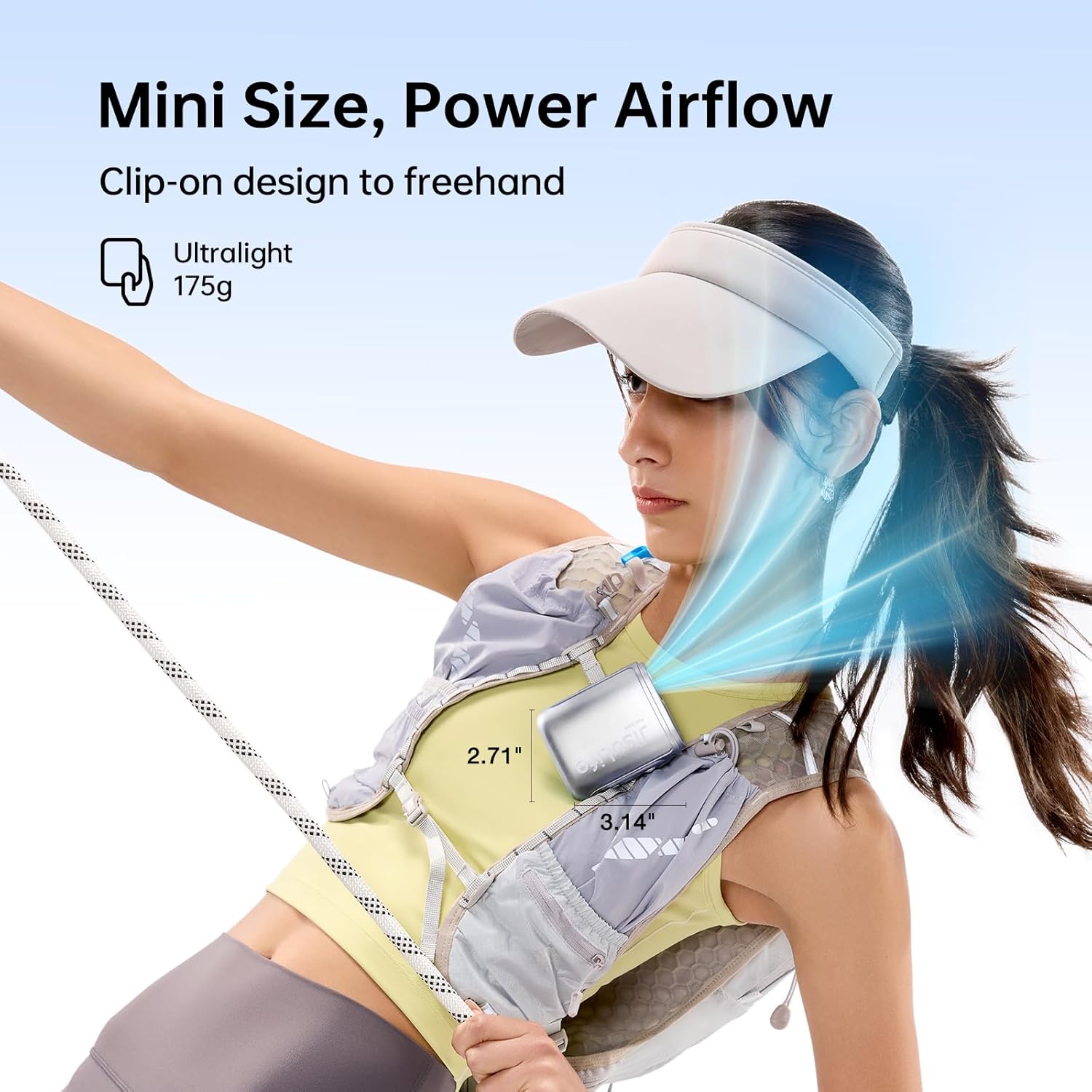
Image: The JISULIFE Portable Neck Fan LIFE5 clipped to a running vest, demonstrating its compact size and hands-free operation.
Operating Instructions
Power On/Off
- To Power On: Short press the power button. The fan will start at a low speed, and the LED display will show the current speed.
- To Power Off: Short press the power button again.
Adjusting Fan Speed
The fan features 100 adjustable speeds. Use the scroll wheel to adjust the airflow.
- Increase Speed: Rotate the scroll wheel upwards.
- Decrease Speed: Rotate the scroll wheel downwards.

Image: Digital display and scroll wheel for effortless fan control, showing current speed and battery percentage.
Checking Battery Level
The smart LED display shows the real-time battery percentage.
- To Check Battery: Double-tap the power button. The display will temporarily show the battery percentage before returning to the speed display after 5 seconds.
Versatile Usage Modes
The LIFE5 fan offers multiple ways to wear and use it:
- Neck Fan: Wear around your neck using the lanyard for hands-free cooling.
- Waist Fan: Clip to your belt or waistband for targeted cooling around your torso.
- Handheld Fan: Hold the compact device in your hand for direct airflow.
- Wearable Fan: Attach to other clothing items or bags using the clip for flexible positioning.
Video: Demonstrating the versatile usage of the JISULIFE Portable Neck Fan LIFE5, including wearing it around the neck, clipping it to the waist, and holding it as a handheld fan.
Maintenance
Cleaning
- Ensure the fan is powered off before cleaning.
- Use a soft, dry cloth to wipe the exterior of the fan.
- For the air inlet and outlet, use a soft brush or cotton swab to gently remove any dust or debris. Do not use liquids or abrasive cleaners.
Storage
When not in use for extended periods, store the fan in a cool, dry place away from direct sunlight and extreme temperatures. It is recommended to charge the battery to about 50% before long-term storage to preserve battery health.
Troubleshooting
| Problem | Possible Cause | Solution |
|---|---|---|
| Fan does not turn on. | Battery is depleted. | Charge the fan fully using the USB Type-C cable. |
| Weak airflow. | Fan speed is too low; Air inlets/outlets are blocked. | Increase the fan speed using the scroll wheel; Clean any obstructions from the air inlets and outlets. |
| Fan stops unexpectedly. | Battery is low; Overheating. | Recharge the battery; Allow the fan to cool down before resuming use. |
| LED display not working. | Minor software glitch; Damage. | Try powering the fan off and on again; If the issue persists, contact customer support. |
Specifications
| Feature | Detail |
|---|---|
| Brand | JISULIFE |
| Model Name | Portable Fan LIFE5 |
| Model Number | LIFE5 |
| Color | Black |
| Electric Fan Design | Wearable Fan |
| Power Source | Battery Powered |
| Product Dimensions (D x W x H) | 1.57"D x 2.71"W x 3.14"H |
| Special Features | 1-100 Adjustable Speeds, 4-in-1 Design, 40000 RPM Ultra Motor, Lanyard and Clip, Smart LED Display |
| Controller Type | Button Control |
| Number of Speeds | 100 |
| Noise Level | 66 Decibels |
| Wattage | 6.8 watts |
| Number of Blades | 9 |
| Speed | 40000 RPM |
| Voltage | 4.2 Volts |
| Switch Type | Push Button |
| Indoor Outdoor Usage | Outdoor |
| Control Method | Touch |
| Connector Type | USB Type C |
| Reusability | Rechargeable |
| Is Product Cordless | Yes |
| Material | Acrylonitrile Butadiene Styrene (ABS) |
| Manufacturer | Shenzhen Jisu Technology Co., Ltd. |
| Item Weight | 6.17 Ounces |
Safety Information
- Do not insert fingers or foreign objects into the fan grille.
- Keep the fan away from water and excessive moisture.
- Do not disassemble or attempt to repair the fan yourself. Contact qualified personnel for service.
- Keep out of reach of children and pets.
- Avoid prolonged exposure to direct sunlight or high temperatures, which can damage the battery.
- Use only the provided charging cable or a certified USB Type-C cable for charging.
Warranty and Support
For warranty information or technical support, please refer to the documentation included with your product or visit the official JISULIFE website. The manufacturer is Shenzhen Jisu Technology Co., Ltd.
You can also visit the JISULIFE Store on Amazon for more product information and support.


