
1. Introduction and Overview
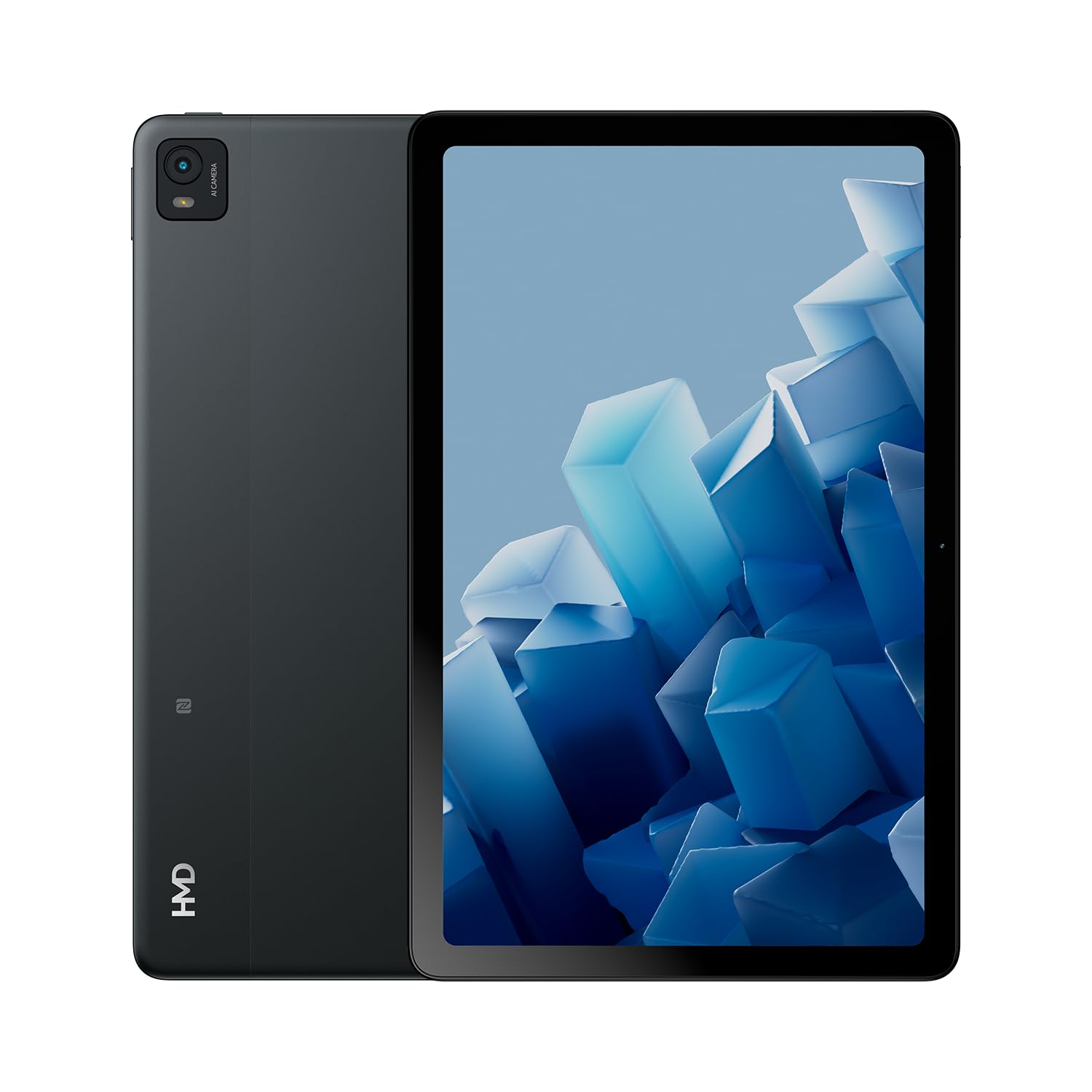
The HMD T21 tablet is designed for entertainment and productivity, featuring a clear 10.36-inch HD display and immersive audio. It supports an active pen for creative tasks and offers extended screen real estate for computer integration. Enjoy long-lasting battery performance with monthly security updates until summer 2027.
- Fortress of Security: Bank, surf, and shop online fearlessly with monthly security updates until the summer of 2027.
- Immersive Entertainment: Dive deep into entertainment on the clear 10.36-inch cover glass display with immersive audio.
- Extended Battery Life: Stay powered up with an 8200 mAh battery, offering up to 3 days of usage and 18W fast charge support with 800 full charging cycles.
- Creative and Productive: Unleash your creativity with active pen support and enhance productivity by using the tablet as additional screen real estate for your computer.
- Crystal Clear Audio-Visuals: Enjoy HD video for calls and streaming, complemented by stereo speakers with OZO playback.

2. What's in the Box
Your HMD T21 package includes the following items:
- HMD T21 Tablet
- USB Cable
- Power Adapter
- Sim Pin
- User Guide
- Quick Start Guide
- Safety Booklet

3. Setup
3.1 Initial Power On
- Press and hold the Power button (located on the side) until the HMD logo appears on the screen.
- Follow the on-screen prompts to select your language, connect to a Wi-Fi network, and set up your Google account.
3.2 Charging the Device
Before first use, it is recommended to fully charge your HMD T21 tablet.
- Connect the USB cable to the tablet's USB-C port.
- Connect the other end of the USB cable to the power adapter.
- Plug the power adapter into a wall outlet.
- The battery icon on the screen will indicate charging status. The tablet supports 18W fast charging.
3.3 Inserting a SIM Card (if applicable)
If your model supports cellular connectivity, follow these steps:
- Locate the SIM card tray on the side of the tablet.
- Insert the provided SIM pin into the small hole on the tray to eject it.
- Place your Nano-SIM card(s) and/or microSD card into the tray with the gold contacts facing down.
- Carefully reinsert the tray into the tablet.
4. Operating Instructions
4.1 Display Navigation
The HMD T21 features a 10.36-inch HD display. Navigate the interface using touch gestures:
- Tap: Select an item or open an app.
- Swipe: Scroll through screens or lists.
- Pinch-to-Zoom: Zoom in or out on photos and web pages.
- Long Press: Access contextual menus or move app icons.

4.2 Camera Usage
The tablet is equipped with an 8MP rear camera and an 8MP front camera for photos and video calls.
- Open the Camera app from the home screen.
- Tap the shutter button to take a photo.
- Switch between front and rear cameras using the camera toggle icon.
- Select video mode to record videos.
4.3 Audio and Connectivity
Enjoy clear audio through the stereo speakers with OZO playback. Connect to the internet via Wi-Fi (802.11a/b/g/n/ac) or cellular data (if supported by your model).
- Wi-Fi: Go to Settings > Network & internet > Wi-Fi to connect to available networks.
- Bluetooth: Go to Settings > Connected devices > Bluetooth to pair with Bluetooth accessories.
- Headphone Jack: Use the 3.5mm audio jack for wired headphones.
5. Maintenance
5.1 Battery Care
To maximize battery life and longevity:
- Avoid extreme temperatures.
- Use the provided charger for optimal charging.
- Periodically allow the battery to discharge below 20% before recharging.
5.2 Software Updates
HMD provides monthly security updates until summer 2027 to keep your device secure and up-to-date.
- Go to Settings > System > System update to check for and install available updates.
5.3 Cleaning Your Device
Use a soft, lint-free cloth to clean the screen and body of the tablet. Avoid harsh chemicals or abrasive materials.
6. Troubleshooting
If you encounter issues with your HMD T21, try the following basic troubleshooting steps:
- Restart the device: Press and hold the Power button, then tap Restart.
- Check for software updates: Ensure your device is running the latest software version.
- Clear app cache: If an app is misbehaving, go to Settings > Apps > [App Name] > Storage & cache > Clear cache.
- Factory reset (last resort): If problems persist, you may need to perform a factory reset. Back up your data first. Go to Settings > System > Reset options > Erase all data (factory reset).
7. Specifications
| Feature | Specification |
|---|---|
| Model Name | T21 (TA-1597) |
| Operating System | Android 13 |
| Screen Size | 10.36 Inches |
| Screen Resolution | 2000x1200 Pixels |
| Processor | 1.8 GHz Unisoc |
| Memory (RAM) | 4 GB |
| Storage Capacity | 64 GB (expandable via microSD) |
| Rear Webcam Resolution | 8 MP |
| Front Camera Resolution | 8 MP |
| Battery Life (Average) | 24 Hours (up to 3 days with typical usage) |
| Fast Charge Support | 18W |
| Wireless Type | 802.11a, 802.11ac, 802.11b, 802.11g, 802.11n |
| Item Weight | 1.04 pounds |
| Product Dimensions | 6.19 x 9.75 x 0.3 inches |
| Color | Black Steel |

8. Warranty and Support
Your HMD T21 tablet comes with a manufacturer's warranty. Please refer to the warranty card included in your package for specific terms and conditions.
For technical support, troubleshooting assistance, or warranty claims, please visit the official HMD support website or contact customer service through the details provided in your product documentation.


