
1. Introduction
This manual provides essential information for the safe and efficient operation of your Keystone 8,000 BTU Wall Mounted Air Conditioner and Dehumidifier. Please read these instructions thoroughly before installation and use, and retain them for future reference. This unit is designed to provide consistent cooling and dehumidification for small to medium-sized rooms up to 350 square feet.
2. Safety Information
Your safety and the safety of others are very important. Please read all safety messages in this manual and on the appliance. Failure to follow these instructions may result in property damage, personal injury, or death.
- Always connect to a grounded power outlet.
- Do not operate the unit with a damaged power cord or plug.
- Do not block air inlets or outlets.
- Ensure proper installation to prevent water leakage.
- Keep children away from the unit.
- Unplug the unit before cleaning or servicing.
3. Setup & Installation
This air conditioner is designed for through-the-wall installation. A standard universal interior trim kit is included for ease of installation. A wall sleeve (sold separately) is required for proper installation.
3.1. Pre-Installation Checks
- Verify the wall opening dimensions are suitable for the unit (minimum height 16 inches, minimum width 24 inches).
- Ensure the electrical outlet is a NEMA 5-15P, 115V/15A standard. The unit has a 7 ft. LCDI cable.
3.2. Installation Steps
- Install the wall sleeve (if not already present) according to its manufacturer's instructions.
- Carefully slide the air conditioner unit into the installed wall sleeve.
- Secure the unit within the sleeve using the provided hardware.
- Install the interior trim kit around the unit for a finished appearance.
- Plug the unit into a grounded 115V/15A electrical outlet.

Image: The unit is designed for easy installation into a wall sleeve, freeing up window space.
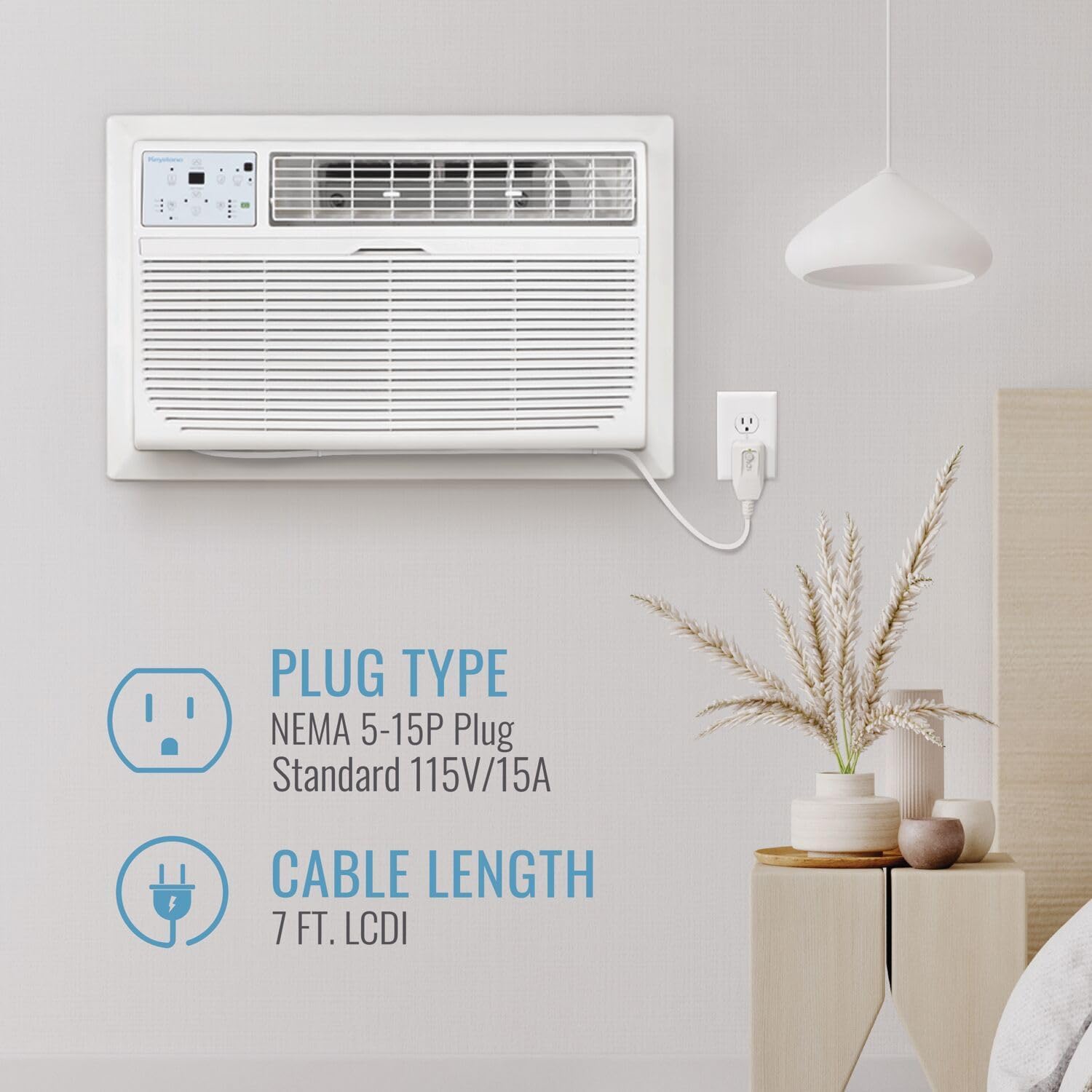
Image: Details on the NEMA 5-15P plug type and 7 ft LCDI cable length for the unit.
4. Operating Instructions
Your Keystone air conditioner offers multiple modes and features for personalized comfort.
4.1. Control Panel and Remote
The unit can be controlled via the integrated control panel or the included remote control. The remote features a built-in thermostat that senses the temperature at your location and adjusts the unit for consistent comfort.

Image: The remote control allows you to adjust settings from anywhere in the room, with its built-in thermostat ensuring accurate temperature readings.
4.2. Modes and Settings
- Cooling Modes: Select from multiple cooling modes to suit your preference.
- Fan Speeds: Adjust the fan speed (3 options) for optimal airflow.
- Air Louvers: Manually adjust the 4-way air louvers to direct airflow.
- Dehumidification: The unit can remove up to 2.1 pints of moisture per hour, improving air quality.
- Energy Saver Mode: Activates energy-saving operation to reduce power consumption.
- Sleep Mode: Gradually increases the room temperature over time to save energy during sleep.
- 24-Hour Timer: Program the unit to turn on or off automatically within a 24-hour cycle.

Image: The unit features 3-in-1 technology for powerful cooling, adjustable airflow, and effective dehumidification.

Image: Sleep mode gradually adjusts the temperature to save energy and enhance comfort during rest.
5. Maintenance
Regular maintenance ensures optimal performance and longevity of your air conditioner.
5.1. Cleaning the Air Filter
The unit is equipped with a washable mesh filter. A "Check Filter" alert will illuminate when it's time to clean the filter. To clean:
- Unplug the air conditioner from the power outlet.
- Remove the front grille and carefully slide out the mesh filter.
- Wash the filter with warm, soapy water. Rinse thoroughly.
- Allow the filter to air dry completely before reinstalling.
- Reinstall the filter and front grille, then plug the unit back in.

Image: The washable, removable filter should be cleaned regularly to maintain air quality and unit efficiency.
5.2. General Cleaning
Wipe the exterior of the unit with a soft, damp cloth. Do not use harsh chemicals or abrasive cleaners.
6. Troubleshooting
If your unit is not operating correctly, refer to the following common issues before contacting customer support.
| Problem | Possible Cause | Solution |
|---|---|---|
| Unit does not turn on | No power, tripped circuit breaker, loose plug. | Check power connection, reset breaker, ensure plug is secure. |
| Insufficient cooling | Dirty air filter, blocked air vents, room too large, temperature setting too high. | Clean filter, clear vents, ensure unit is appropriate for room size, lower temperature setting. |
| Unit is noisy | Loose parts, unit not level, foreign object in fan. | Check for loose components, ensure unit is level, inspect for obstructions. |
| Water leakage | Improper installation angle, clogged drain. | Verify unit is slightly tilted outwards for drainage, clear any drain obstructions. |
7. Specifications
| Feature | Detail |
|---|---|
| Brand | Keystone |
| Model Number | KSTAT08-1E |
| Cooling Power | 8,000 British Thermal Units (BTU) |
| Dehumidification Capacity | 2.1 Pints per hour |
| Coverage Area | Up to 350 Square Feet |
| Voltage | 115 Volts |
| Wattage | 830 watts |
| Noise Level | 49.5 Decibels |
| Product Dimensions (D x W x H) | 20.28"D x 24.21"W x 14.53"H |
| Item Weight | 63 Pounds |
| Installation Type | Through The Wall |
| Special Features | 24 Hour Timer, Energy Saver Mode, Fast Cooling, Remote Controlled, Sleep Mode |
| Filter Type | Mesh Filter |
| Refrigerant | R-32 |
| Control Method | Remote Control |

Image: Detailed dimensions and weight of the air conditioner unit.

Image: Guide for selecting the appropriate BTU based on room size, indicating 8,000 BTU for up to 350 sq. ft.
8. Warranty & Support
This Keystone air conditioner comes with a 1-year limited warranty. Please refer to the warranty card included with your product for full terms and conditions.
For technical support, service, or warranty claims, please contact Keystone customer service. Contact information can typically be found on the product packaging or the official Keystone website.


