
1. Introduction
Thank you for choosing the Panda Plus AMG-R2 Robotic Vacuum Cleaner. This intelligent robot is designed to simplify your daily cleaning routine, offering sweeping, vacuuming, and mopping functionalities. With advanced features like gyroscope navigation, app control, and voice assistant compatibility, the AMG-R2 provides an efficient and effortless cleaning experience. Please read this manual thoroughly before using the product to ensure proper operation and maintenance.
2. Product Overview
2.1 Key Features
- 3-in-1 Cleaning: Sweeps, vacuums, and mops simultaneously.
- Intelligent Navigation: Gyroscope mapping for precise and optimized cleaning paths.
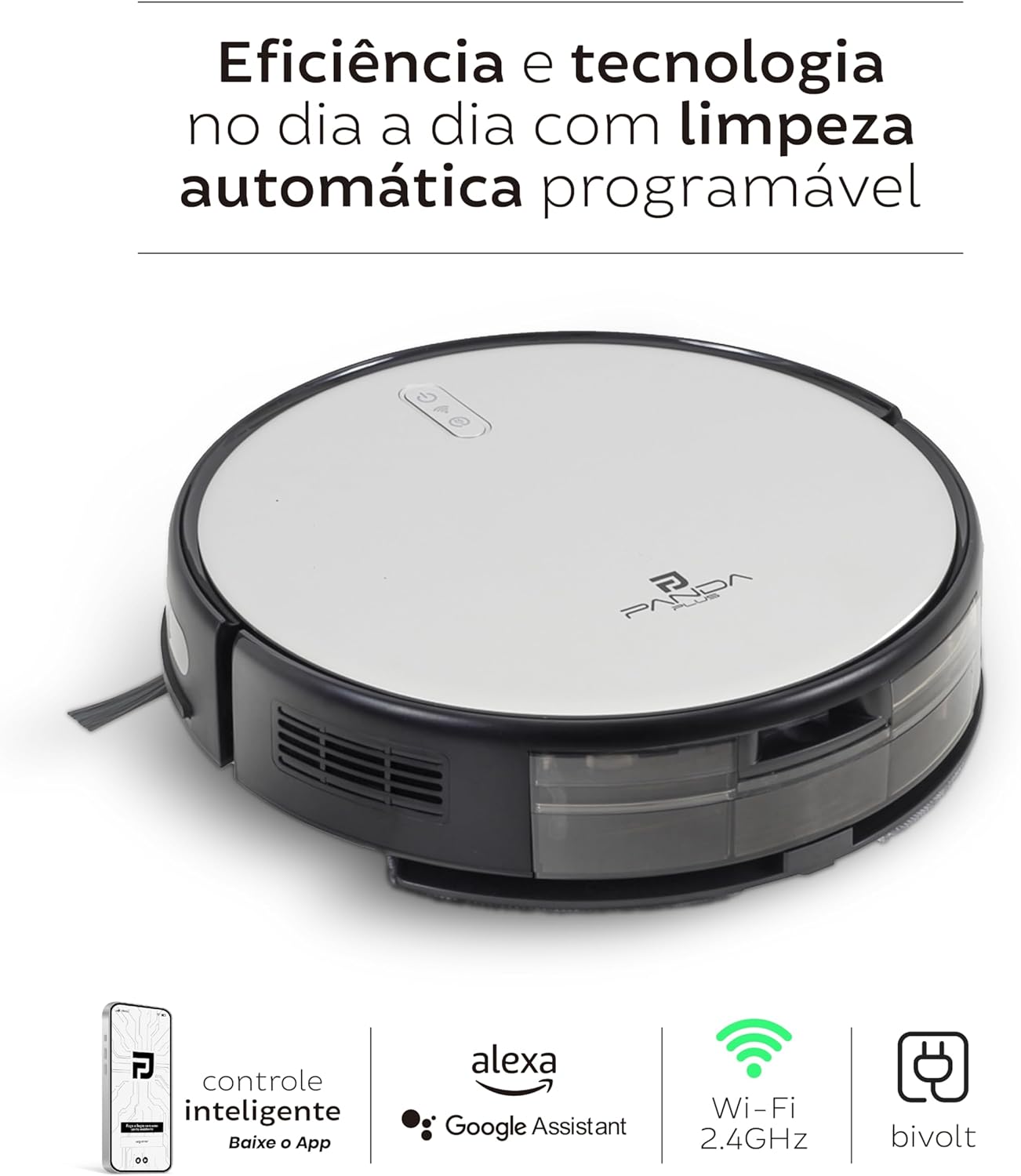
- Smart Control: Compatible with Panda Plus App (Android/iOS), Alexa, and Google Assistant. Includes a physical remote control.
- Multiple Cleaning Modes: Automatic, Corners, and Spiral (Spot) for versatile cleaning.
- Automatic Recharging: Returns to its charging base automatically when battery is low.
- Safety Sensors: Anti-fall and anti-collision sensors protect your robot and furniture.
- High Efficiency Filtration: Equipped with a HEPA filter to capture microscopic particles.
- Pet-Friendly Design: Effectively handles pet hair and minimizes allergens.
2.2 Product Components

The Panda Plus AMG-R2 Robotic Vacuum Cleaner, showcasing its sleek design, alongside its dedicated remote control and a smartphone displaying the companion app for smart operation.

A side profile of the AMG-R2 robot, highlighting its compact and slim design, allowing it to easily navigate under furniture.

The underside of the robot vacuum, revealing its dual side brushes, large driving wheels, and the removable mop pad for wet cleaning.
The AMG-R2 robot vacuum positioned near a dog, emphasizing its pet-friendly design with features like specialized filtration for pet hair and quiet operation.
3. Setup
3.1 Unpacking and Initial Charge
- Carefully remove all components from the packaging.
- Place the charging station against a wall in an open area, ensuring there are no obstacles within 1 meter (3 feet) to the front and 0.5 meters (1.5 feet) to the sides.
- Connect the power adapter to the charging station and plug it into a bivolt (100-240V) power outlet.
- Place the robot on the charging station. Ensure the charging contacts on the robot align with those on the base. The indicator light will show charging status. Allow the robot to fully charge before first use (approximately 4-5 hours).
3.2 Installing Side Brushes
Attach the two side brushes to the corresponding posts on the bottom of the robot. Press firmly until they click into place.
3.3 App and Wi-Fi Connection
- Download the "Panda Plus" app from your smartphone's app store (Android/iOS).
- Register or log in to your account.
- Follow the in-app instructions to add your AMG-R2 robot. Ensure your Wi-Fi network is 2.4GHz.
- Once connected, you can control the robot, schedule cleanings, and monitor its status from anywhere.
3.4 Remote Control Setup
Insert two AAA batteries (not included) into the remote control. The remote can be used for basic functions without the need for the app or Wi-Fi.
4. Operation
4.1 Starting a Cleaning Cycle
Press the power button on the robot, the remote control, or the "Clean" button in the app to start an automatic cleaning cycle. The robot will begin cleaning and automatically return to its charging base when finished or when the battery is low.
4.2 Cleaning Modes
The AMG-R2 offers four intelligent cleaning modes:
- Automatic Mode: The robot navigates autonomously, covering the entire area.
- Corners Mode: Focuses on edges and hard-to-reach areas along walls.
- Spiral (Spot) Mode: Concentrated cleaning in a spiral pattern for localized dirt.
- Mop Mode: Engages the water tank and mop pad for wet cleaning.
You can select these modes via the app or remote control.
4.3 3-in-1 Function (Sweep, Vacuum, Mop)
The AMG-R2 is equipped with an integrated water tank (250ml) and mop pad for wet cleaning. To use the mopping function:
- Fill the water tank with clean water. Do not use detergents or harsh chemicals.
- Attach the mop pad to the water tank.
- Insert the water tank assembly into the robot.
- Start a cleaning cycle. The robot will sweep, vacuum, and mop simultaneously.
Important Note: This model is not suitable for cleaning carpets or rugs. Please remove them before operating the robot in mop mode or if the robot might get stuck.
4.4 Scheduling Cleanings
Use the Panda Plus app to set up scheduled cleaning times. The robot will automatically start cleaning at the programmed times.

An overview of the AMG-R2's capabilities, including its 100-minute autonomy, intelligent gyroscope navigation, various cleaning modes, and safety features like anti-collision sensors.

Illustrates the smart connectivity of the AMG-R2, featuring control via the dedicated app, compatibility with Alexa and Google Assistant, integrated Wi-Fi, and bivolt power adaptability.
5. Maintenance
Regular maintenance ensures optimal performance and extends the lifespan of your robot vacuum.
5.1 Dust Collector and HEPA Filter
- Press the dustbin release button and pull out the dust collector (400ml capacity).
- Open the dust collector and empty its contents into a trash bin.
- Remove the HEPA filter and tap it gently to remove dust. Do not wash the HEPA filter with water.
- Clean the dust collector with water if necessary, ensuring it is completely dry before reinserting.
- Reassemble the filter and dust collector, then reinsert into the robot.
5.2 Water Tank and Mop Pad
- Remove the water tank (250ml capacity) from the robot.
- Empty any remaining water.
- Detach the mop pad and wash it with water. Allow it to air dry completely.
- Rinse the water tank and allow it to dry before reattaching the mop pad and reinserting into the robot.
5.3 Side Brushes
Regularly check the side brushes for tangled hair or debris. Pull them off their posts, remove any obstructions, and reattach them. Use the provided cleaning tool to cut and remove tangled hair.
5.4 Sensors and Charging Contacts
Wipe the anti-fall sensors (located on the bottom of the robot) and anti-collision sensors (on the bumper) with a clean, dry cloth. Also, clean the charging contacts on both the robot and the charging station to ensure proper connection.
6. Troubleshooting
If your Panda Plus AMG-R2 encounters an issue, refer to the following common solutions:
| Problem | Possible Cause | Solution |
|---|---|---|
| Robot does not turn on or charge. | Battery low; charging contacts dirty; power adapter not connected. | Ensure robot is properly placed on charging base. Clean charging contacts. Check power adapter connection to outlet and base. |
| Robot gets stuck frequently. | Obstacles (cables, rugs); uneven surfaces. | Clear the cleaning area of small obstacles. Avoid using on thick carpets or rugs. |
| Poor suction performance. | Dust collector full; HEPA filter clogged; brushes tangled. | Empty dust collector. Clean or replace HEPA filter. Clean side brushes. |
| Robot does not connect to Wi-Fi/App. | Incorrect Wi-Fi password; 5GHz network; robot too far from router. | Ensure correct 2.4GHz Wi-Fi network. Move robot closer to router. Restart robot and router. |
| Mop function not working. | Water tank empty; mop pad not attached correctly. | Fill water tank. Ensure mop pad is securely attached. |
If the problem persists, please refer to the detailed troubleshooting section in your physical user manual or contact customer support.
7. Specifications
| Feature | Specification |
|---|---|
| Model | AMG-R2 |
| Brand | Panda Plus |
| Suction Power | 2000 PA |
| Noise Level | 72 dB |
| Battery Type | Li-ion 4400 mAh 7.4V |
| Runtime | Up to 100 minutes |
| Charging Time | Approx. 4-5 hours |
| Dust Collector Capacity | 400 ml |
| Water Tank Capacity | 250 ml |
| Obstacle Climbing Ability | Up to 1.8 cm |
| Connectivity | Wi-Fi 2.4GHz, App Control, Remote Control, Alexa, Google Assistant |
| Material | ABS Plastic |
| Dimensions (L x W x H) | 30 x 30 x 7.8 cm (11.8 x 11.8 x 3.1 inches) |
| Weight | 2.2 kg (4.85 lbs) |
| Power Adapter | Bivolt (100-240V, 50/60Hz) |
8. Package Contents
Upon acquiring the Panda Plus AMG-R2, you will find the following items included in the package:
- 1x Panda Plus AMG-R2 Robotic Vacuum Cleaner (with integrated rechargeable battery)
- 1x Charging Station (base)
- 1x Bivolt Power Supply (AC/DC adapter)
- 1x Remote Control
- 2x Side Brushes
- 1x HEPA Filter
- 1x Cleaning Tool (small brush for hair and debris)
- 1x User Manual
9. Warranty and Support
Your Panda Plus AMG-R2 Robotic Vacuum Cleaner comes with a user manual that provides detailed information regarding product warranty and customer support. Please refer to the physical manual for specific warranty terms, conditions, and contact information for technical assistance or service inquiries.
For optimal performance and longevity, always use genuine Panda Plus replacement parts and accessories.