
Introduction
The EZclicker Big Button Universal TV Remote is designed for simplicity and ease of use, particularly beneficial for seniors, individuals with limited dexterity, or those with visual impairments. Its large, tactile buttons and straightforward functionality aim to provide a comfortable and accessible television viewing experience. This remote is compatible with a wide range of top TV brands.
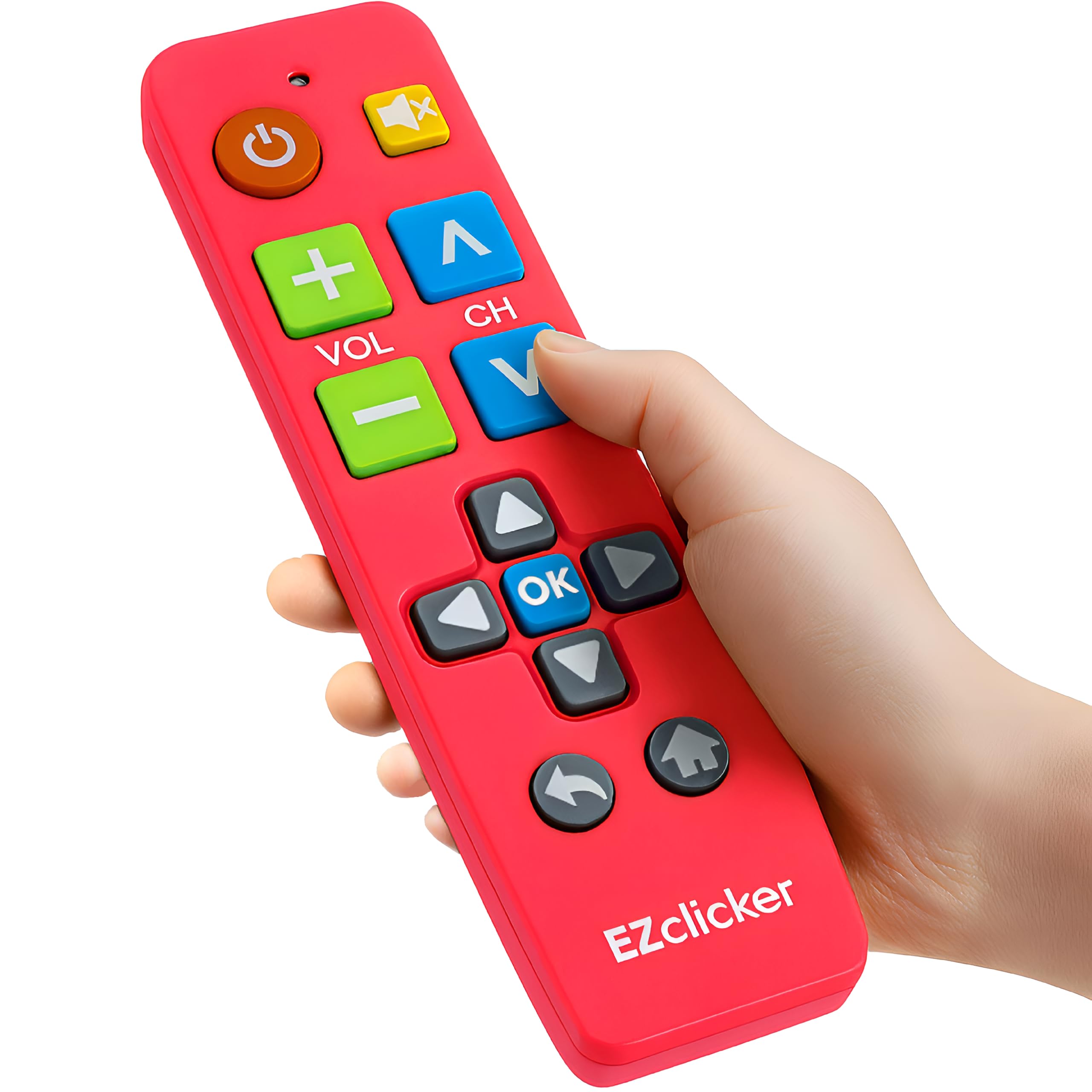
Image: The pink EZclicker remote, highlighting its large buttons and simple design.
Setup and Programming
- Install Batteries: Open the battery compartment on the back of the remote. Insert two AAA batteries (not included), ensuring correct polarity. Close the compartment securely.
- Turn On TV: Manually turn on your television.
- Initiate Programming: Point the EZclicker remote at your TV. Press and hold the Mute button (yellow speaker icon) and the Volume + button (green plus sign) simultaneously for approximately 5 seconds. The red indicator light on the remote will begin to blink.
- Wait for Volume Change: Continue holding the buttons. The remote will cycle through various frequencies. Observe your TV screen. As soon as the volume display appears or changes on your TV screen, immediately release both buttons.
- Confirm Programming: Press the Mute button once to save the programming. Your remote is now programmed.
If the remote does not program correctly on the first attempt, repeat the steps. It may take up to 60 seconds for the volume to change during the programming process.

Image: Visual guide illustrating the steps to program the EZclicker remote control.
Video: Official EZclicker video demonstrating how to use and program the universal TV remote.
Operating Instructions
The EZclicker remote features a simplified layout with large, clearly labeled buttons for essential TV functions:
- Power Button: Turns the TV on or off.
- Volume + / - Buttons: Adjusts the television volume up or down.
- Channel ^ / V Buttons: Changes the television channel up or down.
- Mute Button: Mutes or unmutes the television audio.
- OK Button: Confirms selections within TV menus.
- Directional Arrows: Navigates through TV menus and options.
- Return Button: Goes back to the previous screen or channel.
- Home Button: Accesses the TV's main menu or smart TV interface.

Image: A detailed diagram showing the layout and function of each button on the EZclicker remote.
Compatibility
The EZclicker Universal TV Remote is designed to work with the following major TV brands:
- Element
- JVC
- LG
- Panasonic
- Philips
- RCA
- Samsung
- Sanyo
- Sharp
- Sony
- TCL
- Westinghouse
Important Note: This remote is specifically for televisions and is NOT compatible with cable boxes, Firestick, Roku Stick, DVD/Blu-ray players, or any TV brands not listed above.

Image: A visual chart detailing compatible TV brands and explicitly stating devices that are not supported by the remote.
Specifications
| Brand | EZClicker |
| Model Name | 55061078320025 |
| Special Feature | Universal |
| Color | Pink |
| Max Supported Devices | 1 |
| Compatible Devices | Television |
| Connectivity Technology | Infrared |
| Button Quantity | 10 |
| Controller Type | Button Control |
| Maximum Range | 45 Feet |
| Battery Type | Alkaline AAA (2x required, not included) |
| Item Weight | 0.09 Kilograms |
| Item Dimensions (L x W x H) | 2"L x 1"W x 7"H |
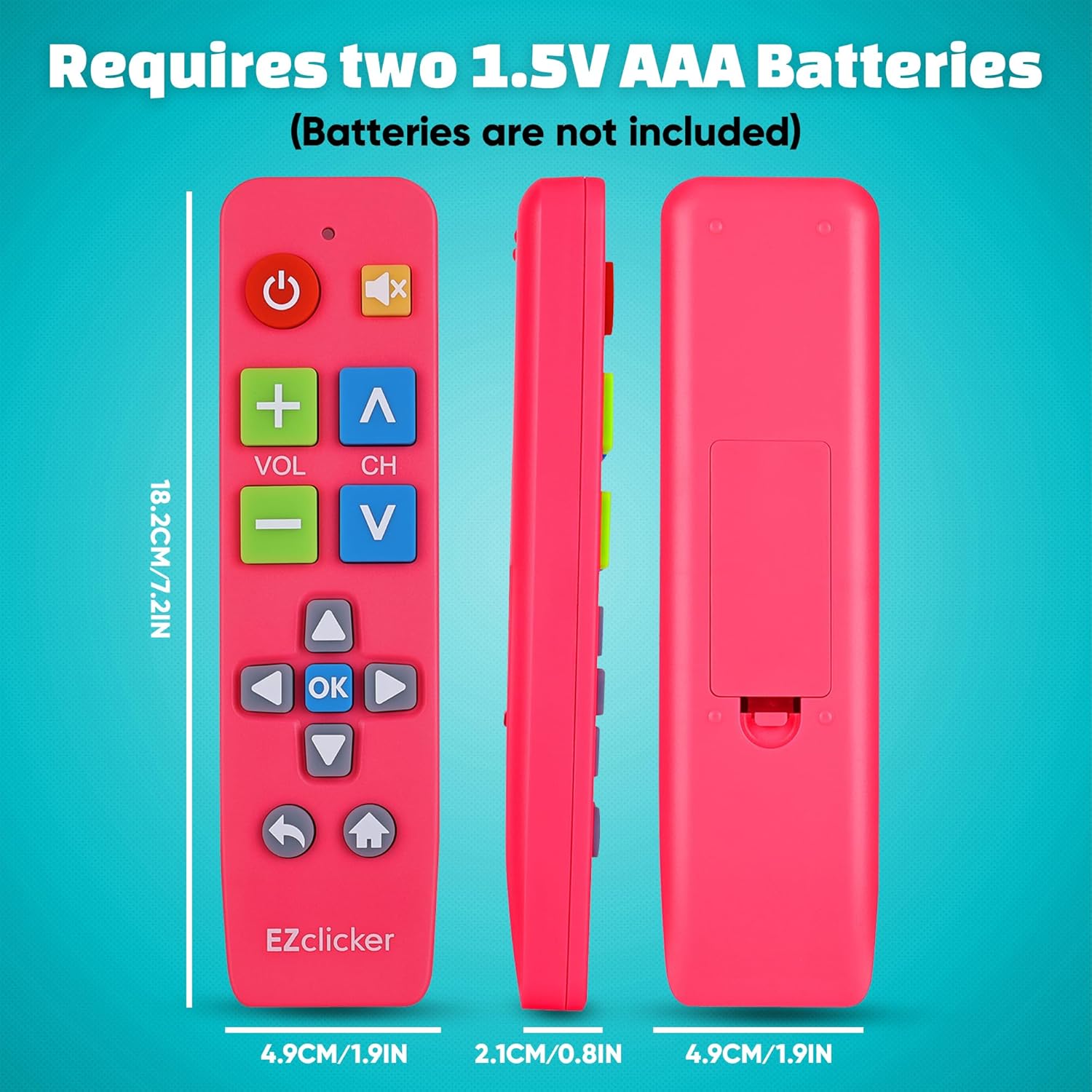
Image: The EZclicker remote displaying its compact dimensions and indicating the requirement for two AAA batteries.
Maintenance
- Battery Replacement: Replace batteries when the remote's performance diminishes or the indicator light fails to illuminate. Always use fresh AAA alkaline batteries.
- Cleaning: Wipe the remote with a soft, dry cloth. Avoid using liquid cleaners or abrasive materials, as these can damage the remote's surface or internal components.
- Storage: Store the remote in a dry place away from extreme temperatures and direct sunlight.
Troubleshooting
- Remote Not Responding:
- Ensure batteries are correctly installed and not depleted. Replace if necessary.
- Verify that the remote is pointed directly at the TV's infrared receiver.
- Re-attempt the programming steps as outlined in the "Setup and Programming" section.
- Some Buttons Not Working:
- This may indicate incomplete programming. Repeat the programming steps carefully.
- Ensure your TV brand is listed in the "Compatibility" section.
- Volume Changes Too Slowly During Programming:
- Some TVs may respond slower. Continue holding the Mute and Volume + buttons for up to 60 seconds until the volume changes, then quickly release and press Mute to save.
Warranty and Support
The EZclicker Big Button Universal TV Remote comes with a 5-year warranty.
For technical support, troubleshooting assistance, or warranty claims, please contact the manufacturer or seller directly. The seller for this product is Benooinc.