
TROPOW 7xmXUHqE8aHvaAgSo3MSAgDkfHS2T
TROPOW 14000 BTU Portable Air Conditioner User Manual
Model: 7xmXUHqE8aHvaAgSo3MSAgDkfHS2T
Introduction
Thank you for purchasing the TROPOW 14000 BTU Portable Air Conditioner. This manual provides important information for the safe operation, installation, maintenance, and troubleshooting of your appliance. Please read this manual thoroughly before use and retain it for future reference.
Important Safety Instructions
To reduce the risk of fire, electrical shock, or injury when using your air conditioner, follow these basic precautions:
- Read all instructions before using the appliance.
- Do not operate any appliance with a damaged cord or plug.
- Ensure the unit is placed on a flat, stable surface.
- Do not block air outlets or inlets.
- Keep the appliance away from flammable materials.
- Unplug the unit before cleaning or servicing.
Product Overview
Key Features
- 14,000 BTU Cooling Power: Suitable for spaces up to 750 sq. ft.
- 3-in-1 Functionality: Cooling, Fan, and Dehumidify modes.
- Ultra-Quiet Operation: Operates at approximately 51dB.
- Remote Control: Convenient operation from a distance.
- Auto Oscillation: Ensures even air distribution.
- 24-Hour Timer: Schedule on/off times for energy efficiency.
- Built-in Dehumidifier: Removes up to 90 pints/day of moisture.
- Easy Mobility: Equipped with 360° heavy-duty wheels and hidden handles.
Components and Accessories
The following components are included with your portable air conditioner:
- Portable Air Conditioner Unit
- Remote Control
- Exhaust Hose
- Window Sealing Kit (Slide Bar, Slide Bar Connector, Exhaust Pipe Joints)
- User Manual
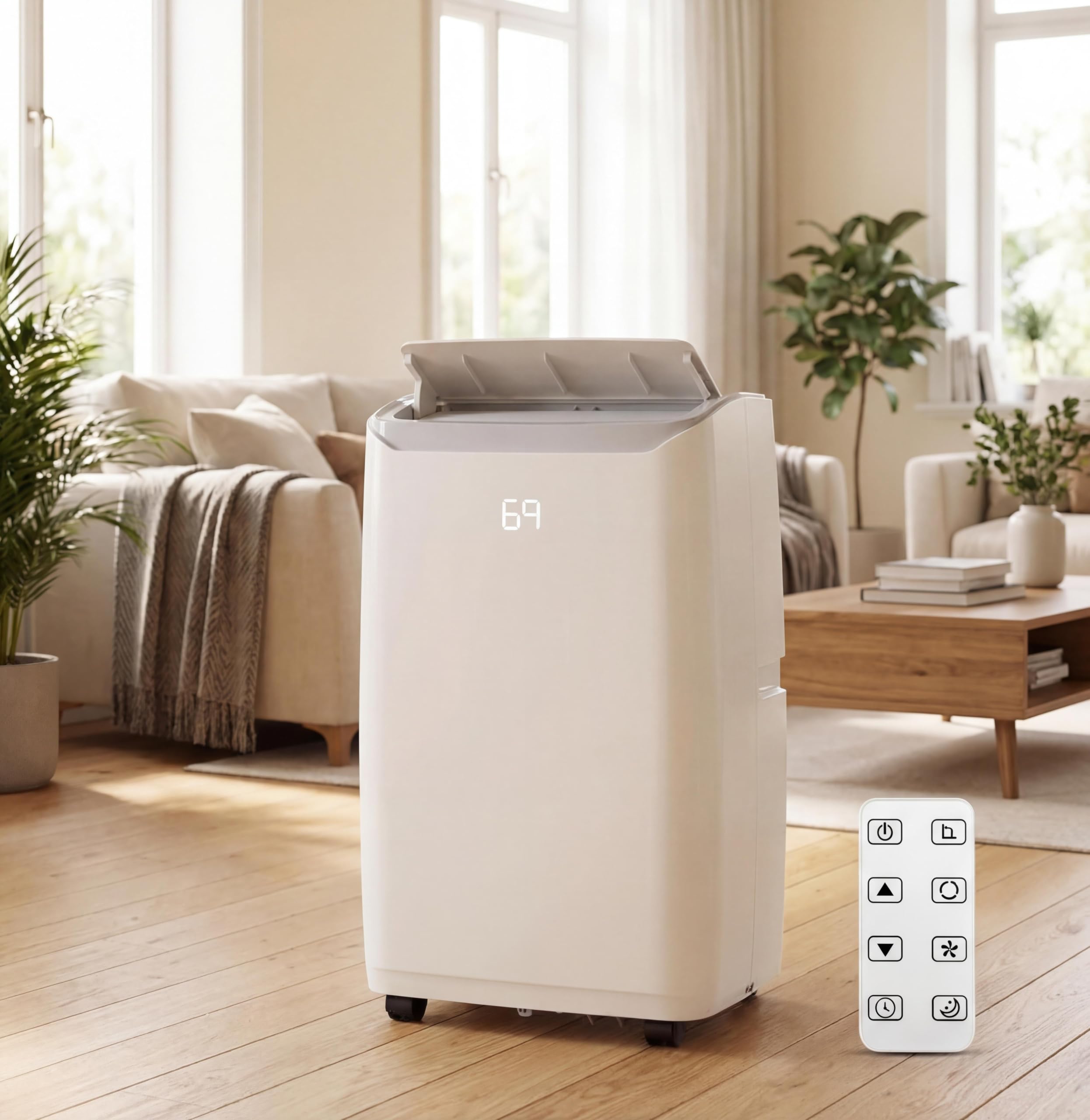
Figure 1: Front view of the TROPOW 14000 BTU Portable Air Conditioner.

Figure 2: Included accessories and dimensions of the portable air conditioner.
Video 1: A brief overview of the TROPOW 14000 BTU Portable Air Conditioner in a living room setting, demonstrating its compact design and air output.
Setup and Installation
Proper installation is crucial for optimal performance. Follow these steps to set up your portable air conditioner:
Choosing a Location
- Place the unit on a firm, level surface near a window.
- Ensure there is at least 20 inches (50 cm) of space around the unit for proper airflow.
- The unit must be within reach of a grounded electrical outlet.
Window Kit Installation
The window sealing kit is designed for most vertical and horizontal sliding windows.
- Prepare the Window: Open the window and adjust the slide bar to fit the window opening. Secure it in place.
- Attach Hose Connectors: Connect one end of the exhaust hose to the hose connector.
- Attach Window Adapter: Connect the window kit adapter to the other end of the exhaust hose.
- Connect to Unit: Attach the hose connector to the exhaust air outlet of the air conditioner unit.
- Insert into Window Kit: Extend the exhaust hose and insert the window kit adapter into the opening of the installed window sealing kit.
- Seal Gaps: Ensure all gaps around the window kit are sealed to prevent air leakage.

Figure 3: Step-by-step guide for window kit installation.

Figure 4: Examples of compatible window types for installation.
Operating Instructions
Your portable air conditioner can be operated using the control panel on the unit or the included remote control.
Control Panel and Remote Control

Figure 5: Control panel layout and functions.

Figure 6: Remote control for convenient operation.
Operating Modes
- Cooling Mode: Provides powerful cooling. Set desired temperature between 59°F (15°C) and 88°F (31°C).
- Fan Mode: Circulates air without cooling. Choose from various fan speeds.
- Dehumidify Mode: Removes excess moisture from the air. The unit can remove up to 90 pints per day.

Figure 7: The 3-in-1 functionality of the air conditioner.
Additional Functions
- Timer Function: Set the unit to turn on or off automatically within a 1-24 hour period.
- Sleep Mode: Operates quietly with reduced fan speed and gradual temperature adjustment for comfortable sleep.
- Auto Oscillation: Activates the louver to swing automatically, distributing air evenly.

Figure 8: Sleep mode and low noise operation for a tranquil environment.
Maintenance
Regular maintenance ensures the longevity and efficiency of your air conditioner.
Cleaning the Air Filter
The air filter should be cleaned every two weeks or more frequently depending on usage.
- Unplug the air conditioner from the power outlet.
- Locate and remove the air filter from the back or side of the unit.
- Wash the filter with warm, soapy water. Rinse thoroughly.
- Allow the filter to air dry completely before reinstalling.
- Reinsert the dry filter into the unit.

Figure 9: Steps for cleaning the reusable and washable filter.
Draining Water
In dehumidify mode or high humidity conditions, the internal water tank may fill. The unit features a "No Need Drainage" system for most conditions, but manual drainage may be required if the "Full Water" indicator lights up.
- Turn off the unit and unplug it.
- Place a shallow pan or tray under the drain port at the bottom rear of the unit.
- Remove the drain plug to allow water to flow out.
- Once drained, replace the drain plug securely.

Figure 10: Dehumidification feature and capacity.
Troubleshooting
Before contacting customer support, please refer to the following table for common issues and solutions:
| Problem | Possible Cause | Solution |
|---|---|---|
| Unit does not turn on | No power, power cord unplugged, circuit breaker tripped. | Check power connection, plug in securely, reset circuit breaker. |
| Unit not cooling effectively | Dirty air filter, blocked air intake/outlet, room too large, window kit not sealed. | Clean air filter, clear obstructions, ensure proper room size, seal window kit. |
| Water leakage | Drain plug loose, unit not level, internal water tank full. | Secure drain plug, place unit on level surface, drain water if tank is full. |
| Noisy operation | Unit not on a level surface, fan obstruction. | Ensure unit is level, check for and remove any obstructions. |
Specifications
| Feature | Detail |
|---|---|
| Brand | TROPOW |
| Model Number | 7xmXUHqE8aHvaAgSo3MSAgDkfHS2T |
| Cooling Capacity | 14,000 BTU |
| Coverage Area | Up to 750 sq. ft. |
| Operating Modes | Cool, Fan, Dehumidify |
| Dehumidification Capacity | 90 pints/day |
| Temperature Range | 59°F - 88°F (15°C - 31°C) |
| Noise Level | 51 dB |
| Timer | 1-24 Hours |
| Control Method | Remote Control, On-unit Panel |
| Product Dimensions (D x W x H) | 18.5" x 15.35" x 35.24" |
| Item Weight | 45.2 lbs |
| Voltage | 115V |
| Wattage | 1430W |
Warranty and Support
This product comes with a limited warranty. Please refer to the warranty card included in your product packaging for specific terms and conditions. For technical support or service inquiries, please contact TROPOW customer service.
Manufacturer: TROPOW
Ask a question about this manual
Ask about setup, troubleshooting, compatibility, parts, safety, or missing instructions. Manuals+ will review the question and use this page’s manual context to help answer it.