
DOOGEE Blade 20 Pro
DOOGEE Blade 20 Pro Rugged Smartphone User Manual
Model: Blade 20 Pro
1. Introduction
The DOOGEE Blade 20 Pro is a robust and high-performance smartphone designed for durability and advanced functionality. It features a large battery, powerful audio, and a versatile camera system, all within a ruggedized body built to withstand challenging environments. This manual provides essential information for setting up, operating, maintaining, and troubleshooting your device.

Image 1.1: Front and rear view of the DOOGEE Blade 20 Pro, highlighting its rugged design and key specifications like 11800mAh battery, 125dB speaker, Android 15, 24GB RAM, and 256GB ROM.
2. Package Contents
Verify that all items are present in your product box:
- 1 x Blade 20 Pro Rugged Smartphone
- 1 x Type-C USB Cable
- 1 x 18W Charger
- 1 x Screen-printed Protective Film (Pre-applied)
- 1 x SIM Card Removal Needle
- 1 x User Manual
- 1 x Warranty Card
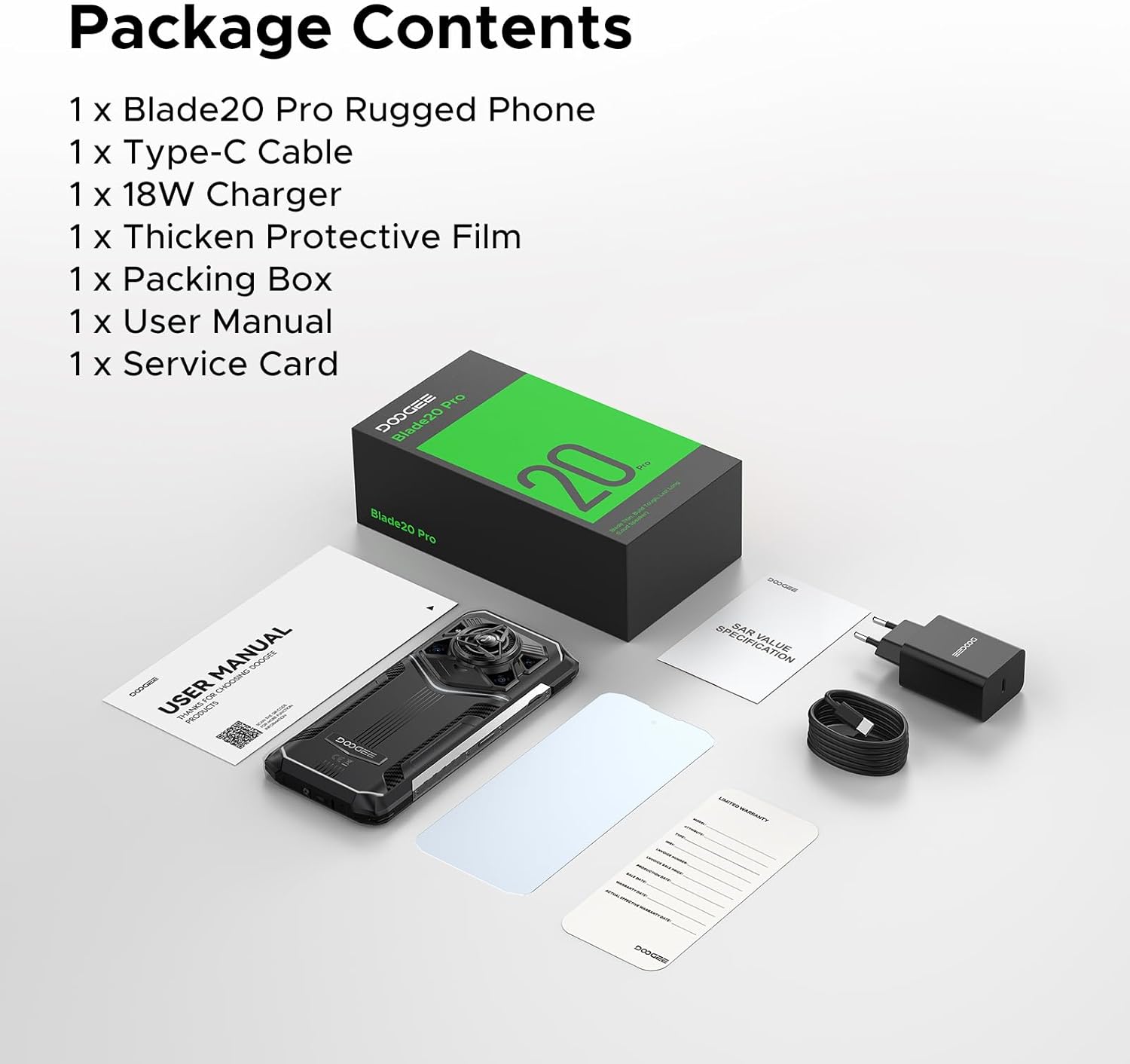
Image 2.1: Contents of the DOOGEE Blade 20 Pro retail package, including the phone, charger, cable, protective film, SIM tool, user manual, and warranty card.
3. Initial Setup
3.1. Inserting SIM Cards and Storage Card
- Locate the SIM card tray on the side of the phone.
- Use the provided SIM card removal needle to eject the tray.
- Place your Nano-SIM cards and/or a microSD card (up to 2TB, purchased separately) into the designated slots on the tray. Ensure correct orientation.
- Carefully reinsert the tray into the phone until it is flush with the device body.
3.2. Charging the Device
- Connect the Type-C USB cable to the charging port at the bottom of the phone.
- Connect the other end of the cable to the 18W charger.
- Plug the charger into a power outlet.
- Allow the phone to charge fully before first use. The 11800mAh battery supports 18W fast charging.
3.3. Powering On/Off
- To Power On: Press and hold the Power button (usually on the right side) until the DOOGEE logo appears.
- To Power Off: Press and hold the Power button, then select "Power off" from the options on the screen.
- To Restart: Press and hold the Power button, then select "Restart" from the options on the screen.
4. Operating Your Device
4.1. Android 15 Operating System
The Blade 20 Pro runs on Android 15, offering an intuitive user interface, enhanced privacy features, and efficient app management. Explore the various settings and customization options to personalize your experience.
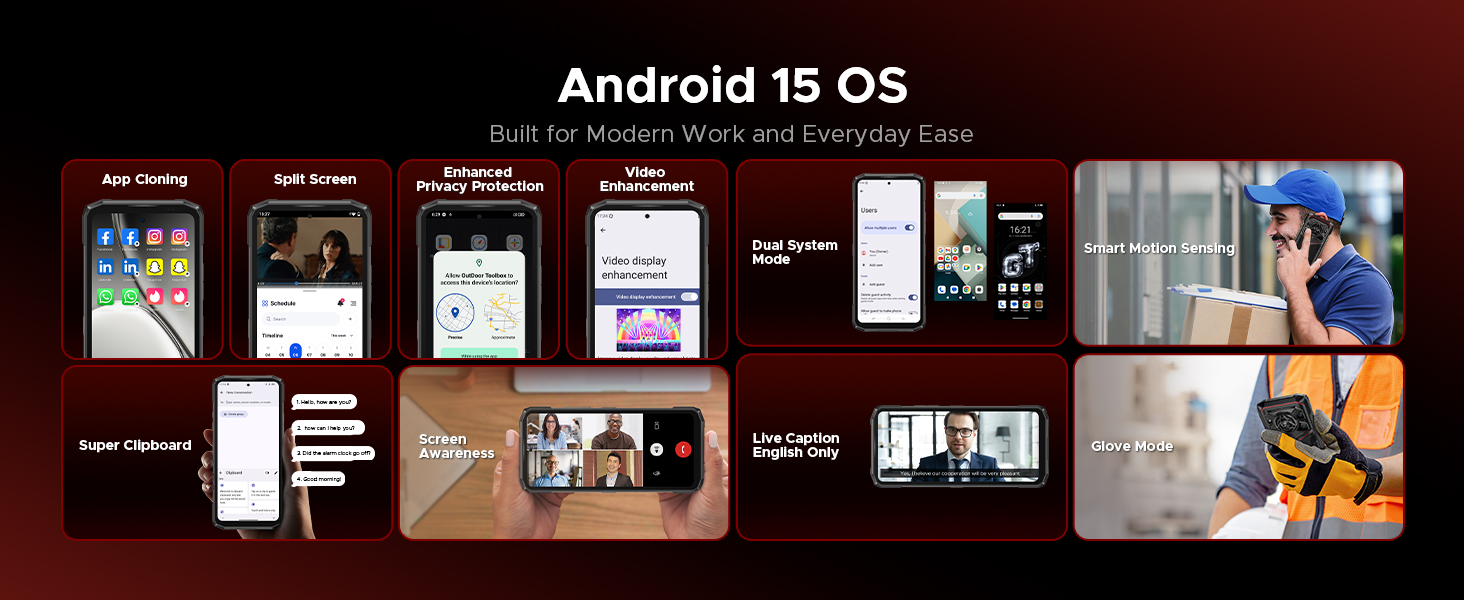
Image 4.1: Overview of Android 15 OS features, including App Cloning, Split Screen, Enhanced Privacy Protection, Video Enhancement, Dual System Mode, Smart Motion Sensing, Super Clipboard, Screen Awareness, Live Caption, and Glove Mode.
4.2. Display
The device features a 6.6-inch HD+ IPS punch-hole screen with a 90Hz refresh rate for smooth visuals. With 380 nits brightness, the display remains clear even in direct sunlight. Widevine L1 certification allows for streaming high-definition content from platforms like Netflix and Prime Video.
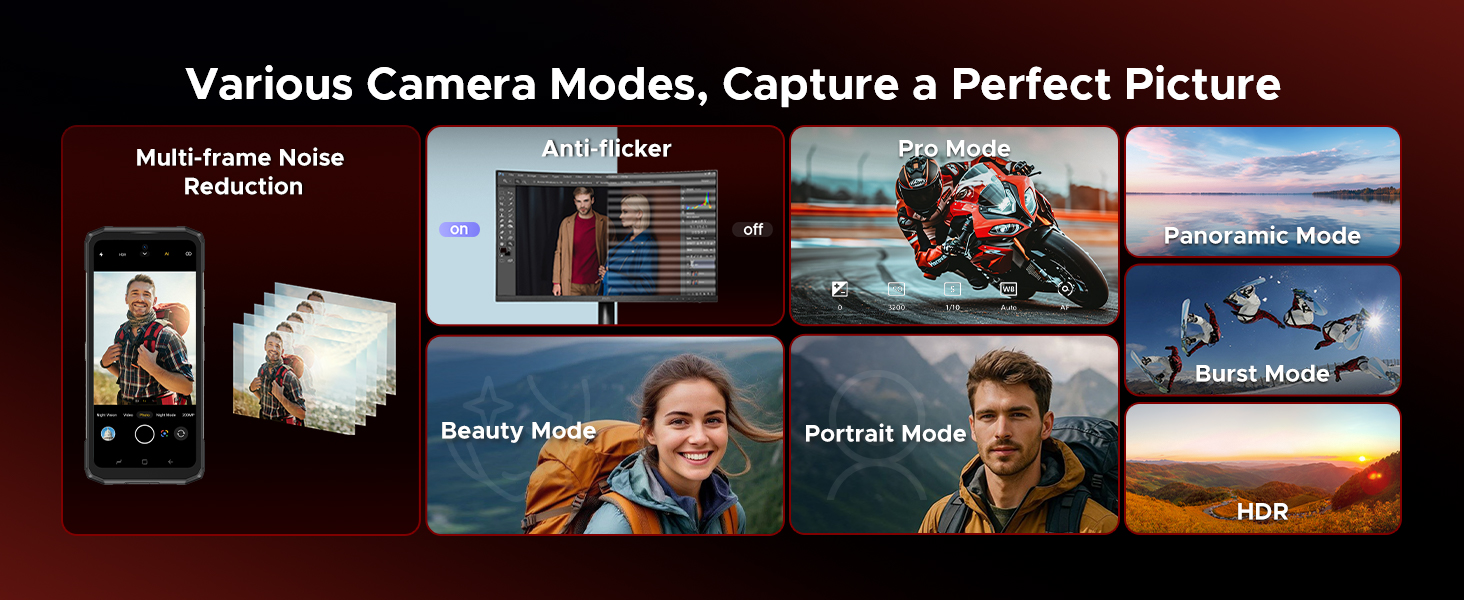
Image 4.2: Details of the 6.6-inch HD+ 90Hz display, showing 84% visual screen ratio, 16.7 million screen colors, 1500:1 screen contrast, 20:9 aspect ratio, and Widevine L1 for HD streaming.
4.3. Camera System
Capture moments with the versatile camera setup:
- 50MP AI Main Camera: For crisp and vibrant photos in various lighting conditions.
- 20MP Infrared Night Vision Camera: Allows capturing images in complete darkness.
- 8MP Front Camera: For clear selfies and video calls.
The camera offers various modes including Night Mode, EIS Anti-shake, AI Recognition, Multi-frame Noise Reduction, Anti-flicker, Pro Mode, Panoramic Mode, Burst Mode, Beauty Mode, Portrait Mode, and HDR.
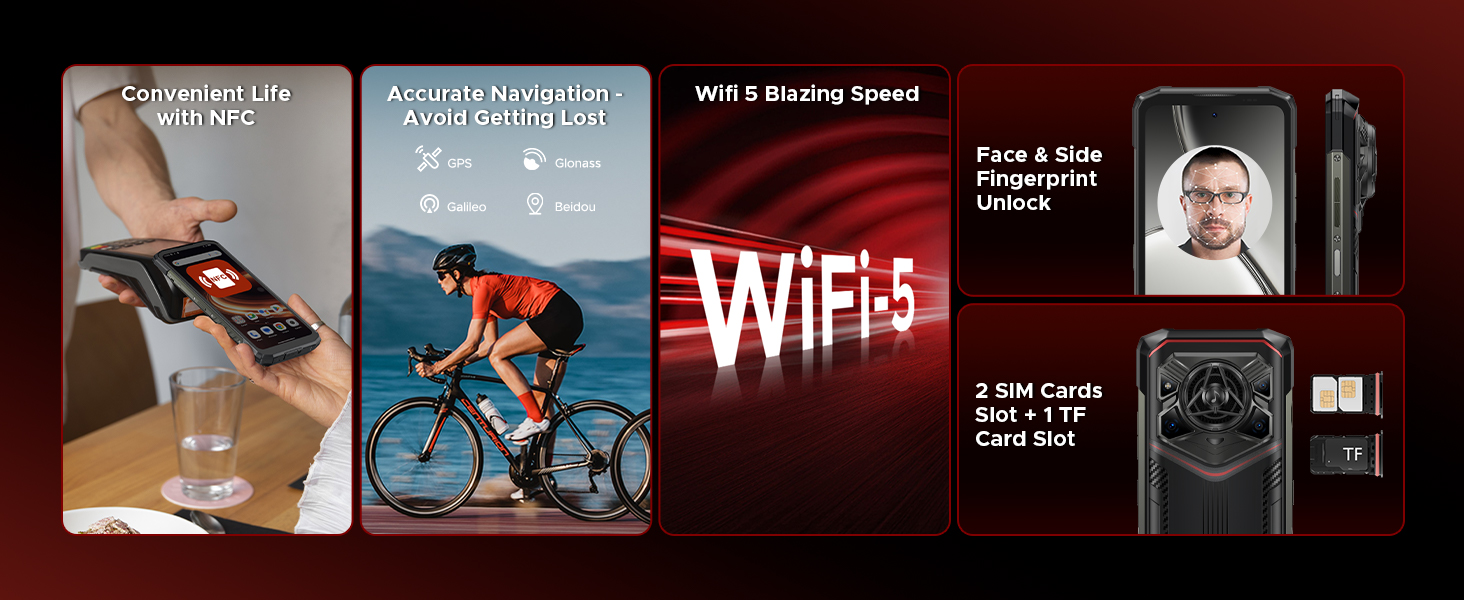
Image 4.3: Illustration of the DOOGEE Blade 20 Pro's camera system, featuring the 50MP main camera, 20MP night vision camera, and 8MP front camera, with example photos.
4.4. Audio
The Blade 20 Pro is equipped with a 36mm large amplitude speaker and 3.5W high power output, delivering an impressive 125dB sound. This ensures clear audio for calls, music, and media playback, even in noisy environments.
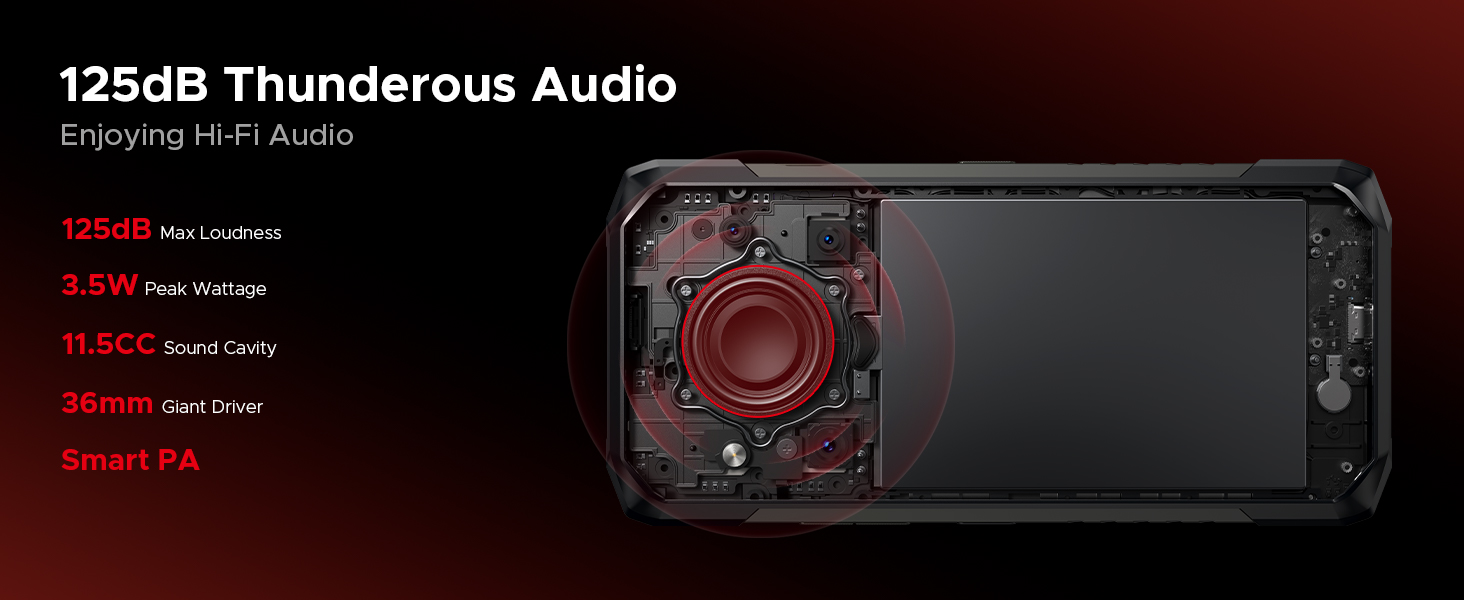
Image 4.4: Diagram showing the internal speaker components and specifications, including 125dB max loudness, 3.5W peak wattage, 11.5CC sound cavity, 36mm giant driver, and Smart PA technology.
4.5. Battery and Charging
The device features an 11800mAh battery, providing extended usage times. It supports 18W fast charging via Type-C. Additionally, OTG reverse charging allows the phone to act as a power bank for other devices.
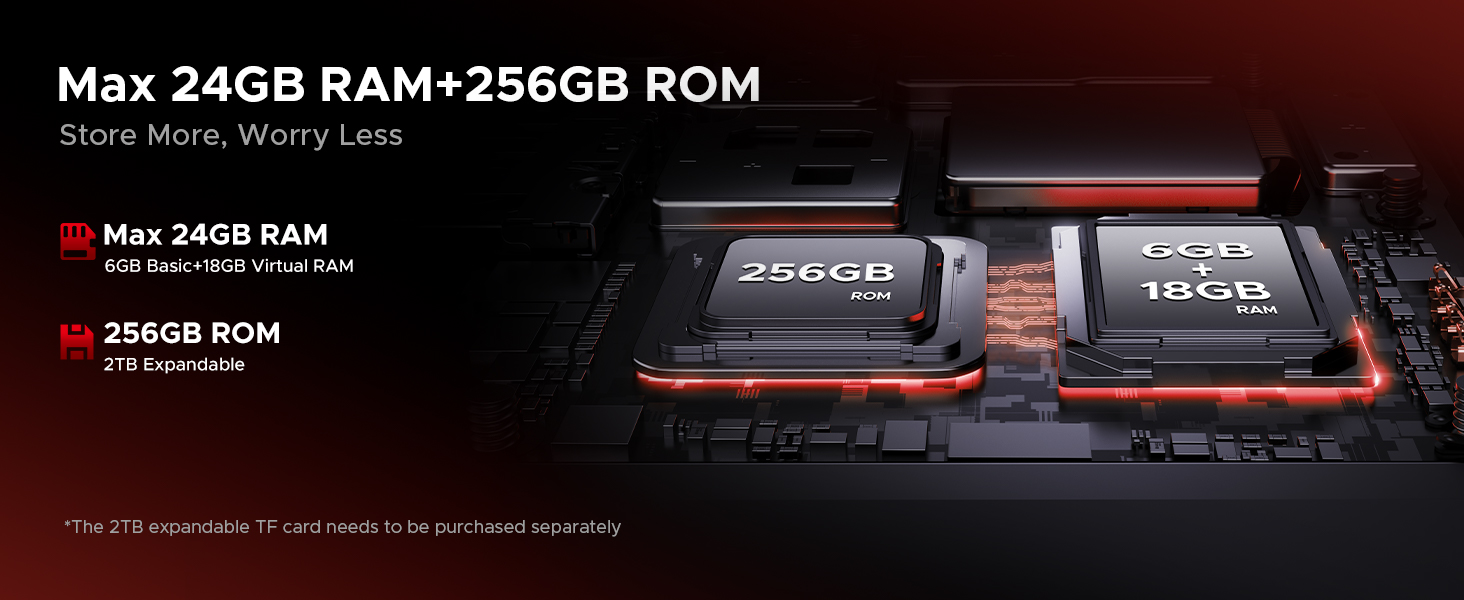
Image 4.5: Information on the 11800mAh Silicon Anode Battery, detailing 18W fast charging, 5W reverse charging, and estimated usage times for standby, calling, video watching, and web browsing.
4.6. Gemini AI
The Blade 20 Pro integrates Gemini AI, enhancing various functions such as content creation, image analysis, code development, language learning, and smart assistance.

Image 4.6: Visual representation of the Gemini AI features, including Content Creation, Image Analysis, Code Development, Language Learning, Smart Assistant, and Gemini Live.
4.7. Connectivity and Security
The device supports dual 4G SIM cards (note: Verizon and AT&T are not supported). It includes NFC for convenient payments, accurate GPS navigation (GPS, Glonass, Galileo, Beidou), and Wi-Fi 5 for fast internet. For security, it offers Face ID and Fingerprint Unlock.

Image 4.7: Overview of connectivity and security features, including NFC for payments, GPS for navigation, Wi-Fi 5, Face ID and Fingerprint Unlock, and dual SIM card slots plus a TF card slot.
5. Maintenance
The DOOGEE Blade 20 Pro is built to be rugged, meeting IP68, IP69K, and MIL-STD-810H standards for water, dust, and shock resistance. To ensure its longevity, follow these maintenance guidelines:
- Cleaning: Use a soft, damp cloth to clean the device. Avoid harsh chemicals or abrasive materials. Ensure all ports are dry before charging or connecting accessories.
- Water Exposure: While waterproof, ensure all port covers are securely closed before exposing the phone to water. Do not intentionally submerge the phone beyond specified limits (IP68: 1.5m for 30 mins).
- Temperature: Avoid exposing the phone to extreme temperatures (below -40°C or above 70°C) for prolonged periods.
- Impact: Although shockproof, avoid unnecessary drops or impacts to prevent potential damage.
- Software Updates: Regularly update the device software to ensure optimal performance and security.
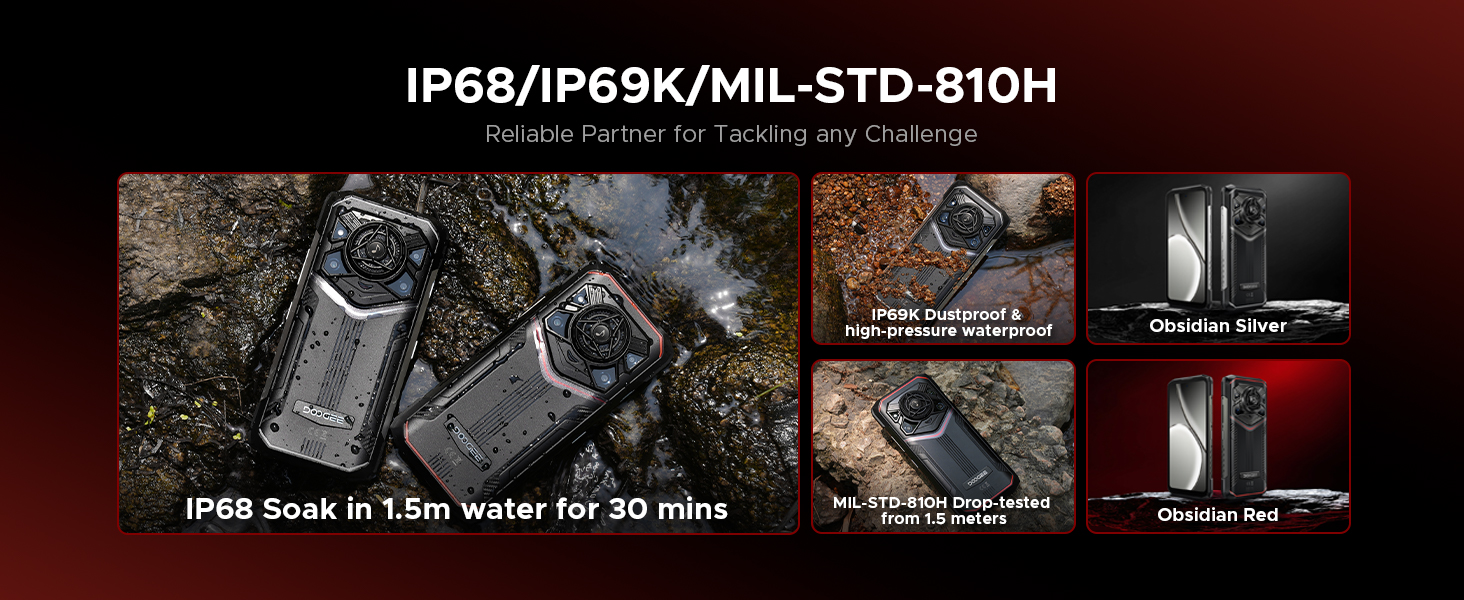
Image 5.1: Visual representation of the phone's durability, highlighting IP68 water immersion, IP69K dustproof and high-pressure waterproof, and MIL-STD-810H drop-tested from 1.5 meters.
6. Troubleshooting
If you encounter issues with your DOOGEE Blade 20 Pro, refer to the following common solutions:
| Problem | Possible Solution |
|---|---|
| Device does not power on | Ensure the battery is charged. Connect the charger and wait a few minutes before attempting to power on again. If unresponsive, perform a forced restart by holding the Power button for 10-15 seconds. |
| Battery drains quickly | Check for background apps consuming power. Adjust screen brightness. Disable unused features like Wi-Fi, Bluetooth, GPS. Reduce screen timeout. |
| Cannot connect to network | Ensure SIM card is correctly inserted. Check network settings. Verify carrier compatibility (Verizon and AT&T are not supported). Restart the device. |
| Camera not working | Restart the camera app or the phone. Clear the camera app's cache and data in settings. Ensure no physical obstruction is blocking the lens. |
| Sound issues (too low/high, distorted) | Check volume settings. Ensure speaker is not blocked or dirty. Restart the device. |
| Touchscreen unresponsive | Restart the device. If the issue persists, ensure the screen is clean and dry. Remove any screen protectors that might interfere. |
For more complex issues, refer to the official DOOGEE support resources or contact customer service.
7. Technical Specifications
| Feature | Specification |
|---|---|
| Model Name | Blade 20 Pro |
| Operating System | Android 15 |
| Processor | Unisoc T7200 Octa-Core Processor (12nm) |
| RAM | 24 GB (6GB physical + 18GB virtual) |
| Internal Storage | 256 GB |
| Expandable Storage | Up to 2 TB via microSD card (purchased separately) |
| Screen Size | 6.6 Inches HD+ IPS Punch-Hole Display |
| Refresh Rate | 90 Hz |
| Main Camera | 50 MP |
| Night Vision Camera | 20 MP Infrared |
| Front Camera | 8 MP |
| Battery Capacity | 11800 mAh (Lithium Polymer) |
| Charging | 18W Fast Charging, 5W OTG Reverse Charging |
| Speaker | 125dB Loudspeaker (36mm driver, 3.5W output) |
| Durability Standards | IP68, IP69K, MIL-STD-810H |
| Connectivity | Dual 4G SIM, Wi-Fi 5, Bluetooth, NFC, USB Type-C |
| Navigation | GPS, Glonass, Galileo, Beidou |
| Security | Face ID, Fingerprint Unlock |
| Dimensions | 3.2 x 0.62 x 6.85 inches |
| Weight | 1.3 pounds |

Image 7.1: Details of the Unisoc T7200 Octa-Core Processor, highlighting its 12nm processing technology and overall performance.

Image 7.2: Illustration of the memory configuration, showing 6GB basic RAM + 18GB virtual RAM for a total of 24GB, and 256GB ROM with 2TB expandability.
8. Warranty and Support
Your DOOGEE Blade 20 Pro comes with a warranty. Please refer to the included Warranty Card in your package for detailed information regarding warranty terms, conditions, and duration.
For technical support, service, or further inquiries, please consult the contact information provided on your Warranty Card or visit the official DOOGEE website.
Related documentsBlade 20 Pro

Ask a question about this manual
Ask about setup, troubleshooting, compatibility, parts, safety, or missing instructions. Manuals+ will review the question and use this page’s manual context to help answer it.