
1. Introduction
Thank you for choosing the BYSAUD Twin Size Loft Bed. This multi-functional furniture piece is designed to optimize space, providing a comfortable sleeping area, a dedicated workspace, and ample storage solutions. It features an L-shaped desk, integrated LED lighting, and a convenient charging station, making it ideal for studying, working, or relaxing. This manual provides essential information for assembly, operation, maintenance, and safety to ensure a long-lasting and satisfying experience with your new loft bed.

Figure 1: Overview of the BYSAUD Twin Size Loft Bed.
2. Safety Information
Your safety is paramount. Please read and adhere to all safety instructions before and during the assembly and use of this loft bed.
- Weight Limit: The loft bed is designed to support a maximum weight of 123 pounds. Do not exceed this limit.
- Guardrails: The bed is equipped with raised guardrails around the top to prevent accidental falls. Ensure they are securely installed.
- Anti-Tipping Device: Utilize the firmly fixed anti-tilt nails to mount the loft bed to the wall. This prevents the bed from shaking or tipping over, ensuring a safe sleeping environment.
- Ladder Safety: The movable ladder can be mounted on the front or side. Ensure it is stable and securely attached before use. The 4-inch wide board on the steps is designed to prevent slipping.
- Headboard: The upgraded headboard is wrapped in soft upholstery for comfort and protection.
- Children's Safety: Enclosed guardrails with MDF boards are included for children's protection, preventing them from turning over and falling out while sleeping.

Figure 2: Key safety features of the loft bed, including guardrails and anti-tipping mechanism.
3. Package Contents
Please verify that all components listed below are present in your package before beginning assembly. If any parts are missing or damaged, please contact customer support.
- 1 x Installation Manual
- 1 x Easy Assemble Tool Kit
- 1 x Loft Bed Frame
- 1 x L-Shaped Desk
- Headboard with Upholstered Backrest
- 10 x Metal Slats
- Guardrails
- 2 x Storage Shelves
- 1 x Power Outlets (Charging Station)
- 5 x Fabric Drawers
- 1 x LED Light Strips
4. Assembly Instructions
Assembly of the BYSAUD Loft Bed is designed to be straightforward. Each part is clearly labeled, and all necessary hardware and tools are included. Please follow the detailed instructions provided in the separate installation manual for step-by-step guidance.
- Unpack and Identify: Carefully unpack all components and lay them out. Refer to the parts list in the installation manual to identify each piece.
- Follow Manual: Adhere strictly to the sequence of steps outlined in the provided installation manual.
- Secure Connections: Ensure all screws, bolts, and connectors are tightened securely. Do not overtighten.
- Ladder Placement: The movable ladder can be installed on either the front or side of the bed frame, depending on your room layout. Ensure it is firmly attached.
- Anti-Tipping Device: Install the anti-tipping device by securing the bed to a wall stud as instructed in the manual. This is a critical safety step.
For visual assistance, refer to the diagrams in your installation manual. If you encounter any difficulties, please contact customer support.
5. Operating Instructions
5.1. RGB LED Lights
The integrated RGB LED lights offer customizable ambiance for your space.
- Control Methods: The LED lights can be controlled via a remote control or a dedicated mobile application.
- Customization: Choose from over 60,000 multiple colors and 29 flashing modes to create your desired atmosphere.

Figure 3: Remote and APP control options for the RGB LED lights.
5.2. Charging Station
The L-shaped desk includes a built-in charging station for your electronic devices.
- Power Outlets: The charging station features 2 AC outlets (125V/12A), 1 USB Port (5V/2.1A), and 1 Type-C Port (5V/2.1A).
- Usage: Simply plug in your devices to charge them conveniently while working or relaxing at the desk.

Figure 4: Integrated charging station on the L-shaped desk.
5.3. Storage Features
The loft bed offers various storage solutions to keep your space organized.
- L-Shaped Desk: Provides a spacious surface for computers, monitors, and other essentials.
- Storage Drawers: Five large, repositionable fabric drawers offer flexible storage for clothes, books, and miscellaneous items.
- Open Shelves: Two open storage shelves are ideal for books, documents, printers, and decorative items.
- DIY Pegboards: Two pegboards allow for customizable organization of small items and accessories.
- Clothes Rack: A convenient clothes rack is included for hanging garments.

Figure 5: L-shaped desk with integrated storage.
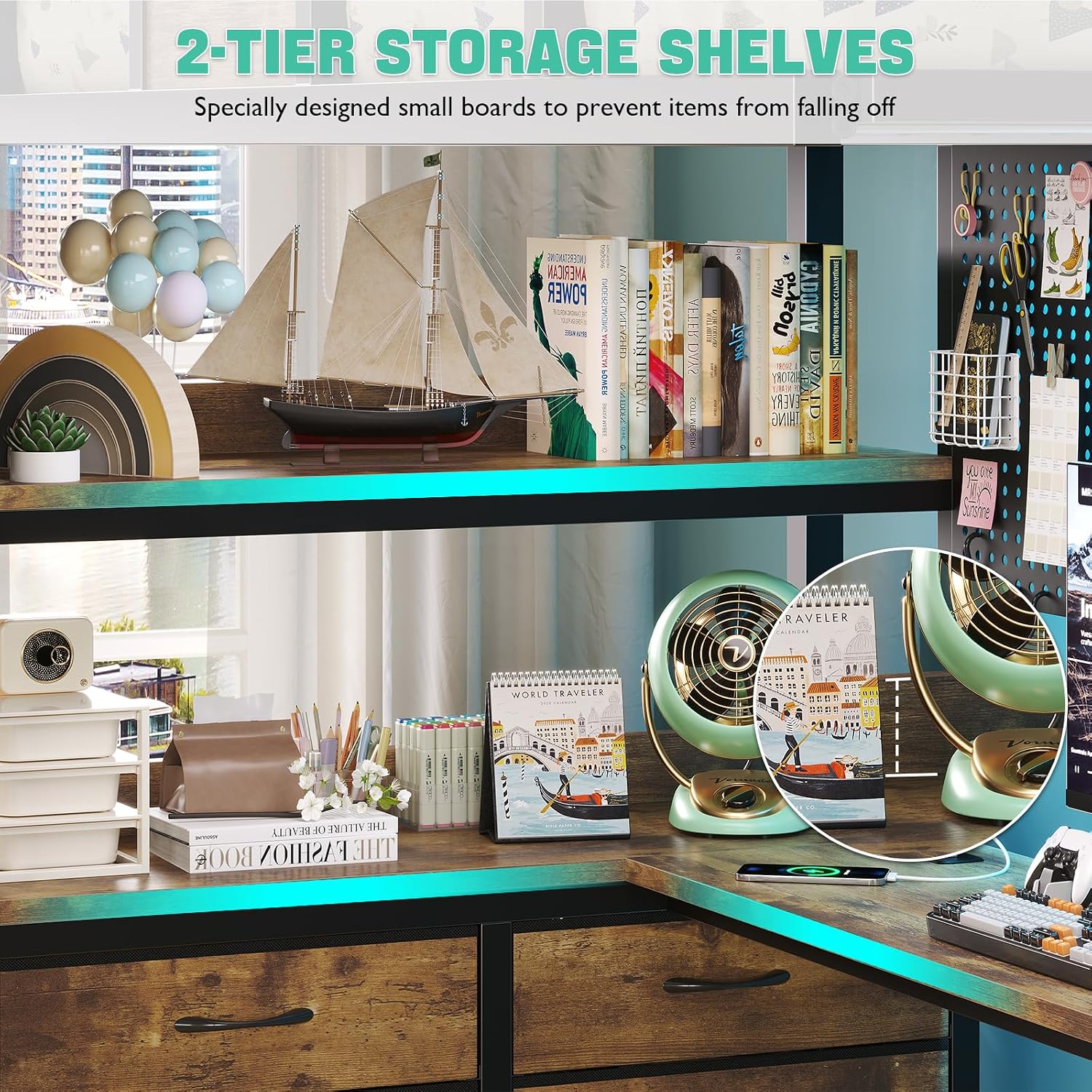
Figure 6: Flexible storage provided by five large drawers.

Figure 7: Pegboards and clothes rack for versatile storage.
6. Maintenance
To ensure the longevity and appearance of your BYSAUD Loft Bed, follow these simple maintenance guidelines:
- Cleaning: Wipe the surfaces with a dry cloth to remove dust and debris. Avoid using harsh chemicals or abrasive cleaners, which can damage the finish.
- Hardware Check: Periodically check all screws, bolts, and connections to ensure they remain tight. Retighten if necessary to maintain stability.
- LED Lights: If LED lights malfunction, check connections. Do not attempt to repair electrical components yourself; contact customer support.
- Fabric Drawers: Clean fabric drawers according to their specific care instructions, typically spot cleaning with a mild detergent.
7. Troubleshooting
If you encounter any issues with your loft bed, please refer to the following common troubleshooting tips:
- Bed Shakes/Wobbles: Ensure all assembly hardware is securely tightened. Verify that the anti-tipping device is properly installed and anchored to the wall.
- LED Lights Not Working: Check the power connection to the LED strip. Ensure the remote control has working batteries or that the mobile app is correctly paired.
- Charging Station Not Functioning: Confirm the power cord for the charging station is plugged into a live wall outlet. Test with different devices to rule out device-specific issues.
- Missing Parts: If you discover missing parts during assembly, do not proceed. Contact customer support immediately with your product model and a list of missing components.
For problems not addressed here, or if issues persist, please contact BYSAUD customer support for assistance.
8. Specifications
Detailed specifications for the BYSAUD Twin Size Loft Bed:
| Feature | Detail |
|---|---|
| Size | Twin |
| Color | Vintage Brown |
| Product Dimensions | 78"L x 42.51"W x 72.23"H |
| Brand | BYSAUD |
| Material | Wood, Metal (Powder Coated Finish) |
| Upholstery Fabric Type | Linen |
| Weight Limit | 123 Pounds |
| Item Weight | 127 Pounds |
| Assembly Required | Yes |
| Form Factor | Bunk Bed, Loft Bed, Twin Loft Bed, Loft Bed with Desk |
| Bunk Bed Configuration | L-Shaped |
| Charging Station | 2 AC Outlets (125V/12A), 1 USB Port (5V/2.1A), 1 Type-C Port (5V/2.1A) |
| LED Lights | RGB, 60,000+ colors, 29 flashing modes, remote/APP control |

Figure 8: Product dimensions and layout.
9. Warranty and Support
For warranty information or any product-related inquiries, please contact BYSAUD customer support. Keep your purchase receipt and model number handy for faster service.
Contact Information: Refer to the contact details provided with your purchase documentation or visit the official BYSAUD website for support.