
LITYMOL ZY-C9
LITYMOL Solar Security Camera User Manual
Model: ZY-C9
Introduction
Thank you for choosing the LITYMOL Solar Security Camera. This manual provides comprehensive instructions to help you set up, operate, and maintain your camera, ensuring optimal performance and reliable home security. This 2K wireless outdoor camera features 360° pan/tilt, color night vision, AI and PIR motion detection, two-way audio, and solar power for continuous operation.
What's in the Box
- LITYMOL Solar Security Camera
- Camera Bracket
- Charging Cable (USB-A to USB-C)
- Mounting Screws and Wall Anchors
- Instruction Manual

Image: The LITYMOL Solar Security Camera with its solar panel and antennas, alongside a smartphone displaying the camera's live view and control options.
Product Overview
The LITYMOL Solar Security Camera is designed for outdoor use, offering robust features for comprehensive surveillance.

Solar-Powered Operation: Equipped with a 3.2W solar panel and a 5200mAh battery, the camera can operate continuously, reducing the need for manual recharging. It supports 2.4G WiFi connectivity.

2K HD Resolution: Provides clear and detailed video footage, allowing for better identification of objects and individuals both day and night.

360° Pan/Tilt View: Offers 355° horizontal pan and 120° vertical tilt functionality, eliminating blind spots and providing comprehensive coverage of your property.

Color Night Vision: Features 33ft color night vision with a spotlight, enabling clear and detailed recordings even in low-light conditions.

IP65 Weatherproof: Designed to withstand various weather conditions, including rain and snow, with an operating temperature range of -20°C to 50°C (-4°F to 122°F).
Setup
Follow these steps to set up your LITYMOL Solar Security Camera.
1. Charge the Camera
Before initial use, ensure the camera is fully charged using the provided USB-C charging cable. While the solar panel provides continuous power, a full initial charge ensures optimal performance.
2. Download the App
Download the "FONDAIL" app from your smartphone's app store (available for Android and iOS). Search for "FONDAIL" and install the application.
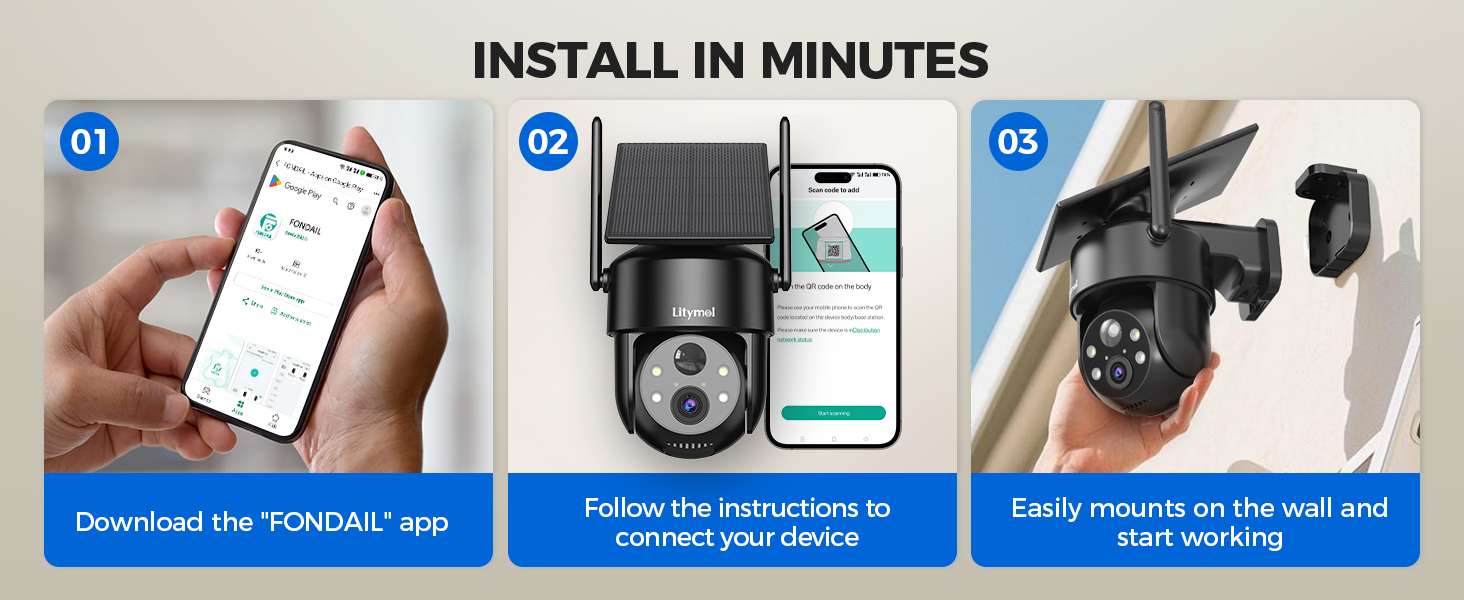
Image: Visual guide showing the three easy steps for installation: downloading the app, connecting the device, and mounting the camera.
3. Connect to Wi-Fi
Open the FONDAIL app and follow the on-screen instructions to add your camera. This typically involves powering on the camera and scanning a QR code displayed in the app with the camera's lens. Ensure your Wi-Fi network is 2.4GHz, as 5G Wi-Fi is not supported.
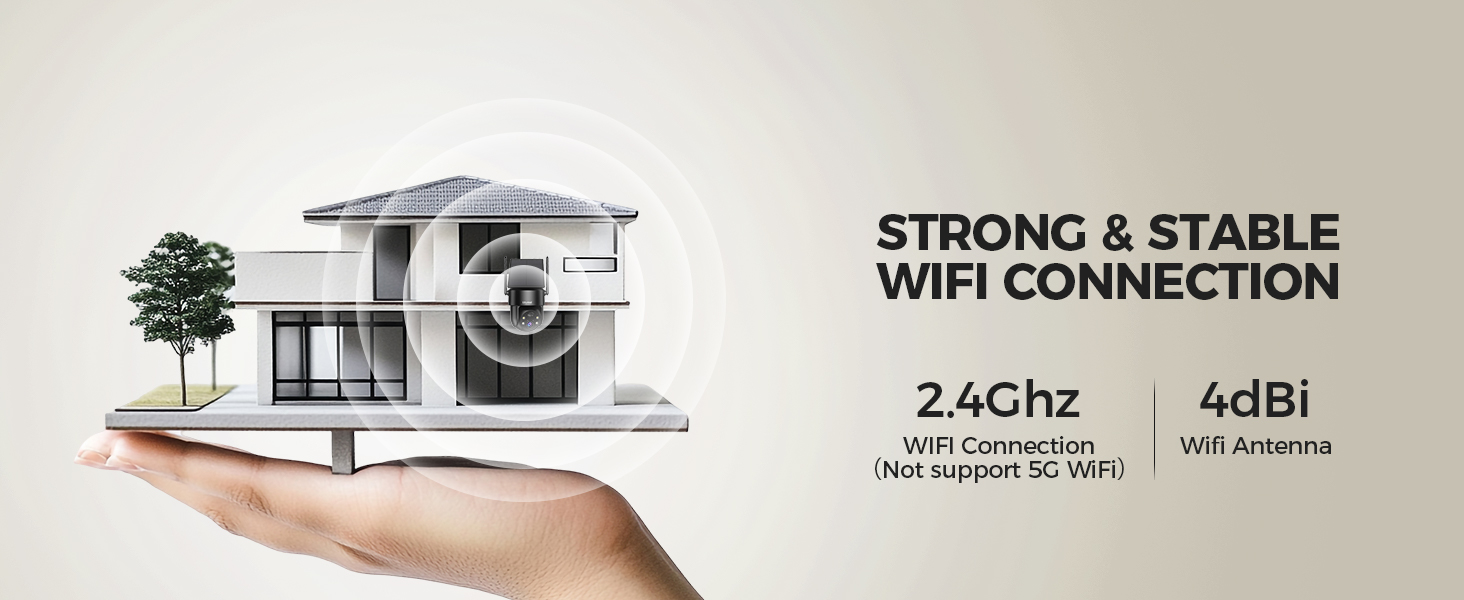
Image: Illustration emphasizing the camera's strong and stable 2.4GHz Wi-Fi connection, supported by a 4dBi antenna.
4. Mount the Camera
Choose a suitable outdoor location with good sunlight exposure for the solar panel. Use the provided mounting bracket, screws, and wall anchors to securely attach the camera to a wall or roof. The integrated solar panel design simplifies installation, avoiding the need for separate panel mounting.

Image: A person on a ladder installing the LITYMOL Solar Security Camera on an exterior wall, highlighting the quick installation process.
Operating Instructions
Pan and Tilt Control
Use the FONDAIL app to remotely control the camera's pan (horizontal) and tilt (vertical) movements. This allows you to adjust the viewing angle and cover a wide area without physical repositioning.

Image: The camera's pan and tilt capabilities are illustrated, showing its ability to cover a wide area without blind spots.
Night Vision Modes
The camera supports both infrared (black and white) and color night vision. The color night vision is activated by the built-in spotlight, providing clearer and more detailed images in the dark. You can switch between modes in the app settings.
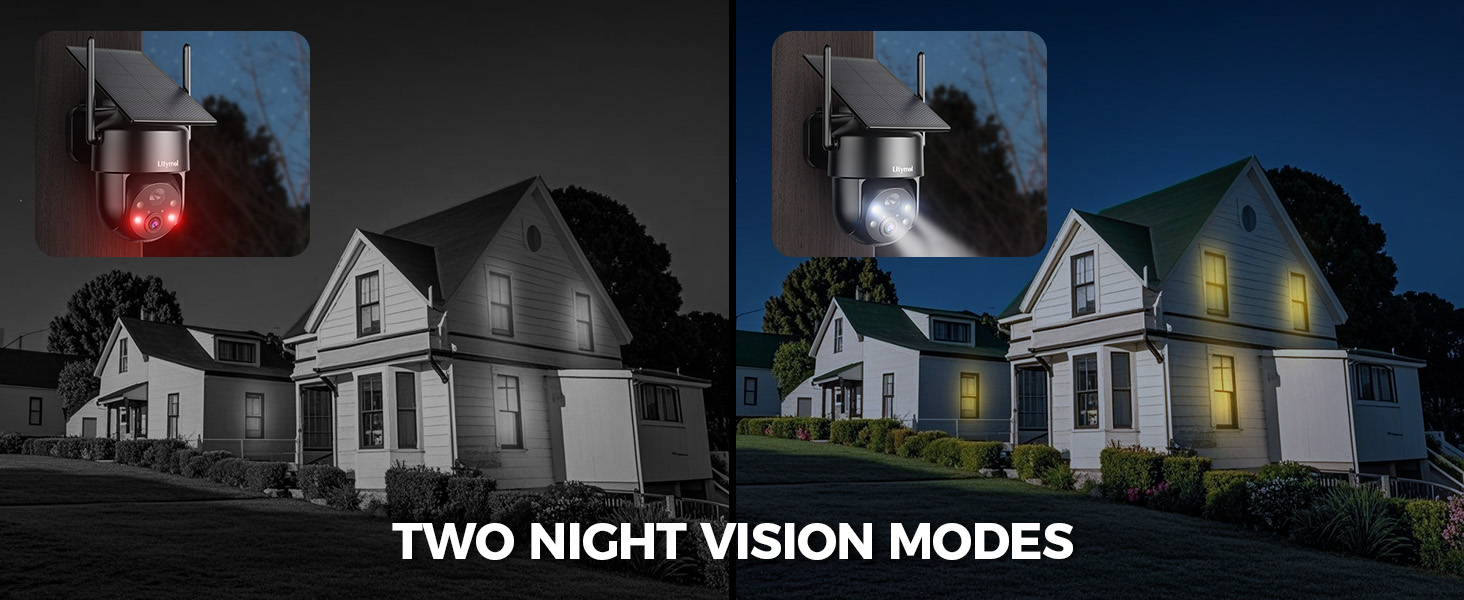
Image: A visual comparison demonstrating the effectiveness of both infrared and color night vision modes.
Two-Way Audio
The integrated microphone and speaker allow for two-way communication. You can speak through the camera to visitors or deter intruders directly from your smartphone.

Image: Demonstrates the two-way audio feature, showing interaction with a delivery person via the camera.
Motion Detection and Alerts
The camera features a 10-level adjustable PIR sensor for accurate motion detection, minimizing false alarms from wind or vegetation. When motion is detected, the camera can trigger a spotlight, siren alarm, and send instant notifications to your phone. Optional AI detection (subscription required) can differentiate between people, vehicles, pets, and packages for more precise alerts.

Image: Illustrates the PIR motion detection system, showing the camera's response to an intruder with spotlight, siren, and app alerts.
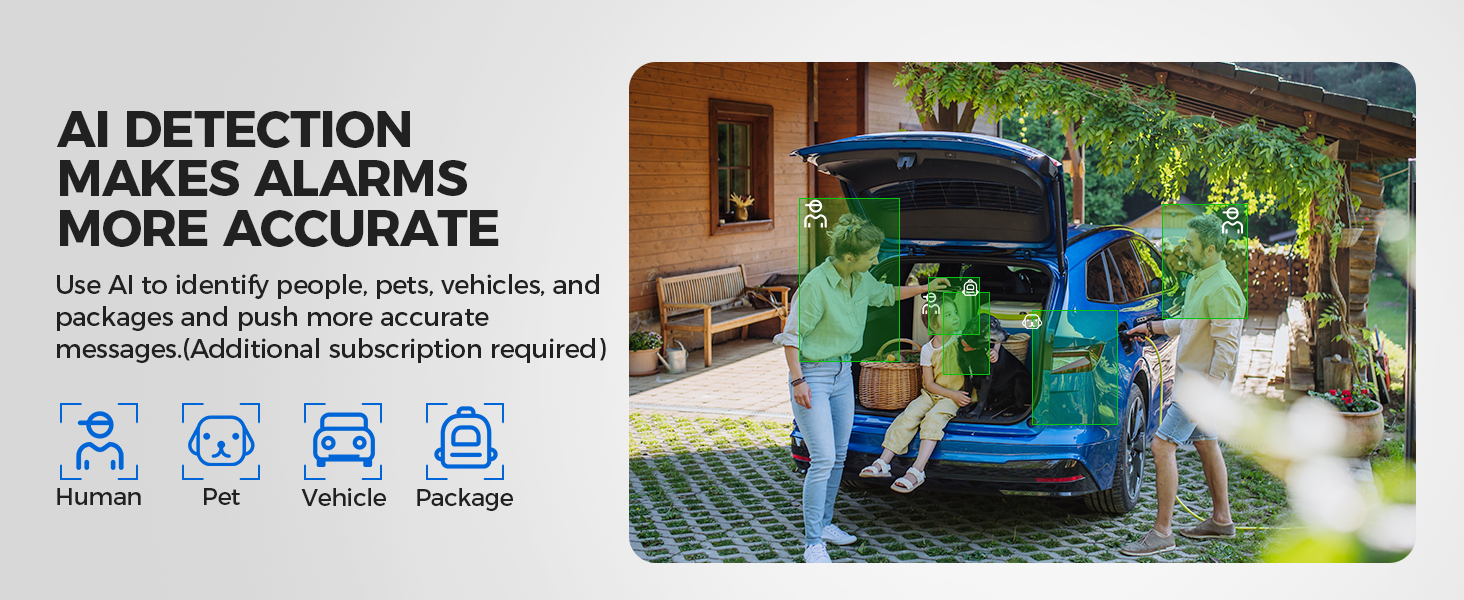
Image: Shows the AI detection feature, capable of identifying different objects like people, vehicles, pets, and packages for smarter alerts.
Storage Options
The camera supports local storage via a micro SD card (up to 256GB, not included) and cloud storage (subscription required). This ensures all critical events are recorded and accessible.

Image: Details the two storage methods: local SD card storage and cloud storage, with a visual timeline of recorded events.
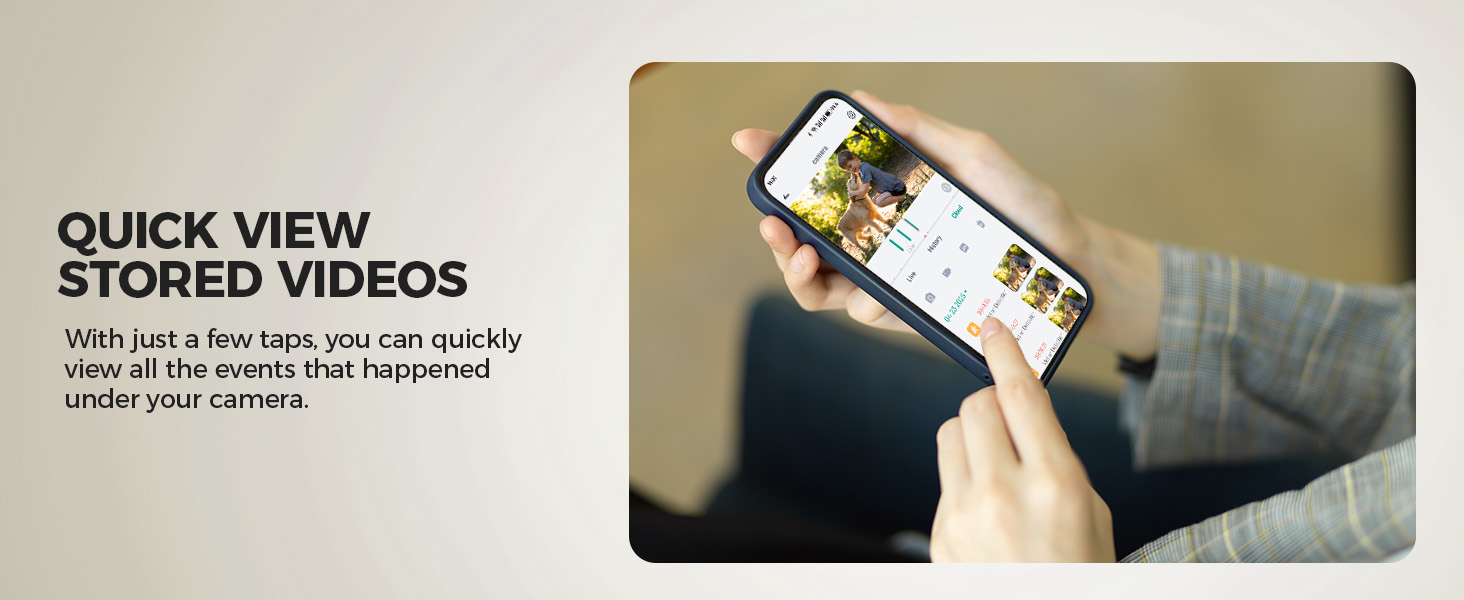
Image: A smartphone screen showing the app's interface for quickly viewing stored video events.
Maintenance
- Cleaning: Regularly wipe the camera lens and solar panel with a soft, damp cloth to ensure clear vision and efficient solar charging. Avoid abrasive cleaners.
- Firmware Updates: Check the FONDAIL app periodically for firmware updates. Keeping your camera's firmware updated ensures optimal performance, new features, and security enhancements.
- Battery Health: While solar-powered, monitor the battery level in the app, especially during prolonged cloudy periods. If the battery level drops significantly, manually charge the camera using the USB-C cable.
- Environmental Protection: Although IP65 weatherproof, ensure the camera is securely mounted to prevent damage from strong winds or extreme weather events.
Troubleshooting
| Problem | Possible Cause | Solution |
|---|---|---|
| Camera not connecting to Wi-Fi | Incorrect Wi-Fi password; 5GHz Wi-Fi network; camera too far from router. | Ensure correct 2.4GHz Wi-Fi password. Move camera closer to router or use a Wi-Fi extender. |
| Poor video quality | Dirty lens; weak Wi-Fi signal; low light conditions. | Clean the lens. Improve Wi-Fi signal strength. Ensure spotlight is enabled for color night vision. |
| Frequent false alarms | PIR sensitivity too high; camera facing busy area with moving objects (trees, traffic). | Adjust PIR sensitivity in the app. Reposition the camera to avoid irrelevant motion sources. Consider AI detection (if subscribed). |
| Battery not charging via solar panel | Insufficient sunlight; dirty solar panel; prolonged cloudy weather. | Ensure solar panel is in direct sunlight. Clean the solar panel. Manually charge the camera if needed. |
| Two-way audio not working | Microphone/speaker blocked; app permissions not granted. | Check for obstructions. Verify app permissions for microphone and speaker access. |
Specifications
- Model: ZY-C9
- Resolution: 2K (3MP)
- Pan/Tilt: 355° Horizontal / 120° Vertical
- Night Vision: Color Night Vision (with spotlight), Infrared Night Vision
- Power Source: Solar Powered (3.2W solar panel), 5200mAh Rechargeable Battery
- Connectivity: 2.4GHz Wi-Fi (IEEE 802.11b/g/n)
- Weather Resistance: IP65
- Operating Temperature: -20°C to 50°C (-4°F to 122°F)
- Audio: Two-Way Audio (Built-in Microphone & Speaker)
- Motion Detection: PIR Sensor (10-level adjustable), Optional AI Detection
- Storage: Micro SD Card (up to 256GB, not included), Cloud Storage (subscription required)
- Dimensions: 8 x 7 x 5 inches
- Weight: 1.74 pounds
Warranty and Support
LITYMOL provides a comprehensive warranty for your Solar Security Camera. For detailed warranty information, please refer to the warranty card included in your product packaging or visit the official LITYMOL website.
If you encounter any issues or have questions regarding your product, please contact our customer support team:
- Email: Support@litymol.com
- Phone: (888) 742-6588
Our customer care team is available to assist you with any problems you may encounter.


Image: Icons representing email and phone contact options for customer support.
Related Documents - ZY-C9
 |
Elemage Baby Monitor User Manual: Setup, Safety, and Specifications Comprehensive user manual for the Elemage Baby Monitor. Learn how to set up your camera and monitor, understand safety guidelines, view specifications, and connect to the app for remote monitoring. |
 |
CloudEdge Security Camera User Manual and Setup Guide Comprehensive guide to setting up and using the CloudEdge security camera, including app installation, device pairing, streaming video, motion detection, sharing, SD card settings, and troubleshooting. |
 |
Smart Home Device WiFi Version User Manual User manual for the Smart Home Device WiFi Version, detailing specifications, features, safety precautions, installation, and control with Alexa and Google Assistant. |
 |
ieGeek ZY-C2 PTZ Battery Security Camera User Manual This user manual provides comprehensive instructions for the ieGeek ZY-C2 PTZ Battery Security Camera, covering setup, installation, features, and troubleshooting. |
 |
Cococam PTZ Wireless Security Camera with Rechargeable Battery User Guide User guide for the Cococam PTZ Wireless Security Camera with Rechargeable Battery, covering product details, installation, app setup, device menu, PIR detection, alarm notifications, night vision, and troubleshooting. |
 |
ZY-M100-1 Micro Motion Sensor Product Manual - Zhiyi IoT Comprehensive product manual for the ZY-M100-1 Micro Motion Sensor by Zhiyi IoT, detailing its functions, application areas, installation, and FCC compliance. Features fretting detection, motion detection, presence detection, and distance measurement. |