
1. Introduction
The FOSSIBOT F112 PRO is a robust 5G rugged smartphone designed for durability and high performance. It features a large 6.88-inch HD+ display, a powerful 7150mAh battery, and runs on the latest Android 14 operating system. This manual provides essential information for setting up, operating, maintaining, and troubleshooting your device.
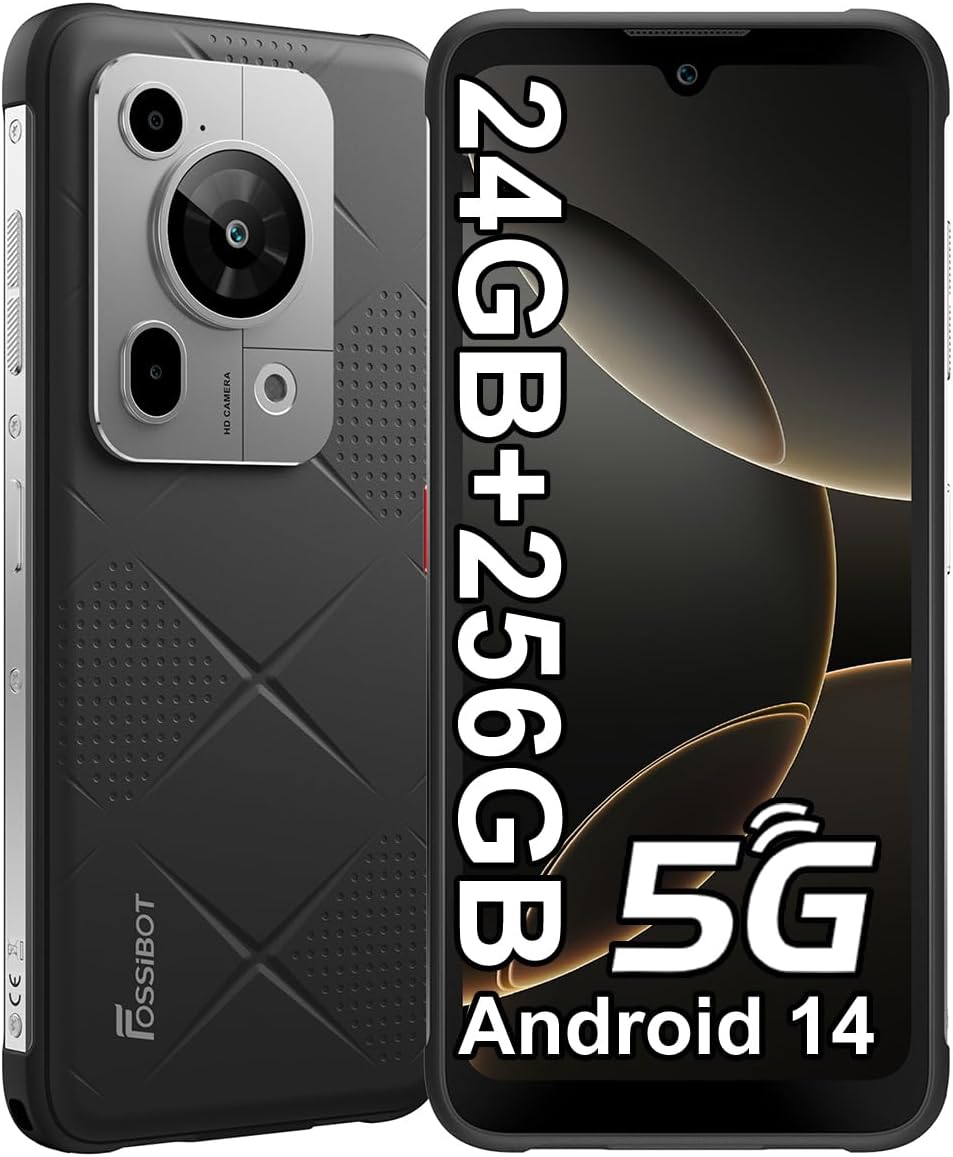
Figure 1.1: FOSSIBOT F112 PRO 5G Rugged Phone (Black)
2. Setup
2.1. What's in the Box
Upon unboxing your FOSSIBOT F112 PRO, verify that all components are present:
- FOSSIBOT F112 PRO Smartphone
- Protective Case
- Phone Charger (18W)
- USB Cable
- Instruction Manual
- SIM Ejector Tool
Video 2.1: Unboxing the FOSSIBOT F112 PRO, showing included accessories.
2.2. SIM Card Installation
Locate the SIM card tray on the side of the device. Use the provided SIM ejector tool to open the tray. Insert your 5G-compatible SIM card(s) into the designated slots. Ensure the tray is securely closed to maintain the phone's water and dust resistance.
2.3. Initial Charging
Before first use, fully charge the device using the included 18W fast charger and USB cable. The 7150mAh battery provides extended usage times, including up to 1000 hours of standby time, 60 hours of talk time, 18 hours of video playback, and 10 hours of gaming on a single charge.
2.4. Powering On/Off
To power on, press and hold the power button located on the side of the device until the FOSSIBOT logo appears. To power off, press and hold the power button, then select "Power off" from the options displayed on the screen.
3. Operating Your Device
3.1. Android 14 Operating System
The FOSSIBOT F112 PRO runs on Android 14, offering enhanced performance, privacy, and security features. Navigate the interface using gestures or on-screen buttons. Customize your home screen, notifications, and settings to suit your preferences.
3.2. Connectivity Features
- 5G Dual SIM: Supports two SIM cards for flexible network usage.
- NFC & Google Pay: Enable Near Field Communication (NFC) in settings for contactless payments and data transfer.
- GPS/Glonass/Galileo/Beidou: Utilize the advanced satellite navigation system for accurate location tracking and navigation.
3.3. Security and Biometrics
Unlock your device securely using:
- Face Recognition: Set up face unlock for quick and convenient access.
- Side Fingerprint Recognition: The fingerprint sensor is integrated into the side button for easy and reliable unlocking.
4. Key Features and Performance
4.1. Display and Design
The F112 PRO features a 6.88-inch HD+ display with a 120Hz refresh rate, providing a smooth and immersive visual experience. Its design incorporates a skin-friendly silicone texture for a comfortable grip and is remarkably slim for a rugged phone, measuring only 13.3mm thick.

Figure 4.1: Overview of FOSSIBOT F112 PRO Key Features

Figure 4.2: New Material and Silky Touch Feel

Figure 4.3: 6.88-inch Large Display for Cinematic Viewing
4.2. Processor and Performance
The F112 PRO is powered by a MediaTek Dimensity 6300 5G processor, an octa-core chipset clocked at 2.4 GHz. This ensures blazing-fast speed and silky smooth performance for gaming, seamless multitasking, and streaming.

Figure 4.4: Supreme Performance with 5G Chipset
4.3. Memory and Storage
Equipped with a formidable 24GB RAM (8GB physical + 16GB virtual) and an expansive 256GB ROM, the F112 PRO ensures seamless performance for all applications. Storage can be further expanded up to 1TB via a TF card, providing ample space for media and files.

Figure 4.5: Ample Memory and Expandable Storage
4.4. Camera System
Capture stunning photos with the F112 PRO's versatile camera system:
- 50MP Rear Camera: Delivers crystal-clear details for high-resolution photography.
- 5MP Macro Camera: Ideal for capturing intricate close-up shots.
- 16MP Front Camera: For clear selfies and video calls.

Figure 4.6: F112 PRO Camera System Capabilities
4.5. Long-Lasting Battery
The F112 PRO boasts an impressive 7150mAh battery capacity, perfect for uninterrupted power during your adventures. It supports 18W fast charging and OTG reverse charging, allowing you to power other devices. Enjoy up to 12 days of standby time.

Figure 4.7: 7150mAh Long-Lasting Battery Performance
4.6. Rugged Durability
The FOSSIBOT F112 PRO is built to withstand harsh environments, featuring IP68/IP69K dust and waterproof ratings and MIL-STD-810H certification. This provides 360° protection against drops (1.5m drop-resistance), immersion (up to 1.5m underwater for 30 minutes), washing, knocks, and bumps, making it suitable for any adventure.

Figure 4.8: Rugged and Waterproof Design for Extreme Conditions

Figure 4.9: Perfect for Every Adventure
5. Maintenance
5.1. General Care
Despite its rugged design, proper care will extend the lifespan of your F112 PRO. Clean the device regularly with a soft, damp cloth. Avoid exposing it to extreme temperatures or corrosive chemicals. Ensure all port covers are securely closed to maintain water and dust resistance.
5.2. Battery Care
To optimize battery health, avoid fully discharging the battery frequently. Use the provided charger for optimal charging performance. The device supports OTG reverse charging, allowing it to act as a power bank for other devices.
5.3. Software Updates
Regularly check for and install software updates to ensure your device has the latest security patches and performance improvements. Updates can be found in the device's settings under "System" or "About phone."
6. Troubleshooting
This section addresses common issues you might encounter with your FOSSIBOT F112 PRO. For more complex problems, please refer to the official FOSSIBOT support channels.
| Problem | Possible Cause | Solution |
|---|---|---|
| Device does not power on | Low battery; software crash. | Charge the device for at least 30 minutes. If still unresponsive, perform a forced restart by holding the power button for 10-15 seconds. |
| Camera not functioning | Software glitch; app permissions. | Restart the camera app or the phone. Check camera permissions in settings. If the issue persists, consider a factory reset (back up data first). |
| Unstable Bluetooth connection | Interference; outdated drivers; distance from device. | Ensure no obstructions between devices. Re-pair the Bluetooth device. Update phone software. Keep devices within optimal range. |
| Network connectivity issues (5G/4G) | Incorrect APN settings; weak signal; SIM card issue. | Verify SIM card is correctly inserted. Check network settings and APN. Move to an area with better signal. Contact your carrier if issues persist. |
7. Specifications
| Feature | Detail |
|---|---|
| Brand | FOSSIBOT |
| Model Name | FOSSiBOT F112PRO |
| Operating System | Android 14 |
| Screen Size | 6.88 Inches |
| Refresh Rate | 120 Hz |
| RAM Memory Installed Size | 8 GB (expandable to 24GB) |
| Memory Storage Capacity | 256 GB (expandable to 1TB) |
| Battery Capacity | 7150 Milliamp Hours |
| CPU Model | MediaTek Dimensity 6300 5G |
| CPU Speed | 2.4 GHz |
| Connectivity Technologies | NFC, 5G Dual SIM |
| Durability | IP68/IP69K, MIL-STD-810H Certified |
| Item Weight | 1.45 pounds |
| Package Dimensions | 8.11 x 7.05 x 1.95 inches |
8. Warranty and Support
For warranty information and technical support, please refer to the warranty card included with your product or visit the official FOSSIBOT website. Keep your proof of purchase for any warranty claims.
For additional resources and frequently asked questions, you may visit the FOSSIBOT Store on Amazon: FOSSIBOT Store.