
luckystyle S11
luckystyle 100FT LED Outdoor String Lights S11 User Manual
Model: S11 | Brand: luckystyle
1. Introduction
Thank you for choosing the luckystyle 100FT LED Outdoor String Lights. This manual provides essential information for the safe and efficient installation, operation, and maintenance of your new string lights. Designed for outdoor use, these lights feature shatterproof S11 LED bulbs, remote control dimming, and a waterproof construction, providing warm white 2700K illumination for various settings.
2. Safety Information
- Power Source: Ensure the power adapter is connected to a compatible power outlet. This product is corded electric and not solar-powered.
- Low Voltage: The lights operate at a safe 24V low voltage. The adapter includes overload and short-circuit protection.
- Water Resistance: The lights are IP65 waterproof. Ensure all connections are secure to maintain water resistance.
- Bulb Handling: While bulbs are shatterproof, avoid excessive force or intentional damage.
- Installation: Install lights securely to prevent falling or swaying in wind. Do not hang on power lines.
- Temperature Range: Suitable for temperatures between 14°F and 113°F (-10°C to 45°C).
3. Package Contents
Verify that all items are present in your package:
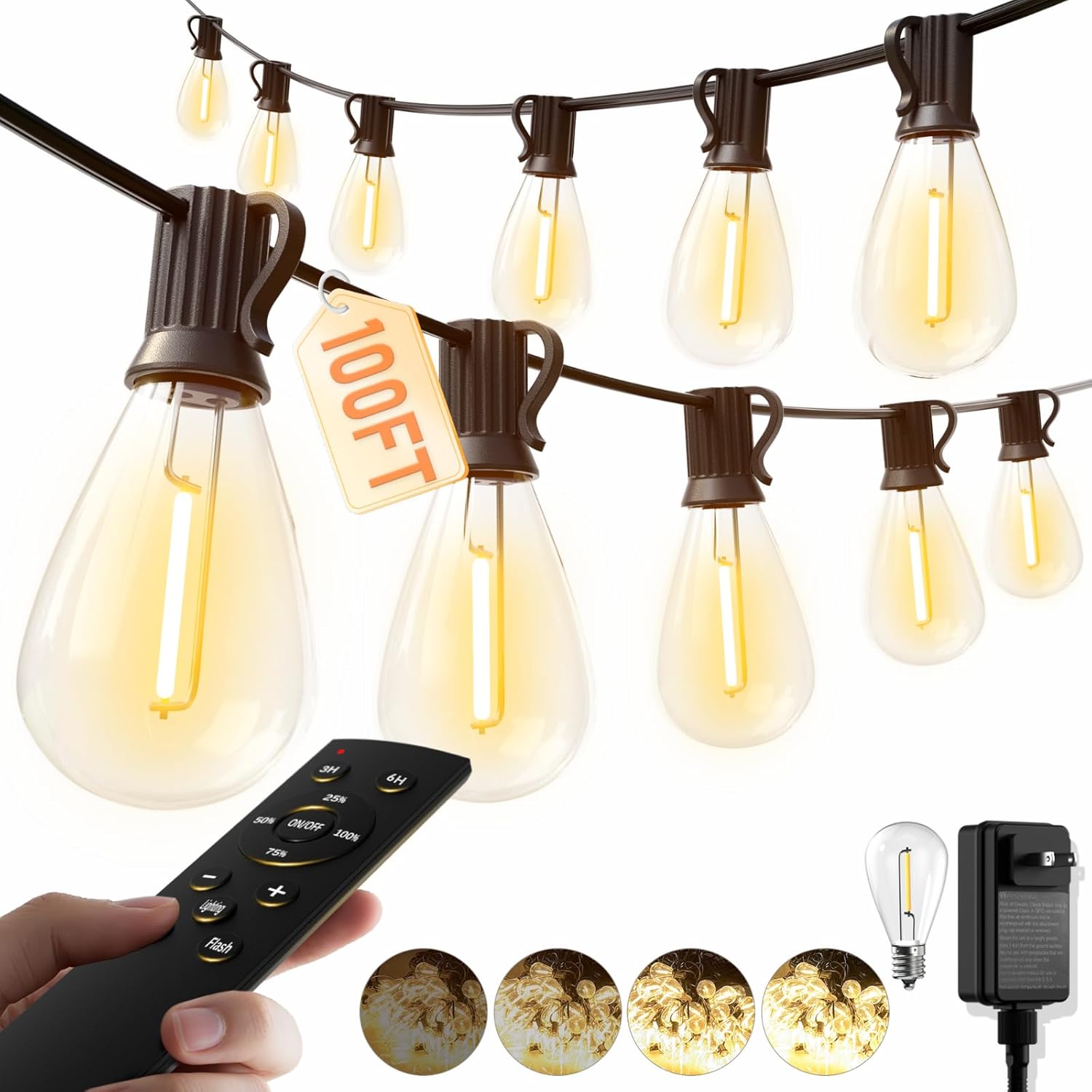
- 1 x 100FT LED Outdoor String Lights (with 35 S11 LED bulbs installed)
- 1 x Spare S11 LED Bulb
- 1 x Remote Control (requires 2 AAA batteries, included)
- 1 x Power Adapter (24V)
4. Setup and Installation
- Unpack Components: Carefully remove all items from the packaging.
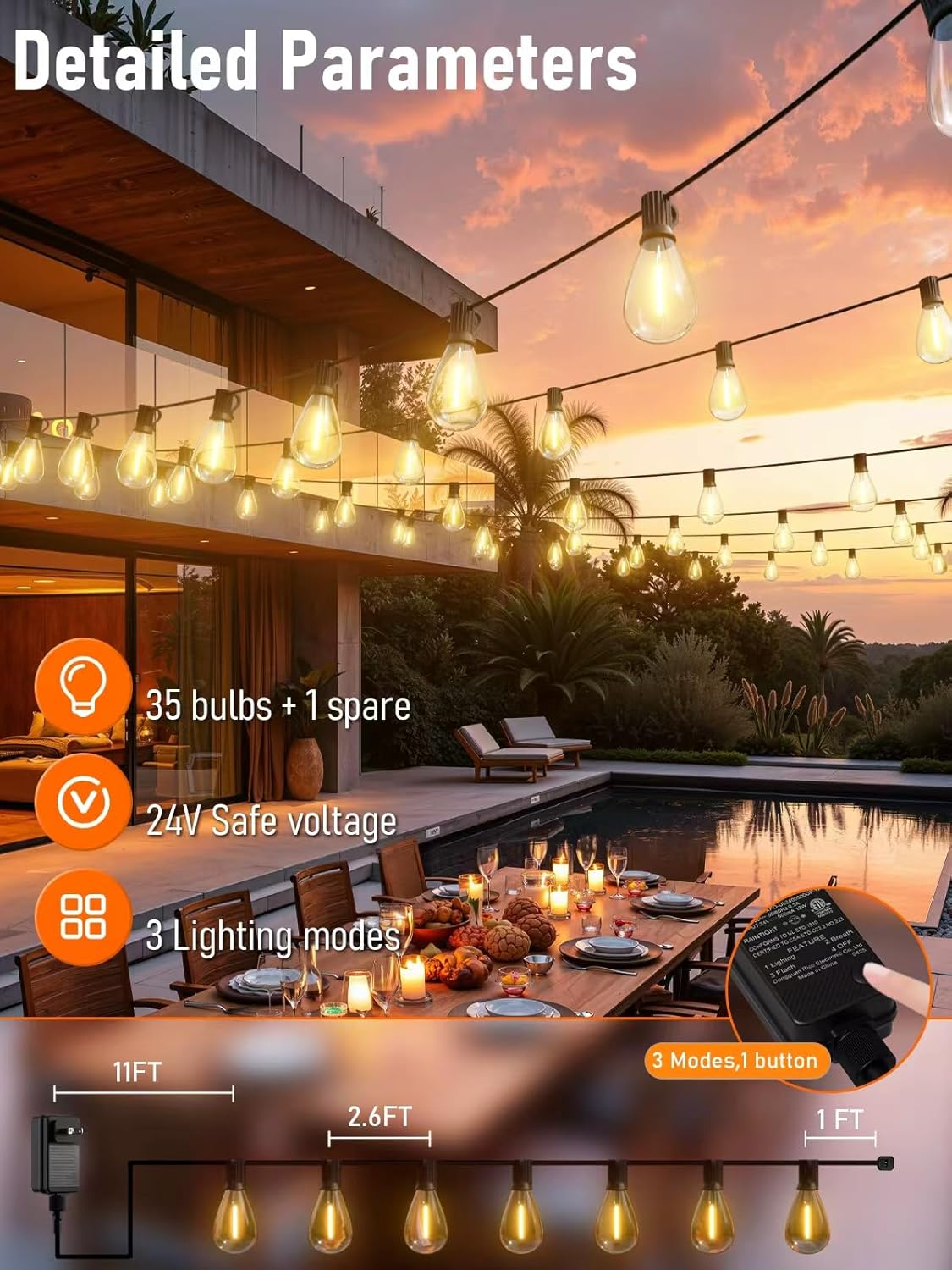
- Plan Layout: Determine the desired path for your string lights. Ensure the power adapter can reach a suitable outdoor power outlet. The string has a lead length of approximately 11 feet from the adapter to the first bulb.
- Mounting: Use appropriate hooks, zip ties, or guide wires (not included) to securely hang the string lights. Each bulb socket has a small loop for easy hanging. Ensure the lights are not under excessive tension.
- Bulb Installation (if necessary): The lights come with bulbs pre-installed. If a bulb needs replacement, gently screw in the S11 LED bulb into the E12 base until snug. Do not overtighten.
- Connect Power: Plug the power adapter into a grounded outdoor electrical outlet.
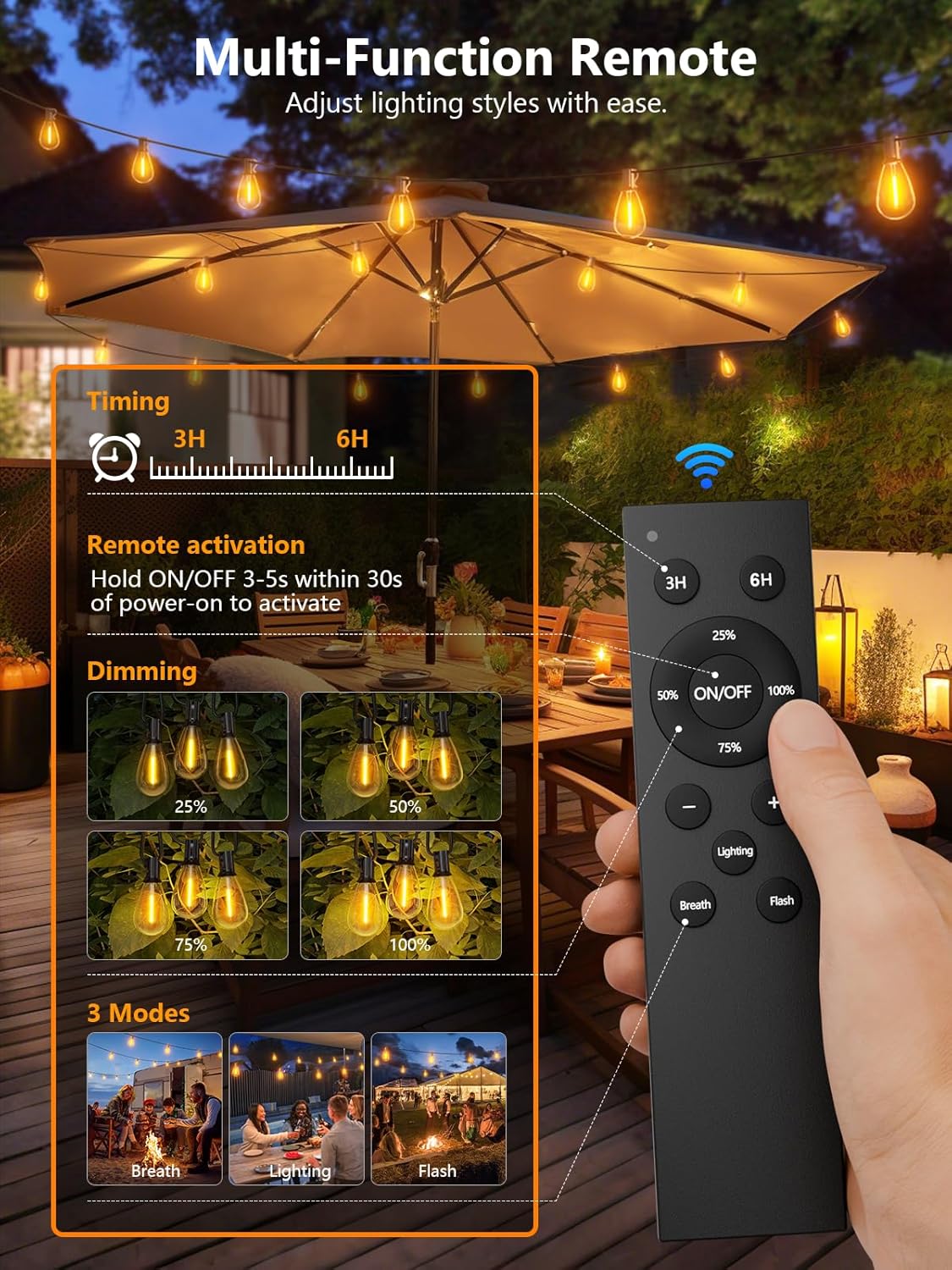
- Remote Pairing (First-time Use): For initial use, press and hold the remote's power button for 3-5 seconds within 30 seconds of connecting the power supply. This pairs the remote with the lights.
5. Operating Instructions
The luckystyle string lights are controlled via the included remote. Ensure the remote has fresh AAA batteries installed.
Remote Control Functions:
- ON/OFF: Press the power button to turn the lights on or off.
- Dimming:
- Preset Levels: Select 25%, 50%, 75%, or 100% brightness.
- Stepless Dimming: Use the "+" and "-" buttons for fine-tuned brightness adjustment.
- Lighting Modes:
- Lighting: Standard constant illumination.
- Breath: Lights gently fade in and out.
- Flash: Lights flash on and off.
- Timer Function:
- 3H: Lights will stay on for 3 hours and then automatically turn off.
- 6H: Lights will stay on for 6 hours and then automatically turn off.


6. Maintenance
- Cleaning: Disconnect power before cleaning. Wipe bulbs and wires with a soft, damp cloth. Do not use harsh chemicals or abrasive cleaners.
- Bulb Replacement: If a bulb fails, replace it with an S11 LED bulb (E12 base). luckystyle offers a Lifetime Bulb Replacement Service. Contact customer support for assistance.
- Storage: If storing the lights for an extended period, clean them thoroughly, coil them neatly, and store in a cool, dry place away from direct sunlight.
- Inspection: Periodically inspect the string for any damage to the wire, sockets, or bulbs. Discontinue use if damage is found and contact support.

7. Troubleshooting
| Problem | Possible Cause | Solution |
|---|---|---|
| Lights do not turn on. |
|
|
| Lights flicker or dim unexpectedly. |
|
|
| Remote control is unresponsive. |
|
|
8. Specifications
| Feature | Detail |
|---|---|
| Model Number | S11 |
| Length | 100 FT |
| Bulb Type | S11 LED (Shatterproof) |
| Number of Bulbs | 35 + 1 Spare |
| Bulb Base | E12 |
| Light Color | Warm White (2700K) |
| Voltage | 24V Low Voltage |
| Power Source | Corded Electric |
| Control Method | Remote Control |
| Dimming Options | 25%, 50%, 75%, 100% & Stepless |
| Lighting Modes | Constant, Breath, Flash |
| Timer Functions | 3H, 6H |
| Water Resistance Level | IP65 Waterproof |
| Operating Temperature | 14°F - 113°F (-10°C - 45°C) |
| Remote Batteries | 2 AAA (included) |
9. Warranty and Support
luckystyle is committed to providing high-quality products and customer satisfaction. We offer:
- Lifetime Support: For any questions or issues regarding your product.
- Lifetime Bulb Replacement Service: Contact our customer service team for replacement bulbs if needed.
For assistance, please contact luckystyle customer service through the platform where you purchased the product or visit the official luckystyle store online.
Ask a question about this manual
Ask about setup, troubleshooting, compatibility, parts, safety, or missing instructions. Manuals+ will review the question and use this page’s manual context to help answer it.