
Introduction
This manual provides essential information for the safe and efficient operation of your MECHEN H1 Pro MP3 Player. Please read it thoroughly before using the device to ensure optimal performance and longevity.
What's in the Box
- 1 x MECHEN H1 Pro Music Player
- 1 x Protective Case
- 1 x Type-C Charging Cable
- 1 x User Manual
- 1 x Wired Earphones
Device Overview
The MECHEN H1 Pro features a compact design with intuitive controls and essential ports for connectivity and media management.
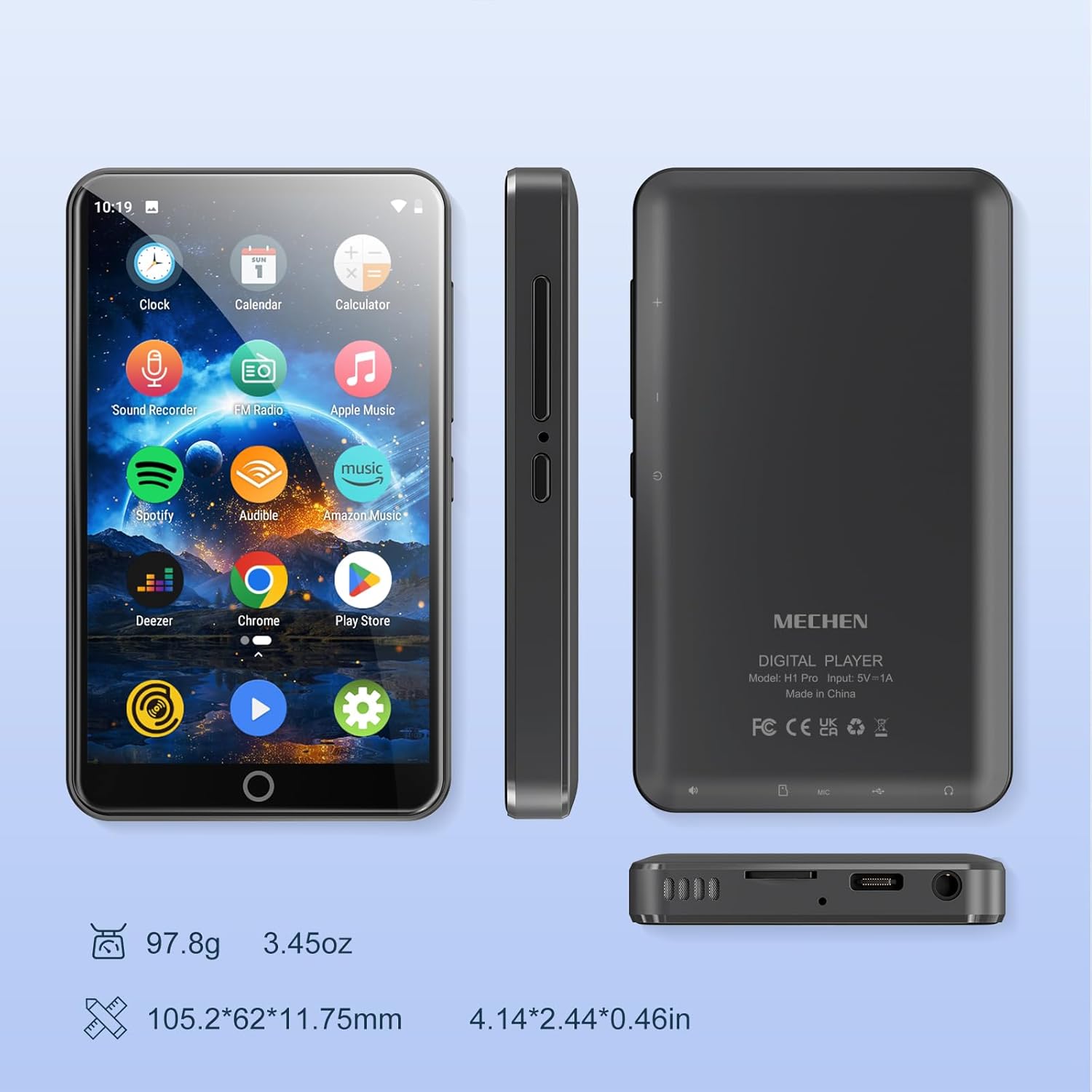
Figure 1: Front, side, and bottom views of the MECHEN H1 Pro MP3 Player, highlighting its compact dimensions (105.2x62x11.75mm) and weight (97.8g). The image also indicates the location of the volume buttons, power button, TF card slot, USB-C port, 3.5mm audio output, speaker, and recording hole.
Physical Buttons and Ports
- Power On/Off Button: Located on the side for turning the device on or off.
- Volume +/- Buttons: Adjust audio output levels.
- USB-C Port: For charging and data transfer.
- 3.5mm Audio Output: Connect wired headphones or external speakers.
- TF Card Slot: Insert a Micro SD card for expandable storage up to 512GB.
- Speaker: Built-in speaker for audio playback.
- Recording Hole: Integrated microphone for audio recording.
Setup
Initial Charging
Before first use, fully charge the device using the provided Type-C charging cable and a 5V/1A USB charger. A full charge typically takes approximately 2.5 hours.
Power On and Initial Configuration
- Press and hold the Power button for 3 seconds to turn on the device.
- Follow the on-screen prompts to select your preferred language (e.g., English).
- Set the correct time zone and time.
- Accept Google Terms of Service and Privacy Policy to activate Google Play services.
Operating System and Performance
The MECHEN H1 Pro runs on Android 13, powered by an MTK6762 Octa-core processor. It features 3GB RAM and 32GB ROM for smooth operation and ample storage.
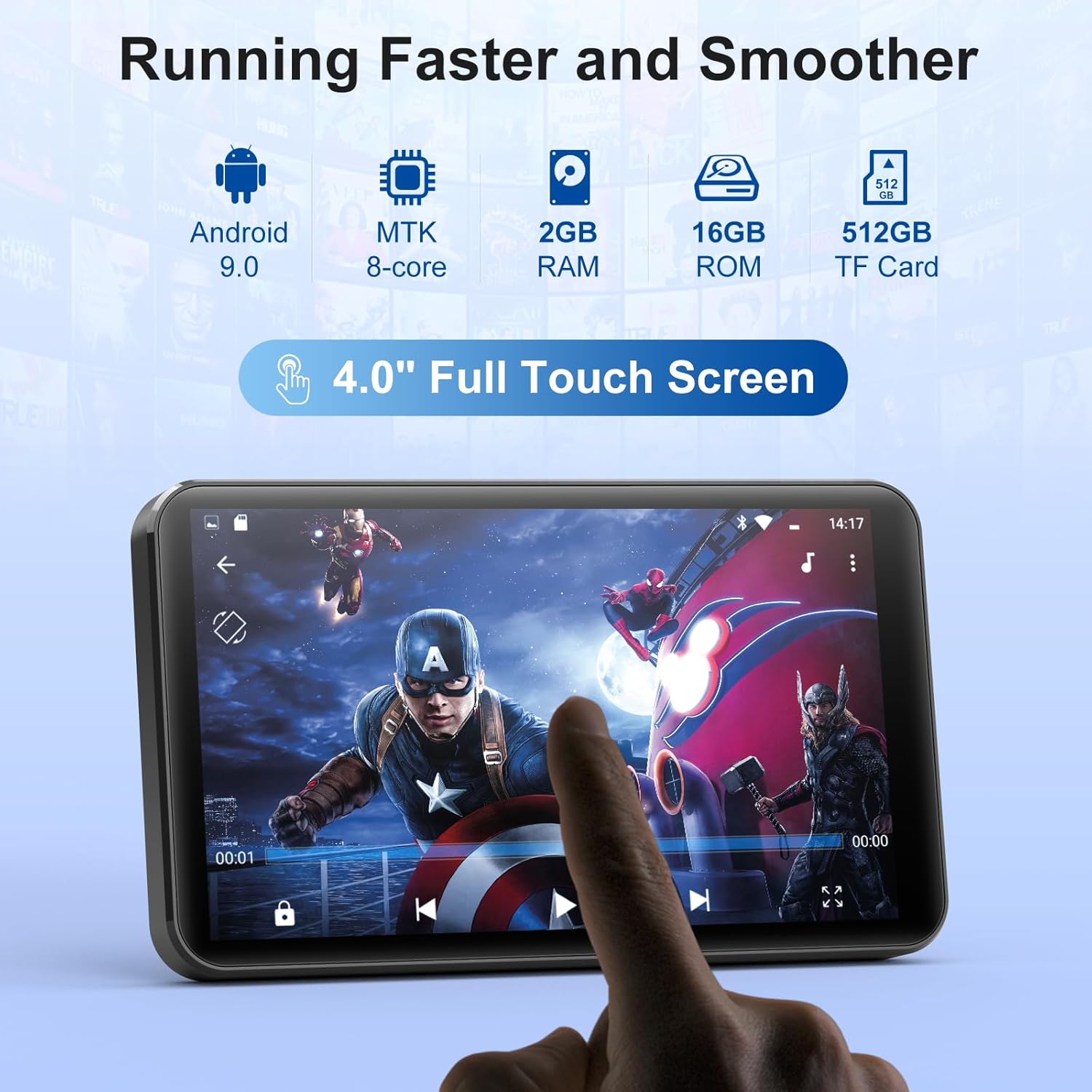
Figure 2: Visual representation of the device's internal components, including the Android operating system, Octa-core processor, RAM, ROM, and support for up to 512GB TF card expansion.
Expandable Storage
The device supports external storage expansion via a TF (Micro SD) card slot, allowing you to add up to 512GB of additional storage for your music, videos, and other files.
Connectivity
WiFi Connection
The H1 Pro features dual-band WiFi (2.4GHz and 5GHz) for stable and fast internet access. To connect to WiFi:
- Go to Settings > Network & Internet > Wi-Fi.
- Toggle Wi-Fi on.
- Select your desired network from the list.
- Enter the password if prompted and tap Connect.
Bluetooth Pairing
The device supports Bluetooth 4.1 with A2DP/AVRCP for connecting to wireless headphones, speakers, and car audio systems. To pair a Bluetooth device:

Figure 3: The MECHEN H1 Pro MP3 Player demonstrating its wide Bluetooth compatibility with various audio devices.
- Go to Settings > Connected devices > Bluetooth.
- Toggle Bluetooth on.
- Ensure your Bluetooth accessory is in pairing mode.
- Select your device from the list of available devices to pair.
Music Playback
The H1 Pro supports a wide range of audio formats including MP3, WMA, WAV, FLAC, OGG, AAC, APE, and M4A. It comes pre-installed with the HIBY music playback application.
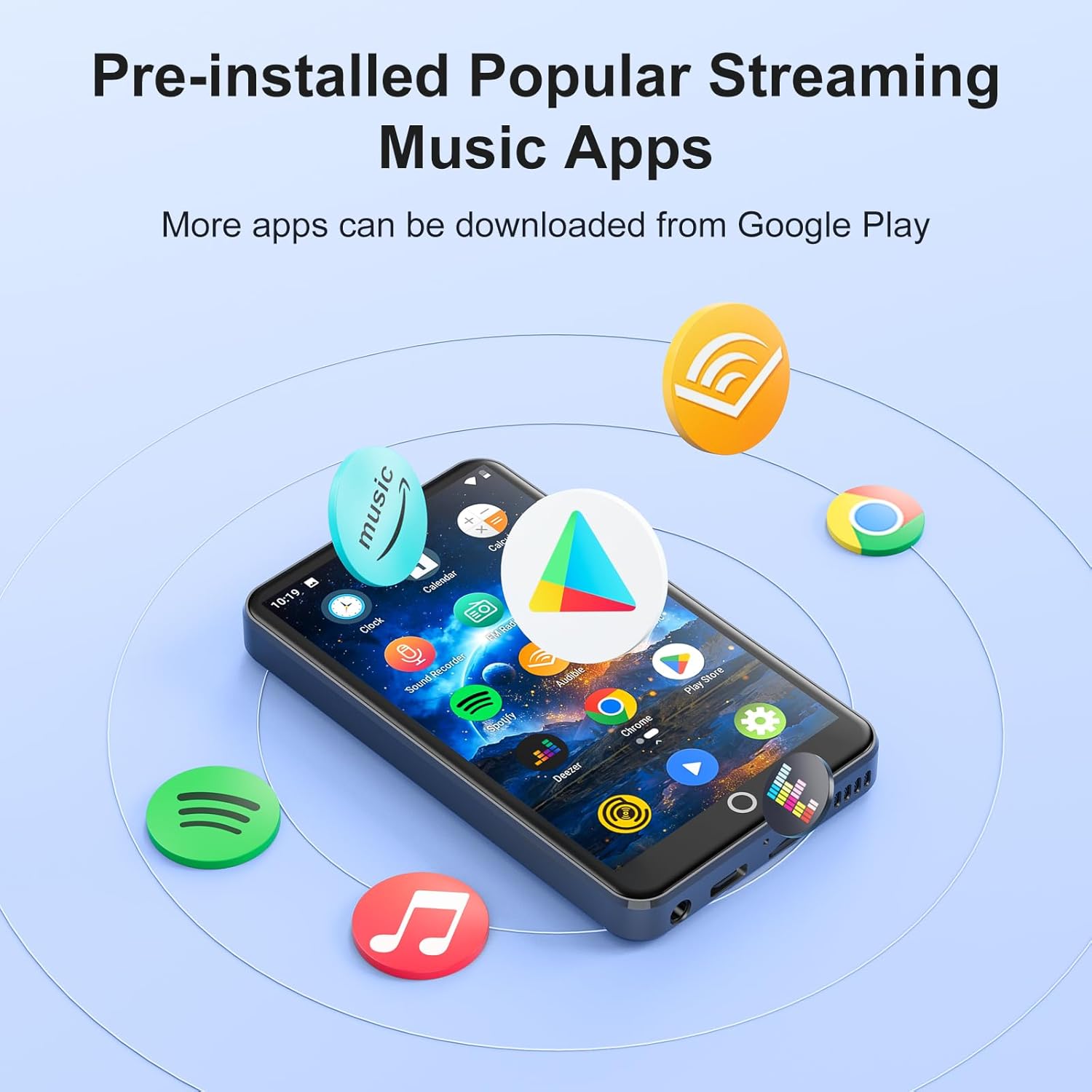
Figure 4: The device's home screen displaying various pre-installed popular music streaming applications.
Online Music Streaming
The device comes with popular music applications such as Spotify, Amazon Music, and Deezer pre-installed. You can also download and install other streaming apps from the Google Play Store.
Offline Music Playback
To play music offline, ensure you have downloaded your desired tracks within the respective music applications (a paid subscription may be required for some services) or transfer your own music files to the device's internal storage or Micro SD card.
Video 1: A demonstration of the MECHEN H10 MP3 Player's Spotify integration, showing how to browse and play music. This video is provided by YMSY, a seller of MECHEN products.
Video Playback
The 4-inch high-definition touch screen supports 720p and 1080p full-format video playback, including RM, AVI, RMVB, 3GP, FLV, MP4, DAT, MKV, MPG, MOV, and TS formats. Videos can be played directly without format conversion.

Figure 5: The MECHEN H1 Pro MP3 Player's vibrant 4-inch IPS touch screen, ideal for video playback and app navigation.
Video 2: A brief overview of an MP3 Player with Bluetooth and WiFi, showcasing its video playback capabilities. This video is provided by YUNCHUANGTECK, a seller of similar products.
Parental Controls
The MECHEN H1 Pro supports parental control features. Parents can install or remove applications and set controls such as passwords, browser access, timers, and application access by downloading and installing the Family Link app and enabling Parental Controls in the player settings. This allows for a customized and safe experience for children.
Battery and Charging
The device is equipped with a 2000mAh lithium battery, offering extended usage times. It provides up to 50 hours of music playback and up to 8 hours of video playback on a single charge.
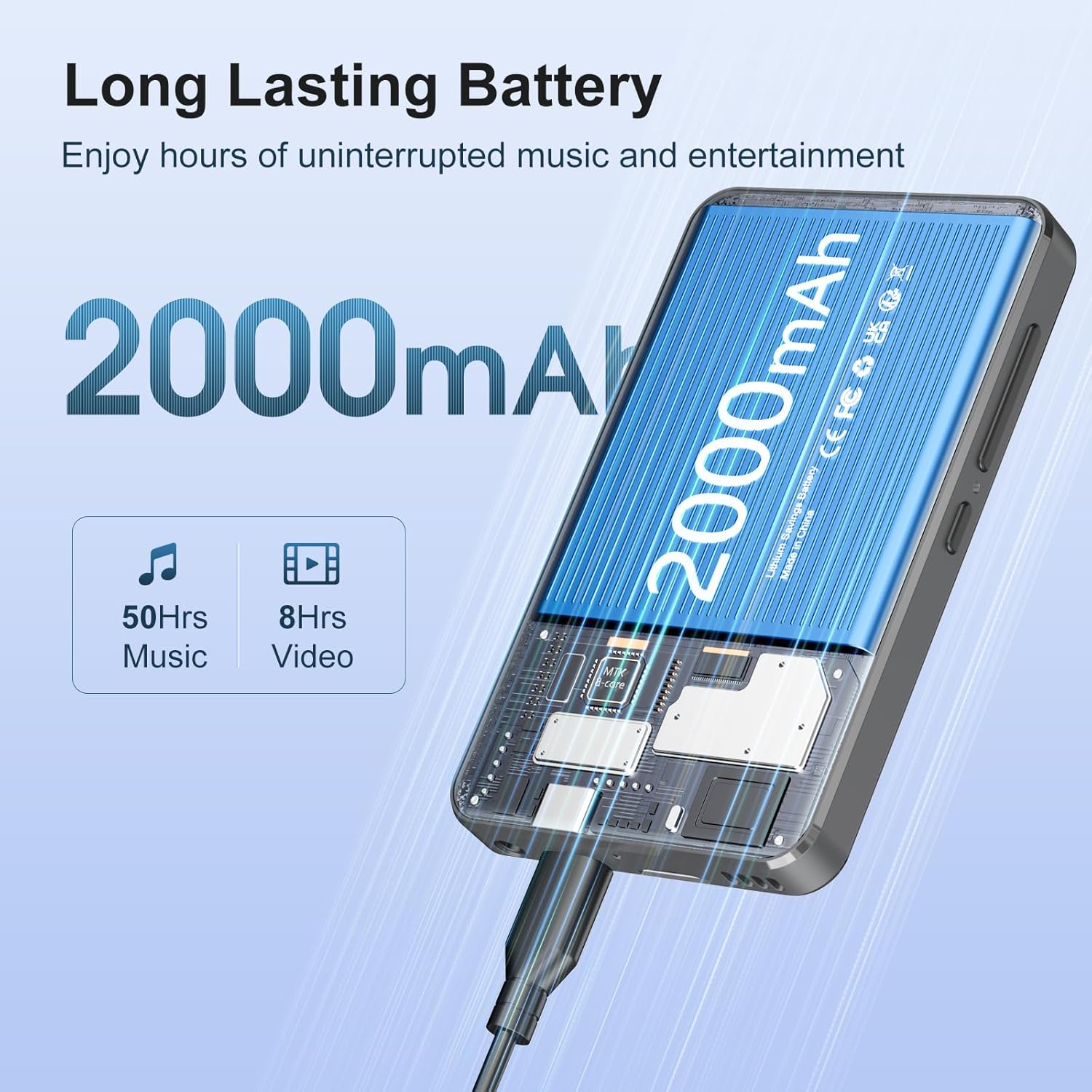
Figure 6: Illustration of the MECHEN H1 Pro's 2000mAh battery and its impressive playback durations for music and video.
Charging Guidelines
- Use ONLY the 5V/1A USB-C charger provided or a compatible charger.
- Avoid charging in direct sunlight, humid environments, or near heat sources.
- If the device becomes hot during charging, unplug immediately and let it cool in a well-ventilated area.
Specifications
| Feature | Detail |
|---|---|
| Model Name | H1 Pro |
| Processor | MTK6762 Octa-core |
| Memory | 3GB RAM + 32GB ROM |
| Operating System | Android 13 |
| Screen | 4-inch LCD Touchscreen, 480x800 pixels |
| Battery Capacity | 2000mAh |
| Music Playback Time | Up to 50 hours |
| Video Playback Time | Up to 8 hours |
| Charging Time | ~2.5 hours (5V/1A USB-C) |
| WiFi | Dual-band (2.4GHz/5GHz) |
| Bluetooth | 4.1 (A2DP/AVRCP) |
| Ports | USB-C, 3.5mm Audio Output |
| Expandable Storage | Up to 512GB (Micro SD card) |
| Supported Audio Formats | MP3, WMA, WAV, FLAC, OGG, AAC, APE, M4A |
| Supported Video Formats | RM, AVI, RMVB, 3GP, FLV, MP4, DAT, MKV, MPG, MOV, TS |
| Dimensions | 105.2 x 62 x 11.75 mm (4.14 x 2.44 x 0.46 inches) |
| Weight | 97.8 grams (3.45 ounces) |
Troubleshooting
Common Issues & Solutions
- Device Won't Charge:
- Try a different USB-C cable and charger.
- Clean the charging port for any debris.
- Test with a 5V/1A charger.
- App Crashes:
- Clear app cache (Settings > Apps > [App Name] > Storage & cache > Clear Cache).
- Reinstall the app.
- No Sound:
- Check headphone connection.
- Disable Bluetooth if connected to external devices.
- Reset sound settings (Settings > Sound > Reset).
Warranty and Support
For warranty information or technical support, please refer to the contact details provided in the product packaging or visit the official MECHEN website. Keep your purchase receipt for warranty claims.


