
Introduction
This manual provides detailed instructions for the installation, operation, and maintenance of your EZVALO 10-inch Under Cabinet Lighting. Please read this manual thoroughly before using the product to ensure proper function and longevity.

Figure 1: EZVALO 10-inch Under Cabinet Lighting (2-Pack)
Product Features
- Smart Motion Sensor: Automatically turns on when motion is detected within 12ft/120° in low light conditions, and turns off after approximately 20 seconds of no motion.
- Multiple Lighting Modes: Features Always-on Mode, Day Mode (all-day sensing), and Night Mode (sensing only in darkness) with a clear mode indicator.
- Long-Lasting Rechargeable Battery: Equipped with a 2400mAh high-capacity battery, providing extended illumination. Charges via USB-C in approximately 3.5 hours.
- Dimmable Brightness: Offers stepless dimming (10%-100%) by long-pressing the button, or 5 preset brightness levels (20%-40%-60%-80%-100%) by short-pressing.
- Easy Installation: Built-in strong magnets allow direct attachment to iron surfaces. Adhesive metal plates are included for mounting on other surfaces.
What's in the Box
The EZVALO 10-inch Under Cabinet Lighting package includes the following components:
- 2 x Motion Sensor Cabinet Lights
- 2 x USB-C Charging Cords
- 4 x Adhesive Iron Plates
- 1 x Product User Manual (this document)
Setup and Installation
Your EZVALO lights are designed for easy installation. Ensure the surface is clean and dry before installation.
Initial Charging
Before first use, fully charge the lights. Connect the provided USB-C charging cord to the light's charging port and to a standard USB power adapter (not included). The indicator light will show charging status.

Figure 2: Charging Port and Battery Information
Mounting Options
- Direct Magnetic Attachment: If your desired installation surface is iron (e.g., a metal cabinet), the light can be directly attached using its built-in strong magnets.
- Adhesive Metal Plates: For non-iron surfaces (e.g., wood, plastic), use the included adhesive metal plates.
- Peel off the protective film from one side of an adhesive metal plate.
- Stick the plate firmly onto the desired clean, dry surface.
- Attach the EZVALO light magnetically to the metal plate.
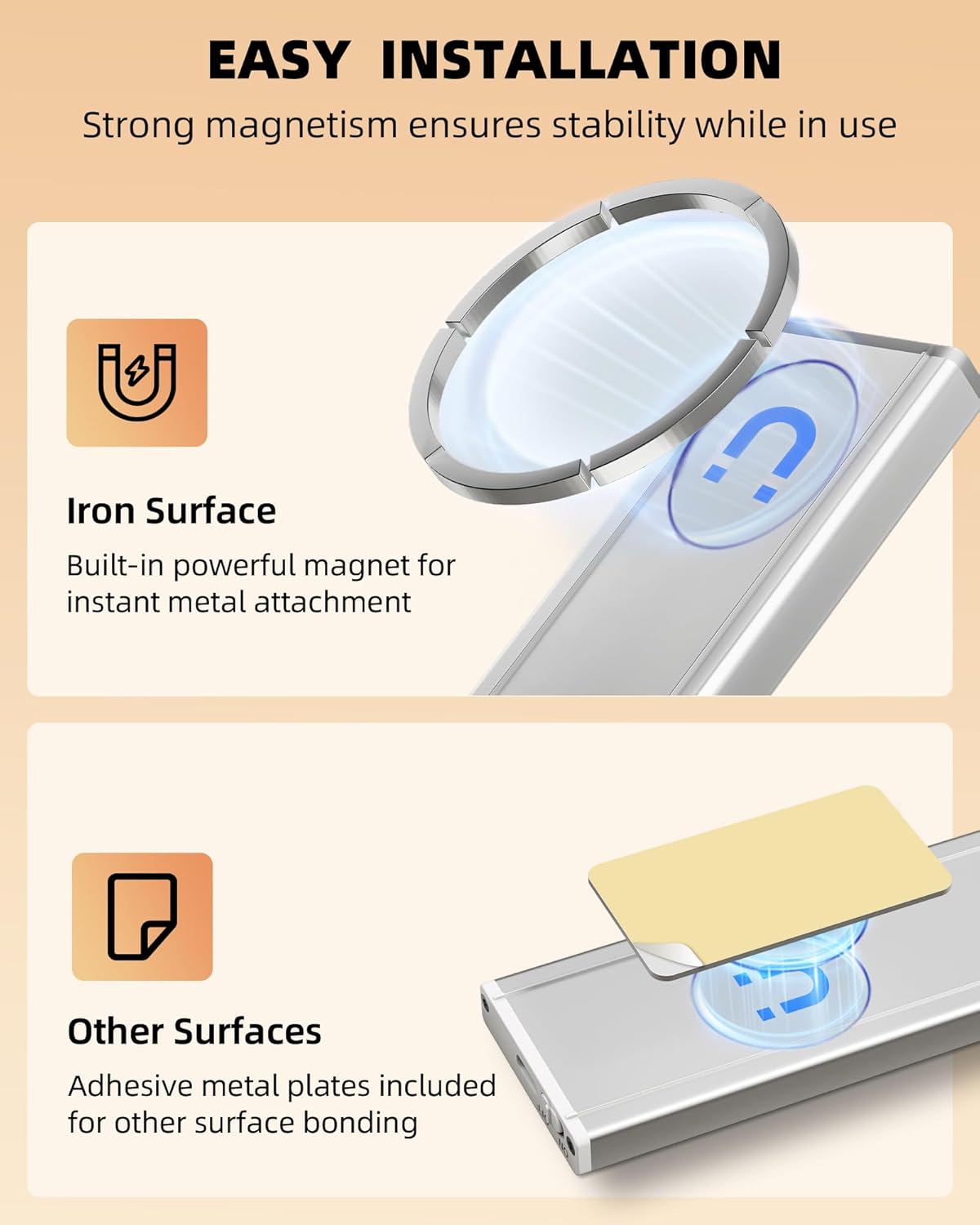
Figure 3: Magnetic and Adhesive Installation Methods
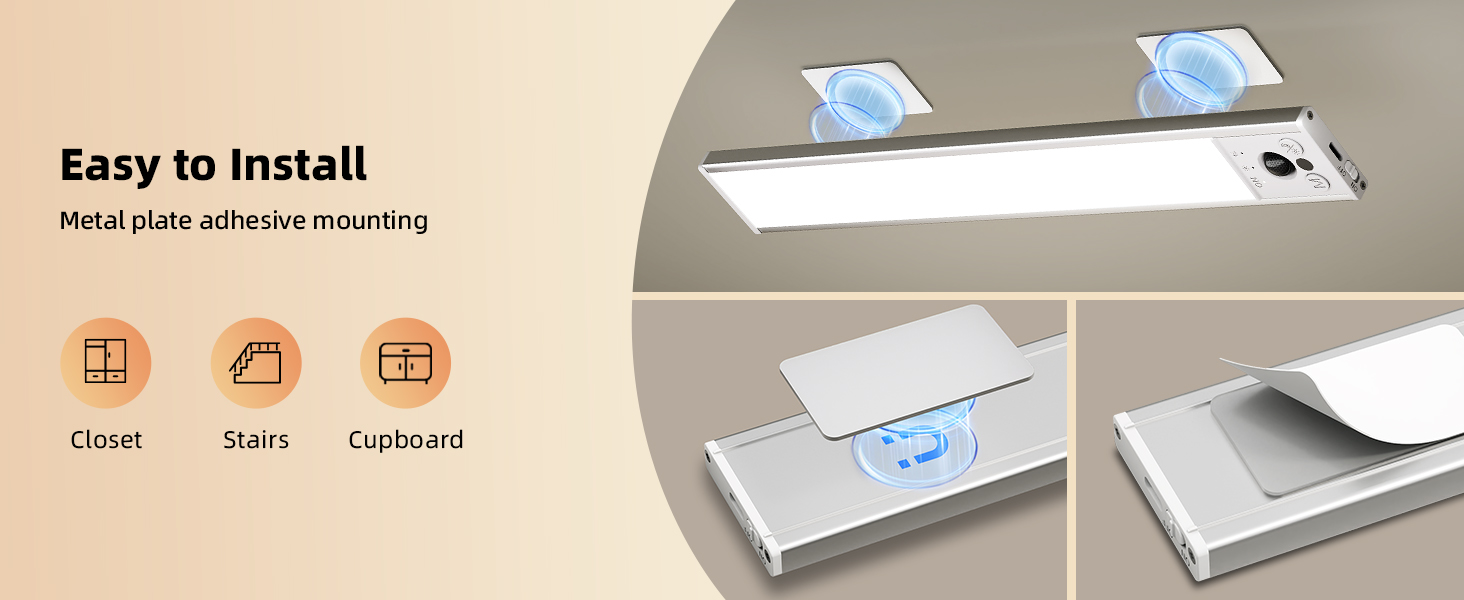
Figure 4: Adhesive Metal Plate Application
The magnetic attachment allows for easy removal of the light for charging or relocation.
Operating Instructions
Power On/Off
Locate the ON/OFF switch on the side of the light. Slide the switch to the 'ON' position to activate the light, and to 'OFF' to turn it off completely.
Changing Lighting Modes
The light features three operating modes: Always-on, Day Mode, and Night Mode. Press the 'M' (Mode) button to cycle through these modes. An LED indicator will confirm the selected mode.
- Always-on Mode: The light remains continuously on, suitable for tasks requiring constant illumination.
- Day Mode (All-day Sensing): The motion sensor is active regardless of ambient light. The light will turn on when motion is detected and turn off after 20 seconds of no motion.
- Night Mode (Sensing in Darkness): The motion sensor is active only in dark or low-light environments. The light will turn on when motion is detected and turn off after 20 seconds of no motion. This mode conserves battery life during daylight hours.

Figure 5: Understanding the 3 Work Modes
Adjusting Brightness
The light offers adjustable brightness levels:
- Stepless Dimming: Long-press the brightness button (sun icon) to smoothly adjust the brightness from 10% to 100%. Release the button when the desired brightness is reached.
- Preset Brightness Levels: Short-press the brightness button to cycle through 5 preset brightness levels: 20%, 40%, 60%, 80%, and 100%.
The light will remember your last brightness setting for convenience.
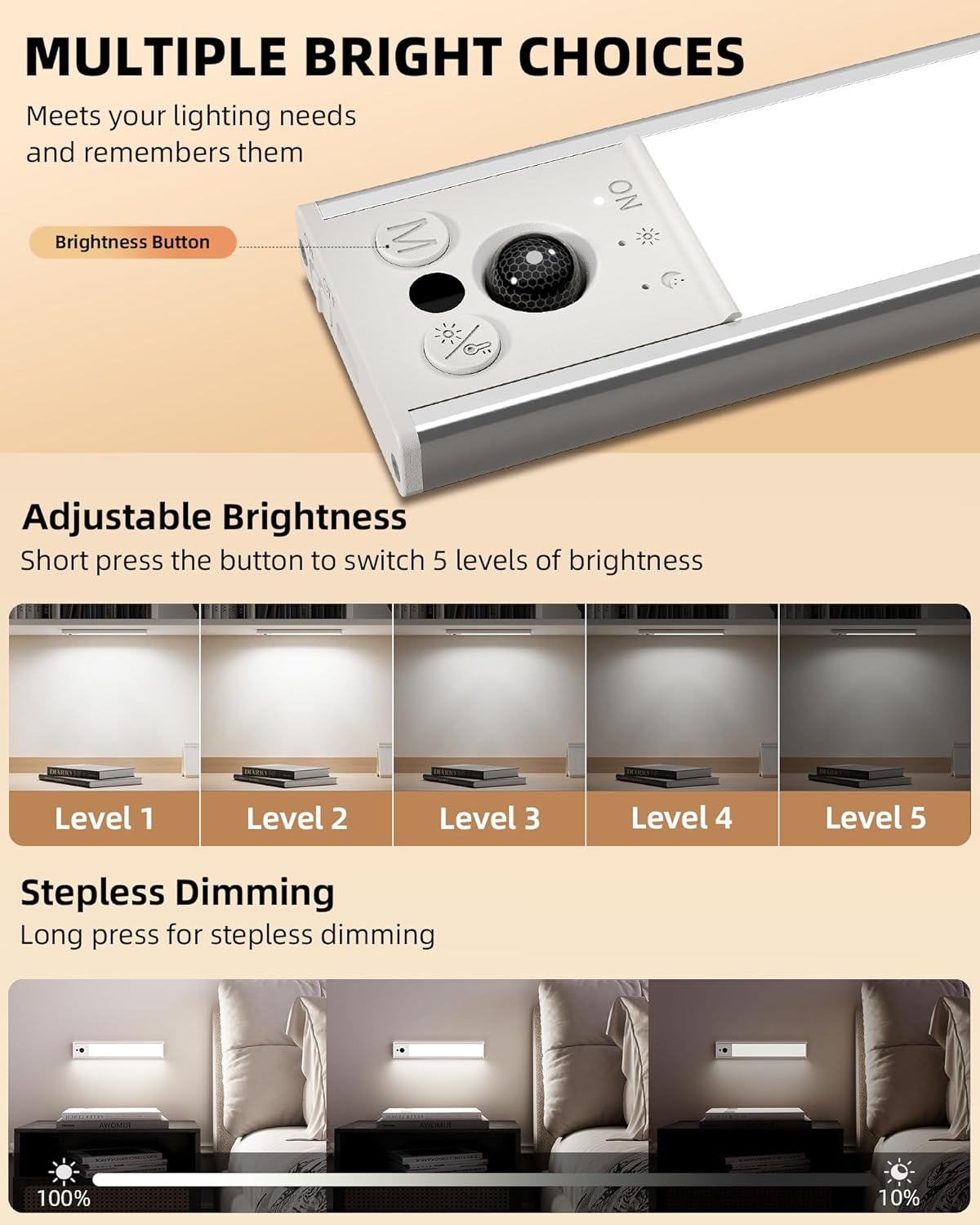
Figure 6: Brightness Adjustment Options
Charging
When the light's battery is low, the illumination may dim or the light may not turn on. Recharge the device using the provided USB-C cable.
- Connect the USB-C end of the cable to the light's charging port.
- Connect the USB-A end to a compatible USB power source (e.g., computer USB port, wall adapter, power bank).
- A full charge takes approximately 3.5 hours.
- Battery life varies by usage: up to 13-40 days in Motion Sensor Mode (depending on frequency) and 11 hours in Always-on Mode.
Maintenance
- Cleaning: Wipe the light with a soft, dry cloth. Do not use abrasive cleaners or solvents.
- Storage: If storing the light for an extended period, ensure it is fully charged and store it in a cool, dry place. Recharge every 3-6 months to maintain battery health.
- Water Resistance: This product is designed for indoor use and is not water-resistant. Avoid exposure to water or high humidity.
Troubleshooting
| Problem | Possible Cause | Solution |
|---|---|---|
| Light does not turn on. | Battery is depleted. Switch is in 'OFF' position. Incorrect mode selected. | Charge the light fully. Slide switch to 'ON'. Press 'M' button to select 'Always-on' or appropriate motion sensor mode. |
| Motion sensor not working. | Light is in 'Always-on' mode. Ambient light is too bright (in Night Mode). Sensor is obstructed. | Press 'M' button to select 'Day Mode' or 'Night Mode'. Ensure environment is dark enough for Night Mode, or switch to Day Mode. Clear any obstructions from the sensor lens. |
| Light is dim or flickers. | Low battery. Brightness setting is too low. | Recharge the light. Adjust brightness using the brightness button. |
| Light falls off surface. | Surface not clean/dry. Adhesive plate not pressed firmly. Surface material not suitable for adhesive. | Clean and dry surface thoroughly before applying adhesive plate. Press adhesive plate firmly for 30 seconds. Consider an alternative mounting location or method. |
Specifications
| Feature | Detail |
|---|---|
| Model Name | UCL05-C |
| Dimensions | 10 x 1.68 x 0.6 inches |
| Item Weight | 10.5 ounces (0.3 Kilograms) |
| Light Source Type | LED (43 LEDs) |
| Brightness | Up to 120 Lumens |
| Color Temperature | 6500K Cool White |
| Battery Capacity | 2400mAh Lithium Metal (included) |
| Charging Time | Approx. 3.5 hours (via USB-C) |
| Power Source | Battery Powered |
| Wattage | 1.5 watts |
| Voltage | 5 Volts (DC) |
| Motion Sensor Range | 12ft / 120° |
| Auto-off Time | Approx. 20 seconds (after no motion) |
| Material | Aluminum, Plastic |
| Indoor/Outdoor Usage | Indoor Only |
| Water Resistance Level | Not Water Resistant |
Warranty and Support
EZVALO products are designed for reliability and performance. For specific warranty details and support inquiries, please refer to the warranty information provided with your purchase or contact EZVALO customer service through their official channels. Keep your purchase receipt for warranty claims.
For further assistance, you may visit the official EZVALO store on Amazon: EZVALO Store
Important Safety Information
- Do not disassemble, repair, or modify the product.
- Do not expose the product to extreme temperatures, direct sunlight, or high humidity.
- Keep out of reach of children.
- Use only the provided USB-C charging cable.
- Dispose of the product and its battery responsibly according to local regulations.
Product Application Examples
The EZVALO Under Cabinet Lights are versatile and can be used in various indoor locations:
- Kitchen: Under cabinets for task lighting or in pantries.
- Closets & Wardrobes: Provides instant light when opening doors.
- Stairways & Hallways: Enhances safety with motion-activated lighting.
- Bathrooms: For subtle night lighting or under vanity cabinets.
- Shelves & Bookcases: Illuminates display areas.
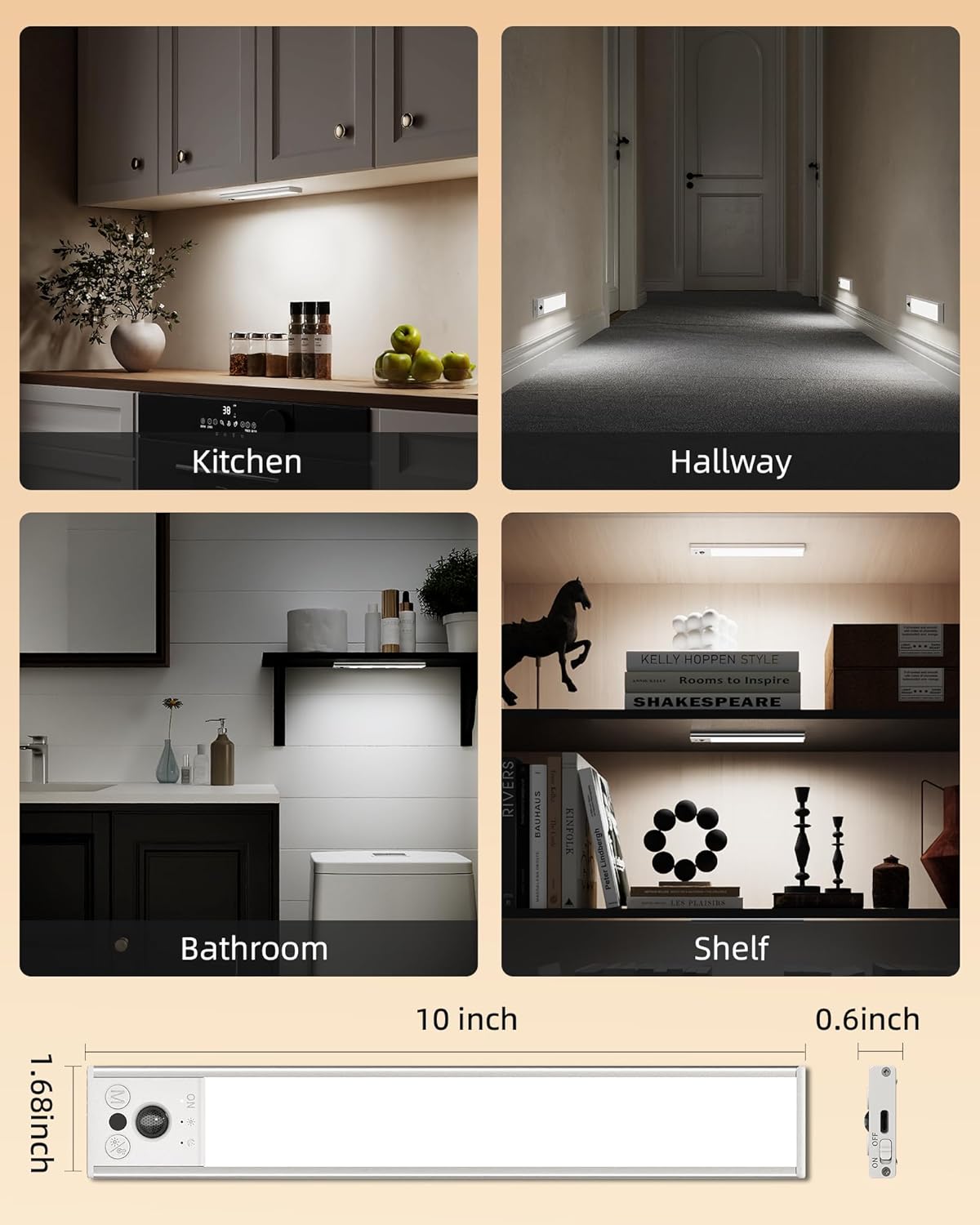
Figure 7: Versatile Applications of the Light
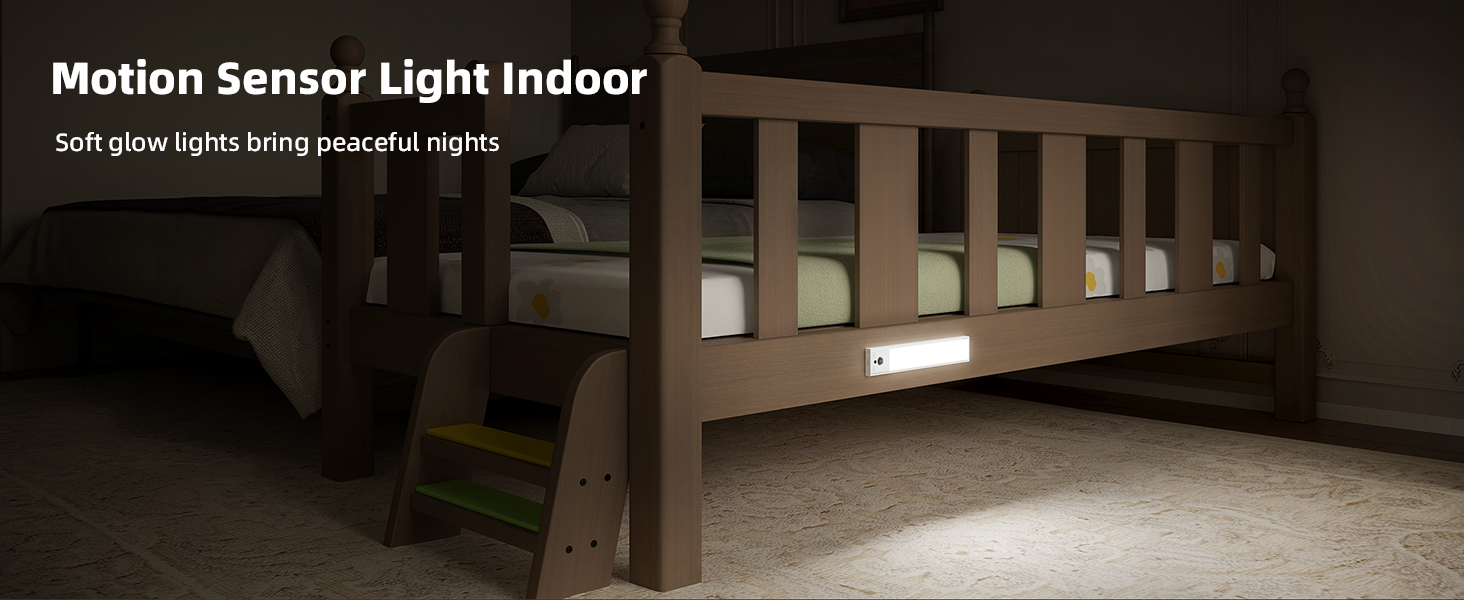
Figure 8: Example of use as a night light under a bed.

Figure 9: Example of use in a bathroom.
Video Resources
No official product videos from the seller were found to be relevant for inclusion in this instruction manual.


