
1. Introduction
This manual provides essential information for the safe and efficient operation of your Defy DMO243 Digital Convection Microwave. Please read these instructions thoroughly before using the appliance and retain them for future reference. This appliance combines microwave, convection, and grilling functions to offer versatile cooking options.
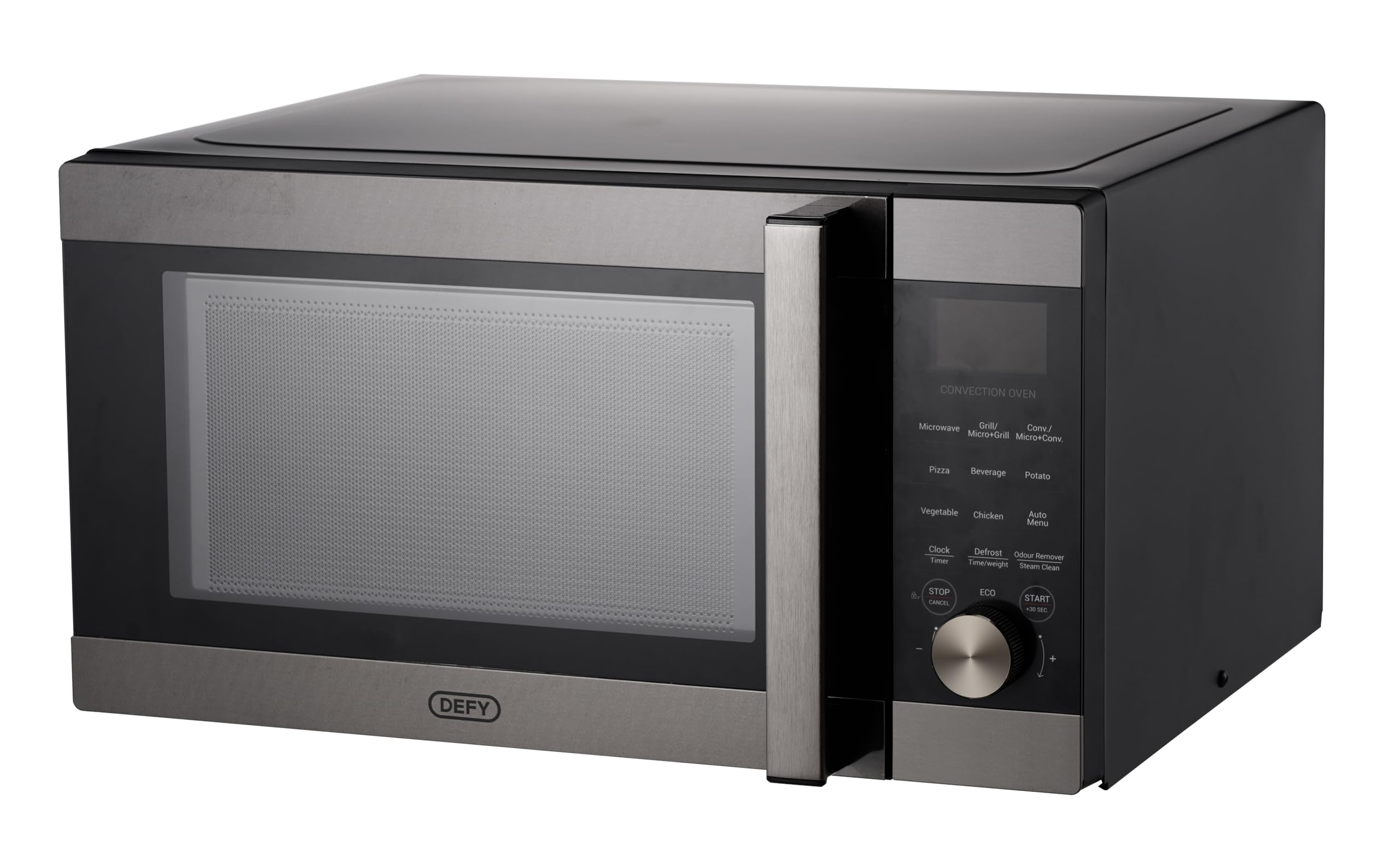
Image: The Defy DMO243 Digital Convection Microwave, showcasing its black and silver finish and digital control panel.
2. Safety Instructions
Always follow basic safety precautions when using electrical appliances to reduce the risk of fire, electric shock, injury to persons, or exposure to excessive microwave energy.
- Do not attempt to operate this oven with the door open as this can result in harmful exposure to microwave energy.
- Do not place any object between the oven front face and the door or allow soil or cleaner residue to accumulate on sealing surfaces.
- Do not operate the oven if it is damaged. It is particularly important that the oven door closes properly and that there is no damage to the door, hinges, or seals.
- Only qualified service personnel should adjust or repair this appliance.
- Ensure the appliance is properly grounded.
- Do not heat liquids or other foods in sealed containers as they are liable to explode.
- Regularly clean the oven cavity, door, and seals.
3. Setup and Installation
3.1 Unpacking
Carefully remove all packaging materials from the oven cavity and accessories. Check the oven for any damage, such as dents or a broken door. Do not install if the oven is damaged.
3.2 Placement
Place the oven on a flat, stable surface that can support its weight and the heaviest food item likely to be cooked in it. Ensure adequate ventilation by leaving a minimum of 20 cm (8 inches) of space above the oven, 10 cm (4 inches) at the rear, and 5 cm (2 inches) on both sides. Do not block any ventilation openings.

Image: Front view of the Defy DMO243 microwave, illustrating its compact design for countertop placement.
3.3 Electrical Connection
Plug the oven into a standard household electrical outlet. Ensure the voltage and frequency match the specifications on the rating label of the appliance.
3.4 Turntable Assembly
Place the roller ring in the depression on the oven floor. Place the glass turntable on top of the roller ring, ensuring it is seated correctly. The turntable must always be used during operation.
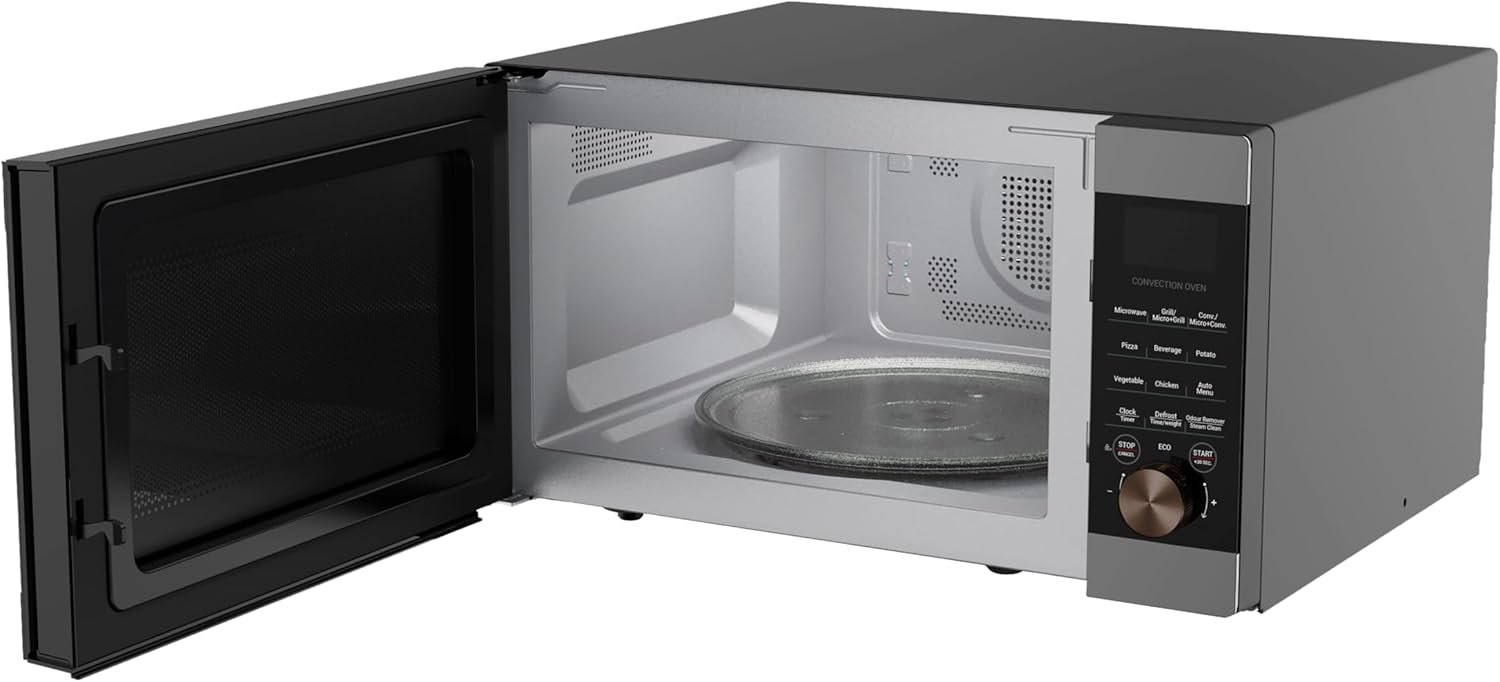
Image: Interior view of the Defy DMO243 microwave with the door open, showing the glass turntable and roller ring.
3.5 Setting the Clock
Upon initial power-up, the display will show '0:00'. To set the clock, refer to the detailed instructions in the operating section of this manual.
4. Operating Instructions
4.1 Control Panel Overview
The control panel features a digital display, function buttons for Microwave, Grill, Convection, and various pre-programmed settings, along with a rotary dial for time/weight adjustment and a Start/Stop button.

Image: A close-up of the Defy DMO243 control panel, highlighting the digital display and various function buttons.
4.2 Cooking Modes
- Microwave Cooking: Press the 'Microwave' button, rotate the dial to select power level (e.g., P100 for 100%), then rotate again to set cooking time. Press 'Start'.
- Grill Cooking: Press the 'Grill' button, rotate the dial to set cooking time. Press 'Start'.
- Convection Cooking: Press the 'Convection' button, rotate the dial to select temperature, then rotate again to set cooking time. Press 'Start'. Convection mode uses a fan to circulate hot air, similar to a conventional oven.

Image: Illustration of the convection cooking feature, showing a baked pie, indicating even heat distribution.
- Combination Cooking: This oven offers Micro+Grill and Micro+Convection modes for combined cooking. Refer to the specific instructions in the full manual for setting these modes.
4.3 Pre-programmed Functions
The Defy DMO243 includes 15 pre-programmed cooking functions for convenience. These include settings for Popcorn, Beverage, Potato, Auto Reheat, Rice, Pizza, Vegetables, Frozen Dinner, Weight Defrost, Speed Defrost, Chicken, Beef/Mutton, Skewered Meat, and Cake. Select the desired function and follow the on-screen prompts.
4.4 Defrosting
The appliance offers both Weight Defrost and Speed Defrost options. Select the appropriate defrost function and input the weight or time as required. The system will automatically calculate the defrosting time.
4.5 Express Cooking
Press the '+30 Sec' button for a quick 30-second start at full microwave power. Each press adds 30 seconds to the cooking time.

Image: The microwave on a kitchen counter, illustrating the convenience of the express cooking function for quick meal preparation.
4.6 ECO Mode
Activate ECO mode to turn off the display during standby, conserving power. Refer to the full manual for activation instructions.

Image: The ECO mode icon, indicating the power-saving feature of the microwave.
4.7 Child Lock
The Child Lock feature prevents accidental operation by children. To activate or deactivate, refer to the specific instructions in the full manual.

Image: A child stirring a bowl, representing the child safety lock feature that prevents accidental operation.
5. Maintenance and Cleaning
5.1 General Cleaning
Regularly clean the oven interior and exterior with a damp cloth and mild detergent. Avoid abrasive cleaners or scouring pads. Ensure the door seals are clean and free from food debris.
5.2 Odour Removal (Steam Clean)
The Steam Clean function helps soften grime and remove odors. Place a bowl of water with lemon slices inside the oven and activate the Steam Clean function. Wipe the interior clean after the cycle.

Image: A woman looking into the microwave, illustrating the effectiveness of the Steam Clean and Odour Remover function for maintaining cleanliness.
6. Troubleshooting
If you encounter issues with your microwave, consult the following table before contacting service.
| Problem | Possible Cause | Solution |
|---|---|---|
| Oven will not start | Power cord not plugged in; Door not closed properly; Fuse blown or circuit breaker tripped. | Ensure plug is securely inserted; Close door firmly; Check household fuse or reset circuit breaker. |
| Food not heating | Incorrect cooking time/power level; Door not closed properly. | Adjust time/power; Close door firmly. |
| Turntable not rotating | Turntable not properly seated; Roller ring dirty or damaged. | Re-seat turntable; Clean or replace roller ring. |
7. Specifications
Key technical specifications for the Defy DMO243 Digital Convection Microwave:
- Model Number: 8690842691607
- Capacity: 43 Liters
- Power / Wattage: 2200 watts
- Material: Stainless Steel
- Product Dimensions (D x W x H): 55.3 x 58.2 x 31.1 cm
- Item Weight: 23.8 kg
- Colour: Black/Silver
- Special Features: Large Capacity, Portable, Programmable, Child Lock, ECO Mode, Steam Clean
Image: The Defy DMO243 microwave with its dimensions (height, width, depth) clearly indicated.

Image: An illustration highlighting the 43-liter capacity, suitable for larger meals.
8. Warranty and Support
For warranty information and customer support, please refer to the warranty card included with your product or visit the official Defy website. You may also contact Defy customer service directly for assistance with product registration, troubleshooting, or spare parts.
Manufacturer: Defy Appliances (Pty) Ltd
Defy Website: www.defy.co.za

