
Assistrust KY-2023
Assistrust Sound Bar with Subwoofer User Manual
Model: KY-2023
1. Introduction
Thank you for purchasing the Assistrust Sound Bar with Subwoofer, Model KY-2023. This high-performance audio system is designed to enhance your entertainment experience with powerful sound, deep bass, and versatile connectivity options. This manual provides detailed instructions for setup, operation, maintenance, and troubleshooting to ensure optimal performance and longevity of your device.
Please read this manual thoroughly before using the product and retain it for future reference.
2. Package Contents
Carefully unpack the box and ensure all items listed below are present and in good condition. If any items are missing or damaged, please contact Assistrust customer support.
- 2 x Joinable Sound Bar Sections
- 1 x Wired Subwoofer
- 1 x Power Adapter
- 1 x ARC Cable
- 1 x Optical Cable
- 1 x 3.5mm AUX Cable
- 1 x Remote Control (batteries not included)
- 2 x Wired Stand Bases
- 1 x User Manual (this document)
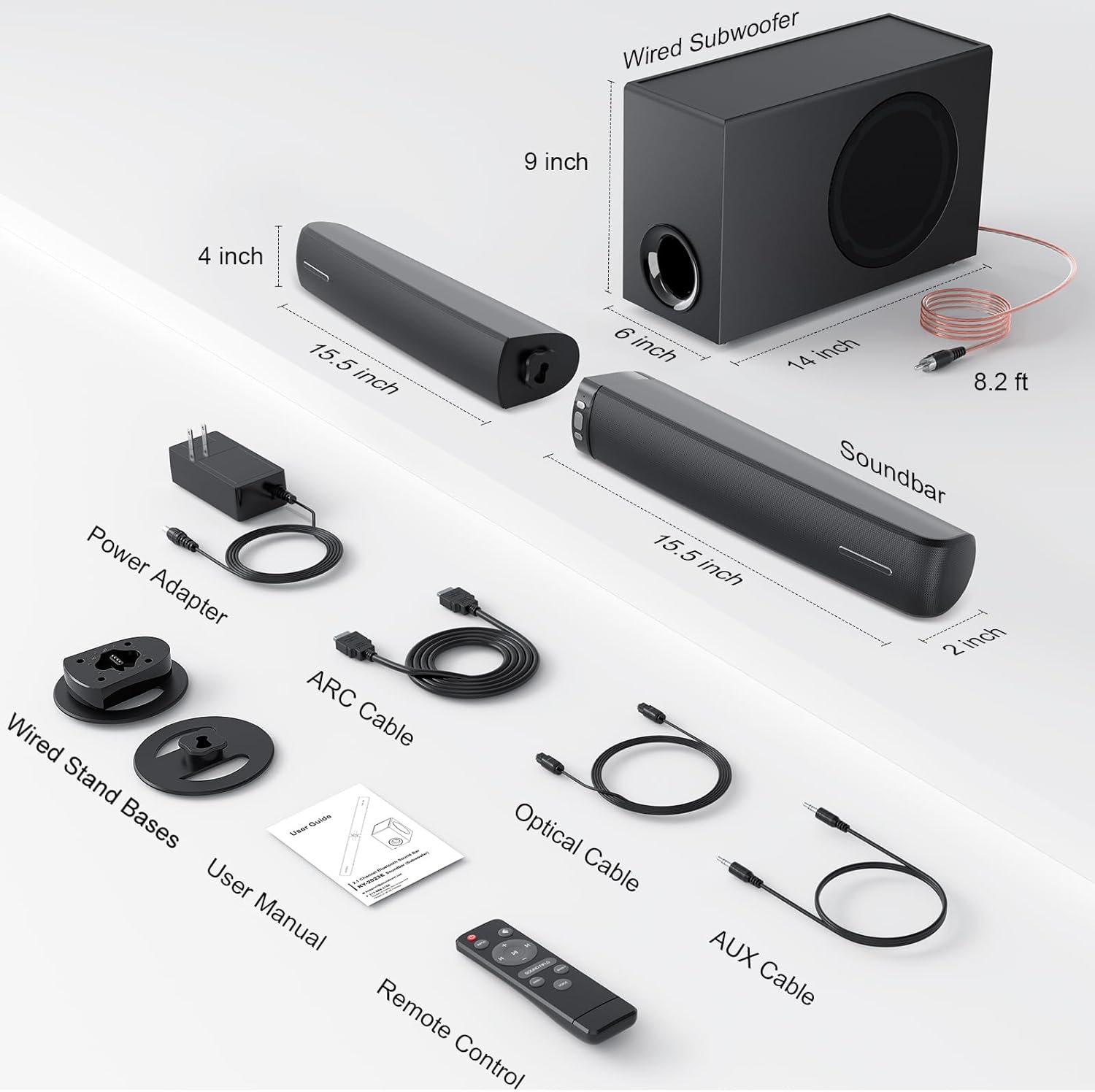
Figure 2.1: Contents of the Assistrust Sound Bar Package. This image displays the two soundbar sections, wired subwoofer, power adapter, ARC cable, optical cable, AUX cable, remote control, wired stand bases, and user manual, along with their approximate dimensions.
3. Product Overview and Features
The Assistrust KY-2023 Sound Bar system offers a versatile audio solution with its unique detachable design and powerful sound output.
3.1 Detachable 2-in-1 Design
The soundbar can be used as a single horizontal unit or split into two vertical tower speakers, providing flexibility for various room layouts and listening preferences. This design allows for optimized sound dispersion whether placed horizontally under a TV or vertically on either side of a monitor.

Figure 3.1: Detached Soundbar Configuration. The soundbar is shown separated into two vertical speakers, positioned alongside the wired subwoofer.

Figure 3.2: Horizontal Soundbar Placement. The soundbar is assembled as a single unit and placed horizontally below a television, ideal for a wide soundstage.
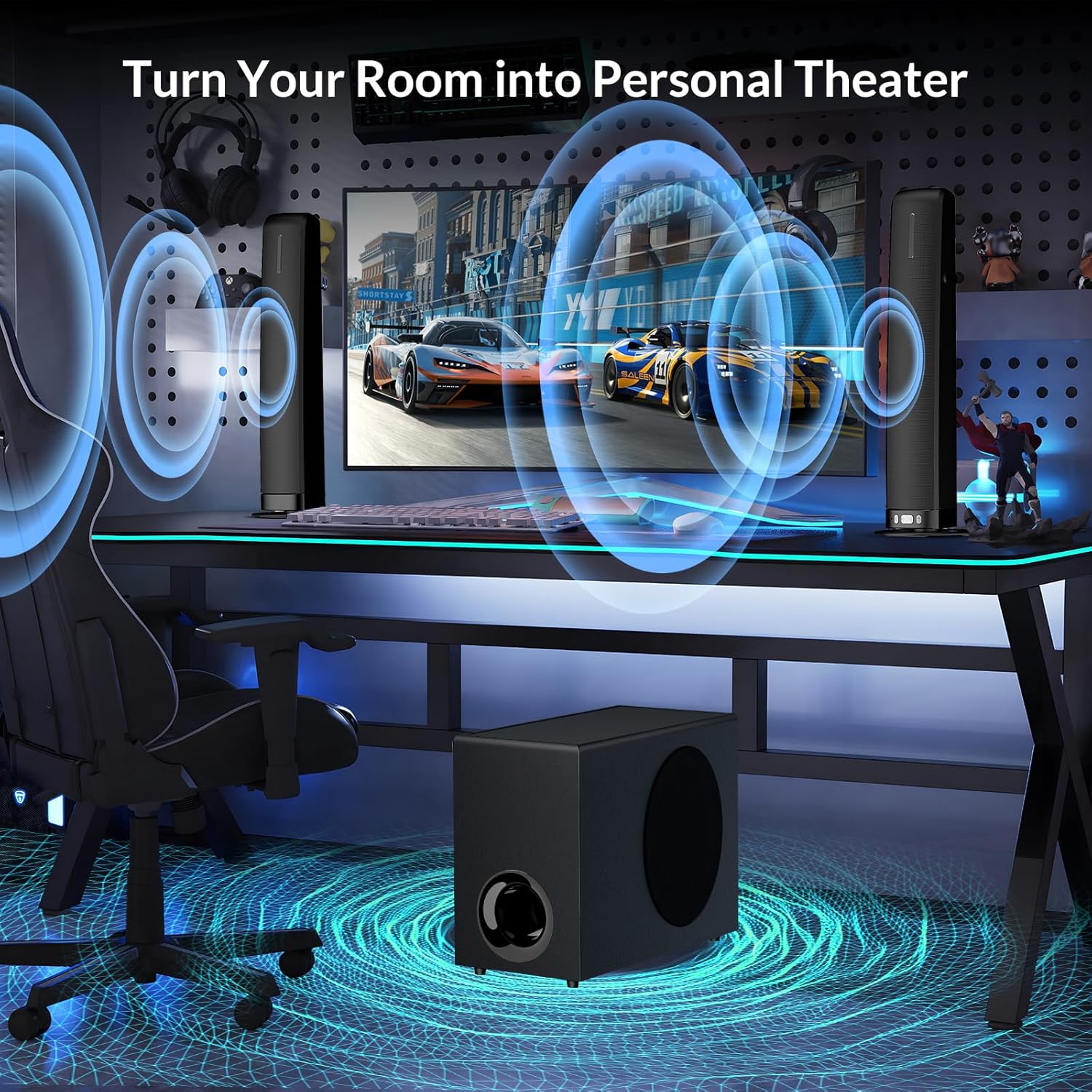
Figure 3.3: Vertical Soundbar Placement. The soundbar is split into two vertical units, positioned on a desk next to a computer monitor, creating a personal theater experience.
3.2 Immersive Deep Bass and Audio Output
Equipped with 4 high-performance drivers and a dedicated wired subwoofer, this system delivers a total of 110W peak power output. The adjustable subwoofer provides rich, deep bass, enhancing movies, music, and games with powerful low-frequency effects.
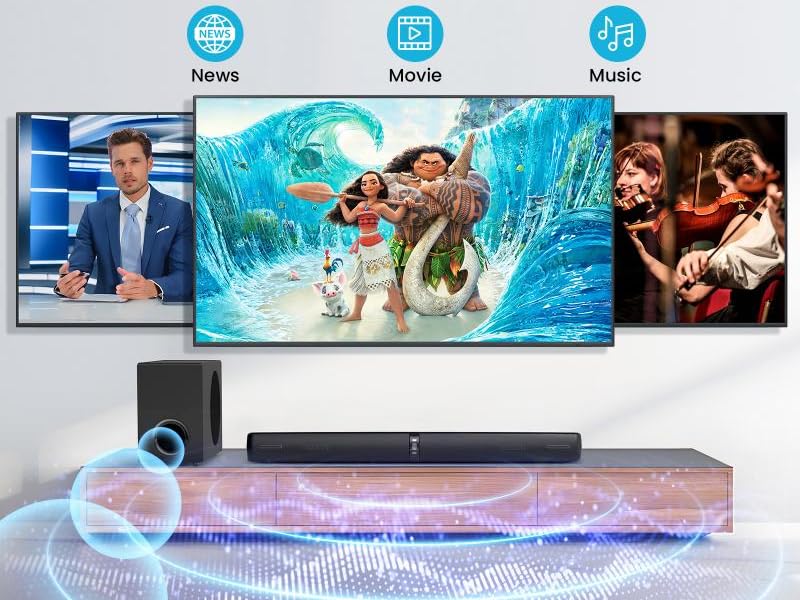
Figure 3.4: Subwoofer Internal Structure. This image illustrates the internal components of the wired subwoofer, highlighting its 60W power for epic deep bass.

Figure 3.5: Soundbar Driver Configuration. An exploded view of the soundbar reveals its four speaker drivers, contributing to the 110W sound output.
3.3 Customized EQ Modes
Optimize your audio experience with three pre-set Equalizer (EQ) modes:
- Movie Mode: Enhances cinematic soundtracks and explosions for an immersive experience.
- Music Mode: Provides vibrant and balanced soundscapes for all music genres.
- News Mode: Optimizes dialogue clarity, ensuring every word is heard distinctly.

Figure 3.6: EQ Modes for Content Optimization. This image illustrates the three distinct EQ modes (News, Movie, Music) designed to optimize audio for different types of content.
3.4 Multiple Connection Options
The soundbar offers versatile connectivity to suit various devices:
- Bluetooth 5.0: For wireless audio streaming from smartphones, tablets, and other Bluetooth-enabled devices.
- ARC (Audio Return Channel): Connects to compatible TVs via HDMI for simplified control using your TV remote.
- Optical: Digital audio connection for high-quality sound from TVs, game consoles, and other devices.
- AUX (3.5mm Auxiliary): Standard analog audio input for a wide range of devices.

Figure 3.7: Multiple Connection Options. This image provides a detailed view of the input ports on the back of the soundbar, including DC IN, OPTICAL, SUBWOOFER, AUX, and ARC.
4. Setup Guide
4.1 Assembling the Sound Bar
- Horizontal Configuration: Align the two soundbar sections and gently push them together until they click into place, forming a single unit.
- Vertical Configuration: Attach the wired stand bases to the bottom of each soundbar section. Ensure they are securely fastened.
4.2 Connecting to Your Devices
Choose the appropriate connection method based on your TV or audio source.
- ARC Connection (Recommended for TVs):
Connect one end of the ARC cable to the ARC port on the soundbar and the other end to the HDMI ARC port on your TV. Ensure your TV's HDMI-CEC (or similar) function is enabled in its settings. This allows your TV remote to control the soundbar's volume. - Optical Connection:
Connect one end of the Optical cable to the OPT port on the soundbar and the other end to the Optical Digital Audio Out port on your TV or device. - AUX Connection:
Connect one end of the 3.5mm AUX cable to the AUX port on the soundbar and the other end to the 3.5mm audio output (headphone jack) on your TV, PC, or other audio source. - Subwoofer Connection:
Connect the wired subwoofer cable to the SUB port on the main soundbar unit.
4.3 Powering On
- Connect the power adapter to the DC IN port on the soundbar.
- Plug the power adapter into a wall outlet.
- Press the Power button on the soundbar or remote control to turn on the unit. The indicator light will illuminate.
5. Operating Instructions
5.1 Remote Control Functions
The included remote control allows full command over your soundbar. Insert two AAA batteries (not included) into the remote before use.
- Power Button: Turns the soundbar on or off.
- Input/Source Button: Cycles through input modes (Bluetooth, ARC, Optical, AUX).
- Volume Up/Down: Adjusts the master volume.
- Mute Button: Mutes or unmutes the sound.
- EQ Mode Buttons (Movie, Music, News): Selects the desired audio equalization preset.
- Bass +/-: Adjusts the subwoofer bass level.
- Bluetooth Pairing Button: Initiates Bluetooth pairing mode.
5.2 Selecting Input Modes
Press the Input/Source button on the remote control or the soundbar to switch between available input sources (Bluetooth, ARC, Optical, AUX). The indicator light on the soundbar will change to reflect the selected mode.
5.3 Bluetooth Pairing
- Turn on the soundbar and switch to Bluetooth mode. The Bluetooth indicator light will flash, indicating it's in pairing mode.
- On your Bluetooth-enabled device (smartphone, tablet, etc.), enable Bluetooth and search for available devices.
- Select "Assistrust KY-2023" (or similar name) from the list of devices.
- Once paired, the Bluetooth indicator light on the soundbar will stop flashing and remain solid. You can now stream audio wirelessly.
6. Maintenance
Proper maintenance ensures the longevity and performance of your soundbar system.
- Cleaning: Use a soft, dry cloth to wipe the surfaces of the soundbar and subwoofer. Do not use liquid cleaners, aerosols, or abrasive solvents, as they may damage the finish.
- Ventilation: Ensure the soundbar and subwoofer have adequate ventilation. Do not block any ventilation openings.
- Placement: Avoid placing the unit in direct sunlight, near heat sources, or in areas with high humidity or dust.
- Power Off: If the unit will not be used for an extended period, unplug it from the power outlet.
7. Troubleshooting
If you encounter issues with your Assistrust Sound Bar, refer to the table below for common problems and solutions.
| Problem | Possible Cause | Solution |
|---|---|---|
| No power | Power cable not connected; Power outlet not active. | Ensure power adapter is securely connected to the soundbar and a working wall outlet. Try a different outlet. |
| No sound | Incorrect input mode; Volume too low; Muted; Incorrect TV audio output settings. | Select the correct input mode (ARC, Optical, AUX, Bluetooth). Increase volume. Unmute the soundbar. Ensure TV audio output is set to PCM or Stereo (not Bitstream/Dolby Digital) for Optical/ARC connections. |
| Bluetooth not connecting | Soundbar not in pairing mode; Device too far; Previously paired device connected. | Ensure soundbar is in Bluetooth pairing mode (flashing light). Move device closer. Disconnect from any other paired devices. Try forgetting the device on your phone and re-pairing. |
| Distorted sound | Volume too high; Poor cable connection; Audio source issue. | Lower the volume. Check all cable connections. Test with a different audio source. |
| Remote control not working | Batteries low/incorrectly inserted; Obstruction between remote and soundbar. | Replace batteries, ensuring correct polarity. Remove any obstructions. Point remote directly at the soundbar's sensor. |
Important Note for TV Audio Settings: For optimal compatibility, especially when using Optical or ARC connections, ensure your TV's digital audio output format is set to PCM or Stereo. Many TVs default to Bitstream (Dolby Digital/DTS), which may not be compatible with all soundbars, resulting in no sound.
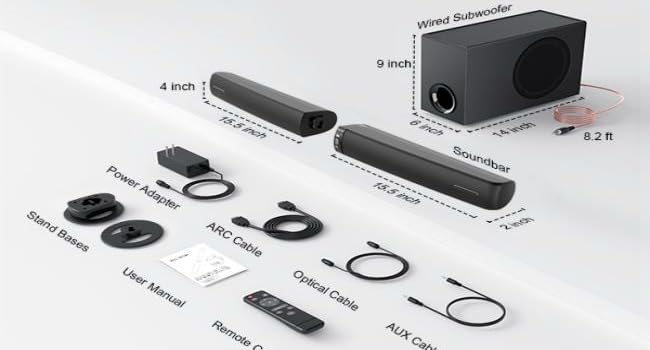
Figure 7.1: Example TV Audio Output Setting. This image shows a typical TV menu where the digital audio output format can be set to PCM for soundbar compatibility.
8. Technical Specifications
| Feature | Specification |
|---|---|
| Model Name | KY-2023 |
| Speaker Type | Soundbar with Wired Subwoofer |
| Speaker Maximum Output Power | 110 Watts |
| Frequency Response | 20 Hz - 20 KHz |
| Connectivity Technology | Bluetooth 5.0, ARC (HDMI), Optical, AUX (3.5mm) |
| Audio Output Mode | Stereo |
| Special Features | 2-in-1 Detachable Design, 3 Customized Equalizer Modes, Wired Subwoofer, Volume Boost |
| Product Dimensions (Horizontal) | 17"D x 3.5"W x 2"H (approximate for single bar) |
| Subwoofer Dimensions | 9"H x 6"W x 14"D (approximate) |
| Item Weight | 13.9 pounds (total system) |
| Power Source | AC |
9. Warranty and Support
Assistrust is committed to your satisfaction. Your Sound Bar with Subwoofer (Model KY-2023) comes with the following:
- 18-Month Warranty: Covers manufacturing defects and malfunctions under normal use.
- 60-Day Replacement Policy: For any significant issues within the first 60 days of purchase.
- 24/7 Technical Support: Our dedicated support team is available around the clock to assist you with any questions or issues.
For warranty claims, technical assistance, or any other inquiries, please contact Assistrust customer support through the contact information provided on our official website or your purchase platform. Please have your product model number (KY-2023) and purchase details ready when contacting support.
Related documentsKY-2023


Ask a question about this manual
Ask about setup, troubleshooting, compatibility, parts, safety, or missing instructions. Manuals+ will review the question and use this page’s manual context to help answer it.