
Introduction
This manual provides comprehensive instructions for the CNBRO Smart Ring, a wearable device designed to monitor various health and fitness metrics. Please read this manual thoroughly before using the device to ensure proper operation, maintenance, and to understand its full capabilities.
Product Features
- Heart Rate Monitoring: Advanced sensors provide continuous heart rate tracking.
- Sleep Tracking: Monitors sleep duration and stages, including REM, Core, and Deep sleep.
- Fitness Tracking: Records steps, distance, calories burned, and movement path across multiple sports modes.
- Gesture Control: Allows remote operation of your smartphone's camera shutter.
- Waterproof Design: Rated for water resistance, suitable for various activities.
- Magnetic Fast Charging: Efficient charging with extended battery life.
- Broad Compatibility: Supports Android 6.0 and above, and iOS 12.0 and above.
- Bluetooth 5.2: Ensures stable and efficient connectivity.


Setup
What's in the Box
- 1 x CNBRO Smart Ring
- 1 x User Manual
- 1 x Magnetic Charger
- Optional Accessories: Wireless Charging Case (sold separately)
Initial Charging
Before first use, fully charge the smart ring using the provided magnetic charger. Connect the charger to a power source and attach the ring to the magnetic charging contacts. The charging indicator will confirm the charging status.
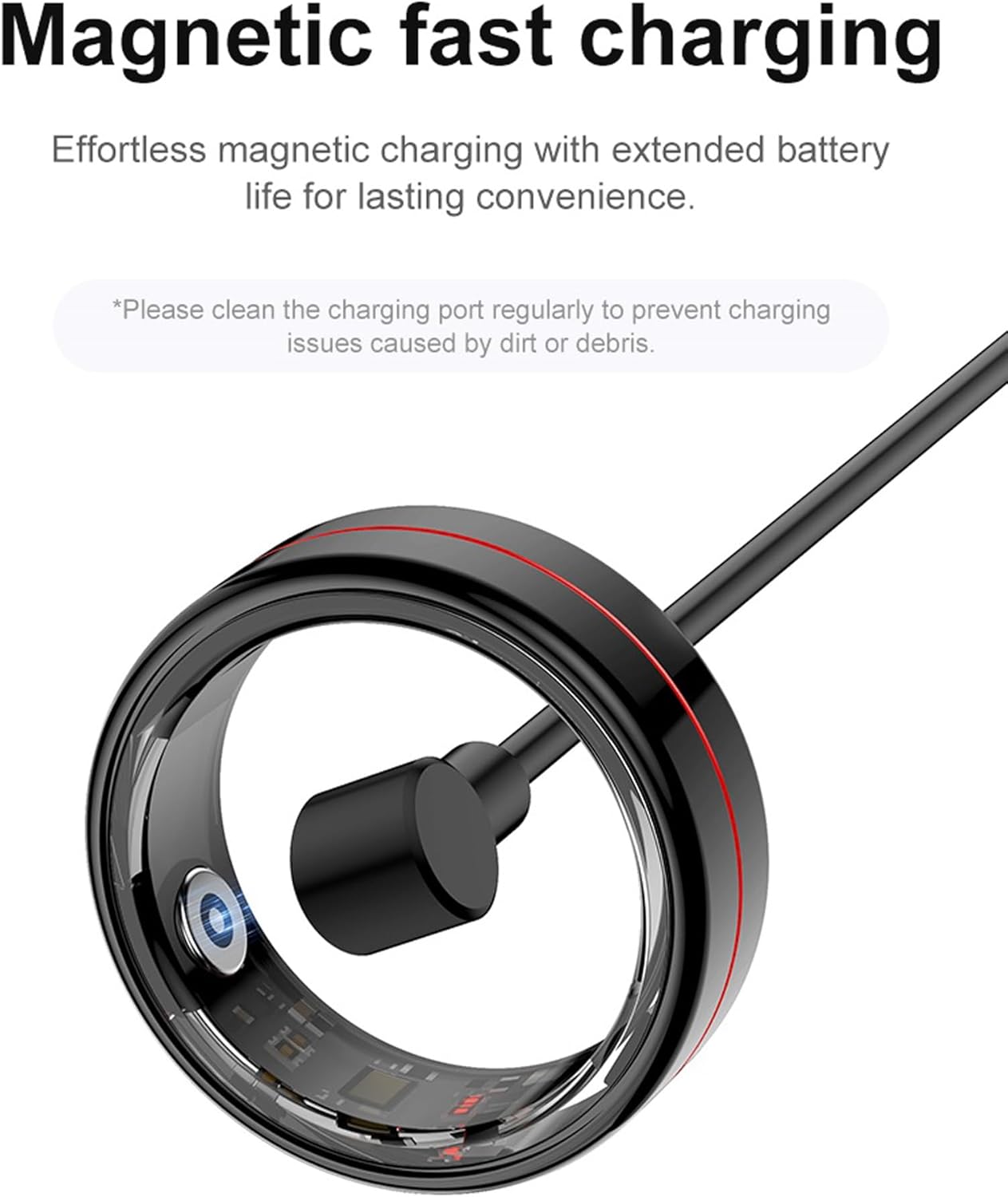
Important: Please clean the charging port regularly to prevent charging issues caused by dirt or debris.
App Installation and Pairing
Download the dedicated CNBRO app from your device's app store. The app is compatible with Android 6.0 and above, and iOS 12.0 and above. Ensure Bluetooth 5.2 is enabled on your smartphone. Follow the in-app instructions to pair your smart ring with your device. This typically involves creating an account and searching for nearby devices.
Operating Instructions
Health Monitoring
The smart ring continuously monitors your heart rate, blood oxygen levels, and sleep patterns. This data is automatically synchronized with the mobile application, allowing for detailed analysis of your health trends and insights into your well-being. Wear the ring snugly on your finger for accurate readings.

Fitness Tracking
The ring supports multiple sports modes, including walking, running, cycling, and swimming. During these activities, it records real-time heart rate, steps taken, distance covered, calories burned, and exercise duration. Access detailed workout summaries and progress tracking within the app.


Gesture Control
The smart ring features gesture control, allowing you to remotely operate your phone's camera shutter. This enables hands-free photo capture. Refer to the mobile application for specific gesture configurations and how to activate this feature.
Maintenance
Cleaning
To clean your smart ring, gently wipe it with a soft, dry, lint-free cloth. Avoid using abrasive cleaners, solvents, or harsh chemicals, as these can damage the device's finish and internal components.
Water Resistance
The CNBRO Smart Ring is designed to be waterproof. However, to ensure its longevity and maintain optimal functionality, it is recommended to avoid exposure to hot water (e.g., hot showers, saunas), deep water, or prolonged submersion during water-related activities. Always dry the ring thoroughly after exposure to water.
Troubleshooting
Device Not Powering On
- Ensure the ring is fully charged. Connect it to the magnetic charger and verify that the charging indicator is active.
- If the ring does not respond, try a different USB power adapter or port.
Pairing Issues
- Ensure Bluetooth is enabled on your smartphone.
- Make sure the ring is within close proximity (Bluetooth range) of your phone.
- Restart both the smart ring (if applicable, by placing it on the charger) and your smartphone.
- Check the CNBRO app for specific pairing instructions and troubleshooting tips.
Inaccurate Data Readings
- Ensure the ring is worn correctly and snugly on your finger, with the sensors making good contact with your skin.
- Clean the sensors regularly to remove any dirt, sweat, or debris that might interfere with readings.
- If available, calibrate the device through the settings in the CNBRO app.
App Connectivity Problems
- Verify your phone's operating system meets the minimum requirements (Android 6.0+, iOS 12.0+).
- Ensure the CNBRO app is updated to the latest version from your app store.
- Check your phone's Bluetooth settings and ensure the app has necessary permissions enabled (e.g., location, Bluetooth).
Specifications
| Model Number | US-X-R04 |
| Brand | CNBRO |
| Operating System | R0 RING |
| Connectivity Technology | Bluetooth 5.2 |
| GPS | Via Smartphone |
| Screen Size | 1 Inches (Note: This refers to internal component size, not a display screen) |
| Color | Silver (for current variant) |
| Target Audience | Men, Women |
| Case Material Type | Metal |
| Water Resistance Level | Waterproof (5ATM) |
| Sport Type | Multi-Sports |
| Battery Life (Typical Use) | 3-5 days |
| Standby Time | Up to 7 days |
| Charging Time | Approximately 0.5 hours |
| Item Dimensions (D x W x H) | 1"D x 1"W x 1"H (Approximate) |
| Compatible Devices | Smartphones (Android 6.0+, iOS 12.0+) |
| Inner Circumference (Size #8) | 2.26 inches |
Warranty and Support
Warranty Information
This product is covered by a seller warranty. For specific details regarding warranty terms, duration, and conditions, please refer to your purchase documentation or contact customer support directly. Keep your proof of purchase for warranty claims.
Customer Support
If you have any questions, require technical assistance, or encounter issues with your CNBRO Smart Ring, please contact customer support through your Amazon order page. Our support team aims to respond to inquiries within 24 hours.
How to Contact Us:
- Click on "Orders" in the upper right corner of your Amazon page.
- Navigate to your past orders.
- Locate your CNBRO Smart Ring order and click on "Sold by Fusong US" (or the relevant seller name) below the product name.
- Click the yellow button labeled "Ask a question".
- Select "I need assistance with an order I placed".
- Click the yellow button "Write message" and compose your inquiry to send an email to customer support.