
Introduction
The ANSTEN Wired Speakers for TV (Model TV002) are designed to provide clear and enhanced audio for television viewing. This speaker system connects directly to your TV via a wired connection, ensuring no audio delay. It features a dedicated headphone jack for private listening and a simple one-knob control for ease of use. This manual provides instructions for setup, operation, maintenance, and troubleshooting to ensure optimal performance of your speaker.

Image: The ANSTEN Wired Speaker positioned near a TV viewer, illustrating its function of delivering clear and crisp TV sound directly to the user.
Setup Instructions
Follow these steps to connect your ANSTEN Wired Speakers to your television:
- Connect to TV: Locate the headphone jack (3.5mm audio output port) on your television. Plug the 3.5mm audio cable from the speaker into this port. The cable length is 5 meters, allowing flexible placement.
- Connect to Power: Connect the speaker's power plug to the included dedicated power adapter. Then, plug the power adapter into a standard household electrical outlet. Important: Use only the provided power adapter. Using other power adapters or directly plugging the USB into a TV's USB port may cause noise or improper function.
- Power On: Turn the control knob on the top of the speaker clockwise until you hear a click. Continue turning to adjust the volume.

Image: Step-by-step visual guide for connecting the speaker: 1) Plug into TV headphone jack, 2) Plug power adapter into household outlet, 3) Turn the knob to power on.
Note:
- Some televisions may not be able to output sound from both the TV's built-in speakers and external speakers simultaneously. Check your TV's instruction manual for specific audio output settings.
- Ensure your TV has a 3.5mm audio OUTPUT interface. If not, this speaker will not work.
Operating Instructions
Power On/Off and Volume Control
The single knob on the top of the speaker controls both power and volume. Turn the knob clockwise to power on and increase the volume. Turn it counter-clockwise to decrease the volume and power off (until you hear a click).

Image: A hand demonstrating the simple operation of the speaker's single control knob for power and volume adjustment.
Private Listening with Headphones
The speaker includes a 3.5mm headphone output jack. Plug your headphones (not included) into this jack for private listening. When headphones are connected, the speaker's sound output will typically be muted, allowing only headphone audio.
Versatile Usage
In addition to televisions, the ANSTEN Wired Speakers can be connected to other devices with a 3.5mm audio output, such as smartphones, laptops, PCs, and music players, for enhanced audio output.
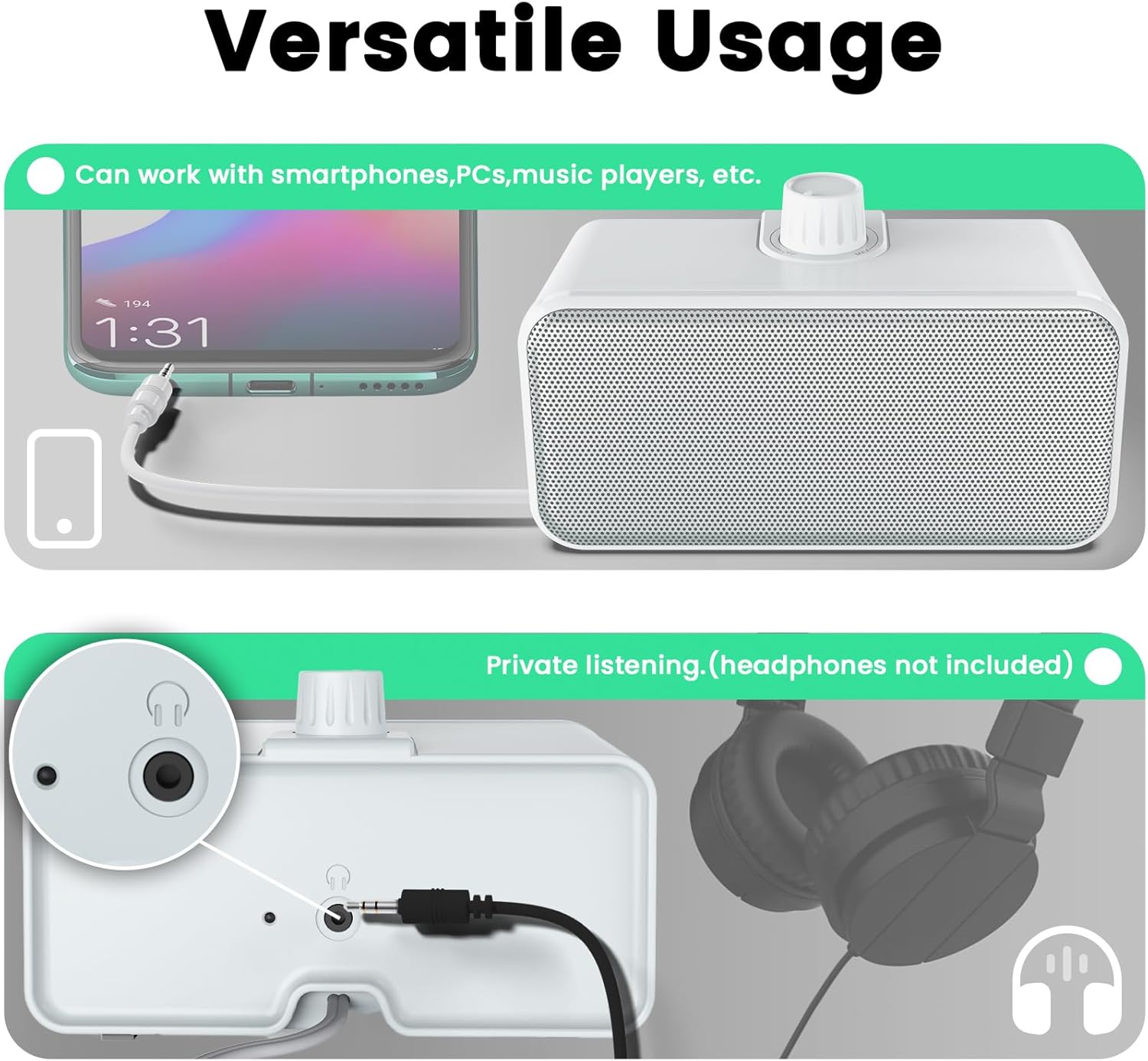
Image: The speaker connected to a smartphone for audio playback and a close-up of headphones plugged into the speaker's dedicated output jack for private listening.
Maintenance
To ensure the longevity and optimal performance of your ANSTEN Wired Speakers, follow these maintenance guidelines:
- Cleaning: Use a soft, dry cloth to wipe the exterior of the speaker. Do not use liquid cleaners, aerosols, or solvents, as these may damage the finish or internal components.
- Storage: When not in use for extended periods, store the speaker in a cool, dry place away from direct sunlight and extreme temperatures.
- Handling: Avoid dropping the speaker or subjecting it to strong impacts. Do not attempt to disassemble the speaker, as this will void the warranty.
Troubleshooting
If you encounter issues with your ANSTEN Wired Speakers, refer to the following common problems and solutions:
- No Sound:
- Ensure the speaker is properly connected to the TV's 3.5mm audio output jack.
- Verify the power adapter is securely plugged into both the speaker and a working electrical outlet.
- Check if the speaker's volume knob is turned on and adjusted to an audible level.
- Confirm your TV's audio output settings are configured to send sound to the external speaker (e.g., headphone output).
- If headphones are plugged into the speaker, unplug them to enable speaker output.
- Poor Sound Quality / Noise:
- Ensure you are using the included dedicated power adapter. Other adapters may cause interference or noise.
- If experiencing crackling or distortion when adjusting the speaker's volume, try increasing the TV's volume and keeping the speaker's volume at a moderate level.
- Check the audio cable for any damage or loose connections.
- TV Speakers and External Speaker Not Working Simultaneously:
- This behavior is dependent on your television's specifications. Many TVs automatically mute their internal speakers when an external device is plugged into the headphone jack. Consult your TV's user manual for options to enable simultaneous audio output, if available.

Image: A visual representation of different audio output scenarios, including sound from speaker only, both TV and speaker, headphones only, and connection to other devices. A note clarifies that simultaneous output depends on TV specifications.
Specifications
| Model Name | Wired Speakers |
| Model Number | TV002 |
| Material | Acrylonitrile Butadiene Styrene (ABS) |
| Speaker Type | 3D |
| Connectivity Technology | Auxiliary, USB (for power) |
| Audio Output Mode | Stereo |
| Speaker Maximum Output Power | 4 Watts |
| Product Dimensions | 3"D x 3"W x 6.5"H |
| Item Weight | 550 Grams (1.21 pounds) |
| Maximum Cable Range | 5 Meters |
| Control Method | Knob (Touch) |
| Power Source | Corded Electric |
| Included Components | Wired speakers*1, Power adapter *1, Cable tie *1, User manual *1 |

Image: A detailed view of the speaker's dimensions (3"D x 3.2"W x 6.5"H, Weight: 550g) and a list of included accessories: power adapter, cable tie, user manual, and the wired speaker itself.
Warranty Information
The ANSTEN Wired Speakers (Model TV002) come with a Limited Warranty. For specific details regarding the warranty period, coverage, and terms, please refer to the warranty card included in your product packaging or contact ANSTEN customer support.
Customer Support
For further assistance, technical support, or inquiries regarding your ANSTEN Wired Speakers, please contact ANSTEN customer service. You can also visit the official ANSTEN store for more product information and support resources: