
1. Introduction
This manual provides detailed instructions for the assembly, operation, and maintenance of your Devoko 120x120cm L-Shaped Gaming Desk. Please read this manual carefully before assembly and use to ensure proper setup and safe operation. Keep this manual for future reference.
The Devoko L-shaped desk is designed to optimize space, offering a large surface area for gaming, studying, or working. It features a sturdy Z-shaped frame and includes an ergonomic monitor stand to improve posture and workspace organization.
2. Safety Information
- Always assemble the desk on a soft, clean surface to prevent scratches.
- Ensure all screws and fasteners are securely tightened before use. Periodically check and re-tighten as necessary.
- Do not overload the desk. Refer to the specifications for weight capacity.
- Keep small parts and packaging materials away from children to prevent choking hazards.
- Avoid placing hot items directly on the desk surface without protection.
- Do not stand or sit on the desk.
3. Package Contents
Before beginning assembly, verify that all components listed below are present and undamaged. If any parts are missing or damaged, please contact customer support.
- Desk Panels (L-shaped sections)
- Monitor Stand Panel
- Z-shaped Leg Frames
- Support Beams and Brackets
- Adjustable Foot Pads
- Assembly Hardware (screws, bolts, Allen wrench)
- Instruction Manual

Image 3.1: Product dimensions and included instruction manual graphic.
4. Assembly Instructions
Assembly typically requires two people for ease and efficiency, though it can be completed by one person. A Phillips head screwdriver (not included) may be required in addition to the provided Allen wrench.
- Unpack and Identify Parts: Carefully unpack all components and lay them out on a soft surface. Refer to the parts list in the included instruction manual to identify each piece.
- Assemble Leg Frames: Attach the Z-shaped leg frames to the support beams using the provided screws. Ensure all connections are firm.
- Attach Desk Panels: Secure the L-shaped desk panels to the assembled leg frames. Pay attention to the orientation of the panels to form the desired L-shape.
- Install Monitor Stand: Attach the monitor stand panel to the designated area on the desk surface using the appropriate hardware.
- Adjust Foot Pads: Once the desk is fully assembled, place it in its desired location. Adjust the foot pads at the bottom of the legs to ensure the desk is stable and level on uneven floors.
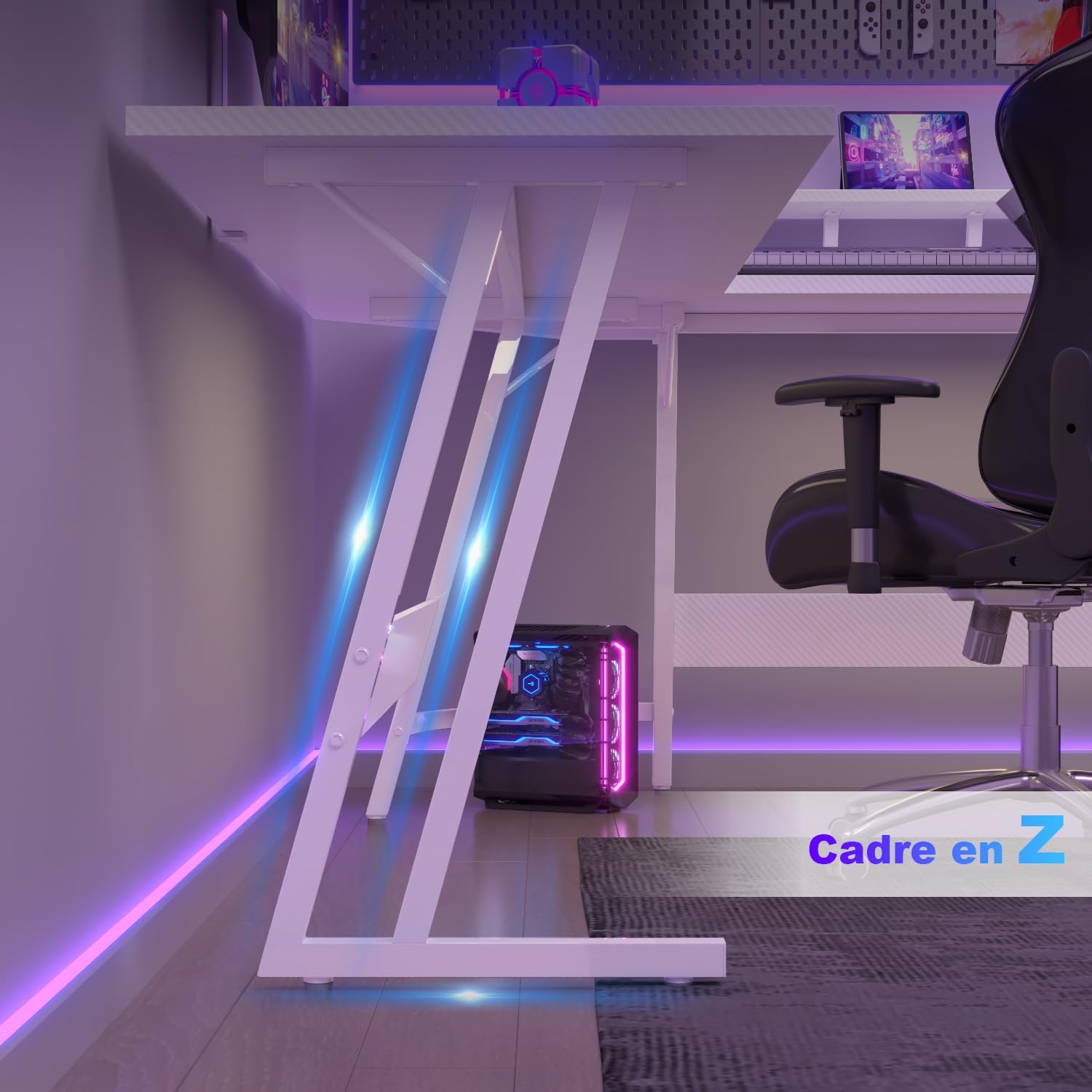
Image 4.1: Detail of the Z-shaped leg frame for stability.

Image 4.2: Fully assembled Devoko L-shaped gaming desk.
5. Operating Instructions
Your Devoko L-shaped desk is designed for versatile use in various environments.
- L-Shape Configuration: The L-shape design allows for flexible placement in corners or as a large workspace. Utilize the two main sections for different tasks, such as a gaming area and a work area.
- Monitor Stand Usage: Place your monitor(s) on the elevated stand to achieve an ergonomic viewing height, reducing strain on your neck and back. This also frees up valuable desk space below for other items.
- Cable Management: While not explicitly included, consider using adhesive cable clips or ties (not included) to manage cables neatly under the desk surface, maintaining a clean and organized workspace.

Image 5.1: Ergonomic monitor stand promoting correct posture.
6. Maintenance
To ensure the longevity and appearance of your Devoko desk, follow these simple maintenance guidelines:
- Cleaning: Wipe the desk surface with a soft, damp cloth. For stubborn marks, use a mild, non-abrasive cleaner. Avoid harsh chemicals that may damage the finish.
- Spills: Clean up spills immediately to prevent staining or damage to the laminated surface.
- Hardware Check: Periodically inspect all screws and bolts to ensure they remain tight. Re-tighten if necessary to maintain stability.
- Avoid Direct Sunlight: Prolonged exposure to direct sunlight can cause fading or discoloration of the desk surface.
7. Troubleshooting
- Desk is Wobbly:
a. Ensure all assembly screws are fully tightened.
b. Adjust the leveling foot pads at the bottom of the legs to compensate for uneven floor surfaces. - Missing Parts or Damaged Components:
a. Double-check the packaging and compare with the parts list in the manual.
b. Contact Devoko customer support with your purchase details for assistance. - Difficulty During Assembly:
a. Review the assembly instructions carefully, paying attention to diagrams.
b. Ensure components are oriented correctly before tightening screws.
8. Specifications
| Feature | Detail |
|---|---|
| Brand | Devoko |
| Model | L-Shaped Gaming Desk |
| Color | Carbon White |
| Dimensions (L x W x H) | 120 x 120 x 75 cm |
| Item Weight | 14.6 Kilograms |
| Material | Wood (Top), Metal (Base) |
| Top Material Type | Wood |
| Finish Type | Laminated |
| Special Feature | Multipurpose, Ergonomic Monitor Stand |
9. Warranty and Support
Devoko products are manufactured with quality and customer satisfaction in mind. For any issues, missing parts, or warranty claims, please contact Devoko customer support through your retailer or the official Devoko website. Please have your purchase receipt and product model information ready when contacting support.
