
1. Product Overview
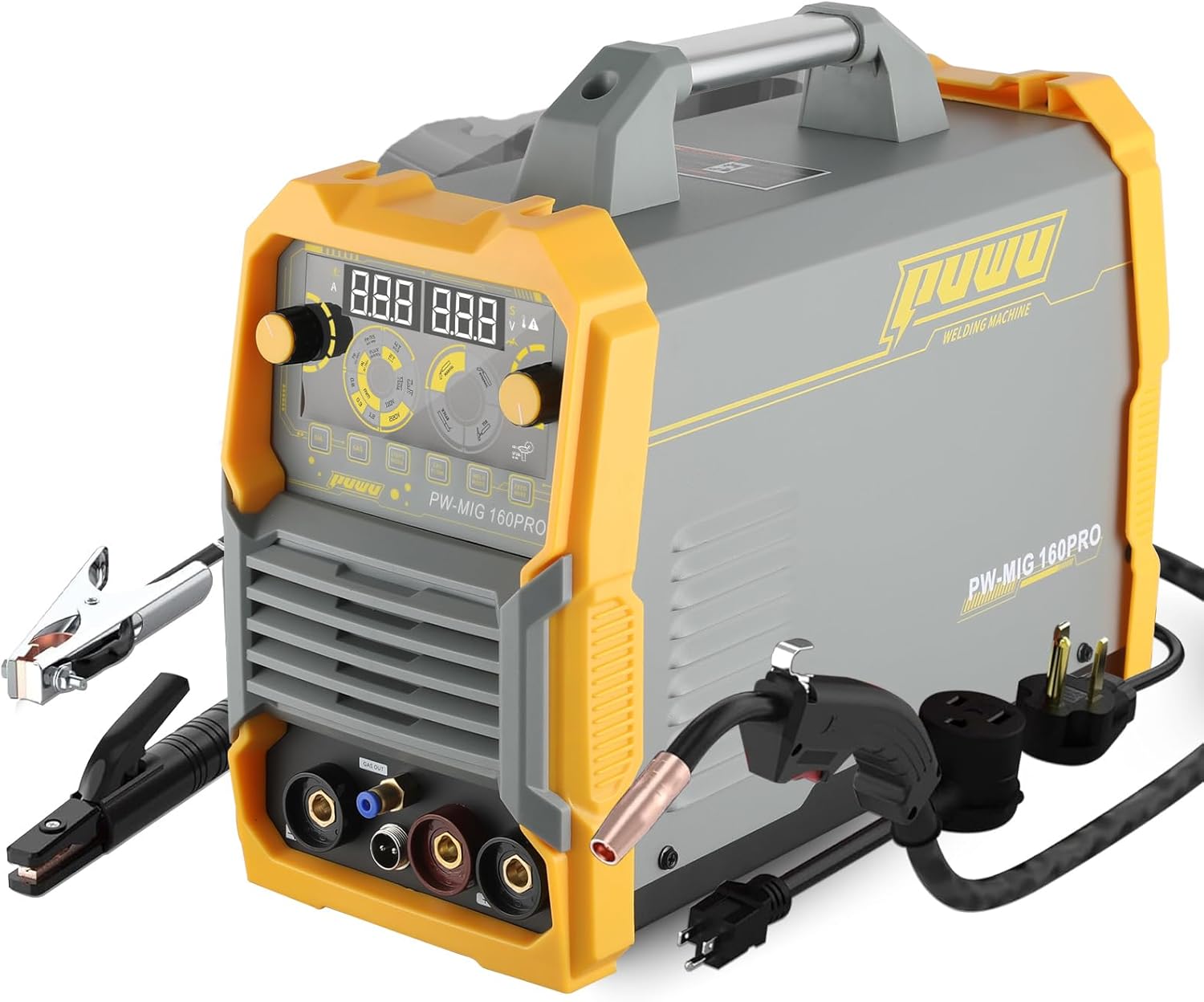
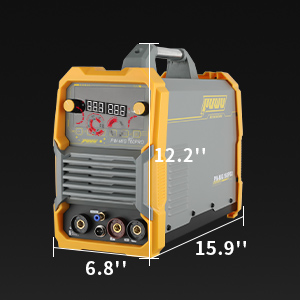
The PUWU PW-MIG-160PRO is a versatile 4-in-1 multiprocess welding machine designed for various welding tasks. It supports Gasless Flux Core MIG, Gas MIG, Lift TIG, and Stick ARC welding, offering flexibility for both beginners and experienced users. This welder features IGBT inverter technology, an LED digital display, and dual voltage compatibility (110V/220V).
Key features include:
- Synergic Control: Automatically matches recommended current and wire feeding speed based on selected wire diameter.
- Manual Adjustment: Allows for precise control of wire feeding speed and voltage for customized welding.
- Advanced LED Digital Display: Provides clear and intuitive visualization of welding parameters.
- Portability: Weighs approximately 15.32 lbs (6.95 kg) with a convenient handle for easy transport.
- Comprehensive Safeguards: Includes automatic compensation for voltage fluctuation, over-current, over-load, and over-heating protection.
2. Safety Information
Always prioritize safety when operating welding equipment. Failure to follow safety guidelines can result in serious injury or death.
- Electric Shock: Welding can cause electric shock. Ensure proper grounding, wear dry gloves, and insulate yourself from the workpiece.
- Fumes and Gases: Welding fumes and gases can be hazardous. Work in a well-ventilated area or use a fume extractor.
- Arc Rays: Arc rays can burn eyes and skin. Always wear a welding helmet with appropriate shade, safety glasses, and protective clothing.
- Burns: Hot metal and sparks can cause burns. Wear flame-resistant clothing, gloves, and protective footwear.
- Fire and Explosion: Sparks and hot slag can cause fires. Keep flammable materials away from the welding area.
- Machine Protection: The welder is equipped with thermal protection, over-current, and overload safeguards. Do not bypass these features.

3. Package Contents
Upon unpacking, verify that all components are present:
- PW-MIG-160 PRO welding machine host
- Separate MIG gun (16 square copper-aluminum wire, total length 2.2 meters, gun head)
- 0.8/0.9 contact tip
- Electrode holder (300A welding torch clamp with 16m² 3m copper-aluminum wire)
- Ground clamp (300A ground clamp with 16m² 3m copper-aluminum wire)
- 0.3 meter conversion line (American 220V socket to 110V plug, 14AWG)
- Double threaded gas hose
- V-type 0.8/0.9 wire feed wheel (pre-installed)
- Additional 0.8/0.9 knurled wheel (W)
- Color instruction manual
- Nylon bag
- Flight case
- Outer box (5-layer corrugated cardboard box)
- Pearl cotton (3cm thickness on one side, 1.5cm thickness on the other side)
- Power cord (2 meters, 14AWG wire, American 220V plug)
4. Setup
4.1 Power Connection
The PW-MIG-160PRO supports dual voltage input (110V/220V). Connect the power cord to an appropriate power outlet. Use the provided conversion line if adapting from a 220V socket to a 110V plug.
4.2 Connecting Welding Cables
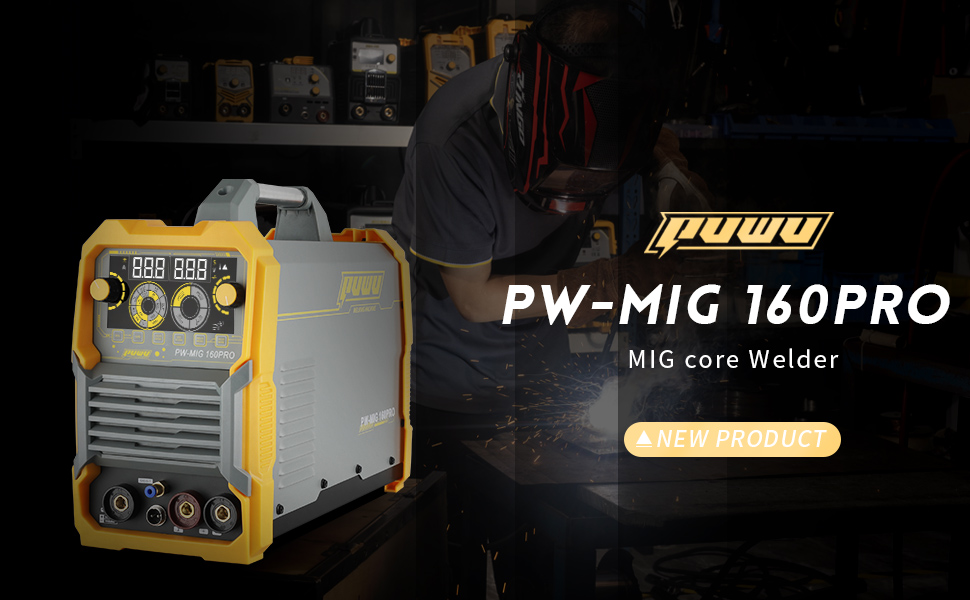
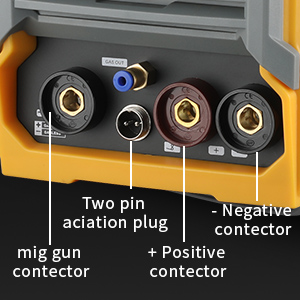
- Ground Clamp: Connect the ground clamp cable to the negative (-) quick connector on the front panel. Secure the clamp to the workpiece or welding table.
- Electrode Holder (Stick/ARC): For Stick welding, connect the electrode holder cable to the positive (+) quick connector.
- MIG Gun: Connect the MIG gun cable assembly to the dedicated MIG gun connector. Ensure the two-pin aviation plug is also connected for trigger control.
4.3 Gas Connection (for Gas MIG)
For Gas MIG welding, connect the double threaded gas hose to the 'GAS OUT' port on the front panel and to your gas cylinder regulator. Ensure all connections are secure to prevent gas leaks.
4.4 Wire Feed Setup
Open the wire feed compartment. Install the appropriate welding wire spool. Thread the wire through the wire feed mechanism, ensuring it passes through the correct groove on the wire feed wheel (V-type for solid wire, knurled for flux core). The machine comes with a V-type 0.8/0.9 wire feed wheel, and an additional 0.8/0.9 knurled wheel is included.
5. Operating Instructions
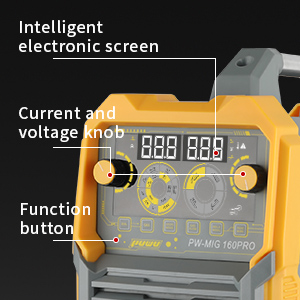
5.1 Control Panel Overview
The front panel features an advanced LED digital display and various controls for setting welding parameters.
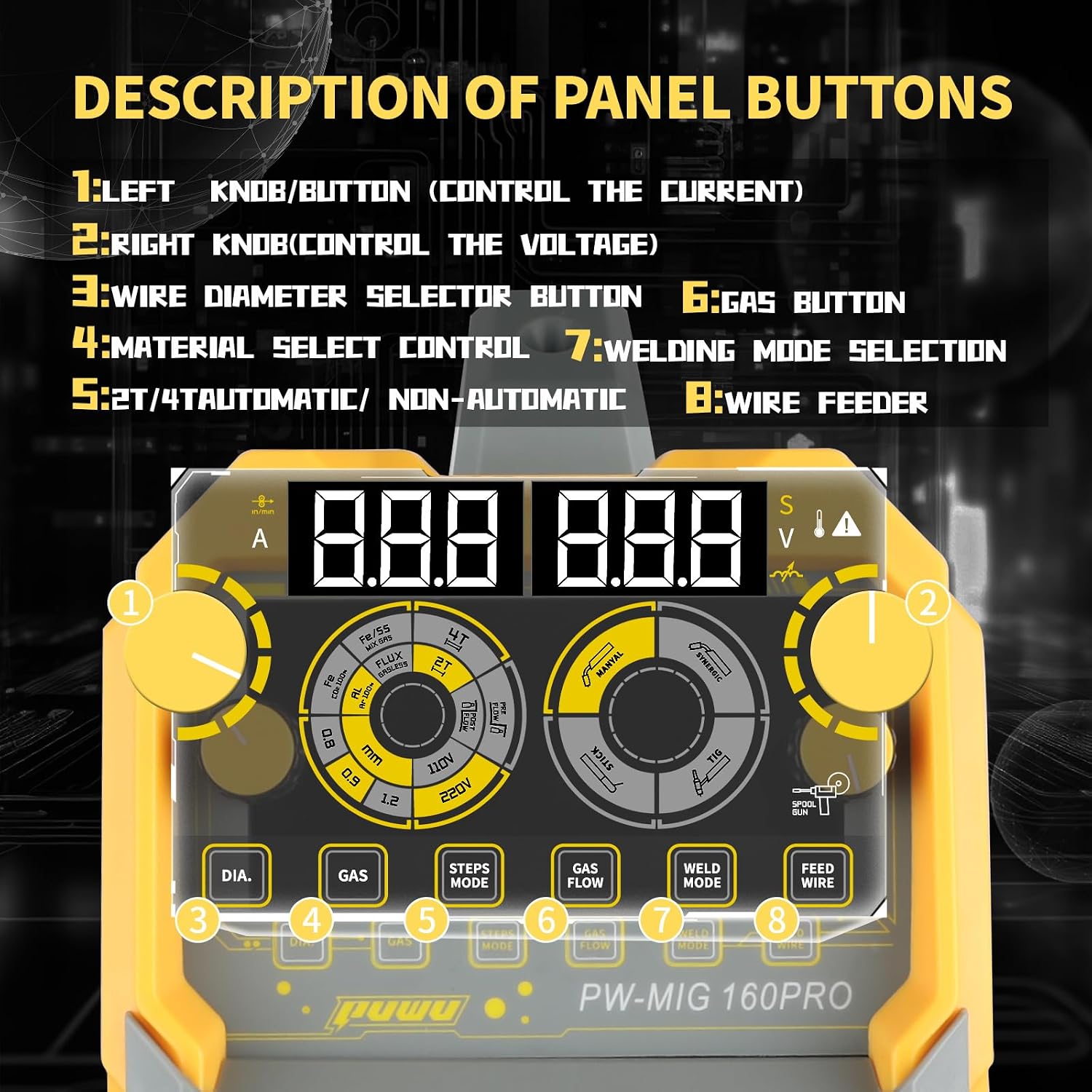
- Left Knob/Button (1): Controls the welding current (Amperage).
- Right Knob (2): Controls the welding voltage.
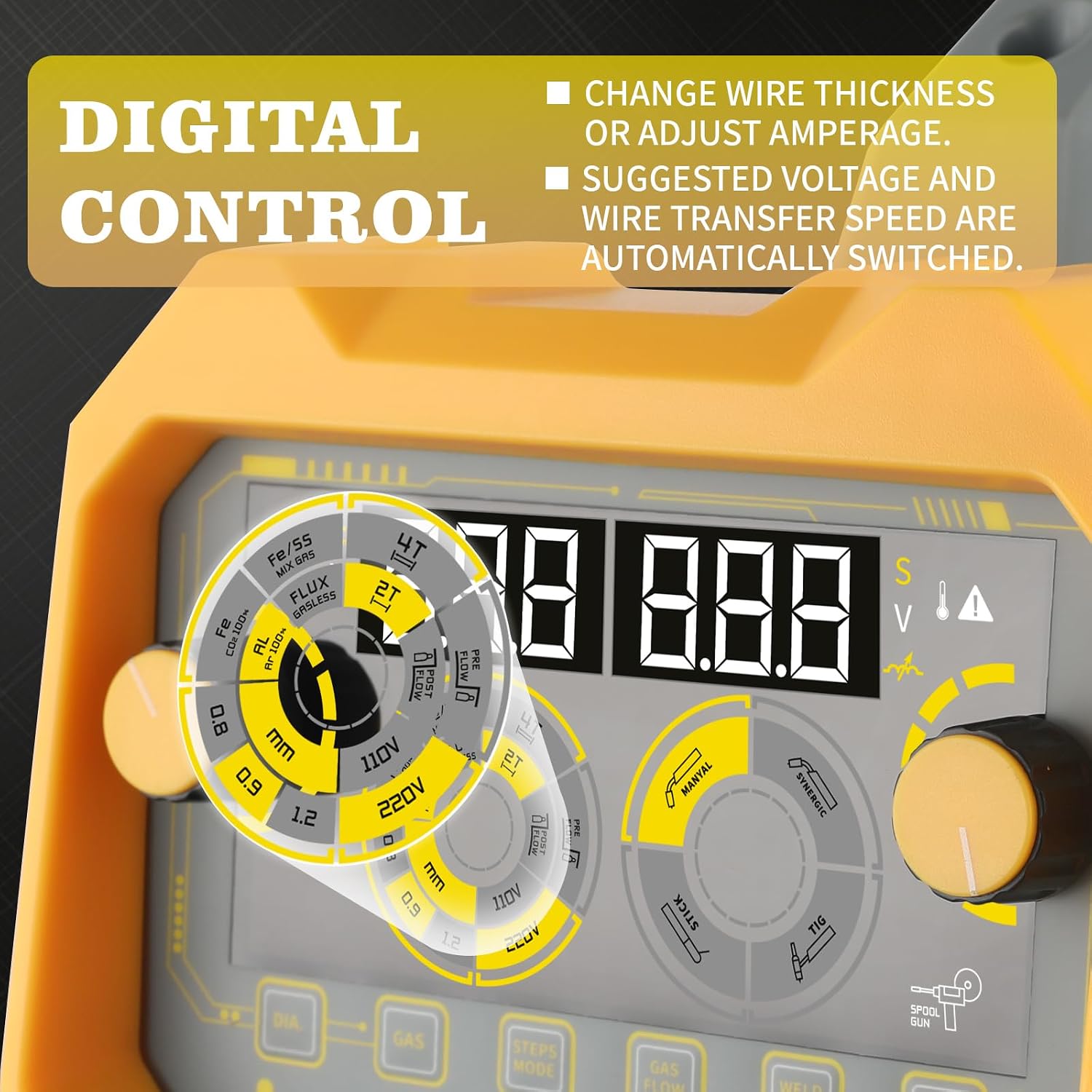
- Wire Diameter Selector Button (3): Selects the diameter of the welding wire (.030"/.035"/.040").
- Gas Button (4): Toggles between gas and gasless operation for MIG welding.
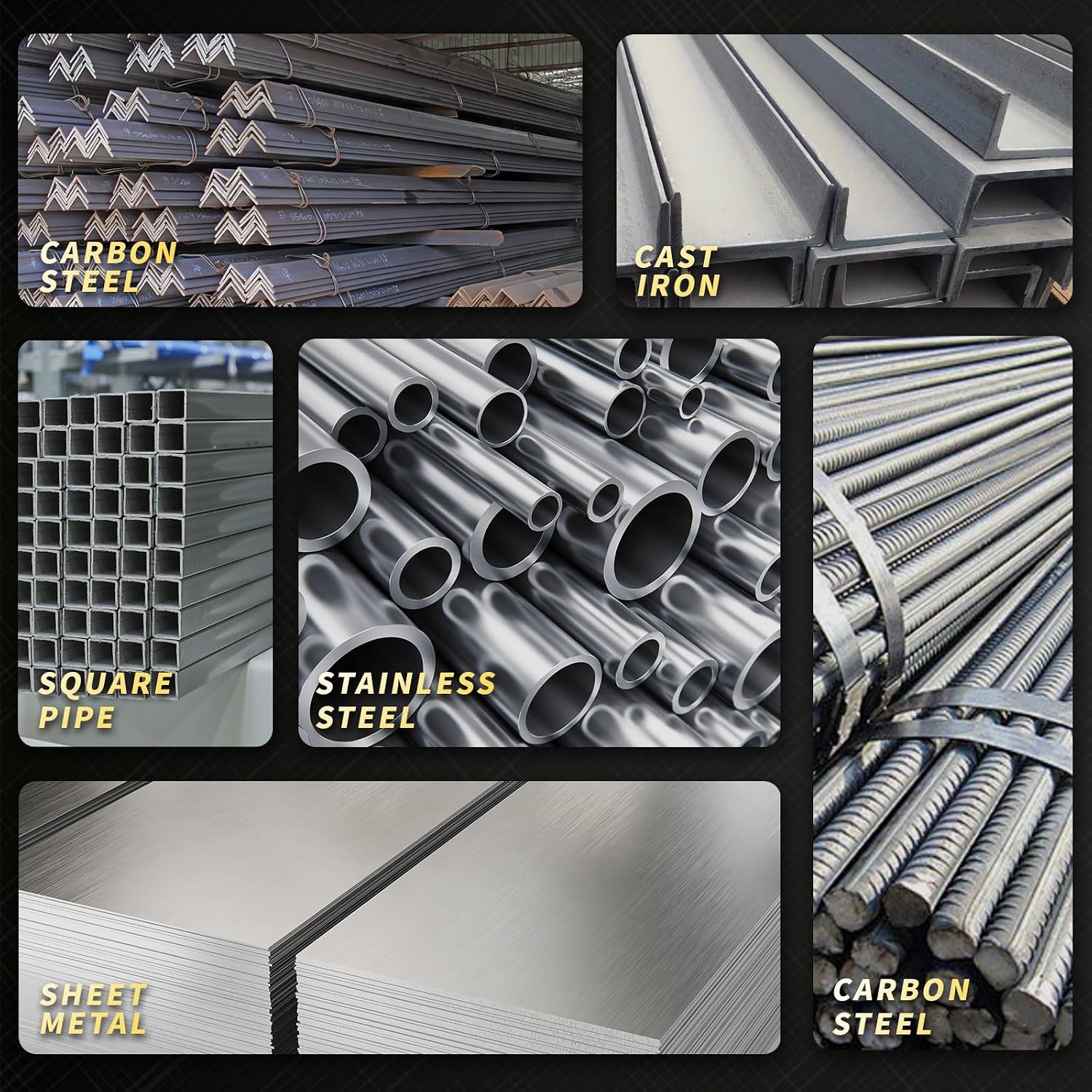
- Material Select Control (5): Selects the type of material being welded (e.g., Fe/SS for steel/stainless steel, Al for aluminum).
- Welding Mode Selection (7): Chooses between MIG, Lift TIG, and Stick welding modes.
- Feed Wire Button (8): Manually feeds the welding wire.
5.2 Welding Mode Selection
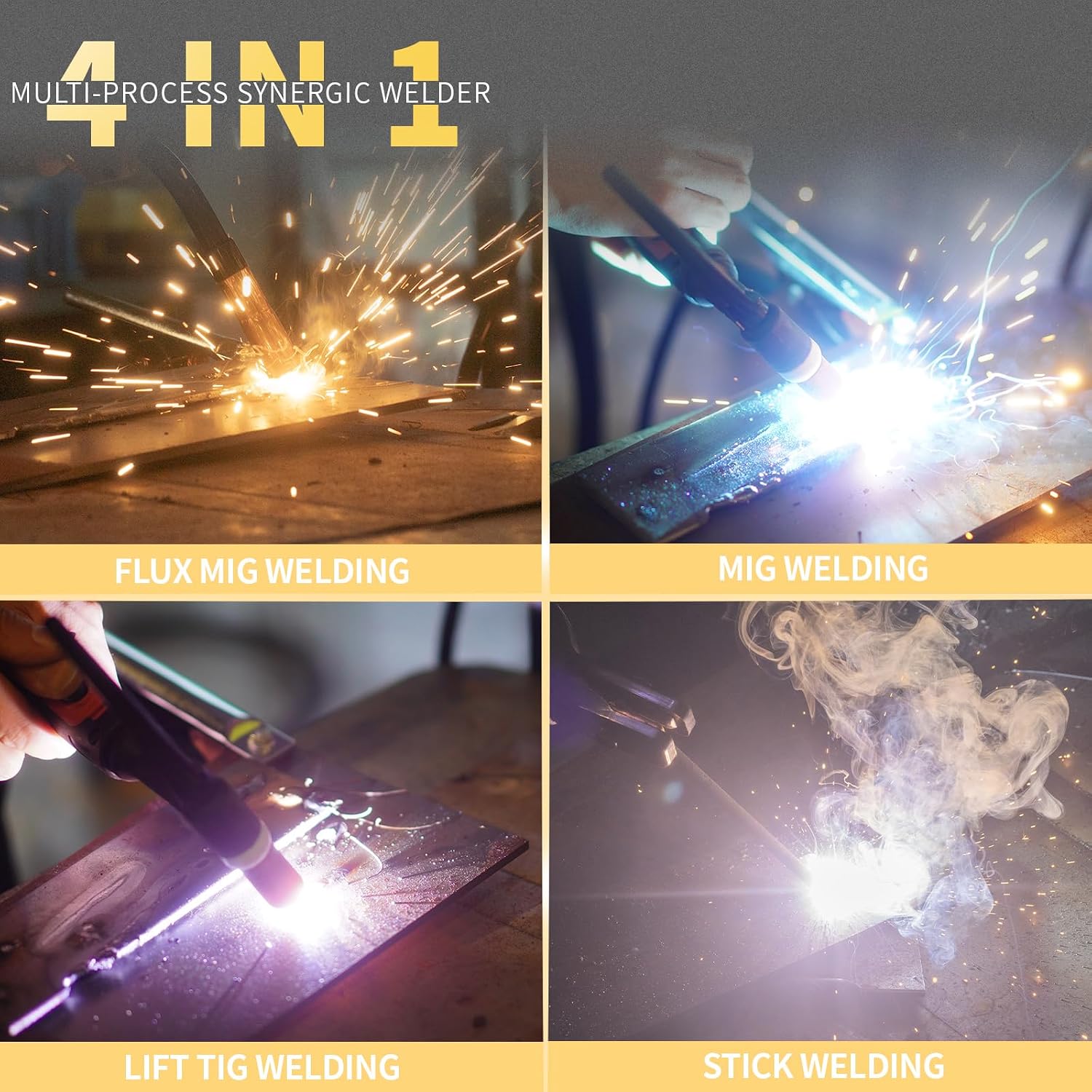
The PW-MIG-160PRO supports four welding processes:
- Flux Core MIG Welding (Gasless): Uses flux-cored wire, suitable for outdoor use and without external shielding gas.
- Gas MIG Welding: Uses solid wire with an external shielding gas (e.g., Argon/CO2 mix) for cleaner welds.
- Lift TIG Welding: Provides precise control for thin materials. Requires a TIG torch (not included) and shielding gas.
- Stick (ARC) Welding: Uses coated electrodes, suitable for thicker materials and outdoor conditions.
5.3 Synergic Control and Manual Adjustment
The welder features smart synergic control. When you select the wire diameter or adjust the amperage, the recommended voltage and wire feeding speed are automatically set. This simplifies operation for beginners. Experienced users can manually adjust the wire feeding speed and voltage to fine-tune their welding parameters.
5.4 Welding Parameters
Refer to the following table for recommended welding parameters for different functions and voltages:
6. Maintenance
Regular maintenance ensures the longevity and optimal performance of your welding machine.
- Cleaning: Periodically clean the internal components and ventilation openings with dry, compressed air to remove dust and metal particles. Ensure the machine is unplugged before cleaning.
- Cable Inspection: Regularly inspect all welding cables, connectors, and the power cord for damage, fraying, or loose connections. Replace any damaged components immediately.
- MIG Gun Maintenance: Clean the MIG gun nozzle, contact tip, and diffuser regularly. Replace worn contact tips and nozzles to ensure consistent wire feeding and arc stability.
- Wire Feed Mechanism: Keep the wire feed rollers clean and free of debris. Ensure the tension on the wire feed mechanism is correctly set for the wire diameter being used.
- Storage: Store the welder in a dry, clean environment, protected from dust and moisture.
7. Troubleshooting
This section addresses common issues you might encounter during operation.
| Problem | Possible Cause | Solution |
|---|---|---|
| No power to the machine | Power cord unplugged, circuit breaker tripped, faulty power switch | Check power connections, reset circuit breaker, contact service if switch is faulty. |
| No welding arc | Loose ground clamp, incorrect welding mode, faulty electrode/wire, machine protection activated | Ensure ground clamp is secure, select correct mode, check consumables, allow machine to cool if overheated. |
| Poor weld quality | Incorrect parameters (current/voltage), improper wire feed speed, contaminated workpiece, wrong shielding gas | Adjust parameters according to chart, clean workpiece, verify gas type and flow, check wire feed tension. |
| Wire feeding issues | Kinked wire, clogged liner, incorrect drive roller tension, worn contact tip | Straighten wire, clean/replace liner, adjust drive roller tension, replace contact tip. |
| Overheating shutdown | Exceeded duty cycle, insufficient ventilation | Allow machine to cool down, ensure proper airflow around the welder. |
8. Specifications
Detailed technical specifications for the PUWU PW-MIG-160PRO welder:
| Specification | Value |
|---|---|
| Manufacturer | PUWU |
| Item Model Number | PW-MIG 160PRO |
| Item Weight | 24.3 pounds (11.02 kg) |
| Package Dimensions | 18.9 x 13.98 x 11.42 inches (48 x 35.5 x 29 cm) |
| Size | PW-MIG-160PRO |
| Color | Yellow, Grey |
| Power Source | DC |
| Input Voltage | 110V/220V Dual Voltage |
| Welding Processes | Gasless Flux Core MIG, Gas MIG, Lift TIG, Stick ARC |
| Technology | IGBT Inverter |
| Display | LED Digital Display |
| Safety Features | Thermal Protection, Over-current, Over-load, Voltage Fluctuation Compensation |
| Batteries Included? | No |
| Batteries Required? | No |
9. Warranty and Support
For warranty information, technical support, or service inquiries, please refer to the documentation included with your product or visit the official PUWU store.
PUWU Store: Visit the PUWU Store on Amazon