
Introduction
The ANFIER M3 AI Translation Earbuds are a versatile 3-in-1 device designed to break down language barriers. These earbuds offer real-time translation in 144 languages, lifetime-free offline translation in 11 major languages, high-fidelity music playback, and hands-free calling. Engineered for comfort and clarity, the M3 earbuds provide seamless communication and entertainment for travelers, professionals, and language learners.
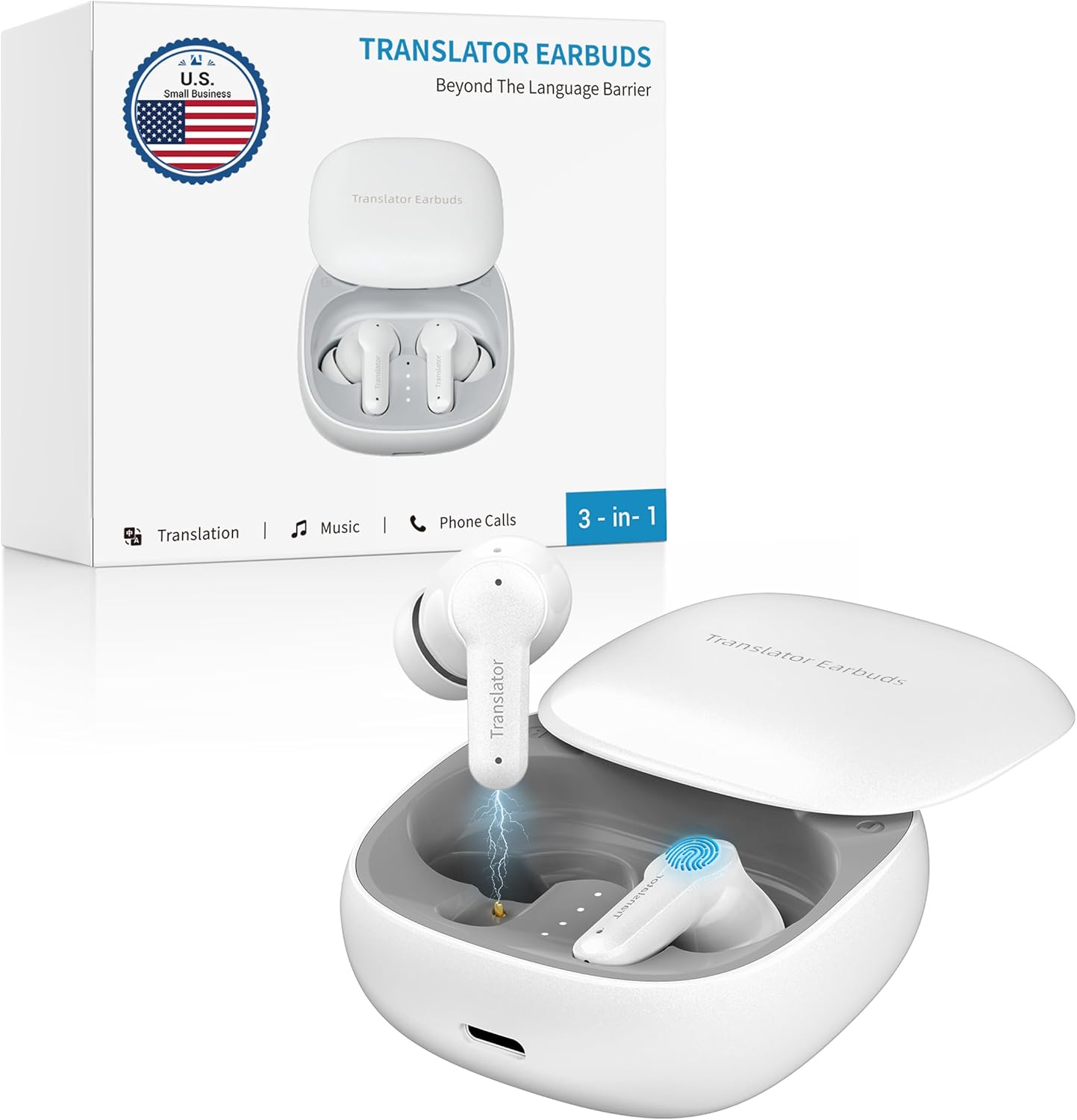
Image: The ANFIER M3 AI Translation Earbuds in their charging case, highlighting their compact design and multi-functionality.
What's in the Box
- M3 Translator Earbuds Device
- Type-C Charging Cable
- Offline Translation Coin Card (for offline language access)
- User Manual
- Additional Silicone Ear Tips (3 sizes)

Image: A view of the ANFIER M3 Earbuds, charging case, USB-C cable, and additional ear tips, demonstrating the complete package contents.
Setup
1. Charging the Earbuds
Before first use, fully charge the earbuds and the charging case. Connect the provided Type-C charging cable to the charging port on the case and a compatible USB power source. The indicator lights on the case will show charging status.

Image: The ANFIER M3 Earbuds in their charging case, illustrating the charging process and long-lasting battery features.
2. Pairing with Your Device (Bluetooth)
- Open the charging case. The earbuds will automatically enter pairing mode.
- On your smartphone or tablet, go to Bluetooth settings.
- Select "ANFIER M3" from the list of available devices to connect.
- Once connected, a voice prompt will confirm successful pairing.
3. App Installation and Offline Translation Setup
To unlock the full potential of your ANFIER M3 earbuds, download the dedicated translation app from your device's app store. Follow the in-app instructions for initial setup. For lifetime-free offline translation in 11 major languages, use the provided Offline Translation Coin Card to redeem the offline language packages within the app. This allows translation without an internet connection.

Image: A visual comparison highlighting the differences between online and offline versions of the ANFIER M3, emphasizing the no-internet-required feature for offline translation.
Operating Instructions
3-in-1 Functionality
The ANFIER M3 earbuds serve multiple purposes:
- Real-time Translation: Utilize the app to translate conversations in 144 languages with 98% accuracy and a 0.5-second response time.
- Music Playback: Enjoy high-fidelity audio for your favorite music and podcasts.
- Hands-Free Calling: Make and receive calls with crystal-clear HD sound.
Translation Modes
The M3 offers five smart translation modes to suit various communication scenarios:
- Touch Mode: Tap the earbud to speak, and the translation will be played through the other earbud or the phone speaker.
- Speaker Mode: Use your phone's speaker for translation output, ideal for group conversations.
- Free Talk Mode: Allows for continuous, natural conversation without needing to tap the earbuds.
- Offline Mode: Translate in 11 major languages without an internet connection (requires prior download via coin card).
- Photo Translation: Translate text from images by taking a photo through the app.

Image: A smartphone screen displaying the five translation modes available in the ANFIER M3 app, including Touch Mode, Speaker Mode, Free Talk Mode, Offline Mode, and Photo Translation.
Language Support
The ANFIER M3 supports a vast array of languages and accents:
- Online Translation: 144 languages and accents.
- Offline Translation: 11 major languages including Chinese, English, Japanese, Korean, Russian, German, French, Spanish, Thai, Vietnamese, and Arabic.

Image: A person using the ANFIER M3 Earbuds on an airplane, with a graphic showing flags of the 11 major languages supported for offline translation.

Image: A comprehensive list detailing the 74 languages and 70 accents that the ANFIER M3 Earbuds can translate, demonstrating its extensive linguistic capabilities.
Maintenance
Cleaning
Regularly clean your earbuds and charging case to ensure optimal performance and hygiene. Use a soft, dry, lint-free cloth to wipe down the surfaces. For ear tips, remove them and clean with a mild soap solution, then rinse and dry thoroughly before reattaching.
Battery Care
To prolong battery life, avoid exposing the earbuds and case to extreme temperatures. Store them in a cool, dry place when not in use. Fully charge the device before long periods of inactivity.
Troubleshooting
| Issue | Possible Cause | Solution |
|---|---|---|
| Earbuds not pairing | Low battery; Bluetooth off; already paired to another device. | Charge earbuds; enable Bluetooth on your device; disconnect from other devices. |
| Translation inaccuracy | Poor internet connection (for online modes); unclear speech; background noise. | Ensure stable internet; speak clearly and at a moderate pace; reduce background noise. |
| Offline translation not working | Offline language pack not downloaded or expired. | Redeem your Offline Translation Coin Card and download the required language packs in the app. |
| No sound from earbuds | Volume too low; earbuds not properly seated; connection issue. | Increase volume on device; adjust earbud fit; re-pair earbuds. |
Specifications
| Feature | Detail |
|---|---|
| Model Number | Anfier-M3-OFFLINE-WHITE |
| Translation Languages (Online) | 144 |
| Translation Languages (Offline) | 11 (Chinese, English, Japanese, Korean, Russian, German, French, Spanish, Thai, Vietnamese, Arabic) |
| Translation Accuracy | Up to 98% |
| Response Time | 0.5 seconds |
| Continuous Translation Time | Up to 5 hours |
| Total Use Time (with charging case) | Up to 15 hours |
| Full Recharge Time | 90 minutes |
| Charging Port | Type-C |
| Item Weight | 8 ounces |
| Battery Type | Lithium Ion (3 included) |
| Manufacturer | ANFIER |
Warranty and Support
For warranty information and customer support, please refer to the official ANFIER website or contact their customer service directly. Keep your purchase receipt for any warranty claims.
Visit the official ANFIER Store: ANFIER Store on Amazon
