
Introduction
The NUTOMO SP300 Palm Vein Smart Lock offers advanced keyless entry solutions for your home. This smart deadbolt integrates multiple unlocking methods, including palm vein recognition, keypad codes, IC cards, smartphone app control, physical keys, and voice commands via Alexa. Designed for security and convenience, it features a durable construction, a long-lasting rechargeable battery, and easy installation.
Product Overview
The NUTOMO SP300 is a state-of-the-art smart lock system designed to enhance your home security and simplify access. Its core features include:
- Multiple Unlocking Methods: Palm vein, keypad code, IC card, smartphone APP, physical key, and Alexa voice control.
- Ultra-Secure Palm Vein Recognition: Contactless, 99.9999% accuracy, works with worn fingerprints, damp hands, or aging skin, and supports 360-degree recognition. All data is stored locally for privacy.
- Built-in Wi-Fi: No additional hub required for remote control and alerts.
- Long-lasting Rechargeable Battery: 7800mAh battery provides up to 240 days of use (based on 10 uses/day) with USB-C emergency charging.
- DIY-Friendly Installation: Compatible with most standard US & CA deadbolts, auto-adjusts to left/right doors (1.38" to 2.17" thick), and requires no extra drilling.
- Durable Construction: Made from aluminum with BHMA Grade 3 certification, IP54 waterproof rating, and operational in temperatures from -4°F to 158°F.
Setup and Installation
Before installation, ensure your door meets the following specifications:
- Door Thickness: 1-3/8" to 2-1/8" (35-55mm)
- Door Hole Diameter: 1-1/2" or 2-1/8" (38mm or 54mm)
- Backset: 2-3/8" or 2-3/4" (60mm or 70mm)
For a detailed visual guide, please refer to the official installation video below:
Video Description: This official NUTOMO video provides a step-by-step guide on how to install the NUTOMO Palm Vein Smart Lock (Model SP300). It covers measurements, deadbolt adjustment, exterior lock installation, and mounting plate setup.
Installation Steps:
- Adjust and Install the Deadbolt:
- Ensure the 'Up' marking on the deadbolt faces upwards.
- Insert the deadbolt into the door frame in its retracted (unlocked) status.
- Adjust the deadbolt length if necessary.
- Secure the deadbolt and install the strike box.
- Install the Exterior Lock:
- Measure the cross bore diameter. If 1-1/2" (38mm), remove the spacer first. If 2-1/8" (54mm), install directly.
- Ensure the lock spindle remains vertical while passing the cable under the deadbolt.
- Install the Mounting Plate:
- Pass the lock spindle through the central hole and route the cable through the right-side hole.
- Secure the mounting plate with two screws, ensuring proper alignment and flush installation.
- Make sure the knob is in a vertical status.
- Connect and Power On:
- Remove the battery cover.
- Connect the cable to its respective port, align the lock spindle with the knob groove, and insert it. Tuck excess wire into the mounting plate hole for neatness.
- Secure the mounting plate in place with screws and put on the protective cover.
- To install the battery, align the groove with the port in the bottom of the battery compartment.
- Put the cover back.

Image Description: A NUTOMO Palm Vein Smart Lock installed on a wooden door, with a hand waving over the sensor area. The image highlights the contactless recognition feature, showing a recognition speed of less than 1 second and a recognition distance of 2.0-5.9 inches.
Operating Instructions
Unlocking Methods:
The NUTOMO SP300 offers six convenient ways to unlock your door:
- Palm Vein Recognition: Wave your palm over the sensor for quick, contactless, and highly secure access. This method is effective even with worn fingerprints, damp hands, or aging skin, and supports 360-degree recognition.
- Keypad Code: Enter your personalized code on the illuminated keypad. The anti-peeping feature allows you to add random digits before or after your actual PIN to prevent others from guessing your code.
- IC Card: Tap the provided IC card to the designated area on the lock for quick entry.
- Smartphone APP Control: Use the Smart Life app to remotely lock/unlock your door, grant temporary access, monitor entry logs, and receive real-time notifications from anywhere with a 2.4G Wi-Fi connection (no hub required).
- Physical Keys: Two traditional keys are included for manual unlocking as a backup.
- Alexa Voice Control: Integrate with Amazon Alexa for convenient voice-activated locking and unlocking.

Image Description: A comparison chart illustrating the advantages of NUTOMO SP300's 3D vascular network palm vein recognition over traditional 2D surface image fingerprint locks. It highlights contactless recognition, worn fingerprint recognition, and dirty hand recognition as key benefits of the NUTOMO system.

Image Description: This image demonstrates the advanced security of the NUTOMO Palm Vein Smart Lock, showing that it only detects real palms and rejects attempts using 3D hand models, photos of hands, videos of hands, or hands similar to yours.
Video Description: This official NUTOMO video demonstrates the process of pairing the smart lock with the mobile application, enabling remote control and smart features.
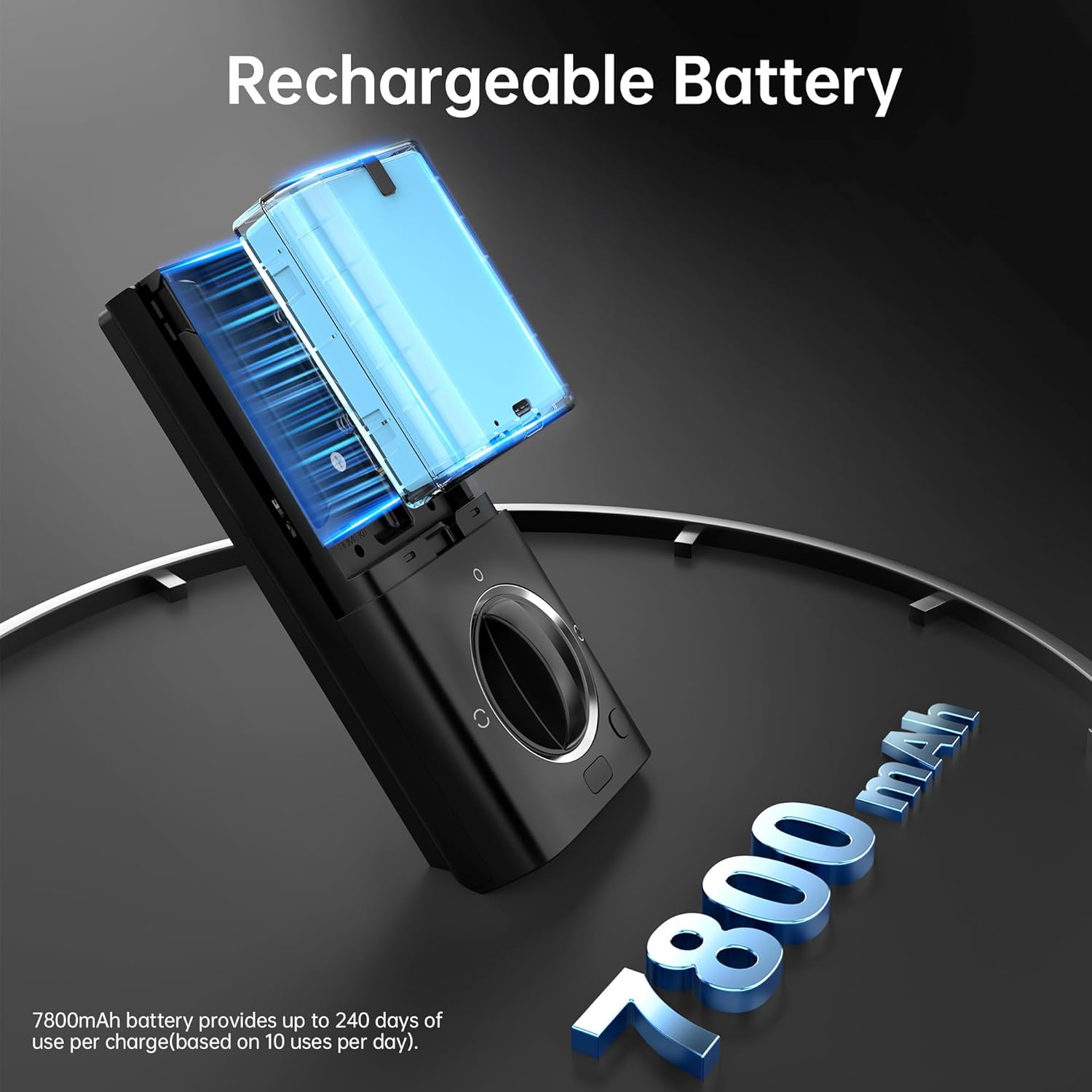
Image Description: A smartphone screen showing the NUTOMO Smart Lock app interface, illustrating features like user management, multiple passcodes, real-time notifications, and the ability to view unlock history, allowing control from anywhere.
Video Description: This official NUTOMO video showcases the various features and benefits of the NUTOMO Palm Vein Smart Lock, including its multiple unlocking methods and smart home integration.
Auto-Lock Feature:
The lock can be configured to automatically lock after a set period (5-15 minutes). You can also manually activate auto-lock by touching the lock key on the keypad.
Maintenance
Battery Management:
The NUTOMO SP300 is powered by a 7800mAh rechargeable battery, offering up to 240 days of use based on 10 uses per day. When the battery is low, the lock will provide an alert. For emergency situations, a USB-C port is available for temporary power.

Image Description: An illustration of the NUTOMO Smart Lock's internal rechargeable battery, highlighting its 7800mAh capacity, which provides extended usage and reduces the frequency of charging.
Weather Resistance:
The lock is IP54 waterproof and designed to operate reliably in various climates, with a temperature range from -4°F to 158°F.
Security Features
The NUTOMO SP300 prioritizes your security with:
- Advanced Palm Vein Authentication: Exceeds biometric standards with 99.9999% accuracy, offering a touch-free and hygienic access solution. All biometric data is stored locally on the device, ensuring your privacy.
- BHMA Grade 3 Certification: This certification indicates high-grade security and durability, tested for 100,000 usage cycles, 72 hours of salt spray, 2000 N pull force, and 144 hours of humidity.
Specifications
| Feature | Detail |
|---|---|
| Brand | NUTOMO |
| Model Number | SP300 |
| Lock Type | APP Lock, Keyfobs & Key Lock, Keypad, Palm Vein Lock |
| Material | Aluminum |
| Item Dimensions (L x W x H) | 0.71 x 5.4 x 2.79 inches |
| Item Weight | 3.49 Pounds |
| Power Source | 7800mAh Rechargeable Battery (USB-C emergency charging) |
| Connectivity | 2.4G Wi-Fi (no hub required) |
| Smart Home Compatibility | Amazon Alexa, Google Assistant, Android, iOS |
| Special Features | Custom timed codes, APP control, auto lock, no extra drill, anti-peep keypad, one-touch lock, palm vein unlock, contactless unlock |
| Color | Black |
| Style Name | Deadbolt+Handle Set |
Troubleshooting
If you encounter any issues with your NUTOMO SP300 Smart Lock, please consider the following common solutions:
- Lock Not Responding: Check the battery level. If low, recharge the battery using the USB-C port.
- Palm Vein Recognition Failure: Ensure your palm is clean and dry. Try re-registering your palm vein if issues persist.
- App Connectivity Issues: Verify your Wi-Fi connection (2.4GHz only) and ensure the lock is within range of your router. Restart the app and the lock if necessary.
- Keypad Not Working: Ensure the keypad is clean and free from debris. Check for any error messages on the display.
- Mechanical Issues: If the deadbolt is stiff or not retracting smoothly, check for any obstructions in the door frame or ensure the installation is correctly aligned.
For more complex problems or persistent issues, please contact NUTOMO customer support.
Warranty and Support
NUTOMO is committed to providing reliable products and excellent customer service. Your NUTOMO SP300 Palm Vein Smart Lock comes with:
- 30-Day Money Back Guarantee: If you are not satisfied with your purchase, you can return it within 30 days for a full refund.
- 1-Year Warranty: Covers manufacturing defects and malfunctions under normal use.
- Lifetime Technical Support: Access to dedicated technical assistance for the lifespan of your product.
For any inquiries, technical assistance, or warranty claims, please visit the official NUTOMO website or contact their customer service team directly.