
Important Safety Information
Please read all safety instructions carefully before using the Alonefire SV113 UV LED Flashlight. Failure to follow these instructions may result in injury or damage to the device.
- Eye Protection: Do not look directly into the UV light. Prolonged exposure to UV light can cause eye damage. Use appropriate UV protective eyewear if prolonged exposure is necessary.
- Skin Exposure: Avoid prolonged direct exposure of skin to UV light.
- Children: Keep out of reach of children. This is not a toy.
- Storage: Store the flashlight in a cool, dry place away from direct sunlight and extreme temperatures.
- Disposal: Dispose of the product and battery according to local regulations. Do not dispose of in household waste.
Product Overview
The Alonefire SV113 is a professional-grade UV LED flashlight designed for various applications, featuring a high-quality 365nm UV LED, a digital LCD display for power monitoring, and a durable aluminum alloy body.
- High-Quality 365nm UV LED: Utilizes a premium 365nm UV LED light source with up to 5W power consumption and 1000mW luminous power for professional use.
- Digital LCD Display: Innovative LCD screen digitally displays the UV light's power level, allowing precise monitoring during use and charging.
- Black UV Filter Lens: Equipped with a hardened black optical filter lens to filter out ambient light, ensuring a purer and more powerful ultraviolet output.
- Durable Aluminum Alloy Body: Constructed from high-quality aluminum alloy for excellent heat dissipation, extending bulb life and enhancing reliability.
- USB-C Rechargeable: Features a convenient USB-C charging port for easy, reversible connection and includes an integrated high-capacity rechargeable battery.

The Alonefire SV113 UV LED flashlight shown with its included USB-C charging cable.
Package Contents
Verify that all items are present in the package:
- Alonefire SV113 UV LED Flashlight
- USB-C Charging Cable
- User Manual (this document)
Setup
Initial Charging
Before first use, fully charge the flashlight. The digital display will show the charging progress.
- Connect the small end of the USB-C charging cable to the flashlight's charging port.
- Connect the larger USB-A end of the cable to a compatible USB power source (e.g., wall adapter, computer USB port, power bank).
- The LCD display will show the current power level and indicate charging. When fully charged, the display will show '100'.
- Charging typically takes approximately 3 hours.

The Alonefire SV113 UV flashlight connected via USB-C cable for charging, with its digital display indicating the power level.
Operating Instructions
Power On/Off
To turn the flashlight on or off, press the power button located on the side of the device. A single press will toggle the light.
Digital Display
The integrated LCD screen provides real-time information about the flashlight's battery level. The number displayed indicates the percentage of remaining battery power (0-100%). This display is active during use and charging.

Close-up view of the intelligent LCD display on the Alonefire SV113, showing a full charge indication.
Applications
The Alonefire SV113 UV LED Flashlight is suitable for a variety of professional and personal applications:
- Mineral and Ore Detection: Identify fluorescent minerals.
- Pet Stain Detection: Locate hidden pet urine stains on carpets and upholstery.
- Leak Detection: Detect leaks in HVAC systems, automotive fluids, and industrial machinery when used with fluorescent dyes.
- Authenticity Verification: Check currency, passports, and other documents for UV security features.
- Scorpion Detection: Scorpions glow under UV light, making them easier to spot.
- Resin Curing: Accelerate the curing process of UV-sensitive resins.
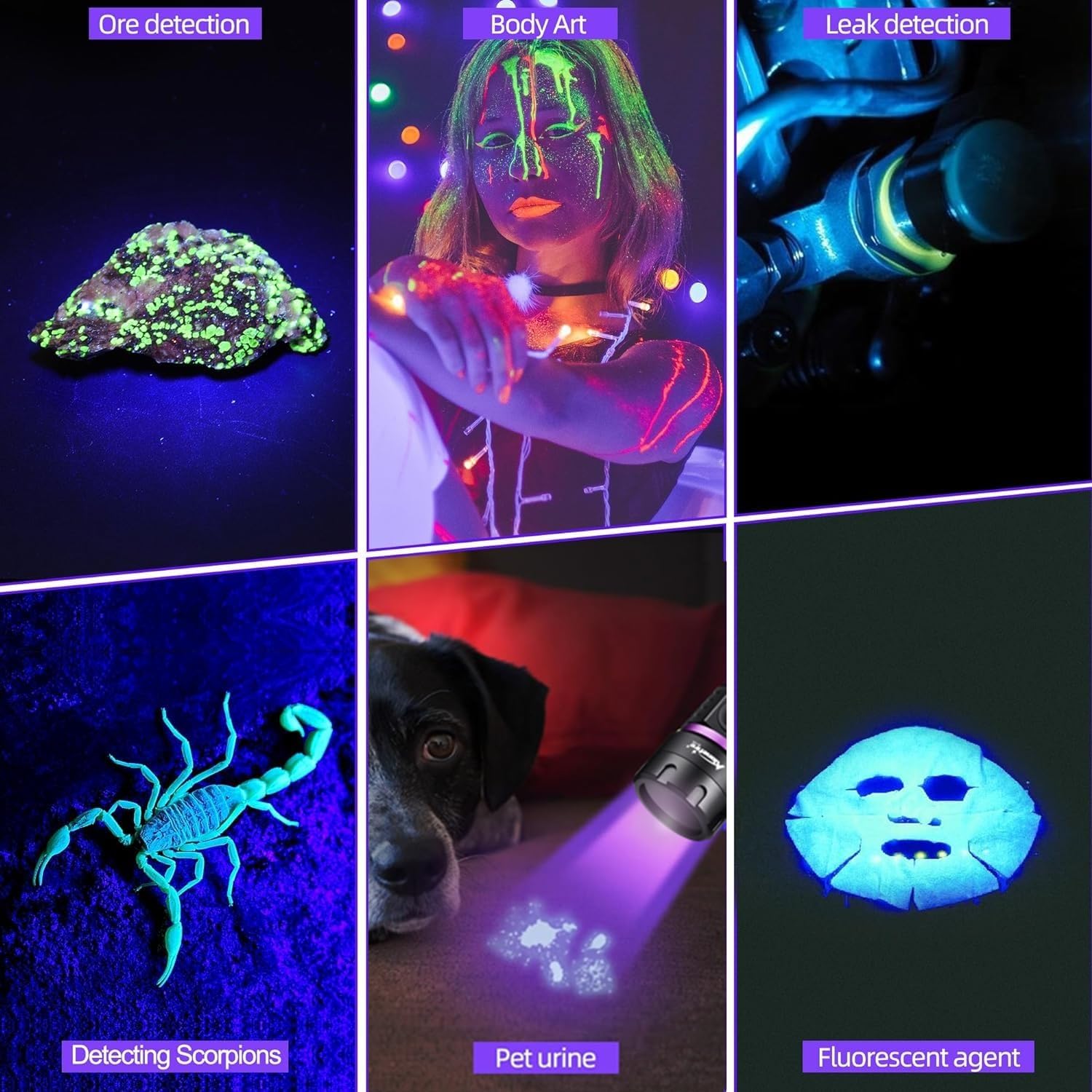
Various applications of the Alonefire SV113 UV flashlight, demonstrating its versatility in different detection and illumination tasks.
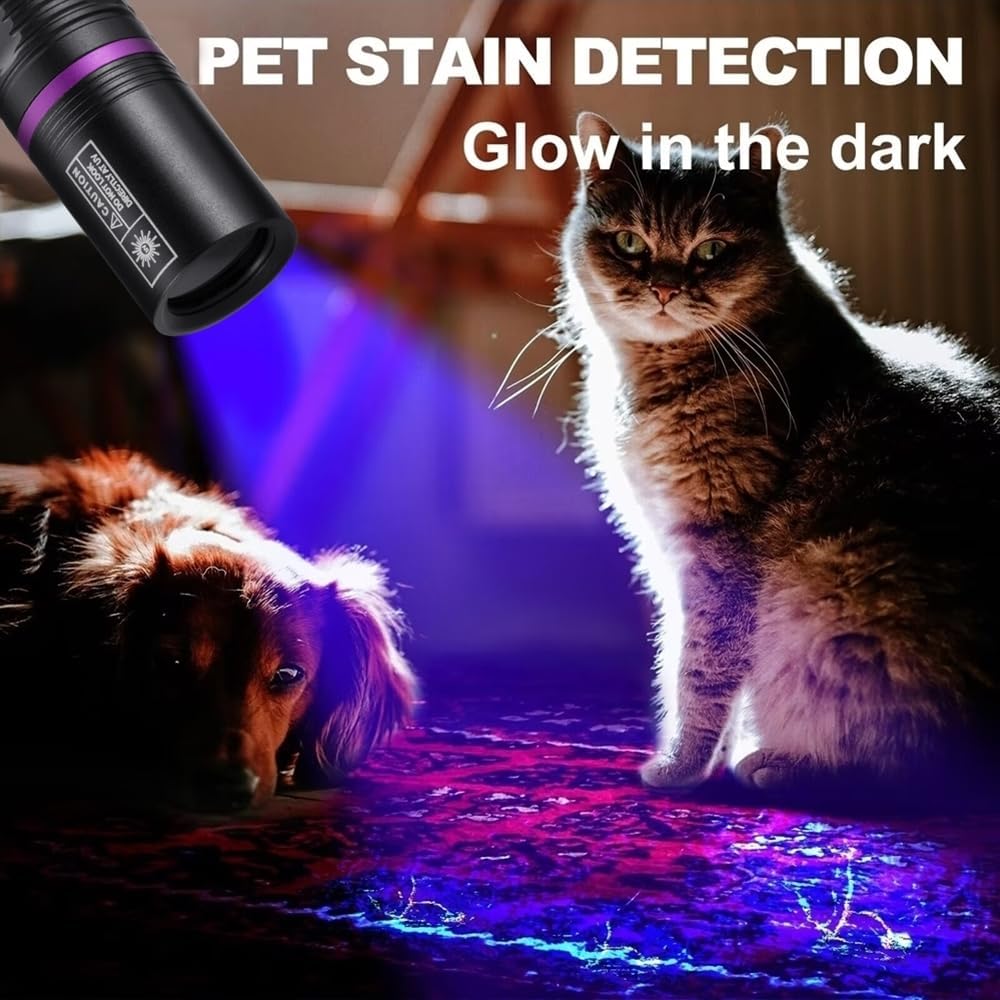
The Alonefire SV113 UV flashlight effectively reveals hidden pet stains on flooring.
Maintenance
Cleaning
To maintain optimal performance and appearance:
- Wipe the flashlight body with a soft, damp cloth.
- Do not use abrasive cleaners or solvents, as these can damage the finish or lens.
- Ensure the lens is clean and free of dust or smudges for clear UV output.
Storage
When not in use for extended periods, store the flashlight:
- In a cool, dry environment.
- Away from direct sunlight or high temperatures.
- With the battery partially charged (around 50%) to prolong battery life.
Battery Care
The integrated rechargeable battery requires proper care:
- Avoid completely draining the battery frequently.
- Recharge the flashlight when the battery level is low.
- Do not attempt to replace the internal battery yourself. Contact customer support if battery issues arise.
Troubleshooting
| Problem | Possible Cause | Solution |
|---|---|---|
| Flashlight does not turn on | Battery is depleted | Charge the flashlight fully. |
| Light is dim or flickers | Low battery level | Recharge the flashlight. |
| Flashlight not charging | Faulty USB-C cable or power source | Try a different USB-C cable or a different USB power adapter. Ensure connections are secure. |
| Digital display not working | Device malfunction | Ensure the flashlight is charged. If the issue persists, contact customer support. |
Specifications
| Feature | Detail |
|---|---|
| Model | SV113 |
| UV LED Wavelength | 365 nm |
| Power Consumption | Up to 5W |
| Luminous Power | 1000 mW |
| Special Features | Digital Display, USB C Rechargeable, Professional UV LED |
| Color | Purple |
| Power Source | Battery |
| Light Source Type | LED |
| Material | Aluminum |
| Charging Port | USB Type-C |
| Estimated Charging Time | 3 hours |
| Estimated Battery Life | 3 hours |
Warranty and Support
This product comes with a standard manufacturer's warranty. For specific warranty details, please refer to the product packaging or contact your retailer.
If you encounter any issues or have questions regarding your Alonefire SV113 UV LED Flashlight, please contact the seller or manufacturer's customer support for assistance. Provide your model number (SV113) and a detailed description of the problem.


