
ANSTEN A118
ANSTEN A118 Open Ear Bluetooth Headphones User Manual
Model: A118
1. Introduction
Thank you for choosing the ANSTEN A118 Open Ear Bluetooth Headphones. These headphones are designed to provide a comfortable and secure audio experience, especially for sports and active lifestyles, while maintaining awareness of your surroundings. This manual will guide you through the setup, operation, and maintenance of your new headphones.
2. Package Contents
Please check the package for the following items:
- ANSTEN A118 Open Ear Bluetooth Headphones (Left & Right)
- Charging Case
- USB-C Charging Cable
- User Manual
3. Product Overview
Familiarize yourself with the components of your ANSTEN A118 headphones.

Figure 3.1: ANSTEN A118 Open Ear Bluetooth Headphones and Charging Case. This image displays the two earbuds and their compact charging case.
3.1 Key Features
- Open Ear Design: Ergonomic clip-on design for comfort and situational awareness.
- High-Fidelity Audio: Equipped with 13mm drivers for clear stereo sound.
- ENC Noise Reduction: Dual microphones with Environmental Noise Cancellation for clear calls.
- Extended Battery Life: Up to 5 hours of playback per charge, and up to 80 hours with the charging case.
- IPX5 Water Resistance: Sweat-proof and rain-proof, suitable for various activities.
- Bluetooth 5.4: Stable and low-latency wireless connection.
- Intuitive Touch Controls: Easy management of music and calls.

Figure 3.2: The unique C-shaped safety bar and skin-friendly silicone material ensure a comfortable and secure hold, eliminating pressure in the ear canal. This image shows the earbud design and how it fits on the ear.
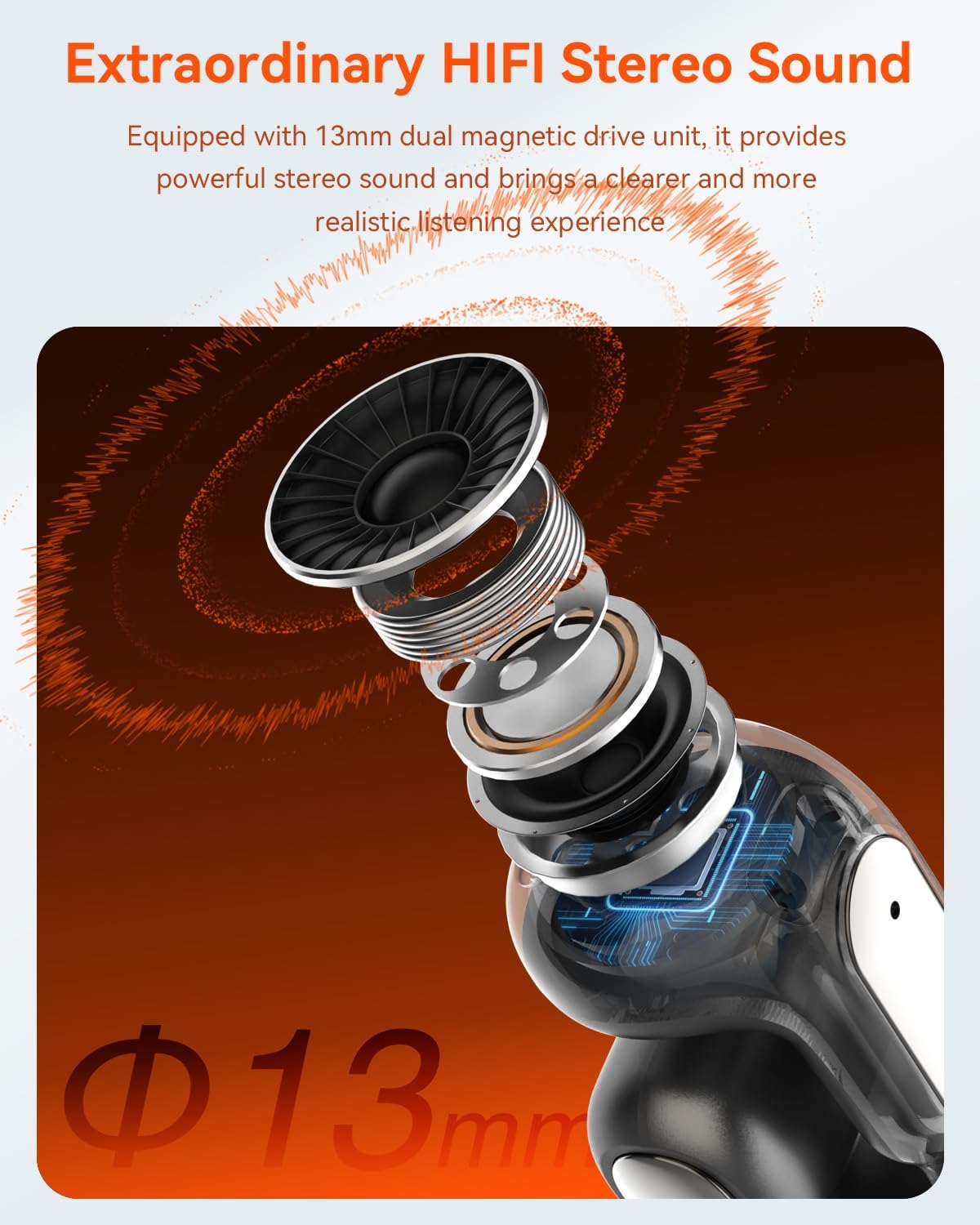
Figure 3.3: Exploded view of the 13mm dual magnetic drive unit, highlighting its components for powerful stereo sound. This image illustrates the internal audio technology.

Figure 3.4: Visual representation of the lightweight design, with each earbud weighing only 5.4g and the charging case weighing 35g. This image emphasizes the portability and comfort.

Figure 3.5: The ergonomic design ensures comfort in motion, with a stable fit and a four-point support system. This image shows a person skateboarding while wearing the headphones, illustrating their secure fit during activity.

Figure 3.6: The design allows for comfortable wear even with glasses, ensuring an unobstructed view and freedom of movement. This image shows a person wearing glasses and the headphones simultaneously.

Figure 3.7: The IPX5 waterproof rating ensures resistance to sweat and rain, making them suitable for outdoor activities. This image depicts a person running outdoors, highlighting the headphones' durability against moisture.

Figure 3.8: The comfortable fit, utilizing nickel-titanium and soft silicone, ensures stability during any activity. This image shows a person playing tennis, demonstrating the secure fit during dynamic movements.
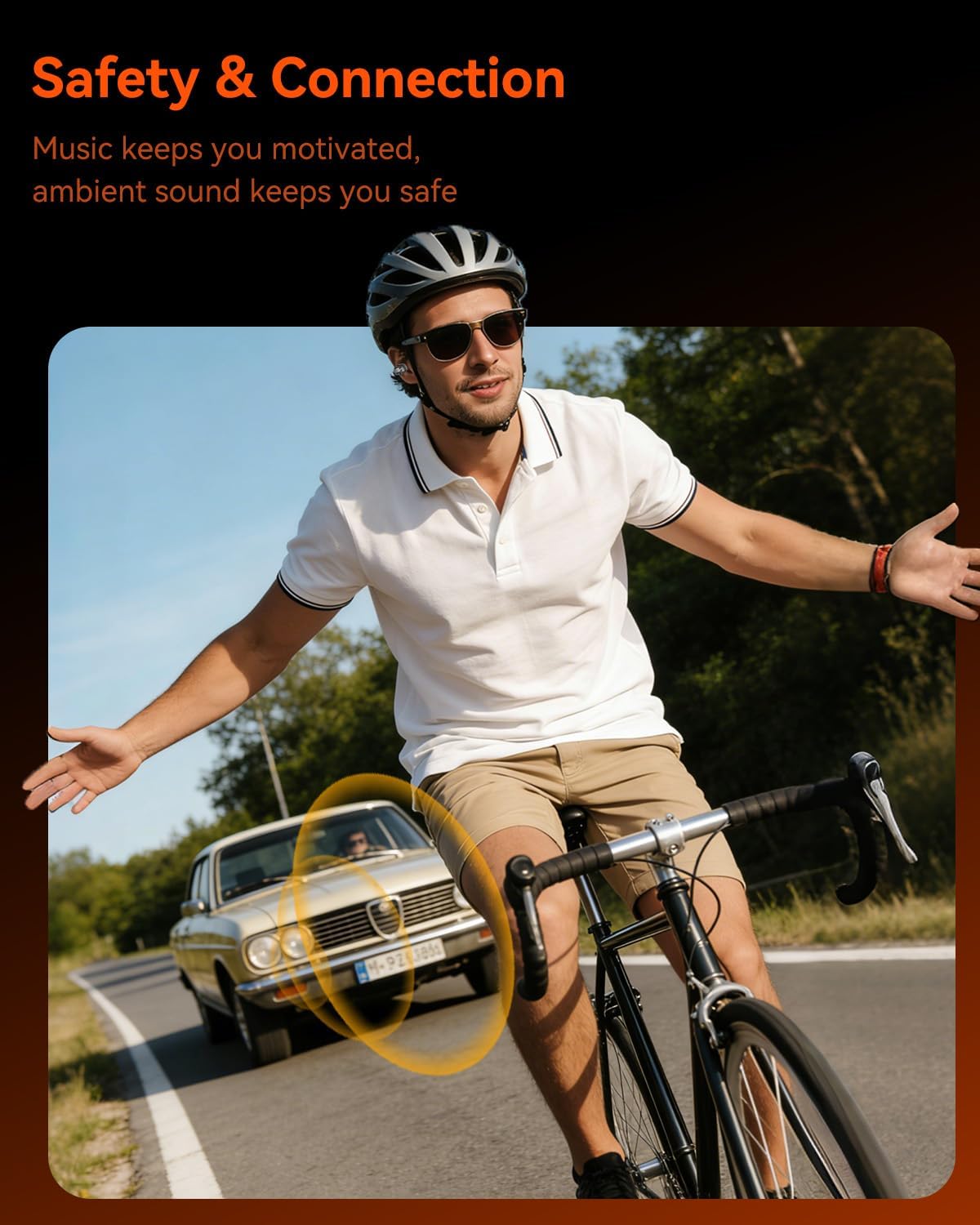
Figure 3.9: The open-ear design allows ambient sound to be heard, enhancing safety during outdoor activities like cycling. This image shows a cyclist wearing the headphones, with a visual representation of ambient sound awareness.
4. Setup
4.1 Charging the Headphones and Case
- Initial Charge: Before first use, fully charge the headphones and charging case.
- Charging the Earbuds: Place the earbuds into the charging case. Ensure they are correctly seated. The indicator lights on the earbuds will show charging status.
- Charging the Case: Connect the USB-C charging cable to the charging port on the case and the other end to a USB power adapter (not included). The case's indicator light will show charging progress. A full charge for the case takes approximately 1.5 hours.
- Battery Status: The charging case has a battery indicator to show its remaining power.
4.2 Bluetooth Pairing
- Power On: Open the charging case, and the earbuds will automatically power on and enter pairing mode. The indicator light on one earbud will flash, indicating it's ready to pair.
- Activate Bluetooth: On your device (smartphone, tablet, computer), enable Bluetooth.
- Select Device: Search for "ANSTEN A118" in the list of available Bluetooth devices and select it to connect.
- Connection Confirmation: Once connected, you will hear an audio prompt, and the earbud indicator lights will turn off or show a steady light.
- Automatic Reconnection: After the initial pairing, the headphones will automatically connect to the last paired device when taken out of the case, provided Bluetooth is enabled on the device.
5. Operating Instructions
The ANSTEN A118 headphones feature intuitive touch controls on each earbud.
5.1 Power On/Off
- Power On: Open the charging case, or long-press the touch area on both earbuds for 3 seconds.
- Power Off: Place the earbuds back into the charging case and close the lid, or long-press the touch area on both earbuds for 5 seconds.
5.2 Music Playback
- Play/Pause: Single tap on either earbud.
- Next Track: Double tap on the right earbud.
- Previous Track: Double tap on the left earbud.
- Volume Up: Triple tap on the right earbud.
- Volume Down: Triple tap on the left earbud.
5.3 Phone Calls
- Answer/End Call: Single tap on either earbud.
- Reject Call: Long-press on either earbud for 2 seconds.
5.4 Voice Assistant
- Activate Voice Assistant: Long-press on either earbud for 2 seconds (when not on a call).
6. Maintenance
- Cleaning: Regularly clean the earbuds and charging case with a soft, dry, lint-free cloth. Do not use harsh chemicals or abrasive materials.
- Water Exposure: While IPX5 rated, avoid submerging the headphones in water. Dry them thoroughly if they get wet from sweat or rain.
- Storage: When not in use, store the headphones in their charging case to protect them and keep them charged. Store in a cool, dry place away from extreme temperatures.
- Battery Care: To prolong battery life, avoid fully discharging the headphones frequently. Charge them regularly.
7. Troubleshooting
| Problem | Possible Solution |
|---|---|
| Headphones do not power on. | Ensure the headphones are charged. Place them in the charging case and charge the case. |
| Cannot pair with device. |
|
| No sound or intermittent sound. |
|
| Charging case not charging. |
|
8. Specifications
| Feature | Detail |
|---|---|
| Brand | ANSTEN |
| Model Name | A118 |
| Color | Black |
| Ear Placement | Open-ear |
| Form Factor | Open-ear |
| Noise Control | Environmental Noise Cancellation (ENC) |
| Sensitivity | 120 dB |
| Headphone Jack | Jack-less |
| Connectivity Technology | Bluetooth 5.4 |
| Wireless Communication Technology | Bluetooth 5.4 |
| Earbud Battery Life | Up to 5 hours |
| Total Playtime (with case) | Up to 80 hours |
| Charging Time (Case) | Approx. 1.5 hours |
| Water Resistance Rating | IPX5 |
| Earbud Weight | Approx. 5.4g per earbud |
9. Safety Information
- Hearing Protection: Avoid listening at high volume levels for extended periods to prevent hearing damage.
- Driving Safety: Do not use headphones while driving or cycling in situations where inability to hear ambient sounds could pose a danger. The open-ear design helps with awareness, but caution is still advised.
- Water and Moisture: While IPX5 rated, do not immerse the headphones in water. Keep the charging case dry.
- Children: Keep out of reach of children. Small parts may pose a choking hazard.
- Temperature: Do not expose to extreme temperatures (hot or cold) or direct sunlight for prolonged periods.
- Disassembly: Do not attempt to disassemble or modify the headphones or charging case. This will void the warranty and may cause damage.
10. Warranty and Support
ANSTEN products come with a standard manufacturer's warranty. For detailed warranty information, please refer to the warranty card included in your package or visit the official ANSTEN website.
If you encounter any issues or have questions regarding your ANSTEN A118 headphones, please contact our customer support team:
- Email: support@ansten.com
- Website: www.ansten.com
Please have your model number (A118) and purchase details ready when contacting support.
Ask a question about this manual
Ask about setup, troubleshooting, compatibility, parts, safety, or missing instructions. Manuals+ will review the question and use this page’s manual context to help answer it.