
1. Product Overview
The PHILODECO 20L Dehumidifier is designed to efficiently remove excess moisture from indoor environments, improving air quality and comfort. Utilizing R290 compressor technology, this unit can extract up to 20 liters of moisture per day, suitable for areas up to 120 m² (approximately 4500 sq ft). It features a 5.5-liter water tank with automatic shut-off, a continuous drain option, and various intelligent operating modes.
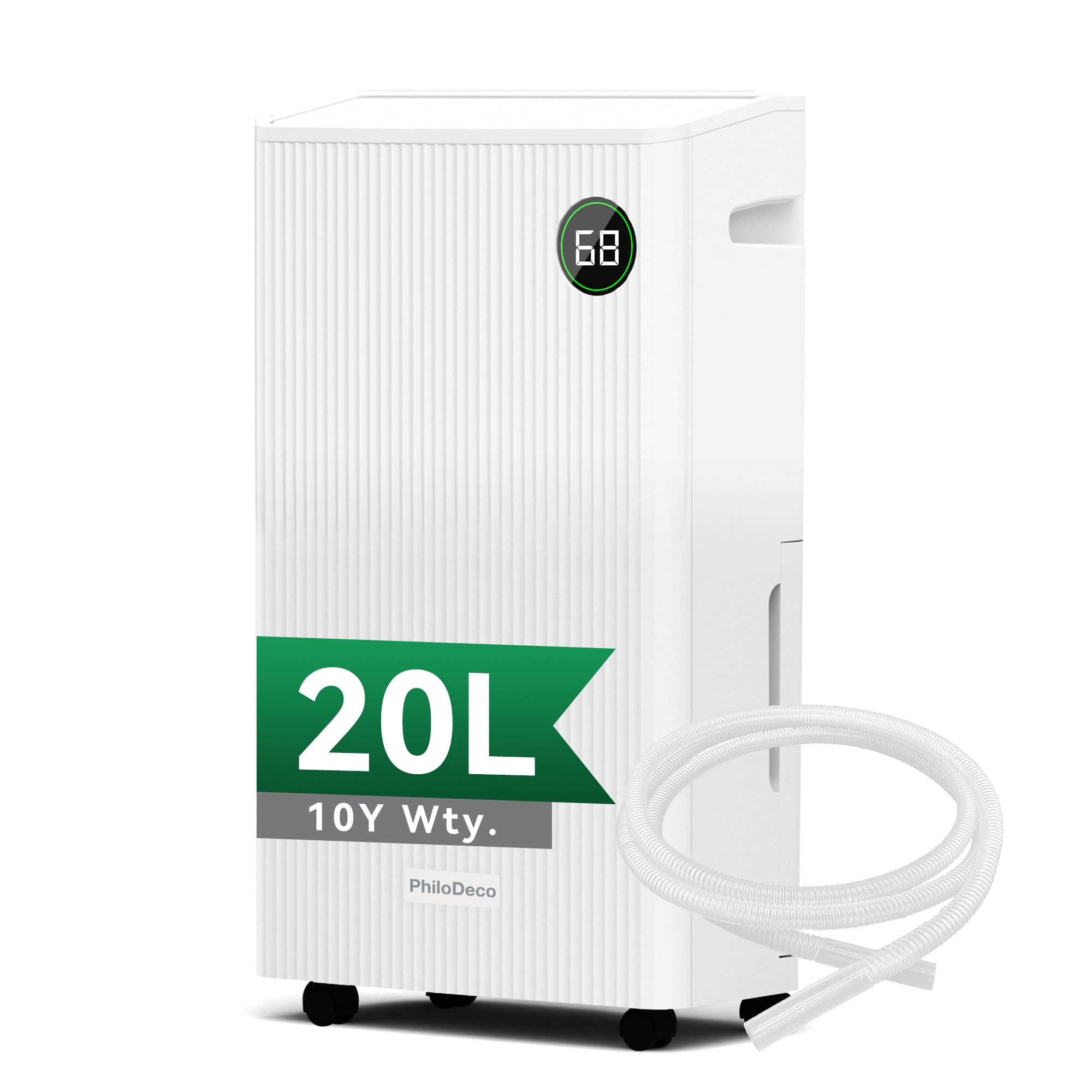
Image 1: PHILODECO 20L Dehumidifier in a home environment.
Safety Information
- Read all instructions before using the appliance.
- Ensure the power supply matches the voltage specified on the rating label.
- Do not operate the dehumidifier with a damaged cord or plug.
- Always place the unit on a firm, level surface to prevent water spillage.
- Maintain at least 20 cm (8 inches) clearance around the unit for proper airflow.
- Do not insert objects into the air inlet or outlet.
- Unplug the unit before cleaning or performing any maintenance.
- This appliance is not intended for use by persons (including children) with reduced physical, sensory or mental capabilities, or lack of experience and knowledge, unless they have been given supervision or instruction concerning use of the appliance by a person responsible for their safety.
2. Package Contents
Verify that all items are present in the package:
- PHILODECO 20L Dehumidifier Unit
- User Manual (this document)
- Continuous Drain Hose (1.2 meters)
3. Product Components
Familiarize yourself with the main parts of your dehumidifier:

Image 2: Key components and user-friendly designs.
- Control Panel: Located on the top, for setting modes and functions.
- Air Outlet: Top-mounted with a swing function for even air distribution.
- Air Inlet / Filter Screen: Located at the rear, housing the washable air filter.
- Water Tank (5.5L): Detachable tank at the front for collected water.
- Continuous Drain Port: Located at the rear for connecting the drain hose.
- Side Handles: Integrated for easy lifting.
- Rotatable Wheels: Four wheels at the base for effortless movement.
4. Setup
Placement
- Place the dehumidifier on a flat, stable surface.
- Ensure there is at least 20 cm (8 inches) of clear space around all sides of the unit to allow for proper air circulation.
- Avoid placing the unit near heat sources, in direct sunlight, or in areas exposed to splashing water.
Initial Use
- After unpacking, allow the dehumidifier to stand upright for at least 6 hours before plugging it in. This allows the refrigerant to settle.
- Before first use, check the air filter at the rear of the unit. Ensure any protective plastic film or packaging material has been removed from the filter.
- Insert the power plug into a grounded electrical outlet.
Drainage Options
Your dehumidifier offers two drainage methods:
- Manual Drainage (Water Tank): The unit will collect water in the 5.5-liter tank. When the tank is full, the unit will automatically shut off and an alarm will sound. Empty the tank and reinsert it to resume operation.
- Continuous Drainage: For extended operation without emptying the tank, attach the included 1.2-meter drain hose to the continuous drain port at the rear of the unit. Ensure the hose is sloped downwards to a suitable drain (e.g., floor drain, large bucket) to allow water to flow out by gravity.
5. Operating Instructions
Control Panel

Image 3: Intelligent Control Panel for precise control.
- Power Button: Turns the unit ON/OFF.
- Swing Button: Activates/deactivates the oscillating air outlet for wider air distribution.
- Child Lock Button: Press and hold to lock/unlock the control panel to prevent accidental changes.
- Sleep Mode Button: Activates a quieter operation mode for nighttime use.
- Timer Button: Sets the 24-hour ON/OFF timer.
- Humidity Setting (Humi) Buttons (< / >): Adjusts the desired humidity level in Standard Mode (30%-80%).
- Fan Speed Button: Selects between two fan speeds (Low/High).
- Drying Mode Button: Activates continuous dehumidification for laundry drying.
- LED Humidity Indicator: Displays real-time humidity status: Blue (<50%), Green (50-70%), Red (>70%).
Operating Modes

Image 4: Dehumidifier operating modes.
- Standard Mode: The default mode. Use the Humidity Setting buttons to set your desired humidity level between 30% and 80%. The unit will operate until the set humidity is reached, then cycle on/off to maintain it.
- Dry Mode (Laundry Drying): Press the 'Dry' button to activate continuous dehumidification at maximum power. This mode is ideal for quickly drying clothes indoors.
- Sleep Mode: Press the 'Sleep Mode' button for quieter operation. The fan speed will reduce, and display lights may dim for minimal disturbance during sleep.
- Timer Function: Press the 'Timer' button to set an auto-on or auto-off time (1-24 hours). Repeated presses will cycle through the hours. The timer will activate after a few seconds of no button input.
6. Maintenance
Emptying the Water Tank
- When the water tank is full, the unit will stop operating and an indicator will light up.
- Carefully pull out the water tank from the front of the unit.
- Empty the collected water.
- Slide the empty tank back into its position until it clicks securely. The unit will then resume operation.
Cleaning the Air Filter
The washable air filter should be cleaned regularly (every 2-4 weeks, depending on usage) to maintain optimal performance.
- Turn off the dehumidifier and unplug it from the power outlet.
- Locate the air filter screen at the rear of the unit.
- Gently pull out the filter.
- Clean the filter with a vacuum cleaner or wash it with warm, soapy water.
- Rinse thoroughly and allow the filter to air dry completely before reinserting it.
- Ensure the filter is dry before placing it back into the unit.
General Cleaning
- Wipe the exterior of the unit with a soft, damp cloth. Do not use harsh chemicals or abrasive cleaners.
- Ensure no water enters the electrical components.
Automatic Defrost
The dehumidifier is equipped with an automatic defrost function. If frost builds up on the evaporator coils, the unit will automatically enter defrost mode to melt the frost. During this time, the dehumidification function will pause, and the fan may continue to run. This is normal operation.
7. Troubleshooting
Before contacting customer support, please refer to the following troubleshooting guide:
| Problem | Possible Cause | Solution |
|---|---|---|
| Dehumidifier does not turn on. | No power supply. Power cord not properly connected. | Check if the unit is plugged in and the power outlet is working. Ensure the power cord is securely connected. |
| Unit is running but not collecting water. | Room temperature too low (below 5°C). Humidity level is already low. Air filter is clogged. Protective plastic film on filter not removed (initial use). | Dehumidifiers are less effective in cold conditions. Check the current humidity reading. If it's below your set point, the unit won't collect much water. Clean the air filter. Inspect the air filter and remove any packaging material. |
| Water tank is full, but unit continues to run. | Water tank not properly seated. Float switch malfunction. | Remove and reinsert the water tank, ensuring it is securely in place. Contact customer support if the issue persists. |
| Unit is noisy. | Unit not on a level surface. Air filter clogged. Normal operating sound. | Ensure the unit is on a flat, stable surface. Clean the air filter. Some operational noise is normal, especially at higher fan speeds. Use Sleep Mode for quieter operation. |
| Airflow is weak. | Air filter clogged. Air inlet/outlet blocked. | Clean the air filter. Ensure there is sufficient clearance around the unit. |
8. Specifications
| Feature | Specification |
|---|---|
| Brand | PHILODECO |
| Model Number | UK-5291 |
| Dehumidification Capacity | 20 Liters/Day |
| Water Tank Capacity | 5.5 Liters |
| Recommended Coverage Area | Up to 120 m² (approx. 4500 sq ft) |
| Airflow Volume | 180 m³/hour |
| Power Consumption | 440 W |
| Operating Temperature Range | 5°C - 32°C |
| Dimensions (D x W x H) | 35 cm x 20 cm x 60 cm |
| Weight | 13 kg |
| Fan Speeds | 2 |
| Special Features | Auto Shut-off, Large Water Tank, Portable Design, Digital Display, Child Lock, Automatic Defrost, 24-hour Timer, Swing Function |
| Refrigerant | R290 |
9. Warranty and Support
For warranty information, please refer to the documentation provided at the time of purchase or contact your retailer. If you encounter any issues not covered in the troubleshooting section, or require further assistance, please contact PHILODECO customer support through the contact details provided with your product or on the official PHILODECO website.