
1. Introduction
This manual provides instructions for the Tek Styz USB C to 3.5mm Headphone Adapter. This device allows you to connect standard 3.5mm audio devices, such as headphones or speakers, to your USB-C enabled device. It features an integrated Digital-to-Analog Converter (DAC) chip for high-quality audio output.
2. Key Features
- Digital DAC Chip: Built-in high-quality DAC audio conversion chip for clear sound.
- Wide Compatibility: Compatible with various USB-C devices including smartphones, laptops, and tablets.
- Plug and Play: No software drivers required for operation.
- Durable Construction: High-strength ABS material and premium aluminum connectors for enhanced longevity.
- Compact Design: Portable and easy to carry, measuring approximately 12.5cm in length.
- Multi-function Support: Enables listening to music, answering phone calls, and supports wire control functions (where compatible).
3. Package Contents
Each package contains:
- 2 x Tek Styz USB C to 3.5mm Headphone Adapters (White)
4. Setup Instructions
- Identify Ports: Locate the USB-C port on your device (e.g., Dell XPS 13-7000sLV, smartphone, tablet) and the 3.5mm audio jack on your headphones or speakers.
- Connect Headphones: Insert the 3.5mm plug of your headphones or speakers into the 3.5mm port of the Tek Styz adapter.
- Connect Adapter to Device: Insert the USB-C connector of the adapter into the USB-C port of your device.
- Verify Connection: Your device should automatically recognize the adapter. No additional drivers are typically required.

Image: A woman demonstrates connecting the USB-C to 3.5mm adapter to a smartphone, illustrating the connection process for earbuds.
5. Operating the Adapter
Once connected, the adapter functions as a direct audio output for your device. Audio will be routed through the 3.5mm port of the adapter to your connected headphones or speakers.
- Audio Playback: Begin playing audio on your device, and it will be transmitted to your connected audio output.
- Call Functionality: If your headphones have a microphone and your device supports it, you can make and receive calls through the adapter.
- Wire Control: For headphones with inline controls (e.g., volume, play/pause), these functions may be supported depending on your device and headphone compatibility.

Image: A man enjoying music with over-ear headphones connected to his smartphone using the adapter, highlighting its compatibility with various headset types.
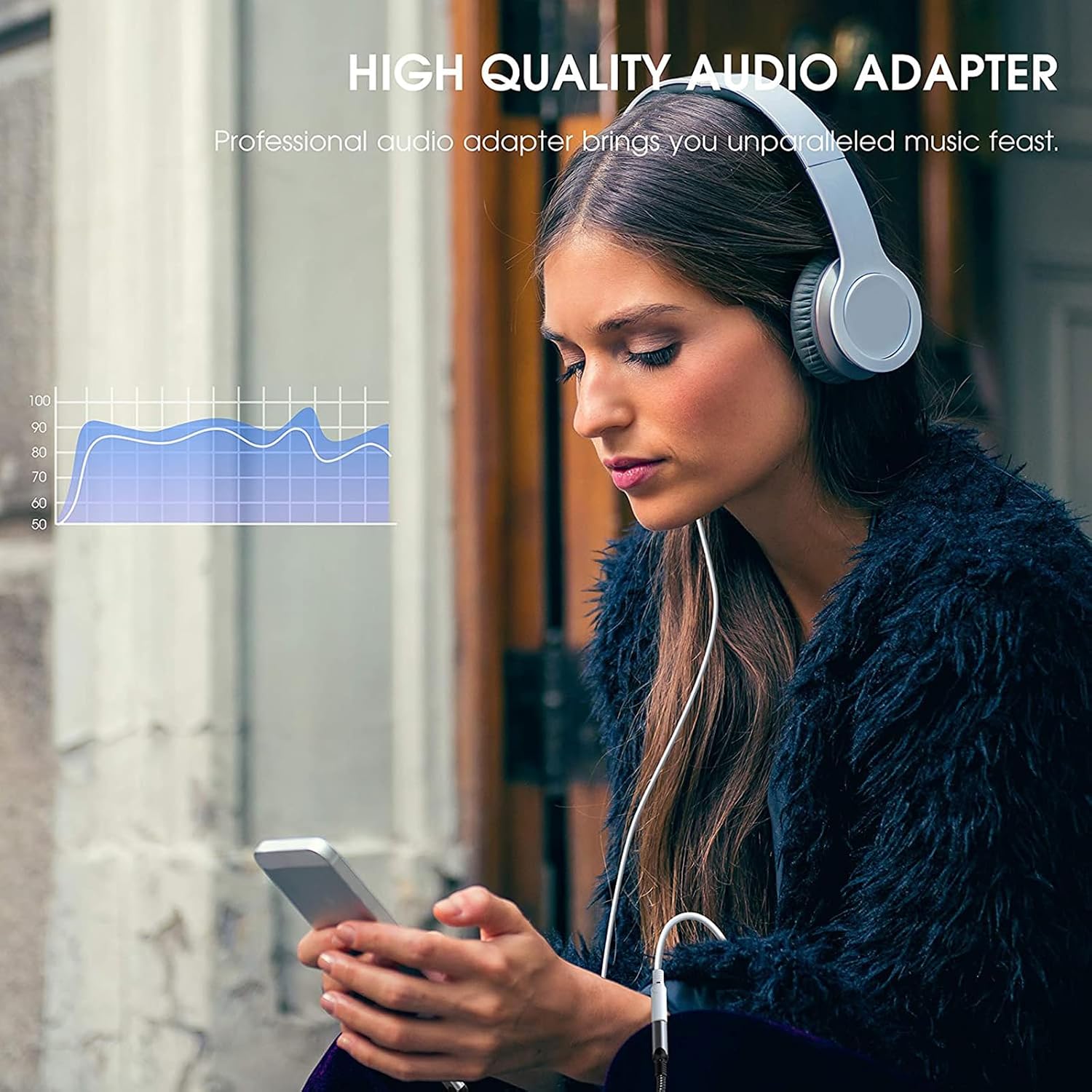
Image: A woman using the adapter for high-quality audio, with a visual representation of sound frequencies, indicating the adapter's audio performance.
6. Compatibility
The Tek Styz USB C to 3.5mm Headphone Adapter is designed for broad compatibility with devices featuring a USB-C port. This includes, but is not limited to:
- Dell XPS 13-7000sLV laptops
- Android smartphones and tablets
- iOS devices (e.g., newer iPads, iPhones with USB-C)
- Mac computers
- Windows PCs
Important Compatibility Notes:
- Some devices, such as iPad Pro 12.9 (2018) / iPad Pro 11 (2018), may not support microphone phone calls through the adapter due to system limitations.
- Certain smartphone models (e.g., XiaoMi Mi) may not support control of the next song via inline headphone controls.
- Always ensure your device's operating system and firmware are updated for optimal compatibility and performance.
7. Specifications
| Feature | Detail |
|---|---|
| Model Number | TS-2224 |
| Brand | Tek Styz |
| Connector Type | USB Type C (Male) to 3.5mm Auxiliary (Female) |
| Built-in Chip | Digital-to-Analog Converter (DAC) |
| Audio Output | Up to 48kHz, 192KHz-bit audio output |
| Length | Approximately 12.5 cm (4.9 inches) |
| Dimensions (Adapter Body) | 0.75 x 0.75 x 0.15 inches (approximate) |
| Weight | Approximately 3 Ounces (for 2 adapters) |
| Material | High-strength ABS, Aluminum |

Image: The adapter's length is shown as 125mm, demonstrating its compact size.

Image: An internal view of the adapter, illustrating the integrated Conexant Smart DAC Chip responsible for high-fidelity sound.
8. Troubleshooting
- No Sound:
- Ensure both the 3.5mm plug and the USB-C connector are fully inserted.
- Check your device's volume settings.
- Test with different headphones or another USB-C device to isolate the issue.
- Verify that your device's audio output is set to the USB-C port if applicable.
- Microphone Not Working / Call Issues:
- Confirm your headphones have a built-in microphone.
- Refer to the compatibility notes in Section 6, as some devices may not support microphone functionality via the adapter.
- Check your device's audio input settings.
- Inline Controls Not Responding:
- Not all devices or headphones fully support inline controls through adapters. Refer to compatibility notes.
- Ensure your device's software is up to date.
- Intermittent Connection:
- Ensure the adapter is securely connected to both the headphones and the device.
- Inspect the ports and connectors for any debris or damage.
9. Care and Maintenance
- Cleaning: Use a soft, dry cloth to clean the adapter. Avoid liquid cleaners or solvents.
- Storage: Store the adapter in a cool, dry place away from direct sunlight and extreme temperatures.
- Handling: Avoid bending or twisting the cable excessively. Do not pull on the cable to disconnect; always grasp the connector ends.
- Protection: Keep the adapter away from water and moisture.
10. Warranty Information
This Tek Styz product is covered by a Manufacturer's Limited 1 Year Warranty. This warranty covers defects in materials and workmanship under normal use. It does not cover damage caused by misuse, accident, modification, or unauthorized repair.
Please retain your proof of purchase for warranty claims.
11. Customer Support
For further assistance, technical support, or warranty inquiries, please contact Tek Styz customer service through the retailer where the product was purchased or visit the official Tek Styz website.
Manufacturer: Tek Styz