
IRRADIO IR-SIGMA PLUS
IRRADIO IR-SIGMA PLUS Wireless Headphones User Manual
Model: IR-SIGMA PLUS | Brand: IRRADIO
Introduction
Thank you for choosing the IRRADIO IR-SIGMA PLUS Wireless Headphones. This comprehensive set includes wireless + Bluetooth headphones and a wireless receiver, designed to enhance your experience with movies, series, concerts, sports events, and gaming sessions. This manual provides detailed instructions for setup, operation, maintenance, and troubleshooting to ensure optimal performance and longevity of your device.
What's in the Box
Upon unpacking your IRRADIO IR-SIGMA PLUS, please ensure all components are present:
- IRRADIO IR-SIGMA PLUS Wireless Headphones
- Wireless Receiver
- Charging Cable (USB-C)
- Audio Cable (3.5mm Jack)
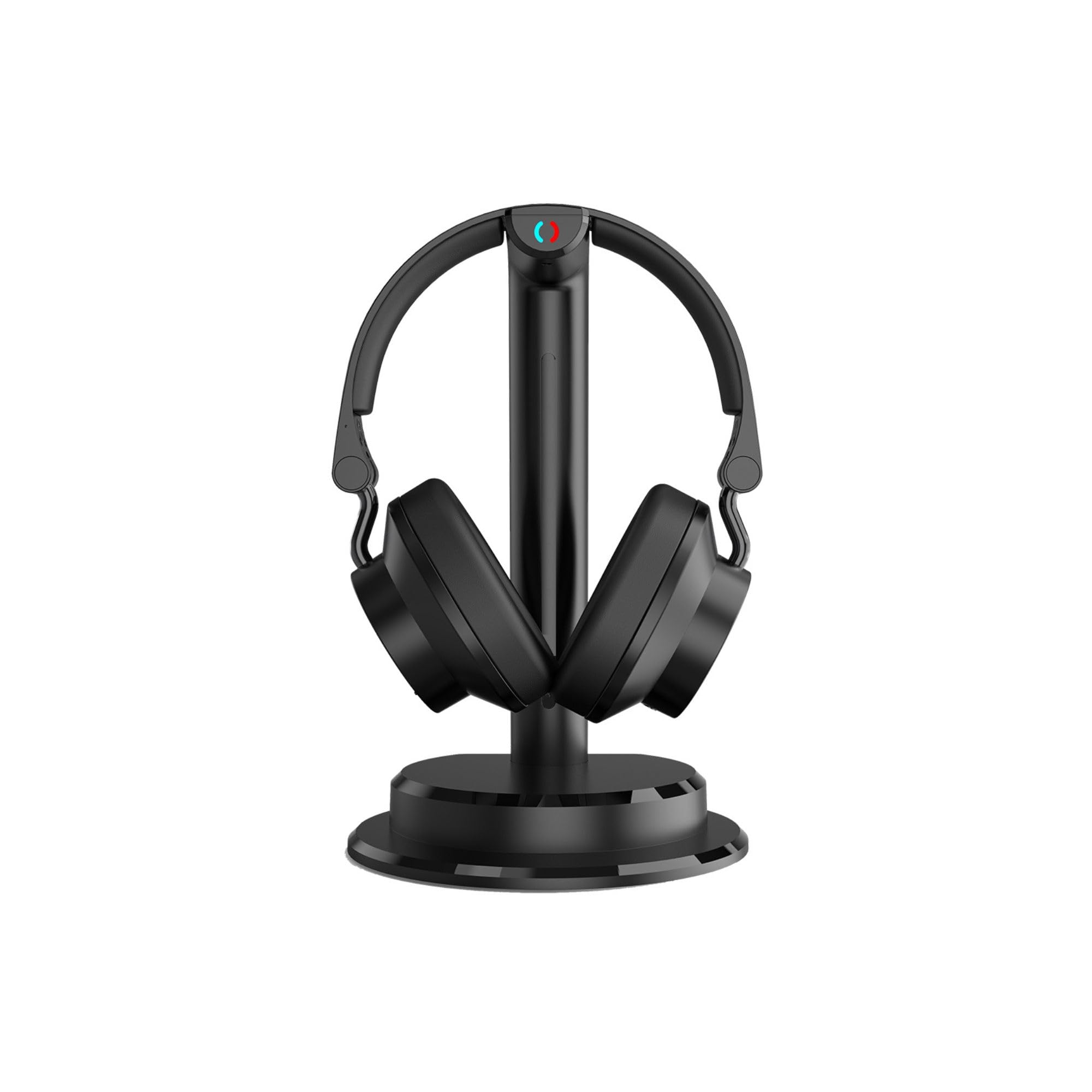
Image: The IRRADIO IR-SIGMA PLUS wireless headphones resting on their charging stand, showcasing the sleek black design.
Product Overview
Key Features
- Dual Connectivity: 2.4 GHz wireless for stable, low-latency audio up to 30 meters, and Bluetooth V5.3 for mobile devices.
- Immersive Audio: 40mm wide-band speakers with a frequency response of 60Hz–20kHz for powerful and detailed sound.
- Selective Equalization: Three dedicated sound profiles (Film, Music, Spoken) to optimize audio for different content.
- Adjustable Audio Balance: Fine-tune volume balance between left and right channels for personalized listening.
- Shared Listening: Connect multiple compatible IRRADIO headphones to the same source for a shared audio experience.
- Wired Option: Use with the included 3.5mm audio jack cable for wired connection.
- Long Battery Life: Up to 4.5 hours of continuous use, with a quick 1-2 hour charging time via USB-C.
- Versatile Compatibility: Analog and digital inputs (Toslink/SPDIF) for seamless connection to TVs, projectors, smartphones, tablets, and laptops.
Headphone Components and Controls
Familiarize yourself with the various parts and controls of your IR-SIGMA PLUS headphones for ease of use.

Image: Side view of the IRRADIO IR-SIGMA PLUS headphones, showing the earcups and headband design.

Image: Back view of the IRRADIO IR-SIGMA PLUS headphones, highlighting the adjustable headband and earcup pivot points.

Image: The IRRADIO IR-SIGMA PLUS headphones on their stand, with visual callouts for USB Type-C power, 466g net weight, and 2.4GHz & Bluetooth V5.3 wireless connectivity.

Image: A close-up of the IRRADIO IR-SIGMA PLUS headphones, emphasizing the 40mm wide-band speakers and their frequency response of 60Hz-20kHz for powerful and detailed sound.
Setup
1. Initial Charging
Before first use, fully charge your IRRADIO IR-SIGMA PLUS headphones.
- Connect the provided USB-C charging cable to the charging port on the headphones.
- Connect the other end of the USB-C cable to a compatible USB power adapter (not included) or a computer's USB port.
- The charging indicator light will illuminate. A full charge typically takes 1-2 hours.
- Once fully charged, the indicator light may change color or turn off. Disconnect the cable.

Image: The IRRADIO IR-SIGMA PLUS headphones on their stand, with text indicating integrated Lithium-ion 3.7V battery, wireless transmission distance up to 30m, charging time of 1-2 hours, and a usage duration of 4:30 hours.
2. Connecting the Wireless Receiver
The wireless receiver allows for 2.4 GHz low-latency audio transmission from your TV or other audio sources.
- For TVs with Optical (Toslink/SPDIF) Output: Connect the optical cable (not included) from your TV's optical output to the optical input on the wireless receiver.
- For TVs/Devices with Analog (3.5mm or RCA) Output: Connect the 3.5mm audio cable (included) or an RCA to 3.5mm adapter (not included) from your TV's audio output to the 3.5mm input on the wireless receiver.
- Connect the wireless receiver to a power source using its USB power input.
3. Pairing Headphones with Receiver (2.4 GHz Wireless)
The headphones and receiver should automatically pair when both are powered on.
- Power on the wireless receiver.
- Power on the IR-SIGMA PLUS headphones by pressing and holding the power button.
- The indicator lights on both devices will show their connection status. A solid light typically indicates a successful connection.
- If pairing fails, refer to the Troubleshooting section.
4. Bluetooth Pairing (for mobile devices)
To connect your headphones to a smartphone, tablet, or laptop via Bluetooth:
- Ensure the headphones are powered on and not connected to the 2.4 GHz receiver.
- Activate Bluetooth pairing mode on the headphones (refer to the specific button combination in your quick start guide, usually holding the power button longer or a dedicated Bluetooth button). The indicator light will flash, indicating pairing mode.
- On your device, go to Bluetooth settings and search for "IRRADIO IR-SIGMA PLUS".
- Select the headphones to pair. Once connected, the indicator light on the headphones will become solid.
Operating Instructions
Power On/Off
- To power on, press and hold the power button until the indicator light illuminates.
- To power off, press and hold the power button until the indicator light turns off.
Volume Control
- Use the volume up (+) and volume down (-) buttons on the headphones to adjust the listening level.
- You can also adjust the source device's volume.
Equalization Modes
The IR-SIGMA PLUS offers three distinct equalization profiles. Press the EQ button (if available, or refer to your quick start guide for button assignment) to cycle through them:
- Film Mode: Enhances dialogue clarity and cinematic sound effects.
- Music Mode: Provides a balanced audio profile suitable for various music genres.
- Spoken Mode: Optimizes for clear voice reproduction, ideal for podcasts, audiobooks, or news.
Audio Balance Adjustment
Adjust the balance between the left and right audio channels to suit your hearing preferences. Refer to your quick start guide for the specific controls, typically dedicated L/R balance buttons or a combination with volume controls.
Shared Listening (Multi-User)
To enable shared listening with additional compatible IRRADIO headphones:
- Ensure the primary headphones are connected to the wireless receiver.
- Power on the additional compatible IRRADIO headphones and put them into pairing mode for the 2.4 GHz receiver.
- The receiver will automatically detect and connect to multiple headphones.
- Up to several users can listen simultaneously to the same content.

Image: The IRRADIO IR-SIGMA PLUS headphones on their stand, with text stating "Listen to your favorite music, watch a movie or enjoy a concert at full volume even at night, without disturbing anyone."
Maintenance
Proper care and maintenance will extend the life of your IRRADIO IR-SIGMA PLUS headphones.
- Cleaning: Use a soft, dry cloth to clean the headphones and receiver. Do not use abrasive cleaners, solvents, or harsh chemicals.
- Storage: When not in use, store the headphones in a cool, dry place, away from direct sunlight and extreme temperatures.
- Battery Care: To preserve battery life, avoid fully discharging the headphones frequently. Charge them regularly, even if not used for extended periods.
- Avoid Moisture: Do not expose the headphones or receiver to water or excessive moisture.
- Handle with Care: Avoid dropping or subjecting the headphones to strong impacts.
Troubleshooting
If you encounter issues with your IRRADIO IR-SIGMA PLUS headphones, refer to the following common problems and solutions:
| Problem | Possible Cause | Solution |
|---|---|---|
| No sound from headphones (2.4 GHz) |
|
|
| No sound from headphones (Bluetooth) |
|
|
| Poor audio quality or interference |
|
|
| Headphones not charging |
|
|
Specifications
| Feature | Detail |
|---|---|
| Brand | IRRADIO |
| Model Name | IR-SIGMA PLUS Set Cuffia TV 2,4GHz + BT |
| Model Number | 141901050 |
| Color | Black |
| Ear Placement | Over-ear |
| Connectivity Technology | Wireless (2.4GHz, Bluetooth) |
| Bluetooth Version | 5.3 |
| Bluetooth Range | Up to 30 meters (unobstructed) |
| Headphone Jack | 3.5mm Jack and USB-C |
| Audio Driver Type | Dynamic Driver |
| Frequency Range | 60Hz–20kHz |
| Battery Type | Integrated Lithium-ion 3.7V |
| Battery Life (Average) | 4.5 hours |
| Charging Time | 1-2 hours (via USB-C) |
| Weight | 466g |
| Control Method | Button |
| Compatible Devices | Smartphone, Tablet, Laptop, Televisions |
| Specific Uses | Video games, Music, Movies & TV, Sports events |
Warranty Information
Based on the product information provided, there is no explicit product warranty ("Garanzia prodotto: NO"). Please refer to the retailer's return policy for details on returns or exchanges within the applicable period.
Support
For further assistance or inquiries regarding your IRRADIO IR-SIGMA PLUS headphones, please visit the official IRRADIO brand store or website.
Ask a question about this manual
Ask about setup, troubleshooting, compatibility, parts, safety, or missing instructions. Manuals+ will review the question and use this page’s manual context to help answer it.