
Introduction
This manual provides detailed instructions for the setup, operation, maintenance, and troubleshooting of your MFVLP D16 Smart Watch. Please read this manual thoroughly before using your device to ensure proper function and longevity.
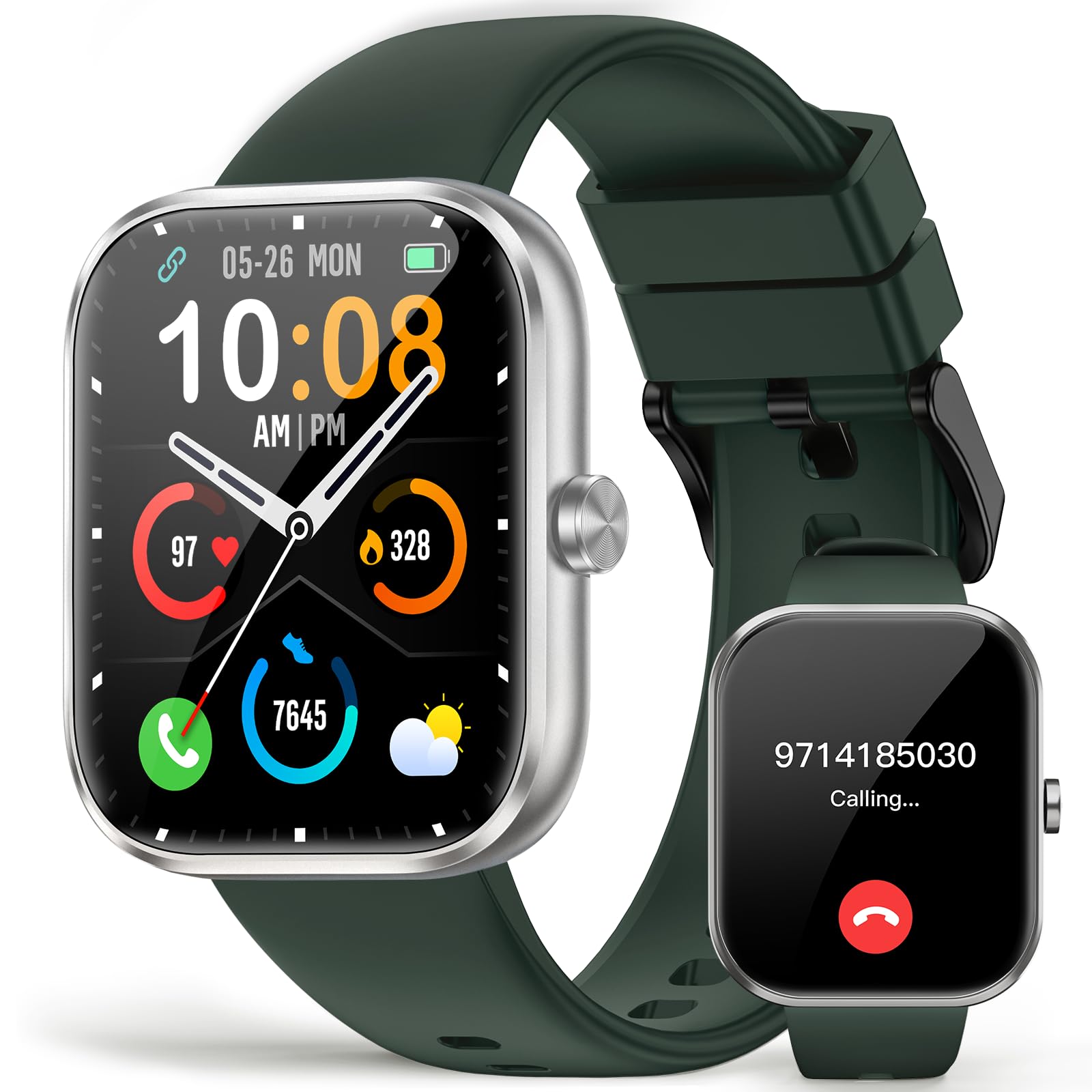
Image: The MFVLP D16 Smart Watch, featuring a rectangular screen and a green band with silver accents. The display shows a digital clock face.
1. Setup
1.1 Unboxing
Upon opening the package, ensure all components are present:
- Smart Watch (1)
- Watch Band (1)
- Magnetic charging cable (1)
- User Manual (1)
1.2 Charging the Device
Before initial use, fully charge your MFVLP D16 Smart Watch.
- Connect the magnetic charging cable to the charging contacts on the back of the watch.
- Plug the USB end of the cable into a standard USB power adapter (not included) or a computer's USB port.
- The watch will display a charging indicator. A full charge typically takes approximately 2 hours.
- A fully charged watch provides 5-7 days of typical use and up to 30 days in standby mode.
1.3 App Installation and Pairing
To unlock the full functionality of your smart watch, install the companion application and pair it with your smartphone.
- Download the App: Search for "GloryFit" in your smartphone's app store (compatible with Android 4.4 or above / iOS 9.0 or above).
- Create Account: Open the GloryFit app and follow the on-screen instructions to create an account or log in.
- Enable Bluetooth: Ensure Bluetooth is enabled on your smartphone.
- Pair the Watch:
- In the GloryFit app, navigate to the device section and select "Add Device" or a similar option.
- The app will search for nearby devices. Select "D16" or the corresponding device name when it appears.
- Confirm the pairing request on both your phone and the watch if prompted.
- Once paired, the watch will synchronize data with the app.
2. Operating Instructions
2.1 Basic Navigation
The MFVLP D16 Smart Watch features a 1.83-inch HD full touch screen for intuitive interaction.
- Swipe Up/Down: Scroll through menus and notifications.
- Swipe Left/Right: Access quick functions or different widgets.
- Tap: Select an item or confirm an action.
- Press Side Button: Return to the home screen or power on/off the device.
- Raise Wrist to Light Up: The screen will automatically activate when you raise your wrist.
2.2 Bluetooth Calls and Smart Notifications
With Bluetooth 5.3 technology, your watch can handle calls and display notifications.
- Making/Receiving Calls: Once paired, you can make and receive calls directly from your watch using the built-in HD speakers and microphone.
- Message Notifications: Receive alerts for text messages and app notifications (e.g., WhatsApp, Facebook, Instagram, Twitter) directly on your wrist. Ensure notification permissions are enabled in the GloryFit app and your phone settings.
2.3 Sports Modes
The watch supports over 110 sports modes to track your physical activity.
- Navigate to the "Sports" or "Workout" section on your watch.
- Select your desired activity (e.g., running, cycling, tennis, yoga).
- Tap to start the activity. The watch will record data such as steps, distance, calories burned, and heart rate in real-time.
- Tap to pause or end the activity. Data will synchronize with the GloryFit app.
2.4 Health Monitoring
The MFVLP D16 Smart Watch provides continuous health monitoring features.
- Heart Rate Monitoring: The watch continuously monitors your heart rate. View real-time data on the watch or detailed trends in the GloryFit app.
- Blood Oxygen (SpO2) Monitoring: Monitor your blood oxygen levels.
- Sleep Monitoring: The watch automatically tracks your sleep patterns, including deep sleep, light sleep, and wake-up times. A comprehensive sleep quality analysis is available in the app.
- Female Menstrual Cycle Tracking: Utilize the app to track and predict menstrual cycles, providing reminders and insights.
- Sedentary Reminder: The watch can remind you to move after periods of inactivity.
- Breathing Training: Access guided breathing exercises for relaxation.
2.5 Customization
Personalize your watch face to match your style.
- Custom Dials: Through the GloryFit application, choose from over 100 online dials.
- Personalized Wallpapers: Set your favorite photos as the watch face wallpaper via the app.
2.6 Other Functions
The watch includes several additional practical features:
- Music Control
- Camera Remote Control
- Alarm Clock
- Calculator
- Flashlight
- Voice Assistant
- Stopwatch
- Calendar
- Find Phone
3. Maintenance
3.1 Water Resistance (IP68)
The MFVLP D16 Smart Watch has an IP68 waterproof rating, meaning it is resistant to dust and can withstand immersion in water up to 1.5 meters for 30 minutes.
- It can be used during hand washing, in the rain, or while sweating during exercise.
- Important: The watch is not recommended for use in hot water (e.g., hot showers, saunas) or seawater, as this can compromise the waterproof seals.
- Avoid prolonged immersion or high-pressure water exposure.
3.2 Cleaning
To maintain the watch's appearance and sensor accuracy:
- Wipe the screen and body with a soft, damp, lint-free cloth.
- Clean the charging contacts periodically to ensure efficient charging.
- Avoid using harsh chemicals or abrasive materials.
3.3 Battery Care
To prolong battery life:
- Avoid extreme temperatures.
- Do not allow the battery to fully discharge frequently.
- Charge the watch regularly, even if not in daily use.
4. Troubleshooting
| Problem | Possible Solution |
|---|---|
| Watch does not power on. | Ensure the watch is fully charged. Connect to the magnetic charging cable and allow it to charge for at least 30 minutes before attempting to power on. |
| Cannot pair with smartphone. |
|
| Notifications are not received. |
|
| Inaccurate health data. |
|
| Screen is unresponsive. | Restart the watch by pressing and holding the side button. If unresponsive, allow the battery to fully drain and then recharge. |
5. Specifications
| Feature | Detail |
|---|---|
| Model Number | D16 |
| Screen Size | 1.83 Inches TFT-LCD HD |
| Resolution | 240*284 |
| Connectivity | Bluetooth 5.3 |
| Battery Capacity | 300 mAh |
| Charging Time | Approx. 2 hours |
| Battery Life (Typical Use) | 5-7 days |
| Battery Life (Standby) | Up to 30 days |
| Waterproof Rating | IP68 |
| Operating System Compatibility | Android 4.4 or above / iOS 9.0 or above |
| Item Weight | 40 Grams (1.41 ounces) |
| Memory Storage Capacity | 128 MB |
| RAM Memory Installed Size | 640 KB |
| GPS | No GPS |
| Special Features | Bluetooth calls, smart notifications, heart rate monitor, blood oxygen monitor, custom dial, music control, camera remote, sedentary reminder, sleep monitoring, breathing training, female menstrual cycle tracking, 110+ sports modes, voice assistant, stopwatch, alarm clock, calculator, flashlight, find phone. |
6. Warranty Information
Specific warranty details for the MFVLP D16 Smart Watch are typically provided by the manufacturer or the retailer at the time of purchase. Please refer to the warranty card included in your product packaging or contact the seller directly for information regarding warranty coverage, terms, and conditions.
7. Customer Support
If you encounter any issues or have questions not covered in this manual, please contact MFVLP customer support or your point of purchase for assistance. Contact information can usually be found on the manufacturer's official website or on your purchase receipt.
8. Official Product Videos
No official seller videos are available for this product at this time.


