
ACMER S2-7W-1
ACMER S2 7000mW Laser Engraver and Cutter User Manual
Model: S2-7W-1 | Brand: ACMER
1. Introduction and Overview
The ACMER S2 7000mW Laser Engraver and Cutter is a high-precision, versatile machine designed for engraving and cutting a wide range of materials. Featuring advanced laser technology and a robust build, it offers exceptional accuracy and efficiency for both hobbyists and professionals. This manual provides essential information for safe operation, setup, maintenance, and troubleshooting to ensure optimal performance of your device.
2. Safety Information
Operating a laser engraver requires strict adherence to safety guidelines to prevent injury and damage. Please read and understand all safety instructions before operating the machine.
- Eye Protection: Always wear the provided safety goggles during operation. The laser module is equipped with an anti-UV filter acrylic cover to further protect your eyes from direct laser exposure.
- Ventilation: Laser engraving and cutting can produce fumes and particles. Operate the machine in a well-ventilated area or use an appropriate fume extraction system to avoid inhaling harmful substances.
- Material Safety: Ensure the material you are processing is safe for laser engraving/cutting. Avoid materials that produce toxic fumes or are highly flammable when exposed to laser.
- Automatic Stop Function: The machine is designed to automatically stop operation if movement is detected during the engraving process, reducing potential risks. However, do not rely solely on this feature; always supervise the machine during operation.
- Fire Safety: Keep a fire extinguisher nearby. Do not leave the machine unattended during operation, especially when cutting flammable materials.
- Children and Pets: Keep children and pets away from the operating area.
3. Product Features
The ACMER S2-7W-1 model incorporates several advanced features for superior performance:
3.1 High-Precision Engraving
Equipped with the latest laser technology, the S2 features a 0.08*0.08mm ultra-fine compression spot. This allows for precise control over engraving and cutting accuracy within 0.01mm (0.004 inches), ensuring intricate designs are reproduced with exceptional detail.

Image: Demonstrates the superior precision of the ACMER S2 laser engraver compared to other models, highlighting its 0.01mm repeat positioning accuracy for detailed work.
3.2 Versatile Engraving and Cutting Capabilities
The powerful 7000mW laser (48W overall output) enables engraving on over 100 different materials. It also provides strong cutting capabilities, able to cut 13mm paulownia wood and 6mm black acrylic with multiple passes, a performance level often not achieved by 5W machines.

Image: A collage of various finished products, including engraved wood, leather, metal, and acrylic items, illustrating the wide range of materials the ACMER S2 can process.
3.3 Enhanced Productivity
Equipped with an advanced 32-bit chip, the S2 achieves engraving speeds up to 10,000 mm/min, significantly faster than many comparable machines. The generous 300x300mm working area allows for larger projects or multiple smaller items to be processed in a single session.

Image: A visual comparison demonstrating the ACMER S2's processing speed of 10,000 mm/min, which is faster and more effective than typical 6,000 mm/min speeds.
3.4 DIY Friendly and Upgradable
The ACMER S2 is designed for easy assembly and manual customization. It features a precisely scaled ruler for accurate calibration. The machine is multi-power and upgradable, supporting diode laser powers from 4W to 12W. Accessories such as rotary rollers, raisers for cylindrical objects, enclosed frame models, and 25L air pumps can be added to expand functionality as your skills evolve.

Image: An image depicting the ACMER S2 in use for creative DIY projects, emphasizing its user-friendly nature.
3.5 Professional Level Compatibility
The laser engraving machine is plug-and-play and compatible with popular software like Laser GRBL and LightBurn. It supports Windows, Mac OS, and Linux systems, and can import DXF, PNG, JPG, and other common file formats. This wide compatibility makes it suitable for various industrial and personal projects.
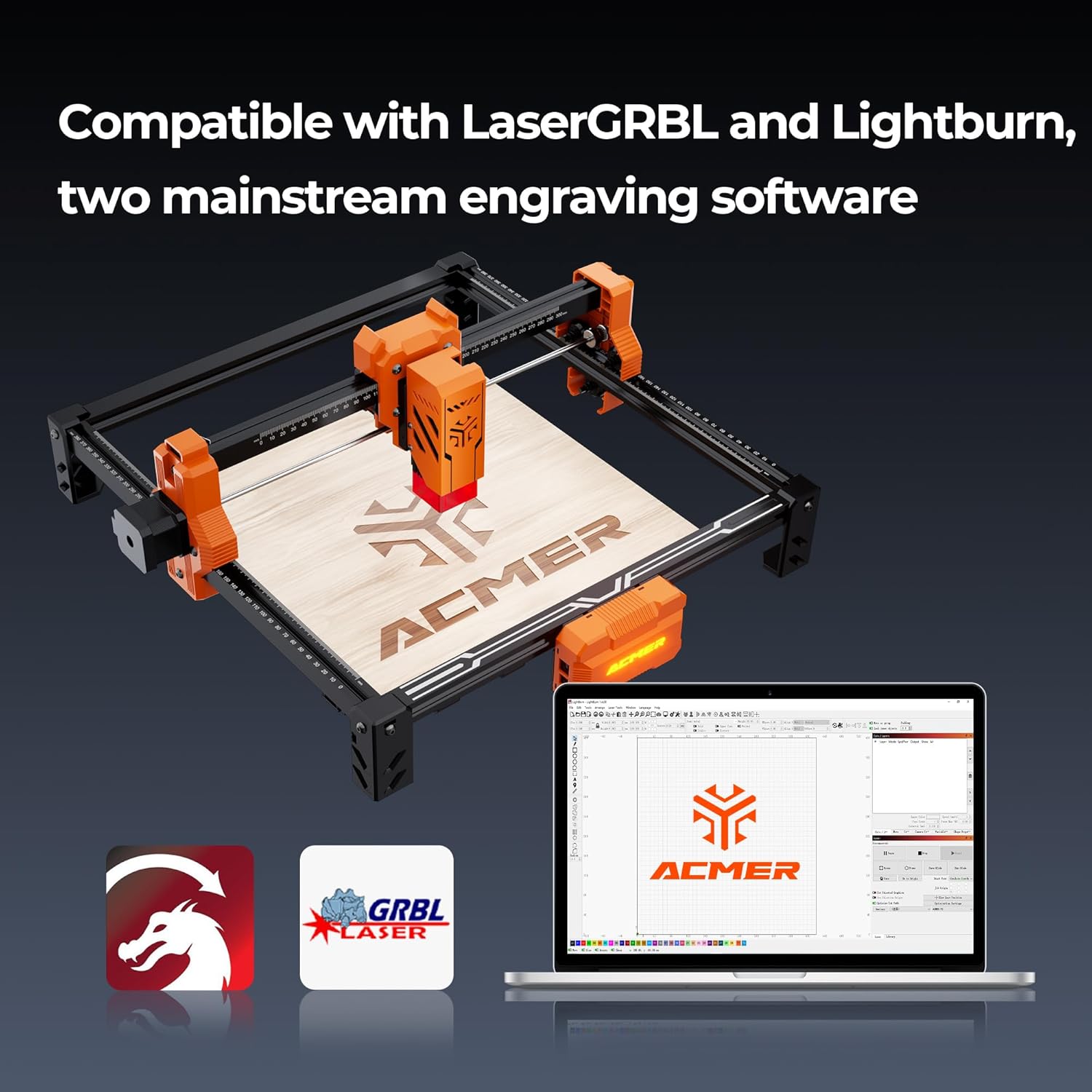
Image: Illustrates the ACMER S2's compatibility with leading engraving software, LaserGRBL and LightBurn, across various operating systems.
4. Setup Guide
The ACMER S2 is designed for straightforward assembly. Follow these general steps to set up your machine:
- Unpack Components: Carefully remove all components from the packaging. Verify that all parts listed in the packing list are present.
- Frame Assembly: Assemble the main frame according to the detailed instructions provided in the separate assembly manual. Ensure all screws are tightened securely.
- Laser Module Installation: Mount the laser module onto the gantry. Connect the necessary cables.
- Power and USB Connection: Connect the power adapter to the machine and a power outlet. Connect the machine to your computer via the provided USB cable.
- Software Installation: Install your preferred engraving software (e.g., Laser GRBL or LightBurn) on your computer. Drivers may be required and are typically included with the software or available for download from the manufacturer's website.
- Initial Calibration: Perform initial calibration steps as outlined in the software or detailed manual to ensure proper laser focus and working area alignment.
5. Operating Instructions
Once assembled and connected, you can begin operating your ACMER S2 laser engraver. The general workflow involves preparing your design, setting up the material, configuring software parameters, and initiating the engraving or cutting process.
- Design Preparation: Create or import your design using compatible software (Laser GRBL, LightBurn). The machine supports DXF, PNG, JPG, and other common file formats.
- Material Placement: Place your material securely within the working area (300x300mm). Ensure it is flat and properly positioned.
- Focus Adjustment: Adjust the laser focus according to the material thickness and type. Refer to your software's instructions for precise focusing.
- Software Settings: Configure engraving or cutting parameters in your software, including laser power, speed, and number of passes, based on the material and desired outcome.
- Start Operation: Initiate the engraving or cutting process from your software. Always supervise the machine during operation.
Video: Demonstrates the ACMER S2 laser engraver in action, showing the engraving process on a cork coaster and a cylindrical object using a rotary attachment (sold separately).
6. Maintenance
Regular maintenance ensures the longevity and optimal performance of your ACMER S2 laser engraver:
- Cleaning the Laser Lens: Periodically clean the laser lens with a soft, lint-free cloth and lens cleaning solution to maintain engraving quality.
- Cleaning the Machine: Keep the working area and machine frame free of dust and debris. Use compressed air to clear out small particles from hard-to-reach areas.
- Lubrication: Apply a small amount of lubricant to the guide rails and lead screws as recommended in the detailed manual to ensure smooth movement of the laser module.
- Belt Tension: Check the tension of the timing belts regularly. Adjust if they are too loose or too tight to prevent skipping or excessive wear.
7. Troubleshooting
If you encounter issues with your ACMER S2, refer to the following common troubleshooting tips:
| Problem | Possible Cause | Solution |
|---|---|---|
| Laser not firing or weak output | Incorrect power settings, dirty lens, loose connection, laser module failure. | Check software power settings. Clean the laser lens. Ensure all cables are securely connected. Contact support if the issue persists. |
| Poor engraving/cutting quality | Incorrect focus, wrong speed/power settings, material incompatibility, dirty lens. | Adjust laser focus. Experiment with different speed and power settings for your material. Ensure material is suitable. Clean the laser lens. |
| Machine not connecting to computer | Loose USB cable, driver issue, software conflict. | Ensure USB cable is firmly connected. Reinstall drivers. Try a different USB port or cable. Restart computer and machine. |
| Skipping or inaccurate movement | Loose belts, debris on rails, motor issue. | Check and adjust belt tension. Clean guide rails. Ensure no obstructions. |
For more detailed troubleshooting or issues not listed here, please refer to the comprehensive troubleshooting guide in your full product manual or contact ACMER customer support.
8. Specifications
- Model: S2-7W-1
- Brand: ACMER
- Laser Power: 7000mW (7W)
- Overall Output Power: 48W
- Engraving Accuracy: 0.01mm
- Laser Spot Size: 0.08*0.08mm
- Processing Speed: Up to 10,000 mm/min
- Working Area: 300x300mm (11.81x11.81 inches)
- Product Dimensions: 12.6 x 12.6 x 7.8 inches
- Item Weight: 7.73 pounds
- Supported Operating Systems: Windows, Mac OS, Linux
- Supported File Formats: DXF, PNG, JPG, etc.
- First Available Date: May 6, 2025
9. Warranty and Support
ACMER is committed to providing excellent customer service and support for your S2 laser engraver.
- Technical Support: We offer lifetime technical support for your product.
- Customer Service: Our professional customer service team is available 24-hours to assist with any questions or concerns you may have.
- Contact Information: Please refer to the contact details provided in your product packaging or on the official ACMER website for support.
- Warranty: For detailed warranty terms and conditions, please consult the warranty card included with your product or visit the ACMER official website.
Ask a question about this manual
Ask about setup, troubleshooting, compatibility, parts, safety, or missing instructions. Manuals+ will review the question and use this page’s manual context to help answer it.