
Introduction
This manual provides essential information for setting up, operating, and maintaining your KTC 27-inch M27T6 Mini LED Gaming Monitor. This monitor is designed to deliver a superior visual experience with its QHD (2560x1440) resolution, 180Hz refresh rate, HDR1400 support, and Adaptive Sync technology. Please read this manual thoroughly before using the product to ensure optimal performance and safety.
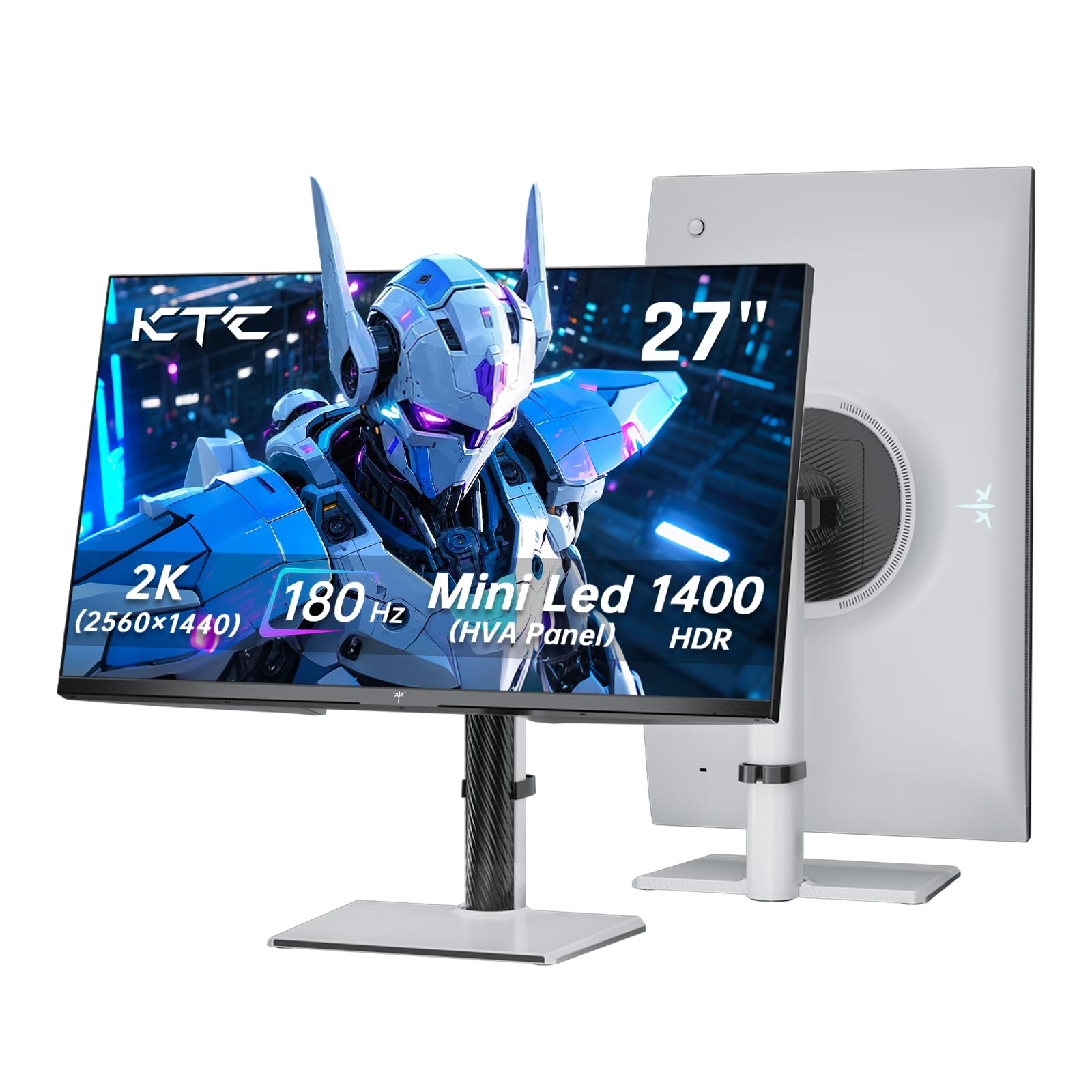
Image: KTC 27-inch M27T6 Mini LED Gaming Monitor
What's in the Box
Carefully unpack the box and ensure all the following items are present:
- Monitor x 1
- Base x 1
- Quick Start Guide (QSG) x 1
- DisplayPort (DP) Cable x 1
- Power Adapter x 1
- Power Cord x 1

Image: Package Contents Diagram
Setup Instructions
- Assemble the Stand: Attach the monitor base to the stand column, then securely fasten the stand assembly to the back of the monitor. Refer to the Quick Start Guide for detailed steps.
- Connect Video Cable: Connect one end of the included DisplayPort (DP) cable to the DP port on your computer's graphics card and the other end to the DP 1.4 port on the monitor. For HDMI connections, use an HDMI 2.0 cable and connect to one of the HDMI 2.0 ports.
- Connect Power: Connect the power adapter to the monitor's DC input port, then plug the power cord into the adapter and a power outlet.
- Power On: Press the power button on the monitor to turn it on.
Video: KTC M27T6 Monitor Overview and Setup (Preview)
Operating Instructions
The monitor features a joystick-style button on the back for navigating the On-Screen Display (OSD) menu. This allows you to adjust various settings to customize your viewing experience.
OSD Menu Navigation
- Press the joystick: To open the OSD menu.
- Move the joystick Up/Down: To navigate through menu options.
- Move the joystick Left/Right: To adjust values or enter sub-menus.
- Press the joystick again: To confirm a selection.
- Hold the joystick: To exit the OSD menu.
Key Settings
- Brightness/Contrast: Adjust for optimal visibility in your environment.
- Color Settings: Select preset color modes (e.g., Standard, Game, Movie) or customize RGB values.
- Input Source: Manually select between DisplayPort and HDMI inputs.
- Refresh Rate: Ensure your system is configured to utilize the monitor's 180Hz refresh rate for the smoothest experience.
- Adaptive Sync: Enable this feature for tear-free and stutter-free gaming with compatible graphics cards.

Image: OSD Menu Example
Connectivity
The KTC M27T6 monitor offers versatile connectivity options to suit various devices:
- DisplayPort 1.4 (DP): Supports QHD (2560x1440) resolution at 180Hz refresh rate. Recommended for PC gaming to achieve maximum refresh rates.
- HDMI 2.0 x 2: Supports QHD (2560x1440) resolution at up to 144Hz refresh rate. Ideal for connecting gaming consoles or other devices.
- USB (Service): For firmware updates or service purposes. Data transfer is not supported.
- DC Input: For connecting the power adapter.
- Earphone Jack: For connecting external audio devices.

Image: Monitor Connectivity Ports
Display Features
Mini LED Backlight Technology
The monitor utilizes advanced Mini LED backlight technology with 1152 independent dimming zones and 1152 LEDs. This provides precise control over image display, delivering exquisite details, deep blacks, and bright highlights for stunning visual effects.

Image: Mini-LED HVA Panel Technology
High Dynamic Range (HDR1400)
With VESA Display HDR 1400 certification, the monitor achieves a peak brightness of 1400 nits and a dynamic contrast ratio of 1,000,000:1. This results in lifelike images with rich details and diverse contrast, enhancing immersion in games and media.

Image: HDR1400 Display
High Refresh Rate and Response Time
Experience seamless and fluid visuals with a 180Hz refresh rate and a rapid 1ms response time. This minimizes motion blur and ghosting, providing a competitive edge in fast-paced gaming.

Image: 180Hz Refresh Rate & 1ms Response Time
Adaptive Sync Technology
Equipped with Freesync and G-sync compatibility, the monitor ensures tear-free and stutter-free gameplay by synchronizing the monitor's refresh rate with your graphics card's frame rate.

Image: Adaptive Sync in Action
Wide Color Gamut
The monitor boasts a 148% sRGB color gamut, providing a broad spectrum of colors for accurate and vibrant visuals. It also offers 99% sRGB, 96% DCI-P3, and 95% Adobe RGB coverage, making it suitable for various content creation and consumption tasks.

Image: Professional and True-to-life Color Display
Eye-Care Features
Designed for extended use, the monitor incorporates features to reduce eye strain, including low blue light emission, anti-flicker technology, and an anti-glare screen surface.

Image: Eye-Protected & Comfortable
Ergonomics
The included stand offers a range of ergonomic adjustments to help you find the most comfortable viewing position:
- Height Adjustment: Elevate the monitor by up to 130mm (±5mm).
- Tilt: Adjust the screen angle from -5° to 20° (±3°).
- Swivel: Rotate the monitor horizontally by ±45°.
- Pivot: Rotate the screen vertically by ±90° for portrait mode viewing.
The monitor is also VESA 100x100mm compatible, allowing you to mount it on a compatible monitor arm or wall mount for greater flexibility.

Image: Ergonomic Design & Dimensions
Technical Specifications
| Feature | Specification |
|---|---|
| Model Number | M27T6 |
| Screen Size | 27 Inches |
| Resolution | QHD Wide 1440p (2560 x 1440 Pixels) |
| Refresh Rate | 180Hz |
| Response Time | 1ms |
| Panel Type | Mini LED HVA |
| HDR Support | HDR1400 (VESA Display HDR 1400) |
| Image Brightness | 1400 Candela per Square Meter (Peak) |
| Color Gamut | 148% sRGB |
| Adaptive Sync | Freesync & G-sync Compatible |
| Aspect Ratio | 16:9 |
| Connectivity | 2 x HDMI 2.0, 1 x DisplayPort 1.4, 1 x USB (Service), 1 x DC Input, 1 x Earphone |
| Screen Surface | Matte |
| Product Dimensions | 8.32 x 24.27 x 21.55 inches |
| Item Weight | 15.4 pounds |
| VESA Compatibility | 100x100mm |
Troubleshooting
If you encounter issues with your KTC M27T6 monitor, please refer to the following common troubleshooting steps:
- No Power: Ensure the power cord and adapter are securely connected to both the monitor and a working power outlet. Check if the power indicator light on the monitor is on.
- No Signal: Verify that the video cable (DP or HDMI) is correctly connected to both the monitor and your computer/device. Ensure the correct input source is selected in the monitor's OSD menu. Try restarting your computer.
- Display Issues (Flickering, Distorted Image): Check the video cable for damage. Ensure your graphics card drivers are up to date. Adjust the refresh rate and resolution settings on your computer to match the monitor's capabilities.
- Adaptive Sync Not Working: Confirm that Adaptive Sync (Freesync/G-sync) is enabled in both the monitor's OSD menu and your graphics card's control panel. Ensure you are using a DisplayPort connection for optimal performance.
- Sound Issues: If using the earphone jack, ensure your headphones are properly plugged in. Check the audio settings on your computer/device and the monitor's OSD menu.
For more detailed troubleshooting or persistent issues, please contact customer support.
Warranty and Support
The KTC M27T6 Mini LED Gaming Monitor comes with a three-year warranty. KTC is committed to providing responsive customer support.
If you experience any issues with your monitor, please do not hesitate to contact KTC customer support. They aim to respond to inquiries within 12 hours.
For support, please visit the official KTC website or refer to the contact information provided in your Quick Start Guide.
Video: KTC M27T6 Monitor Review


