
1. Introduction
The Heltec MeshPocket Qi2 Magnetic Power Bank is a versatile device combining a portable power bank with Meshtastic and LoRa communication capabilities. Equipped with nRF52840 and SX1262 chips, it supports decentralized emergency communication networks. It features a 2.13-inch E-Ink display for low-power information display and offers Qi2 magnetic wireless fast charging alongside USB-C wired charging/discharging.
2. Setup
2.1 Package Contents
Before starting, ensure all items are present in the package:
- Heltec MeshPocket Qi2 Magnetic Power Bank
- USB-C Charging Cable
- User Guide
- Magnetic Ring (for non-magnetic devices)

2.2 Device Overview
Familiarize yourself with the device's components:
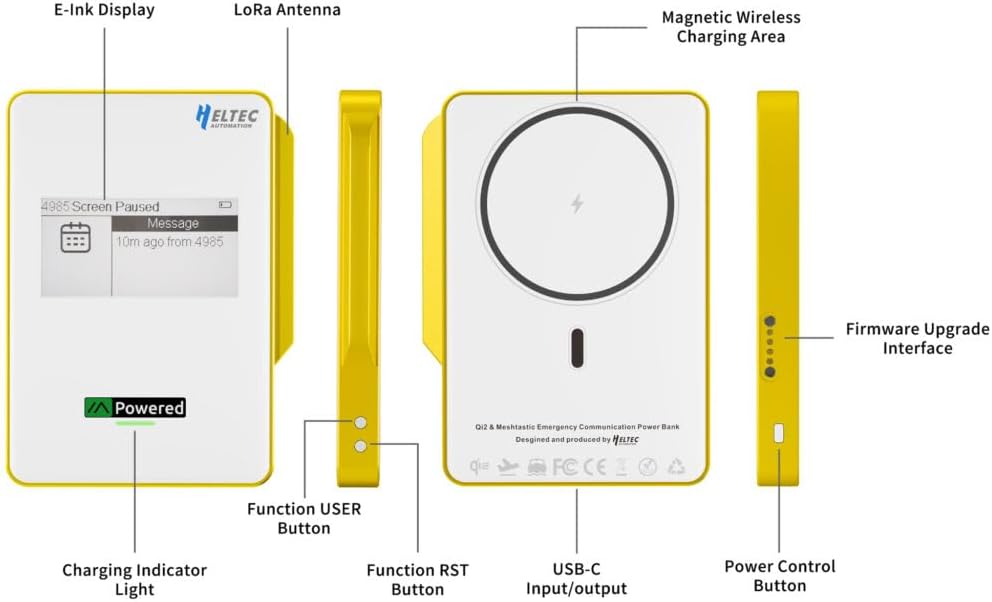
- E-Ink Display: Shows node status, battery level, and messages.
- LoRa Antenna: Integrated for Meshtastic communication.
- Magnetic Wireless Charging Area: For Qi2 compatible devices.
- Function USER Button: User-programmable button.
- Function RST Button: Reset button.
- USB-C Input/Output: For wired charging and data transfer.
- Power Control Button: To power on/off the device.
- Charging Indicator Light: Indicates charging status.
- Firmware Upgrade Interface: For updating device firmware.
2.3 Firmware Flashing (Meshtastic)
The device comes pre-loaded with Meshtastic firmware. For updates or custom firmware, follow these steps:
- Connect the MeshPocket to your computer using the magnetic charging cable.
- Open the official Meshtastic website flasher tool (flasher.meshtastic.org).
- Select the corresponding device model (Heltec MeshPocket) and click 'Flash'.
- Follow the on-screen instructions to enter DFU (Device Firmware Upgrade) mode. This typically involves pressing the RST button twice rapidly.
- In the web tool, select the connected device and load the corresponding firmware file.
- Copy the downloaded firmware file to the recognized USB drive (DFU mode) and wait for the flashing process to complete automatically.
- After flashing, the device will restart automatically.
2.4 App Pairing and Configuration
To use the Meshtastic features, pair the device with the Meshtastic app:
- Open the Meshtastic app on your smartphone.
- Pair with the device via Bluetooth. The device will appear as 'Meshtastic_XXXX'.
- After successful pairing, navigate to the settings within the app.
- Set the LoRa region according to your geographical location (e.g., United States, European Union 868MHz).
- Save the settings.
3. Operating Instructions
3.1 Powering On/Off
Press and hold the Power Control Button located on the side of the device to power it on or off.
3.2 Charging External Devices
The MeshPocket Qi2 functions as a dual-mode power bank, supporting both wireless and wired charging.
3.2.1 Magnetic Wireless Charging (Qi2)
Align your Qi2-compatible device (e.g., smartphone, wireless earbuds case) with the magnetic wireless charging area on the MeshPocket. The device will automatically begin charging at up to 15W. For non-magnetic devices, use the provided magnetic ring for secure attachment.

3.2.2 Wired Charging (USB-C)
Connect your device to the MeshPocket's USB-C port using a compatible USB-C cable. The MeshPocket supports simultaneous USB-C wired charging/discharging at 9V-2.22A.

3.3 Recharging the Power Bank
To recharge the MeshPocket, connect it to a power source using the USB-C cable. The charging indicator light will show the charging status. The device supports simultaneous charging of external devices while being recharged itself.
3.4 Meshtastic Communication
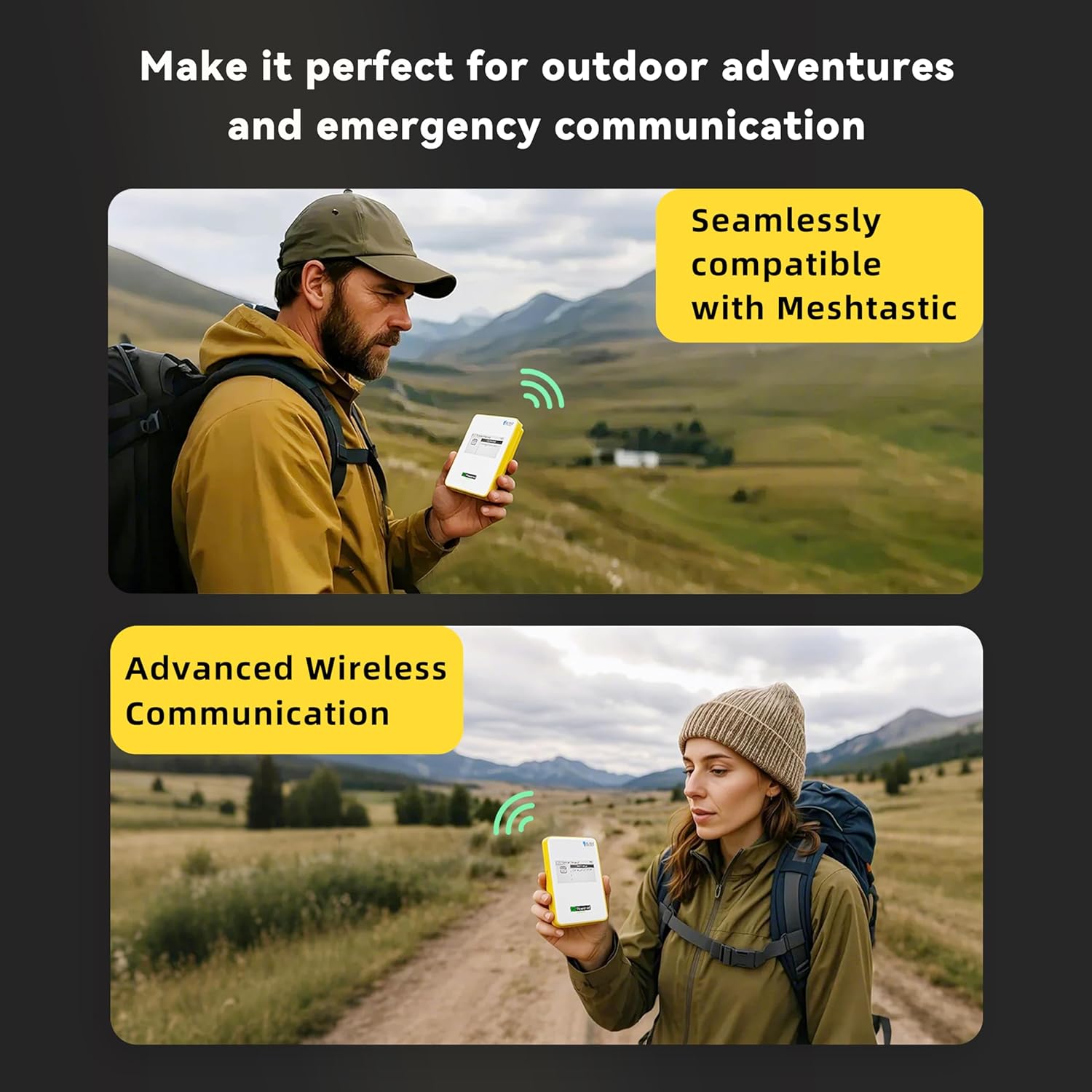
Once paired with the Meshtastic app and configured for your region, the MeshPocket acts as a Meshtastic node, enabling decentralized communication. Messages sent via the app will be transmitted through the LoRa network, displayed on the E-Ink screen, and relayed to other nodes within range.
4. Maintenance
To ensure the longevity and optimal performance of your Heltec MeshPocket Qi2, follow these general maintenance guidelines:
- Keep the device clean and free from dust and debris. Use a soft, dry cloth for cleaning.
- Avoid exposing the device to extreme temperatures, direct sunlight, or high humidity.
- Do not immerse the device in water or other liquids.
- Store the device in a cool, dry place when not in use.
- Avoid dropping or subjecting the device to strong impacts.
5. Troubleshooting
If you encounter issues with your MeshPocket Qi2, refer to the following common troubleshooting tips:
5.1 Charging Issues
- Device not charging wirelessly: Ensure your device is Qi2-compatible and properly aligned with the magnetic charging area. Remove any thick cases that might interfere with wireless charging.
- Device not charging via USB-C: Check the USB-C cable and port for damage. Try a different cable or power adapter. Ensure the MeshPocket itself has sufficient charge.
- MeshPocket not recharging: Verify the USB-C cable and power source are functional. The charging indicator light should illuminate when charging.
5.2 Meshtastic Connectivity Issues
- Unable to pair with app: Ensure Bluetooth is enabled on your smartphone and the MeshPocket is powered on. Restart both devices and try pairing again.
- No messages being sent/received: Verify that the LoRa region settings in the Meshtastic app match your geographical location. Check the device's E-Ink display for any error messages or low battery warnings. Ensure other Meshtastic nodes are within range.
- Firmware update failure: Double-check that the correct firmware file for your MeshPocket model was selected. Ensure the device entered DFU mode correctly (double-press RST button).
5.3 E-Ink Display Issues
- Display not updating: The E-Ink display consumes power only during updates. If information seems stale, try pressing the USER button to refresh the display or check for new messages in the Meshtastic app.
- Blank display: Ensure the device is powered on and has sufficient battery charge. If the issue persists, a firmware re-flash might be necessary.
6. Specifications
The following table outlines the technical specifications for the Heltec MeshPocket Qi2 Magnetic Power Bank (5000mAh Yellow model):
| Feature | Specification |
|---|---|
| Model Number | HT-298A-5000mAhYellow |
| Brand | Heltec Automation |
| Color | Yellow |
| Battery Capacity | 5000 Milliamp Hours (19.35Wh) |
| Battery Type | Lithium Polymer |
| USB-C Input/Output | Input: 9V-2.22A, 5V-3A | Output: 9V-2.22A, 5V-3A |
| Wireless Charging Output | 5W, 7.5W, 10W, 15W (Qi2 Standard) |
| RF Chipset | nRF52840 (BLE), SX1262 (LoRa) |
| Display | 2.13-inch E-Ink Screen |
| Item Weight | 140 Grams |
| Item Dimensions (L x W x Thickness) | 4.02" x 2.92" x 0.45" (102mm x 74.10mm x 11.50mm) |
| Operating Temperature | Charging: 0~45°C | Discharging: -10~45°C |
| Storage Temperature | -20°C~55°C |
| Shell Material | ABS, Tempered glass |
| Special Feature | Meshtastic-Compatible |


7. Warranty and Support
7.1 Product Warranty
The Heltec MeshPocket Qi2 Magnetic Power Bank comes with a 1-year manufacturer's warranty from the date of purchase. This warranty covers defects in materials and workmanship under normal use. It does not cover damage caused by misuse, accidents, unauthorized modifications, or external causes.
7.2 Technical Support
For technical assistance, troubleshooting, or inquiries regarding custom firmware development, please visit the official Heltec Automation website or contact their support channels. Heltec Automation provides developer-friendly resources and support for specialized projects.
You can find more information and contact details on the Heltec Automation Store on Amazon.


