
Introduction
Thank you for choosing the Wentronic Y05 Bluetooth Headphones. This manual provides essential information for setting up, operating, and maintaining your headphones to ensure optimal performance and longevity. Please read this manual thoroughly before using the product.
Package Contents
Verify that all items listed below are included in your package:
- Y05 Wireless Headphones
- USB-C Charging Cable
- 3.5mm Audio Cable
- User Manual

Image: Contents of the Wentronic Y05 headphone package, showing the headphones, charging cable, audio cable, and user manual.
Product Overview: Controls and Ports
Familiarize yourself with the various buttons and ports on your Y05 headphones:

Image: A close-up of the right earcup of the Wentronic Y05 headphones, illustrating the control buttons and ports. Labels indicate functions such as power on/off, volume up/previous track, play/pause/callback, volume down/next track, Type-C charging port, and 3.5mm jack for wired mode.
- Power Button: Long press to power on/off.
- Volume Up / Previous Track Button: Short press for previous track, long press for volume up.
- Play/Pause / Call Button: Short press to play/pause music. Double press to initiate callback.
- Volume Down / Next Track Button: Short press for next track, long press for volume down.
- Type-C Charging Port: For charging the headphones.
- 3.5mm Audio Jack: For wired audio connection.
- Microphone: Integrated for calls.
Setup
1. Charging the Headphones
Before first use, fully charge your headphones. Connect the supplied USB-C charging cable to the Type-C port on the headphones and the other end to a USB power source (e.g., computer USB port, wall adapter). The indicator light will show charging status and turn off when fully charged. A full charge provides approximately 48 hours of listening time.

Image: Wentronic Y05 headphones displayed on a desk, highlighting the 48-hour battery life for extended listening. The image also shows the headphones in a folded position.
2. Powering On/Off
- Power On: Long press the Power button until the indicator light flashes.
- Power Off: Long press the Power button until the indicator light turns off.
3. Bluetooth Pairing
- Ensure the headphones are powered off.
- Long press the Power button until the indicator light flashes blue and red alternately, indicating pairing mode.
- On your device (smartphone, tablet, laptop), enable Bluetooth and search for available devices.
- Select "Y05" from the list of found devices.
- Once paired, the indicator light will flash blue slowly.
The headphones feature Bluetooth 5.3 for stable, low-latency connections up to 50 feet. After the initial pairing, the headphones will automatically connect to your device when powered on, if Bluetooth is enabled on your device.
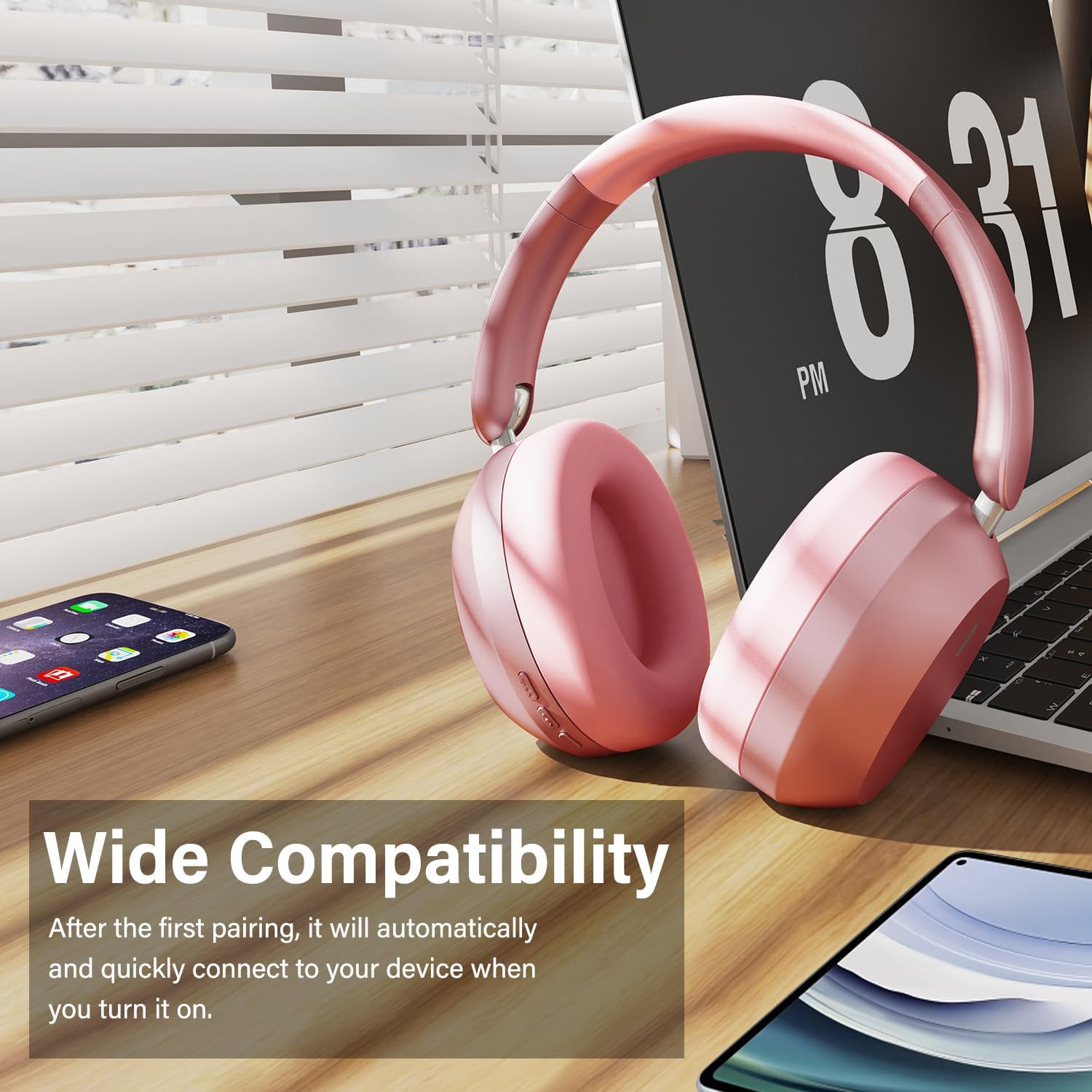
Image: Wentronic Y05 headphones positioned near a laptop, smartphone, and tablet, illustrating their wide compatibility with various Bluetooth-enabled devices.
4. Wired Mode Connection
To use the headphones in wired mode, connect one end of the 3.5mm audio cable to the audio jack on the headphones and the other end to your audio source. Wired mode can be used when the battery is low or when Bluetooth is not desired.
Operating Instructions
Music Playback
- Play/Pause: Short press the Play/Pause button.
- Next Track: Short press the Volume Down / Next Track button.
- Previous Track: Short press the Volume Up / Previous Track button.
- Volume Up: Long press the Volume Up / Previous Track button.
- Volume Down: Long press the Volume Down / Next Track button.
Call Management
- Answer/End Call: Short press the Play/Pause button.
- Reject Call: Long press the Play/Pause button.
- Callback: Double press the Play/Pause button.
The built-in microphone helps isolate your voice for clear phone calls by canceling unwanted external sound.

Image: A woman smiling while wearing white Wentronic Y05 headphones and holding a smartphone, illustrating the clear call quality provided by the built-in microphone.
Active Noise Cancellation (ANC)
The Y05 headphones feature Active Noise Cancellation. To activate or deactivate ANC, locate the dedicated ANC button (refer to the Product Overview section for button location). Press the button to toggle the ANC function. When ANC is active, it helps reduce ambient noise for a more immersive listening experience.

Image: A person wearing pink Wentronic Y05 headphones while using a tablet, with text indicating 'Active Noise Cancellation' and the ability to immerse oneself in their own world.
Maintenance and Care
- Cleaning: Use a soft, dry cloth to clean the headphones. Do not use abrasive cleaners or solvents.
- Storage: When not in use, store the headphones in a cool, dry place, away from direct sunlight and extreme temperatures. The foldable design allows for compact storage.
- Battery Care: To preserve battery life, avoid fully discharging the headphones frequently. Charge them regularly, even if not used for extended periods.
- Water Exposure: These headphones are not waterproof. Avoid exposure to water or excessive moisture.

Image: Hands folding the Wentronic Y05 headphones to fit into a bag, illustrating the travel-ready and space-saving design.
Troubleshooting
If you encounter issues with your Wentronic Y05 headphones, refer to the following common problems and solutions:
| Problem | Solution |
|---|---|
| Headphones do not power on. | Ensure the headphones are charged. Connect to a power source using the USB-C cable. |
| Cannot pair with a Bluetooth device. | Ensure headphones are in pairing mode (flashing blue/red). Turn off and on Bluetooth on your device. Move closer to the headphones. Clear previous Bluetooth connections on your device. |
| No sound or low volume. | Check volume levels on both headphones and your connected device. Ensure headphones are properly paired or the 3.5mm cable is fully inserted. |
| Sound quality is poor. | Move closer to your Bluetooth device to avoid interference. Try a different audio source or file. Ensure the 3.5mm cable is not damaged if in wired mode. |
| Microphone not working. | Ensure the headphones are connected and selected as the input device on your computer/phone. Check application microphone settings. |
Specifications
| Feature | Detail |
|---|---|
| Model Name | Y05 |
| Connectivity Technology | Wireless (Bluetooth 5.3) / Wired (3.5 mm Jack) |
| Headphones Jack | 3.5 mm Jack |
| Wireless Communication Technology | Bluetooth |
| Control Type | Button Control |
| Ear Placement | Over Ear |
| Form Factor | Over Ear |
| Noise Control | Sound Isolation (Active Noise Cancellation mentioned in images) |
| Battery Life | Up to 48 hours (listening time) |
| Driver Size | 40mm Dynamic Drivers |
| Material | Plastic (with memory-protein ear cushions) |
| Item Weight | 2.89 ounces (approx. 0.08 Kilograms) |
| Compatible Devices | Cellphones, Desktops, Laptops |
Warranty and Support
Wentronic products are designed for reliability and performance. For information regarding warranty coverage, please refer to the warranty card included with your purchase or the retailer's return policy. For technical support or further assistance, please contact Wentronic customer service through the official website or your point of purchase.
You can visit the Wentronic Store for more information: Wentronic Store on Amazon.