
1. Introduction
This manual provides essential information for the proper setup, operation, and maintenance of your TUOPUONE 10.2inch e-Paper (G) display. Please read these instructions carefully before use to ensure optimal performance and longevity of the product.
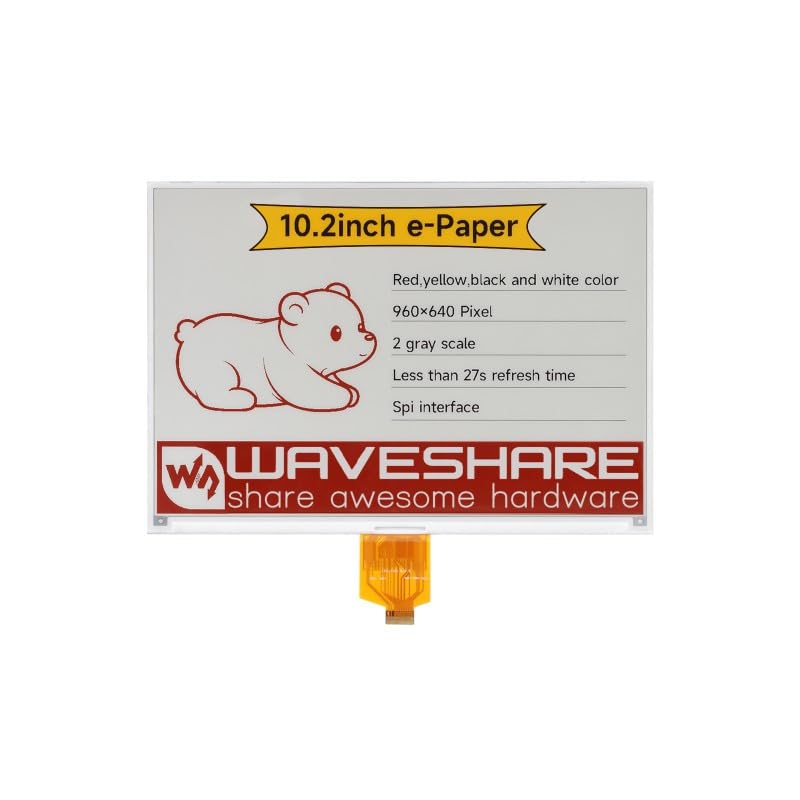
Image 1.1: Front view of the TUOPUONE 10.2inch e-Paper (G) display, showing the screen and flexible PCB connector.
2. Product Overview and Features
The TUOPUONE 10.2inch e-Paper (G) is an E-Ink display module designed for low-power applications requiring persistent display content. It features a 960x640 resolution and supports Red, Yellow, Black, and White display colors.
Key Features:
- No Backlight Required: The display retains its content indefinitely without power, offering excellent readability in ambient light.
- Ultra-Low Power Consumption: Power is primarily consumed only during display refresh cycles.
- Multi-Color Display: Capable of displaying Red, Yellow, Black, and White colors.
- High Resolution: 960x640 pixels for clear text and graphics.
- SPI Interface: Utilizes a 3-wire or 4-wire SPI interface for communication with host microcontrollers.
- Wide Viewing Angle: Offers a viewing angle greater than 170 degrees.

Image 2.1: Diagram highlighting the key characteristics of the 10.2-inch e-Paper display.
3. Package Contents
Verify that all items are present in your package:
- 1 x TUOPUONE 10.2inch e-Paper (G) Display
4. Setup and Hardware Connection
The 10.2inch e-Paper (G) display is a raw display module. It requires a compatible driver board or direct connection to a microcontroller (MCU) with appropriate voltage translation for operation.
4.1 Power Requirements:
- Raw Display: Operates at 3.3V.
- With Driver Board: Typically 3.3V or 5V, depending on the driver board used. Ensure your power supply matches the requirements of your driver board and display.
4.2 Interface Connection (SPI):
The display communicates via a Serial Peripheral Interface (SPI). It supports both 3-wire and 4-wire SPI configurations. Refer to the specific pinout of your driver board or microcontroller for correct connections.
- Connect the display's flexible PCB (FPC) to the corresponding connector on your driver board or directly to your MCU.
- Ensure proper alignment and secure connection of the FPC to prevent damage.
- If connecting to a microcontroller directly, ensure appropriate level shifters are used if the MCU operates at a different voltage than the display (e.g., 5V MCU to 3.3V display).
4.3 Online Development Resources:
The manufacturer provides online development resources, including e-Paper Driver HAT circuit diagrams and example code for popular platforms such as Raspberry Pi, Jetson Nano, Arduino, and STM32. These resources are crucial for software setup and initial display testing.
It is recommended to consult these resources for detailed wiring diagrams and programming examples specific to your chosen development platform.
5. Operating Principles
E-paper displays utilize electrophoretic technology to create images. Microcapsules containing charged white and black particles are suspended in a fluid. Applying an electric field causes the particles to move to the surface, making the pixel appear white or black. For multi-color displays like this model, additional colored particles (red, yellow) are used.
5.1 Display Refresh:
Unlike traditional LCDs, e-paper displays require a full refresh cycle to change content. During a refresh, the display consumes power to rearrange the particles. The full refresh time for this model is approximately 27 seconds. After a refresh, the image remains stable without consuming power.
5.2 Power Consumption:
The display exhibits ultra-low power consumption. Power is primarily drawn during the refresh process. In standby mode, the current consumption is extremely low, typically less than 0.01uA, making it suitable for battery-powered applications.
6. Care and Maintenance
Proper care ensures the longevity and performance of your e-Paper display.
6.1 Cleaning:
- Gently wipe the display surface with a soft, lint-free cloth.
- For stubborn marks, slightly dampen the cloth with distilled water. Avoid harsh chemicals, abrasive cleaners, or excessive moisture.
- Do not apply pressure directly to the display surface.
6.2 Storage:
- Store the display in a cool, dry environment, away from direct sunlight and extreme temperatures.
- Avoid bending or creasing the flexible PCB connector.
- Keep the display protected from dust and static discharge.
7. Troubleshooting
If you encounter issues with your e-Paper display, refer to the following common problems and solutions:
7.1 Display Not Refreshing or Blank:
- Check Power Supply: Ensure the display and driver board (if used) are receiving the correct voltage (3.3V for raw display, or 3.3V/5V with driver board).
- Verify Connections: Confirm that the flexible PCB is securely connected and all SPI pins (CS, DC, RST, BUSY, CLK, DIN) are correctly wired to your microcontroller or driver board.
- Review Code: Ensure your software initializes the display correctly, sends valid image data, and triggers the refresh command. Check for any errors in the SPI communication protocol.
- Busy Pin: The BUSY pin indicates when the display is refreshing. Your code should wait for the BUSY signal to clear before sending new commands or data.
7.2 Incorrect Colors or Partial Display:
- Data Format: Ensure the image data being sent matches the display's expected color format (e.g., byte order, color depth for red/yellow/black/white).
- Resolution Mismatch: Verify that the image resolution matches the display's native resolution (960x640 pixels).
- Refresh Cycle: A complete refresh cycle is necessary for proper color rendering. Ensure the full refresh sequence is executed.
7.3 Display Damage:
- Physical damage (cracks, pressure marks) can permanently affect the display. Handle with care.
- Incorrect voltage or reverse polarity can damage the display's internal circuitry.
8. Specifications
Detailed technical specifications for the TUOPUONE 10.2inch e-Paper (G) display:

Image 8.1: Overview of display features and specifications.
| Specification | Value |
|---|---|
| Operating Voltage (Raw Display) | 3.3V |
| Operating Voltage (With Driver Board) | 3.3V/5V |
| Display Color | Red/Yellow/Black/White |
| Interface | 3-wire SPI, 4-wire SPI |
| Grey Scale | 2 |
| Outline Dimensions (Raw Display) | 224.00 × 157.00 × 1.00 (mm) |
| Outline Dimensions (Driver Board) | 65.00 × 30.50 (mm) |
| Full Refresh Time | 27s |
| Display Size | 215.52 × 143.68 (mm) |
| Refresh Power | <100mW |
| Dot Pitch | 0.2245 × 0.2245 (mm) |
| Standby Current | <0.01uA (almost none) |
| Resolution | 960 × 640 pixels |
| Viewing Angle | >170° |
| Screen Size | 10.2 Inches |
| Aspect Ratio | 1.50:1 |
| Display Type | E-Paper |
| Item Weight | 0.06 Kilograms |
| Connectivity Technology | Ethernet (Note: This refers to the general category, actual display uses SPI) |

Image 8.2: Outline dimensions of the 10.2inch e-Paper (G) display.
9. Warranty Information
Specific warranty terms for the TUOPUONE 10.2inch e-Paper (G) display are typically provided by the seller or manufacturer at the time of purchase. Please retain your proof of purchase for any warranty claims.
For detailed warranty information, please contact the retailer or TUOPUONE directly.
10. Technical Support
For technical assistance, development resources, or further inquiries regarding your TUOPUONE 10.2inch e-Paper (G) display, please refer to the following:
- Online Development Resources: Access the provided online documentation, circuit diagrams, and code examples for various microcontrollers (Raspberry Pi, Jetson Nano, Arduino, STM32).
- Manufacturer's Website: Visit the official TUOPUONE website for product updates, FAQs, and support contact information.
- Seller Support: Contact the seller through your purchase platform for product-specific support.