
1. Introduction
Thank you for choosing the Toputure 4-in-1 Electric Folding Treadmill. This manual provides essential information for the safe assembly, operation, maintenance, and troubleshooting of your new fitness equipment. Please read this manual thoroughly before using the treadmill and retain it for future reference.
This treadmill is designed for home and office use, offering versatile workout options including walking and running modes, app connectivity, and a compact, foldable design for easy storage.
2. Safety Instructions
WARNING: To reduce the risk of serious injury, read all instructions before using this treadmill.
- Consult your physician before starting any exercise program, especially if you have pre-existing health conditions.
- Always place the treadmill on a solid, level surface with at least 2 meters (6.5 feet) of clear space behind it and 0.6 meters (2 feet) on each side.
- Keep children and pets away from the treadmill during operation.
- Wear appropriate exercise clothing and athletic shoes. Do not wear loose clothing that could get caught in moving parts.
- Ensure the safety key is properly attached to your clothing and the console before starting. In case of an emergency, the safety key will stop the treadmill.
- Do not operate the treadmill if it has a damaged cord or plug, or if it is not working properly.
- Never step on or off the treadmill while the belt is moving.
- Do not use the treadmill in damp or wet locations.
- Unplug the treadmill from the power outlet when not in use, before cleaning, and before performing maintenance.
- Do not attempt to service the treadmill yourself. Contact customer support for assistance.
3. Product Overview
The Toputure 4-in-1 Electric Folding Treadmill offers a versatile fitness solution with multiple modes and smart features.
Key Features:
- 2-in-1 Functionality: Use as a walking pad (1-8 km/h) or a running machine (1-16 km/h).
- Adjustable Incline: Manual incline up to 12% for varied workout intensity.
- Dual LED Display: Shows time, speed, calories, distance, and heart rate.
- 12 Preset Programs: Offers diverse training options.
- Heart Rate Monitor: Integrated sensors for real-time heart rate tracking.
- App Connectivity: Connects to fitness apps like "FITSHOW" via Bluetooth 5.0.
- Remote Control: Convenient control of speed and modes.
- Powerful & Quiet Motor: 2.5 HP motor supports up to 130 kg (286 lbs) with low noise.
- Spacious Running Belt: 1040 x 420 mm (40.9 x 16.5 inches) 7-layer anti-slip belt with silicone shock absorption.
- Compact & Portable: No installation required, foldable design with integrated transport wheels for easy storage.
Product Visuals:

Figure 3.1: Overview of the Toputure 4-in-1 Electric Folding Treadmill.

Figure 3.2: The treadmill supports both walking (0.6-5 MPH) and running (0.6-10 MPH) modes, adapting to various workout intensities.
Video 3.1: This video demonstrates the key features and functionality of the Toputure 4-in-1 Electric Folding Treadmill, including app connectivity, incline adjustment, LED display, powerful motor, folding mechanism, and remote control operation.
4. Setup
The Toputure treadmill is designed for minimal setup, requiring no complex installation.
- Unpack: Carefully remove the treadmill from its packaging. Retain packaging materials for potential future transport or returns.
- Placement: Place the treadmill on a firm, level surface. Ensure there is adequate clear space around the unit as specified in the safety instructions.
- Unfold (if applicable): If the treadmill is in its folded state, gently lift the handlebar assembly until it locks into the upright position. Ensure all locking mechanisms are securely engaged.
- Power Connection: Plug the power cord into a grounded electrical outlet. Ensure the power switch on the treadmill is in the OFF position before plugging it in.
- Safety Key: Locate the safety key and attach the clip to your clothing. Insert the magnetic end of the safety key into the designated slot on the console. The treadmill will not operate without the safety key in place.
5. Operating Instructions
5.1 Basic Operation

Figure 5.1: The multifunction LED display shows key workout metrics.
- Power On: Flip the main power switch located near the power cord inlet to the ON position. The console display will illuminate.
- Start: Ensure the safety key is in place. Press the 'START' button on the console or remote control. The treadmill will begin at a low speed (e.g., 1 km/h) after a short countdown.
- Adjust Speed: Use the '+' and '-' buttons on the console or remote control to increase or decrease the speed. The maximum speed is 16 km/h.
- Stop: Press the 'STOP' button on the console or remote control to gradually stop the treadmill. For an emergency stop, pull the safety key from the console.
- Pause: During a workout, press the 'PAUSE' button to temporarily stop the belt without resetting your workout data. Press 'START' again to resume.
5.2 App Connectivity (FITSHOW)

Figure 5.2: Connect your treadmill to the FITSHOW app for enhanced workout tracking and virtual routes.
- Download the "FITSHOW" app from your device's app store.
- Enable Bluetooth on your smartphone or tablet.
- Open the FITSHOW app and follow the on-screen instructions to pair with your treadmill.
- Once connected, you can control the treadmill, track your progress, and access various training routes through the app.
5.3 Incline Adjustment

Figure 5.3: The treadmill features a manual incline adjustment mechanism, allowing for up to 12% gradient.
This treadmill features a manual incline adjustment. To change the incline:
- Ensure the treadmill is stopped and unplugged for safety.
- Locate the incline adjustment pins or levers at the rear of the treadmill base.
- Adjust the support legs to the desired incline level (e.g., 1%, 6%, 12%). Refer to the markings on the treadmill for specific settings.
- Ensure both sides are adjusted equally and securely locked in place before resuming use.
5.4 Preset Programs
The treadmill includes 12 preset workout programs. To select a program:
- From standby mode, press the 'MODE' or 'PROGRAM' button on the console.
- Each press will cycle through the available programs (P1, P2, ..., P12).
- Once your desired program is displayed, press 'START' to begin the workout. The treadmill will automatically adjust speed and duration according to the program's profile.
5.5 Heart Rate Monitoring
To measure your heart rate:
- During your workout, gently grip the metal heart rate sensors on the handlebars with both hands.
- Hold for approximately 3 seconds. Your heart rate (BPM) will be displayed on the LED console.
- Note: Heart rate readings are for reference only and should not be used for medical purposes.
5.6 Folding and Storage

Figure 5.4: The treadmill features a compact folding design and integrated transport wheels for easy storage under furniture.
To fold the treadmill for storage:
- Ensure the treadmill is stopped and unplugged.
- Release the handlebar locking mechanism (if applicable) and gently lower the handlebar assembly towards the running deck until it is flat.
- Utilize the integrated transport wheels to move the folded treadmill to your desired storage location, such as under a sofa or bed.
6. Maintenance
Regular maintenance ensures the longevity and optimal performance of your treadmill.
- Cleaning: Wipe down the treadmill surfaces with a damp cloth after each use. Avoid using abrasive cleaners or solvents.
- Belt Lubrication: The running belt may require lubrication periodically (e.g., every 3-6 months, depending on usage). Refer to the specific instructions provided with your treadmill's lubricant or contact customer support for guidance.
- Belt Tension and Alignment: Check the running belt tension and alignment regularly. If the belt feels loose, slips, or drifts to one side, adjust it according to the instructions in the troubleshooting section or contact customer support.
- General Inspection: Periodically check all bolts and nuts for tightness. Ensure all components are secure.
- Power Cord: Inspect the power cord for any damage. If damaged, discontinue use and contact customer support.
7. Troubleshooting
If you encounter issues with your treadmill, refer to the following common problems and solutions:
| Problem | Possible Cause | Solution |
|---|---|---|
| Treadmill does not start. | Power cord unplugged, power switch off, safety key not in place, circuit breaker tripped. | Ensure power cord is securely plugged in. Turn main power switch ON. Insert safety key correctly. Check household circuit breaker. |
| Running belt slips or hesitates. | Belt too loose, belt needs lubrication, user weight exceeds limit. | Adjust belt tension (refer to maintenance section). Lubricate the belt. Ensure user weight is within the 130 kg limit. |
| Loud noise during operation. | Loose components, motor issue, belt friction. | Check and tighten all visible bolts and screws. Lubricate the belt if dry. If noise persists, contact customer support. |
| Inaccurate heart rate reading. | Improper grip on sensors, dry hands, electrical interference. | Ensure a firm, consistent grip on both sensors. Slightly moisten hands if dry. Avoid using near strong electromagnetic fields. |
If the problem persists after attempting these solutions, please contact Toputure customer support.
8. Specifications
| Feature | Detail |
|---|---|
| Brand | Toputure |
| Model | 4-in-1 Electric Folding Treadmill |
| Motor Power | 2.5 HP (Peak) |
| Speed Range | 1 - 16 km/h (0.6 - 10 mph) |
| Incline | Manual, up to 12% |
| Running Area | 1040 x 420 mm (40.9 x 16.5 inches) |
| Max User Weight | 130 kg (286 lbs) |
| Display | Dual LED (Time, Speed, Calories, Distance, Heart Rate) |
| Programs | 12 Preset Programs |
| Connectivity | Bluetooth 5.0, FITSHOW App |
| Material | Alloy Steel |
| Product Dimensions (Unfolded) | 126 x 72 x 110 cm (49.6 x 28.3 x 43.3 inches) |
| Product Dimensions (Folded) | Approx. 140 x 75 x 16 cm (55.1 x 29.5 x 6.3 inches) |
| Item Weight | 34.5 kg (76 lbs) |

Figure 8.1: Detailed dimensions of the treadmill's running area (1040mm x 420mm).
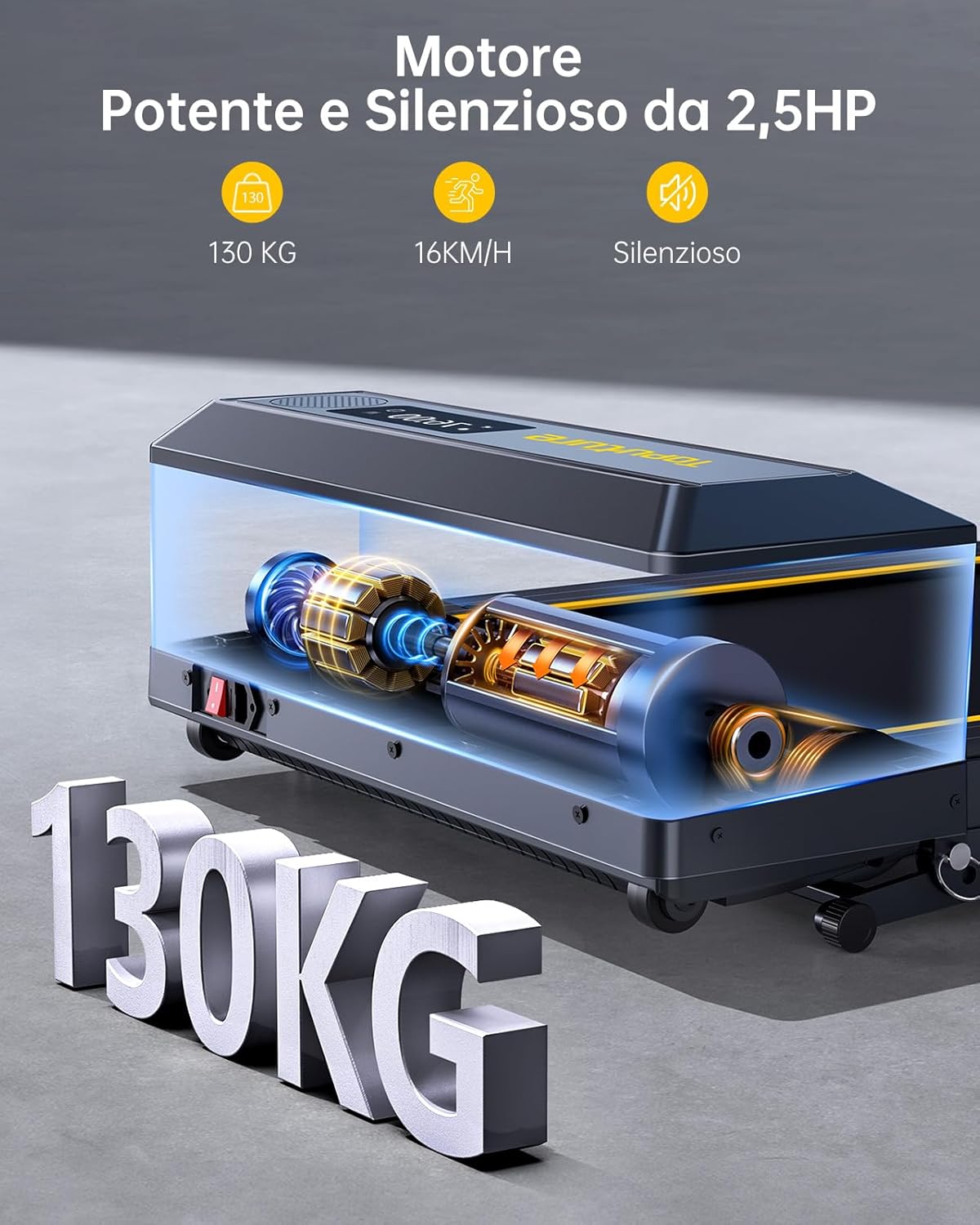
Figure 8.2: Illustration of the powerful 2.5 HP motor and 130 KG load capacity.
9. Warranty and Support
Toputure products are manufactured to high-quality standards and are backed by a limited warranty. For specific warranty details, please refer to the warranty card included with your product or visit the official Toputure website.
For technical assistance, parts replacement, or any questions regarding your treadmill, please contact Toputure customer support through the retailer where you purchased the product or via the contact information provided on the Toputure website.
Please have your model number and purchase date ready when contacting support.

