
1. Product Overview
The iBaby i20 is a smart baby monitor designed to provide comprehensive monitoring of an infant's well-being. It utilizes Yobi-PPG optical biosensing technology for contactless tracking of heart rate and breathing, eliminating the need for wearable accessories. The monitor features a 1080p WiFi camera with 360° view, night vision, two-way audio, lullaby playback, and various safety alerts.

Image 1: The iBaby i20 monitor with its floor stand, alongside a smartphone displaying the monitoring app interface.

Image 2: An infographic highlighting the key features of the iBaby i20, including contactless monitoring of breathing and heart rate, sleep analytics, no subscription requirement, safe zone alerts, a 1080p camera, two-way audio, and local storage via a 32GB TF card.
2. What's in the Box
- i20 Baby Monitor
- Floor Stand kit
- User Manual
- Power Adaptor
3. Setup Instructions
Setting up your iBaby i20 monitor is a straightforward process:
- Download the iBaby Home app from your device's app store.
- Register for an account within the app.
- Plug the iBaby i20 monitor into a power source using the provided power adapter.
- Scan the QR code displayed in the app to connect the monitor to your Wi-Fi network. The monitor supports dual-band Wi-Fi (2.4GHz & 5GHz) for stable connectivity.
- Position the monitor using the floor stand to ensure a clear view of the baby's face for accurate vital sign monitoring.
Video 1: This video demonstrates the setup process and how the iBaby monitor functions with its accompanying app, including heart rate monitoring.
4. Operating Instructions
4.1 Contactless Monitoring
The iBaby i20 uses Yobi-PPG optical biosensing technology to remotely track your infant's breathing and heart rate without any physical contact or wearable accessories. This technology detects pulse wave signals beneath the skin for seamless monitoring.

Image 3: A diagram explaining the AI Physiological Light Wave Contactless technology used by the iBaby i20 to monitor vital signs.
4.2 Camera Features
The monitor features a 1080p high-definition camera with a wide-angle view. It offers flexible positioning with 360-degree horizontal rotation and a 33-degree vertical tilt (upward and downward) via the app, allowing you to adjust the view as needed. Night vision ensures clear visibility even in complete darkness.

Image 4: The iBaby i20 monitor demonstrating its 360-degree rotation and tilt capabilities, controlled through the app.
4.3 Two-Way Audio & Lullabies
Utilize the crystal-clear two-way audio feature to communicate with your baby remotely. The monitor also includes an extensive library of built-in lullabies and background music to help soothe your baby to sleep.
4.4 App Interface
The iBaby Home app provides a user-friendly interface to access all monitor features, including live video feed, vital sign data, and settings adjustments. The app is free to use with no subscription fees.

Image 5: A detailed view of the iBaby Home app interface, showing live monitoring of a baby's heart rate, breathing rate, and activity.
Video 2: This video highlights how the iBaby monitor tracks a baby's breathing and heart rate, showcasing the contactless monitoring feature.
5. Sleep Analysis
The iBaby i20 monitors your baby's sleep patterns, including eye movements (open/close) and nighttime awakenings. It provides detailed sleep reports and practical advice to help improve sleep quality. The monitor also tracks breathing frequency, which can indicate sleep depth or an impending wake-up.

Image 6: The app displaying comprehensive sleep analysis, including sleep quality, duration, body movements, and environmental factors.

Image 7: The iBaby app providing instant notifications, sleep patterns, and historical health data for comprehensive monitoring.
6. Safety Alerts
The iBaby i20 provides customizable alerts to your phone for various events:
- Covered Baby's Head: Alerts if the baby's head is covered.
- Stirring or Crying: Notifies you when the baby stirs or cries.
- Temperature/Humidity: Alerts if room temperature or humidity deviates from the set range.
- Heart Rate/Breathing: Notifies if the baby's heart rate or breathing deviates from normal levels.
- Rollover Risk: Detects and alerts for potential rollover risks.
Important Note:
Heart rate, breathing, and sleep data require a clear view of the baby's face. If the face is hidden or turned away, vital signs will show as unavailable until visible again.
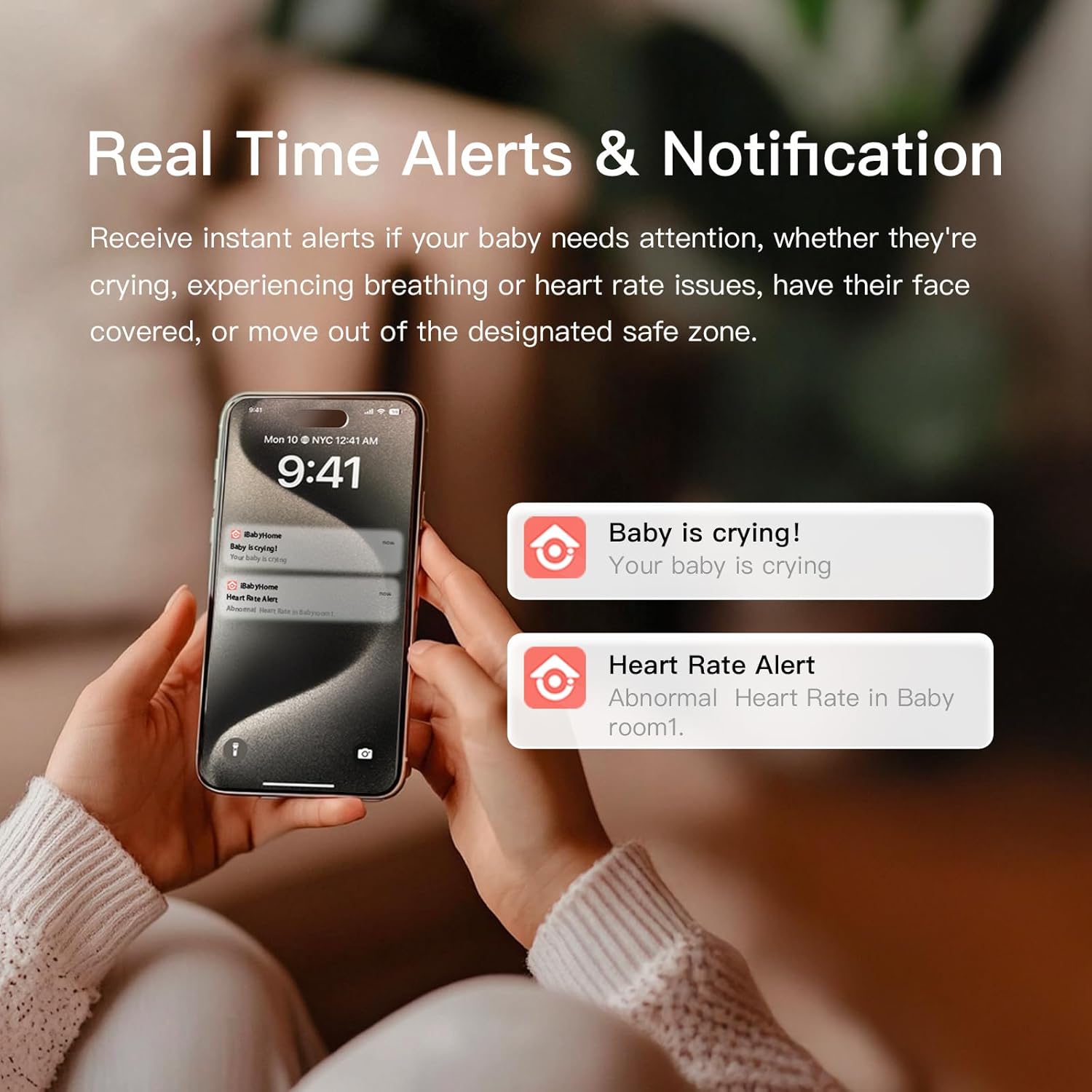
Image 8: The iBaby app sending real-time alerts and notifications to a smartphone.
7. Storage and Playback
The iBaby i20 includes 32GB of built-in storage, supporting 24-48 hour video playback locally. The storage can be expanded by replacing the TF card with a larger one (supports over 1TB).
8. Specifications
| Brand | iBaby |
| Model Number | i20 |
| Material | PCB, Plastic |
| Color | White |
| Compatible Devices | Smartphones |
| Product Dimensions | 3.3"L x 3.3"W x 5.5"H |
| Item Weight | 2 Pounds |
| Sensor Type | Optical (Yobi-PPG) |
| Manufacturer | iBaby Labs, Inc. |
| Wi-Fi Support | Dual-band (2.4GHz & 5GHz) |
9. Troubleshooting
If you encounter any issues with your iBaby i20 monitor, please consider the following general troubleshooting steps:
- Connectivity Issues: Ensure your Wi-Fi network is stable and the monitor is within range. Try restarting your router and the monitor. Verify that the iBaby Home app is updated to the latest version.
- No Vital Sign Data: Confirm that the monitor has a clear, unobstructed view of your baby's face. Adjust the monitor's position if necessary.
- App Not Responding: Close and reopen the iBaby Home app. If the issue persists, restart your smartphone.
- Image Quality: Ensure the camera lens is clean and free from dust or smudges. Check your internet connection speed.
For persistent problems, refer to the detailed troubleshooting section in the user manual or contact customer support.
10. Warranty and Support
The iBaby i20 Baby Monitor comes with a one-year warranty. For any questions, technical assistance, or warranty claims, please contact iBaby customer support. They are available 24/7 to assist you.
