
1. Introduction
This manual provides essential instructions for the safe operation, installation, maintenance, and troubleshooting of your Perfect Aire 8,500 BTU Compact Portable Air Conditioner, Model 3PORT8500A. Please read this manual thoroughly before operating the appliance and retain it for future reference. Proper use and maintenance will ensure optimal performance and extend the life of your unit.
Important Safety Information
- Always operate the unit on a stable, level surface.
- Ensure the power supply matches the unit's requirements (115V).
- Do not block air inlets or outlets.
- Keep children and pets away from the unit during operation.
- Unplug the unit before cleaning or servicing.
- Do not use extension cords.
2. Package Contents
Verify that all components are present and undamaged upon unpacking. If any items are missing or damaged, contact customer support.
- Perfect Aire Portable Air Conditioner Unit (Model 3PORT8500A)
- Remote Control
- Window Exhaust Kit (includes exhaust hose, window slider kit, and adapters)
- User Manual
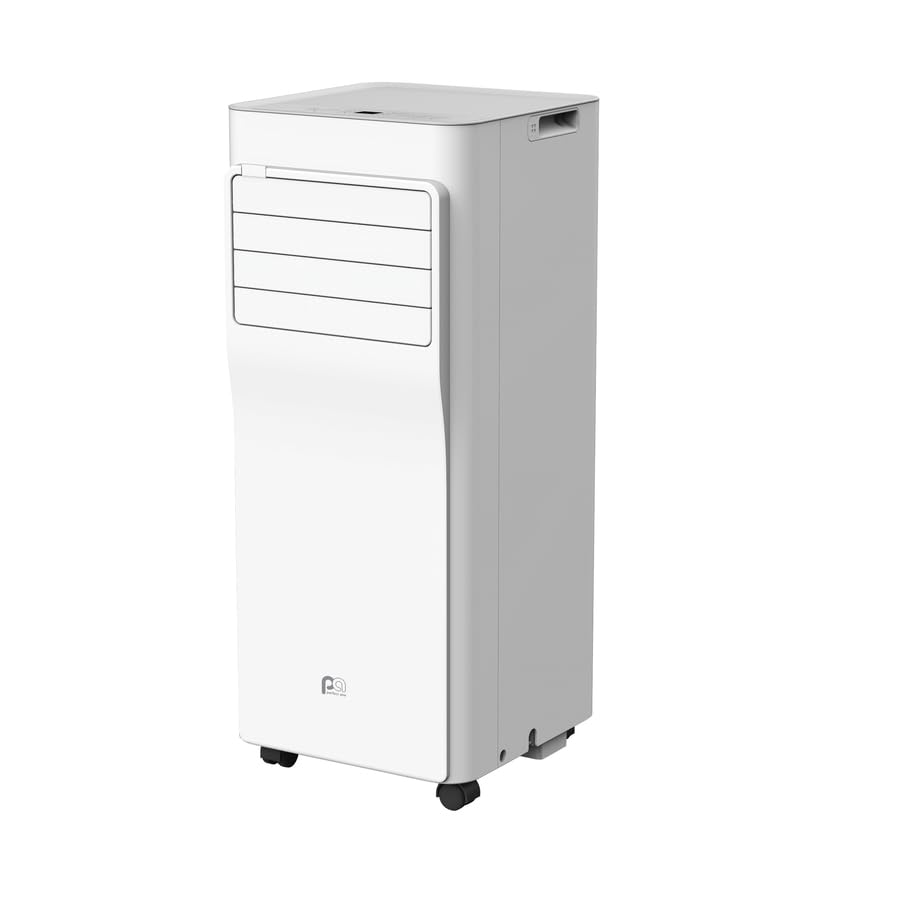
Figure 2.1: Perfect Aire 8,500 BTU Portable Air Conditioner Unit. This image displays the main portable air conditioner unit from a front-side perspective, highlighting its compact design and air vents.
3. Product Features
The Perfect Aire 3PORT8500A Portable Air Conditioner is designed with several features for efficient and convenient cooling:
- 8,500 BTU Cooling Capacity: Effectively cools areas up to 190 sq. ft.
- Compact Design: Features easy-roll casters for portability.
- Washable Filter: Easy-access, reusable filter for improved air quality.
- Multiple Operating Modes: Includes Cool, Fan, Dry, Auto, Sleep, and Energy-Saver modes.
- Two Fan Speeds: Adjustable fan speed for both cooling and fan-only operation.
- Low Noise Operation: Maximum 55 Decibels.
- Bucketless Drain System: Eliminates the need to manually empty condensed water.
- Auto Restart: Automatically resumes operation after a power outage.
- 24-Hour On/Off Timer: Programmable timer for scheduled operation.
- Full Function Remote Control: Includes "Follow Me" portable thermostat technology for precise temperature control.
4. Setup and Installation
4.1 Unit Placement
Place the portable air conditioner on a firm, level surface near a window and a grounded electrical outlet. Ensure there is at least 20 inches (50 cm) of clearance around the unit for proper airflow.
4.2 Window Kit Installation
- Adjust the window slider kit to fit your window opening. Secure it in place.
- Attach the exhaust hose to the unit's exhaust port.
- Connect the other end of the exhaust hose to the window slider kit adapter.
- Ensure all connections are secure to prevent air leakage.
4.3 Drainage Setup
This unit features a bucketless drain system, meaning condensed water is typically evaporated and expelled through the exhaust hose. In high humidity conditions, continuous drainage may be required. Refer to the full manual for instructions on connecting a drain hose if needed.
5. Operating Instructions
5.1 Control Panel
The control panel on top of the unit allows direct operation. It includes buttons for Power, Mode, Fan Speed, Temperature Up/Down, and Timer. The digital display shows the current temperature or timer settings.
5.2 Remote Control
The included remote control provides full functionality from a distance. It also features "Follow Me" technology, which uses a sensor in the remote to measure the ambient temperature at its location, providing more accurate temperature control in your immediate vicinity.

Figure 5.1: Perfect Aire Portable Air Conditioner Remote Control. This image shows the remote control with various buttons for power, mode selection, fan speed, temperature adjustment, sleep, timer, and the "Follow Me" function.
5.3 Operating Modes
- Cool Mode: Provides cooling. Set desired temperature and fan speed.
- Fan Mode: Circulates air without cooling. Select desired fan speed (High, Med, Low).
- Dry Mode (Dehumidify): Reduces humidity in the room. Fan speed is fixed to low.
- Auto Mode: Automatically selects cooling or fan-only operation based on the room temperature.
- Sleep Mode: Gradually increases the set temperature over time for comfortable sleep and energy saving.
- Energy-Saver Mode: Optimizes operation to reduce power consumption.
5.4 Timer Function
Use the Timer On/Off buttons on the remote or control panel to program the unit to turn on or off automatically after a set period (up to 24 hours).
6. Maintenance
Regular maintenance ensures efficient operation and extends the lifespan of your air conditioner. Always unplug the unit before performing any maintenance.
6.1 Air Filter Cleaning
The air filter should be cleaned every two weeks or more frequently depending on usage and air quality.
- Locate and remove the air filter from the back or side of the unit.
- Wash the filter with warm, soapy water. Rinse thoroughly.
- Allow the filter to air dry completely before reinstalling.
- Do not operate the unit without the filter installed.
6.2 Unit Cleaning
Wipe the exterior of the unit with a soft, damp cloth. Do not use harsh chemicals or abrasive cleaners, as these can damage the surface.
6.3 Seasonal Storage
Before storing the unit for an extended period:
- Drain any accumulated water from the unit (if applicable, refer to the full manual for drainage port location).
- Clean the air filter.
- Cover the unit with a plastic bag or cloth to protect it from dust.
- Store the unit in a cool, dry place.
7. Troubleshooting
Before contacting customer support, review the following common issues and their solutions:
| Problem | Possible Cause | Solution |
|---|---|---|
| Unit does not turn on. | No power, tripped circuit breaker, full water tank (if applicable). | Check power cord, reset breaker, empty water tank. |
| Insufficient cooling. | Dirty air filter, blocked air vents, open windows/doors, room too large. | Clean filter, clear vents, close windows/doors, ensure room size is within capacity. |
| Unit is noisy. | Unit not level, fan obstruction. | Place on a level surface, check for obstructions. |
| Remote control not working. | Dead batteries, obstruction between remote and unit. | Replace batteries, remove obstructions. |
8. Specifications
| Feature | Detail |
|---|---|
| Model Number | 3PORT8500A |
| Cooling Capacity | 8,500 BTU |
| Coverage Area | Up to 190 sq. ft. |
| Voltage | 115V |
| Max Decibels | 55 dB |
| Item Weight | 26 kg (57.32 lbs) |
| UPC | 842149002480 |
9. Warranty and Support
For warranty information or technical support, please refer to the warranty card included with your product or visit the official Perfect Aire website. Do not attempt to repair the unit yourself, as this may void the warranty.
Contact Information: Please refer to your product packaging or the Perfect Aire official website for the most current customer service contact details.


