
1. Introduction
The TODAAIR Outdoor WiFi Extender TD-MRT20 V20.01 is designed to expand your existing wireless network coverage outdoors. Featuring dual-band high-speed transmission and an IP65 weatherproof casing, this device ensures stable network connectivity in various outdoor environments. It supports both Repeater and Access Point (AP) modes, offering flexible solutions for diverse networking needs.
2. Package Contents
Please verify that all items are present in your package:
- Outdoor WiFi Extender x1
- Quick Installation Guide x1
- Power Adapter 12V/1A x1
- Plastic Cable Tie x1
- Stainless Steel Tie x1
If any items are missing or damaged, please contact customer support.
3. Product Overview
3.1 Key Features
- Dual-Frequency High-Speed Transmission: Supports 2.4GHz/300Mbps and 5GHz/867Mbps for stable network connection.
- Intelligent Reset (AI Watchdog): Automatically restarts and restores normal operation if faults or abnormalities occur.
- Two Working Modes: Functions as a Repeater or an Access Point (AP).
- Wide Compatibility: Compatible with various mainstream WiFi devices and routers.
- Enhanced Security: Supports WPA-PSK/WPA2-PSK and WPA/WPA2 wireless security protocols.
- Outdoor IP65 Weatherproof: Features a waterproof, lightning-proof, dust-proof, anti-freezing, high-temperature resistant, and corrosion-resistant shell.
- Easy Setup: Simple installation process with available video guides.
3.2 Physical Components and Indicators

Image Description: This image shows a close-up of the TODAAIR Outdoor WiFi Extender's bottom panel, detailing the ports. From left to right, there is a recessed 'RES' button for resetting the device, a 'LAN' Ethernet port, and a 'DC Power' input port. These ports are crucial for connecting the device to power and your network.
The device features LED indicators that provide status information. Refer to the Quick Installation Guide for specific indicator meanings during operation.
3.3 Design and Coverage
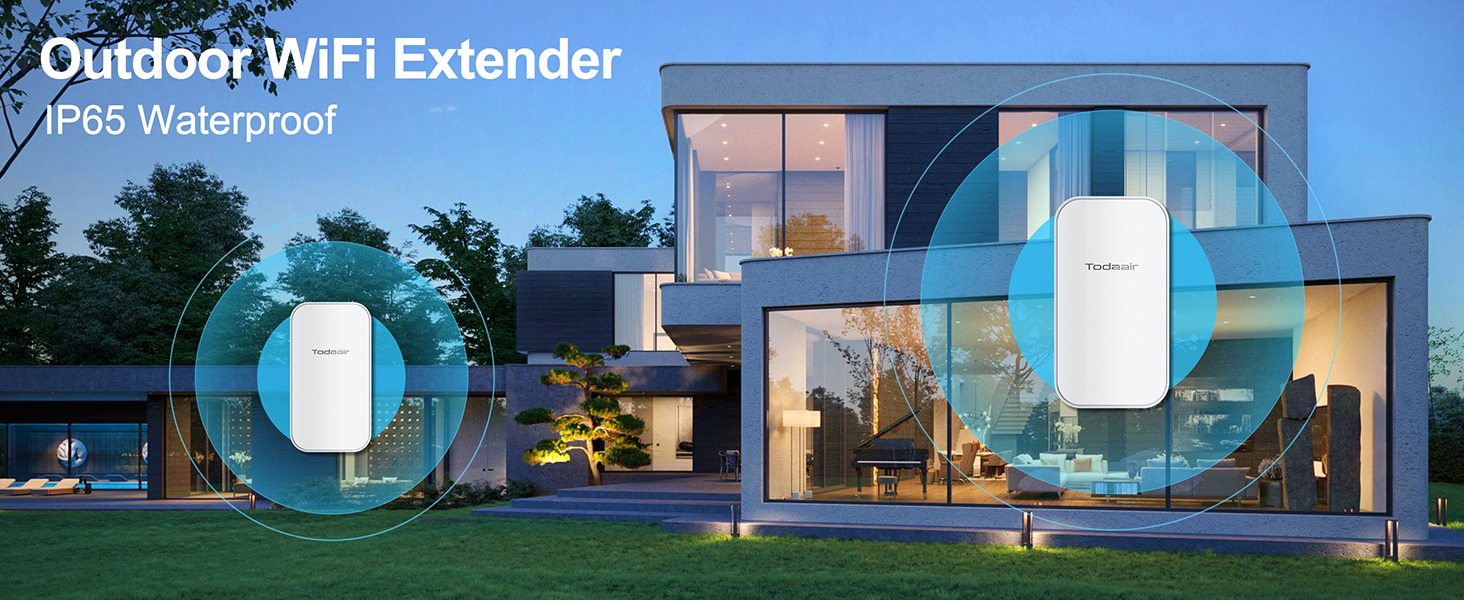
Image Description: This image displays the TODAAIR Outdoor WiFi Extender mounted on the exterior wall of a modern house, illustrating its intended use for extending WiFi coverage in outdoor living spaces.

Image Description: A diagram illustrating how the WiFi signal extends from a main router to the TODAAIR Outdoor WiFi Extender, demonstrating its capability to cover an area up to 300 feet, effectively eliminating dead zones.
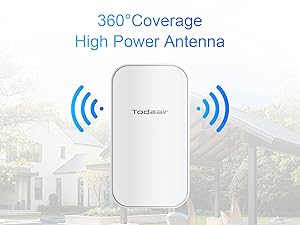
Image Description: This diagram shows the TODAAIR Outdoor WiFi Extender positioned outdoors, emitting a 360-degree WiFi signal, indicating its high-power antenna for broad coverage around a property.

Image Description: A conceptual image depicting a blue arrow breaking through a brick wall, symbolizing the WiFi extender's strong signal penetration capabilities to overcome physical obstacles.
4. Setup Guide
Follow these steps for initial setup of your TODAAIR Outdoor WiFi Extender:
- Power On: Connect the device to the DC power supply using the provided adapter. Wait approximately 40 seconds for the device to start up. The indicator lights will flash when ready for pairing.
- Connect to Extender Network: On your smartphone or computer, connect to the extender's default WiFi network (e.g., "TDair").
- Access Setup Page: Open a web browser and enter the default IP address (usually 192.168.10.1 or check the Quick Installation Guide) to access the setup page. Enter the default administrator password.
- Select Operating Mode: Choose between Repeater Mode or AP Mode based on your network requirements.
- Configure Network Settings: Follow the on-screen instructions to find your main router's network and enter its password. Set a new SSID and password for your extended network.
- Confirm Settings: Click 'Confirm' to apply the settings. The extender will restart and broadcast the new WiFi network.

Image Description: This image provides a visual step-by-step guide on a smartphone screen, demonstrating how to connect to the extender's network, locate the main router, and configure the new SSID and password for the extended WiFi.
For a visual guide, please refer to the unboxing and setup video:
Video Description: This unboxing video shows the contents of the TODAAIR Outdoor WiFi Extender package and provides initial assembly instructions, which can be helpful for the physical setup.
5. Operating Modes
The TODAAIR Outdoor WiFi Extender supports two primary operating modes:
5.1 Repeater Mode
In Repeater Mode, the extender wirelessly connects to your existing router and re-transmits the signal, effectively extending its range. This mode is ideal for expanding WiFi coverage to areas with weak signals.
5.2 Access Point (AP) Mode
In AP Mode, the extender connects to your router via an Ethernet cable and creates a new wireless network. This mode is suitable for converting a wired network connection into a wireless access point, providing a strong and stable WiFi signal in a specific area.
For a demonstration of operating modes, refer to this video:
Video Description: This video illustrates the different operating modes of the TODAAIR Outdoor WiFi Extender, including repeater and AP modes, showing how to configure and utilize each.
6. Installation
Proper installation is crucial for optimal performance and device longevity, especially for outdoor use.
6.1 Mounting Options
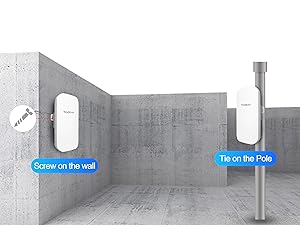
Image Description: This image illustrates two common mounting methods for the TODAAIR Outdoor WiFi Extender: securely screwing it onto a wall or using ties to attach it to a pole, providing flexibility for outdoor placement.
6.2 Placement Considerations
- Place the extender within the existing WiFi coverage area of your main router, but close enough to receive a strong signal.
- Avoid placing the extender near large metal objects, thick walls, or other electronic devices that may cause interference.
- Ensure the device is mounted securely and the protective cover for the ports is properly closed to maintain its IP65 weatherproof rating.
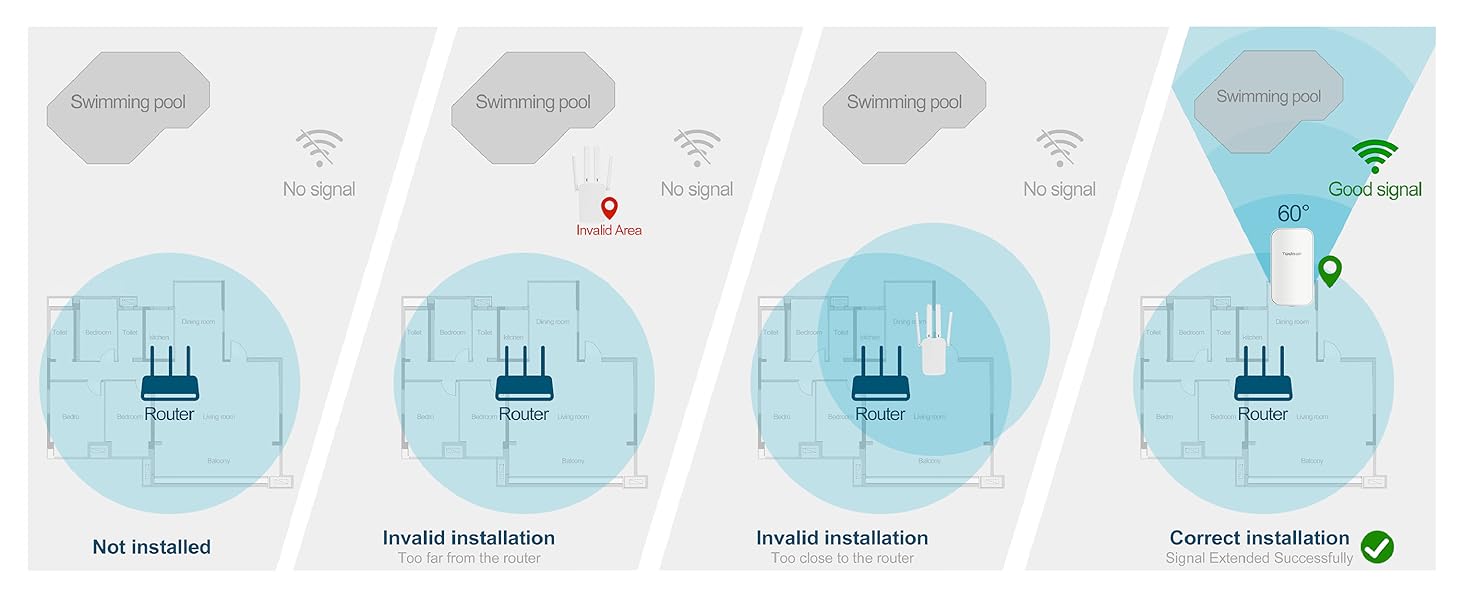
Image Description: This image provides visual examples of correct and incorrect placement strategies for the WiFi extender relative to the main router, emphasizing the importance of optimal positioning for effective signal extension.
6.3 Environmental Protection

Image Description: This image highlights the TODAAIR Outdoor WiFi Extender's robust IP65 weatherproof features, including its resistance to water, cold, dust, sun, lightning, and wind, making it suitable for harsh outdoor conditions.
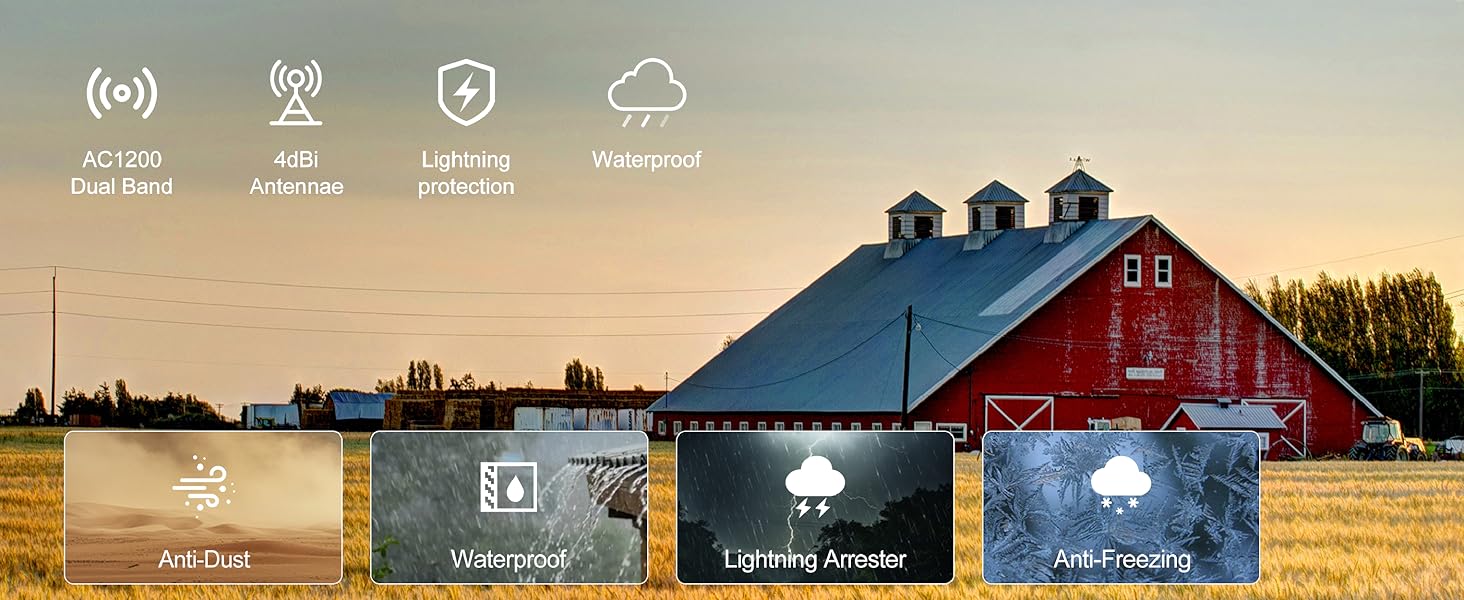
Image Description: An image set against a rural backdrop with a barn, showcasing the TODAAIR Outdoor WiFi Extender's comprehensive environmental resistance, including anti-dust, waterproof, lightning arrester, and anti-freezing capabilities.
7. Maintenance
To ensure the longevity and optimal performance of your TODAAIR Outdoor WiFi Extender, consider the following maintenance tips:
- Regular Cleaning: Periodically wipe down the exterior of the device with a soft, damp cloth to remove dust and dirt. Ensure no moisture enters the ports.
- Firmware Updates: Check the manufacturer's website for any available firmware updates. Keeping the firmware updated can improve performance, security, and add new features.
- Cable Inspection: Regularly inspect power and Ethernet cables for any signs of wear, damage, or corrosion, especially in outdoor installations. Replace damaged cables immediately.
- Secure Mounting: Periodically check that the device is securely mounted and that all ties or screws are tight.
- Protective Cover: Always ensure the protective cover for the ports is properly sealed when not in use to maintain the IP65 weatherproof rating.
8. Troubleshooting
If you encounter issues with your TODAAIR Outdoor WiFi Extender, try the following troubleshooting steps:
8.1 No Internet Connection / Weak Signal
- Check Power: Ensure the extender is properly powered on and the power adapter is securely connected.
- Relocate Extender: Move the extender closer to your main router to ensure it receives a strong initial signal. Avoid placing it in areas with many obstructions.
- Verify Router Connection: Ensure your main router is functioning correctly and providing internet access.
- Check Cables: If using AP mode, ensure the Ethernet cable is securely connected to both the extender and the router.
- Reset Device: Use a pin to press and hold the 'RES' button for 5-10 seconds to factory reset the extender. Then, reconfigure it following the setup guide.
8.2 Unable to Access Setup Page
- Confirm Connection: Ensure your device (smartphone/computer) is connected to the extender's default WiFi network.
- Verify IP Address: Double-check the IP address entered in the browser. It is typically 192.168.10.1.
- Clear Browser Cache: Clear your web browser's cache and cookies, or try a different browser.
- Disable VPN/Proxy: Temporarily disable any VPN or proxy services on your device.
8.3 Slow Speed
- Optimize Placement: Ensure the extender is placed optimally between your router and the desired coverage area.
- Reduce Interference: Move the extender away from other electronic devices, large metal objects, or thick walls.
- Band Selection: Connect devices that require higher speeds (e.g., streaming, gaming) to the 5GHz band, and other devices to the 2.4GHz band.
- Network Congestion: Reduce the number of devices connected to the extended network if possible.
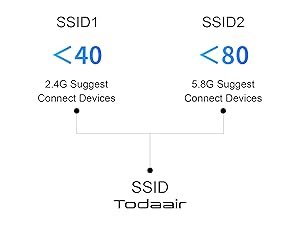
Image Description: This diagram provides recommendations for connecting devices to different SSIDs: the 2.4GHz band is suggested for fewer than 40 connected devices, while the 5.8GHz band is recommended for fewer than 80 devices to optimize performance.
For performance testing, refer to these videos:
Video Description: This video shows the TODAAIR Outdoor WiFi Extender undergoing performance tests in an outdoor environment, demonstrating its signal strength and stability.
Video Description: This video demonstrates the actual transmission distance and speed testing of the TODAAIR Outdoor WiFi Extender, providing real-world performance data.
9. Specifications
| Feature | Specification |
|---|---|
| Product Dimensions | 9 x 3 x 4 inches |
| Item Weight | 15.5 ounces |
| Item Model Number | TD-MRT20 V20.01 |
| Wireless Communication Standard | 802.11a/b/g/n/ac |
| Data Transfer Rate | 1200 Megabytes Per Second (Mbps) |
| Frequency Band Class | Dual-Band (2.4GHz & 5GHz) |
| Special Feature | Outdoor IP65 Waterproof, Repeater & AP Mode |
| Manufacturer | TODAAIR |
| Date First Available | May 6, 2025 |
10. Warranty and Support
TODAAIR is committed to providing high-quality products and customer satisfaction. If you encounter any problems during the installation or use of your WiFi Extender, please contact our professional technical support team. Our team is available to assist you with troubleshooting and resolving any issues you may experience.
Please refer to your purchase documentation or the official TODAAIR website for specific warranty details and contact information.
