
Introduction
Thank you for choosing the BoxWave ClearTouch Anti-Glare ToughShield 9H Screen Protector. This product is designed to provide superior protection for your device's screen, offering a high level of durability, clarity, and a comfortable user experience. This manual provides detailed instructions for installation, usage, and maintenance to ensure optimal performance and longevity of your screen protector.
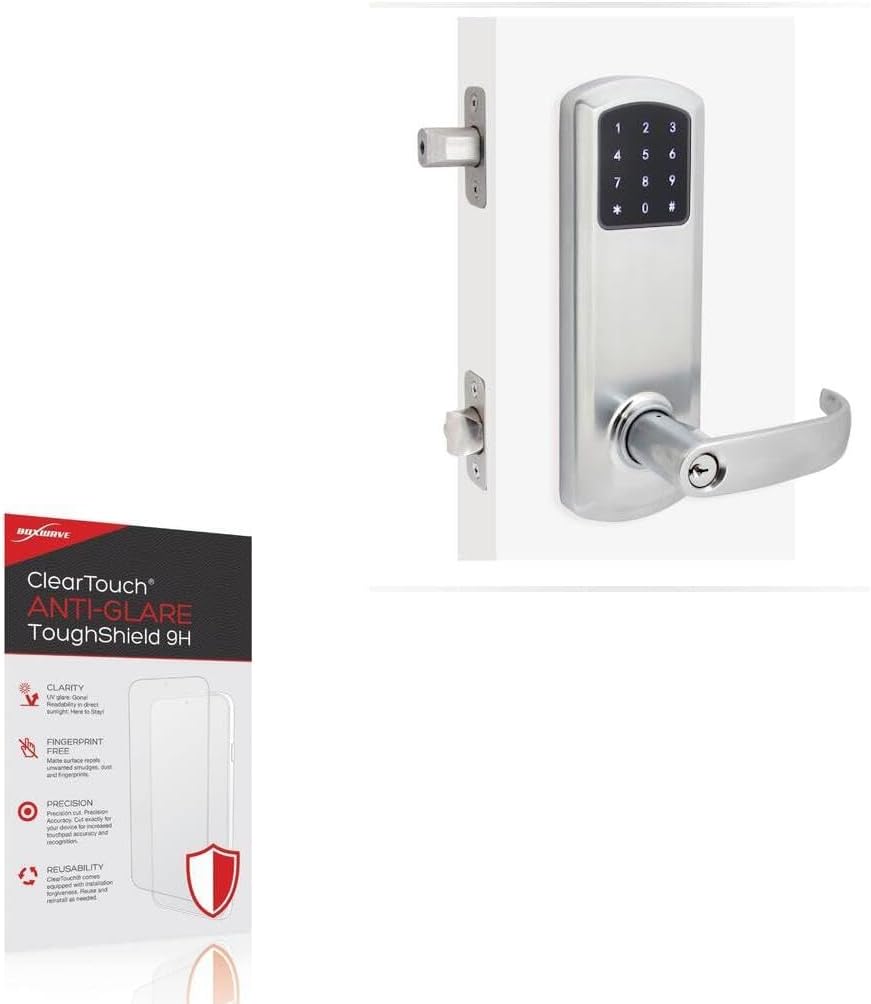
Image: BoxWave ClearTouch Anti-Glare ToughShield 9H Screen Protector packaging shown alongside a compatible TownSteel e-Genius 5990BLE device.
Product Overview
The ClearTouch Anti-Glare ToughShield 9H is engineered to protect your device's display from scratches, impacts, and glare. Key features include:
- 9H Hardness Rating: Provides robust protection against scratches and impacts, comparable to tempered glass but without the risk of chipping or cracking.
- Anti-Glare Surface: Diffuses light to significantly reduce glare, improving screen visibility in various lighting conditions and reducing eye strain.
- Fingerprint-Free: The matte surface repels smudges and fingerprints, keeping your screen clean.
- Paper-like Feel: Offers a unique tactile experience, making writing and drawing on your screen feel natural.
- Precision-Cut: Custom-designed for a perfect fit on your specific device, ensuring full functionality and access to all features.
- Two-Pack: Each package includes two screen protectors and necessary installation accessories.

Image: An infographic highlighting the key features of the screen protector: 9H hardness, anti-glare surface, inclusion of two protectors, and precise manufacturing.

Image: A visual comparison demonstrating the effectiveness of the anti-glare surface, showing reduced reflections on a device screen.
Package Contents
Your BoxWave ClearTouch Anti-Glare ToughShield 9H package includes:
- Two (2) ClearTouch Anti-Glare ToughShield 9H Screen Protectors
- One (1) Microfiber Cleaning Cloth
- One (1) Application Squeegee/Card

Image: The complete contents of the screen protector package, including two screen protectors, a cleaning cloth, and an application card.
Installation Guide
Follow these steps carefully for a bubble-free installation:
- Prepare Your Workspace: Choose a clean, dust-free environment. Wash your hands thoroughly to avoid transferring oils or dirt to the screen.
- Clean the Device Screen: Use the provided microfiber cleaning cloth to meticulously clean your device's screen. Ensure there are no dust particles, smudges, or fingerprints. For stubborn marks, a screen cleaner (not included) can be used, followed by drying with the cloth.
- Align the Screen Protector: Carefully peel back a small portion of the protective film from the adhesive side of the screen protector (usually marked '1' or 'Back'). Align the screen protector with your device's screen, paying close attention to cutouts for cameras, sensors, and buttons.
- Apply and Smooth: Once aligned, slowly peel off the rest of the protective film while simultaneously applying the screen protector to the device. Use the provided squeegee or a credit card wrapped in the microfiber cloth to gently push out any air bubbles towards the edges.
- Remove Top Film: Once the screen protector is fully adhered and smoothed, carefully peel off the top protective film (usually marked '2' or 'Front').
- Final Touches: Use the microfiber cloth to gently wipe down the newly installed screen protector. Small bubbles may disappear over 24-48 hours.
Usage and Benefits
Once installed, your BoxWave ClearTouch Anti-Glare ToughShield 9H screen protector enhances your device experience in several ways:
- Enhanced Readability: The anti-glare surface significantly reduces reflections from ambient light, making your screen easier to view outdoors or under bright indoor lighting.
- Improved Touch Experience: The smooth, matte surface provides a comfortable and responsive touch experience, ideal for navigation and interaction.
- Natural Writing/Drawing: For devices compatible with styluses, the paper-like texture offers a more natural feel when writing or drawing, enhancing precision and control.
- Reduced Fingerprints: The anti-smudge properties keep your screen looking cleaner for longer, minimizing the need for frequent wiping.

Image: A stylus interacting with a device screen, illustrating the paper-like feel provided by the screen protector for writing and drawing.

Image: A split screen comparison showing the effectiveness of the anti-smudge surface in repelling fingerprints compared to a standard screen.
Maintenance and Care
To maintain the clarity and effectiveness of your screen protector:
- Cleaning: Use the provided microfiber cloth to gently wipe the screen protector. For tougher smudges, slightly dampen the cloth with water or a mild, screen-safe cleaner. Avoid harsh chemicals or abrasive materials.
- Avoid Sharp Objects: While the screen protector offers 9H hardness, extreme pressure or very sharp objects can still cause damage.
- Reusability: The ClearTouch screen protector is designed to be reusable. If removed carefully, it can be reinstalled. Ensure the adhesive side remains clean during removal and reapplication.

Image: A demonstration of the screen protector's scratch-resistant properties, showing it withstands contact with a knife and keys.

Image: A visual representation contrasting the flexible and impact-resistant nature of the ClearTouch screen protector with the brittle, shattering characteristic of traditional glass protectors.
Troubleshooting
If you encounter any issues during or after installation, consider the following:
- Bubbles: Most small bubbles will disappear within 24-48 hours. For larger bubbles, gently lift the nearest edge of the screen protector and reapply, using the squeegee to push the air out. Ensure no dust is trapped underneath.
- Dust Particles: If dust is trapped under the protector, carefully lift the nearest edge and use a piece of tape to dab the dust particle off both the screen and the adhesive side of the protector. Reapply carefully.
- Misalignment: If the protector is significantly misaligned, gently peel it off completely, clean the screen again, and attempt reinstallation. The reusability feature allows for this.
- Reduced Touch Sensitivity: Ensure the screen protector is fully adhered without any air gaps. If issues persist, verify your device's touch settings.
Specifications
| Brand | BoxWave |
| Model Name | ClearTouch Anti-Glare ToughShield 9H |
| Compatible Device | TownSteel e-Genius 5990BLE |
| Material | Polyethylene Terephthalate |
| Hardness Rating | 9H |
| Screen Surface Description | Matte (Anti-Glare) |
| Item Weight | 0.7 ounces |
| Package Quantity | 2 Screen Protectors |
Warranty and Support
BoxWave products are designed for quality and performance. For any questions, concerns, or support needs regarding your ClearTouch Anti-Glare ToughShield 9H screen protector, please contact BoxWave Corporation directly. Refer to the product packaging or the official BoxWave website for contact information and details regarding their customer support and return policies.
For more information and product registration, visit: www.boxwave.com