
Introduction
Thank you for choosing the STARLYF Cold Air Portable Evaporative Air Conditioner. This 3-in-1 device provides cooling, humidification, and air purification for a fresher and healthier environment. Designed for ease of use and portability, it features a 5-liter water tank, three adjustable speeds, an oscillation function, and a convenient 7-hour timer with remote control. Please read this manual carefully before use to ensure proper operation and maintenance.
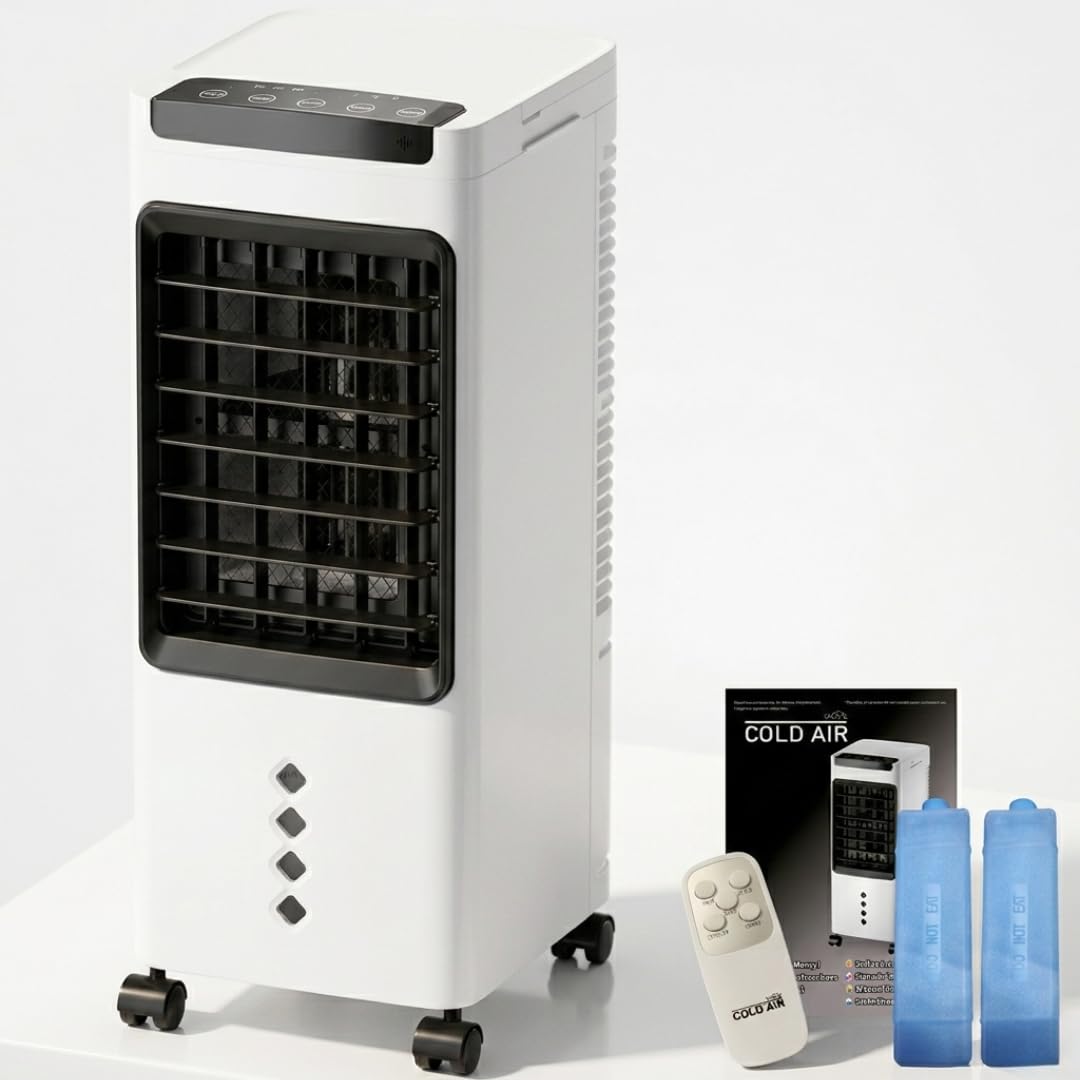
Image: The STARLYF Cold Air unit, showcasing its sleek design and top-mounted control panel with various function icons.
Setup
- Unpacking: Carefully remove the unit from its packaging. Ensure all components, including the main unit, remote control, and two ice packs, are present.
- Placement: Place the unit on a flat, stable surface. Its integrated wheels allow for easy movement to any room. Ensure there is adequate space around the unit for proper airflow.
- Filling the Water Tank: Pull out the 5-liter water tank located at the bottom rear of the unit. Fill it with clean, cool water. Do not exceed the 'MAX' fill line.
- Adding Ice Packs: For enhanced cooling, place the two included ice packs (after freezing them) into the water tank. This helps to lower the water temperature, providing colder air.
- Power Connection: Connect the power cord to a suitable electrical outlet. The unit is designed for 220-240V, 50Hz/60Hz, 60W operation.

Image: The STARLYF Cold Air unit positioned next to its remote control and two blue ice packs, illustrating the complete package contents.

Image: A diagram illustrating the process of removing the 5-liter water tank and inserting the ice boxes for improved cooling performance.
Operating Instructions
The STARLYF Cold Air unit can be operated using the control panel on top of the unit or the included remote control.
Control Panel & Remote Functions:
- Power On/Off: Press the ON/OFF button to turn the unit on or off.
- Speed Adjustment: Press the SPEED button to cycle through 3 fan speeds: Low, Medium, and High.
- Cooling Mode: Activate the evaporative cooling function by pressing the COOLER button. This engages the water pump and wet curtain for air cooling and humidification.
- Oscillation: Press the SWING button to activate the vertical oscillation of the front grille (left/right). Horizontal airflow can be manually adjusted.
- Timer: Set the automatic shut-off timer for up to 7 hours using the TIMER button.
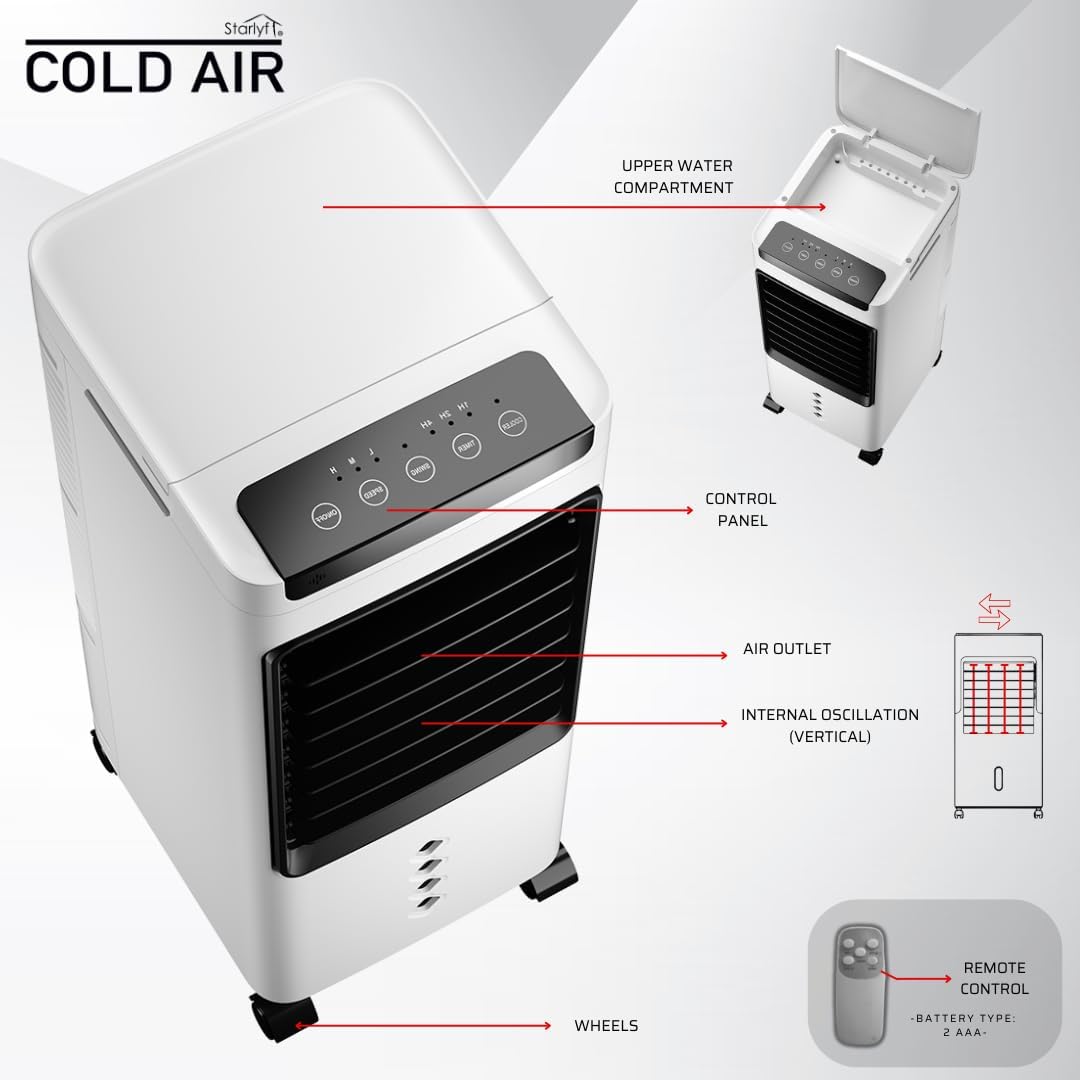
Image: An annotated diagram of the unit, pointing out the control panel, air outlet, internal vertical oscillation mechanism, integrated wheels, and the remote control with its battery type (2 AAA).
Key Features:
- 3-in-1 Functionality: Acts as an air cooler, humidifier, and air purifier.
- Evaporative Cooling: Draws in warm air, passes it through a wet curtain, and expels cool, humidified air.
- Quiet Operation: Operates at a low noise level of 35 dB for minimal disturbance.
- Portability: Equipped with integrated wheels and a compact design for easy movement between rooms.

Image: A visual representation of the unit's four primary functions: Cooler, Humidifier, Air Purifier, and Fan, alongside key electrical specifications.
Maintenance
Regular maintenance ensures optimal performance and longevity of your STARLYF Cold Air unit.
- Cleaning the Water Tank: Regularly empty and clean the water tank to prevent mold and mildew growth. Use a soft cloth and mild detergent, then rinse thoroughly.
- Cleaning the Air Filter/Wet Curtain: The air filter and wet curtain should be cleaned periodically. Refer to the diagram for removal. Gently rinse with water and allow to air dry completely before reinserting. Replace if heavily soiled or damaged.
- Exterior Cleaning: Wipe the exterior of the unit with a soft, damp cloth. Do not use abrasive cleaners or solvents.
- Storage: If storing the unit for an extended period, ensure the water tank is empty and dry, and the unit is clean. Store in a cool, dry place.
Troubleshooting
| Problem | Possible Cause | Solution |
|---|---|---|
| Unit does not turn on | No power supply; Power button not pressed | Check power cord connection and outlet; Press the ON/OFF button. |
| No cool air | Water tank empty; Ice packs not used/frozen; Cooling mode not activated | Fill water tank; Freeze and add ice packs; Activate COOLER mode. |
| Weak airflow | Fan speed too low; Air filter/wet curtain clogged | Increase fan speed; Clean or replace air filter/wet curtain. |
| Unusual noise | Unit not on a flat surface; Obstruction in fan; Low water level | Place on a flat surface; Check for obstructions; Refill water tank. |
Specifications
| Feature | Detail |
|---|---|
| Brand | STARLYF |
| Model Name | Cold Air |
| Part Number | FRESH12 |
| UPC | 644812064814 |
| Functions | Cooling, Humidification, Air Purification |
| Material | Plastic |
| Color | White |
| Tank Capacity | 5 Liters |
| Power (Wattage) | 60 Watts |
| Noise Level | 35 Decibels |
| Number of Speeds | 3 |
| Timer | Up to 7 hours |
| Controls | Button, Remote Control |
| Oscillation | Vertical (automatic), Horizontal (manual) |
| Dimensions (D x W x H) | 24 x 21 x 53 Centimeters |
| Weight | 3 Kilograms |
| Components Included | 2 Ice Packs, Remote Control |
Warranty and Support
For warranty information and customer support, please refer to the documentation provided with your purchase or contact your retailer. Keep your proof of purchase for any warranty claims.
For further assistance, please visit the STARLYF official website or contact their customer service department.
