
KNKA CS06
KNKA Dehumidifier User Manual
Model: CS06
Product Overview
The KNKA CS06 Dehumidifier is designed to efficiently remove excess moisture from the air, improving comfort and air quality in various indoor environments. It features a 95 oz water tank, quiet operation, auto shut-off, and a 7-color LED light.
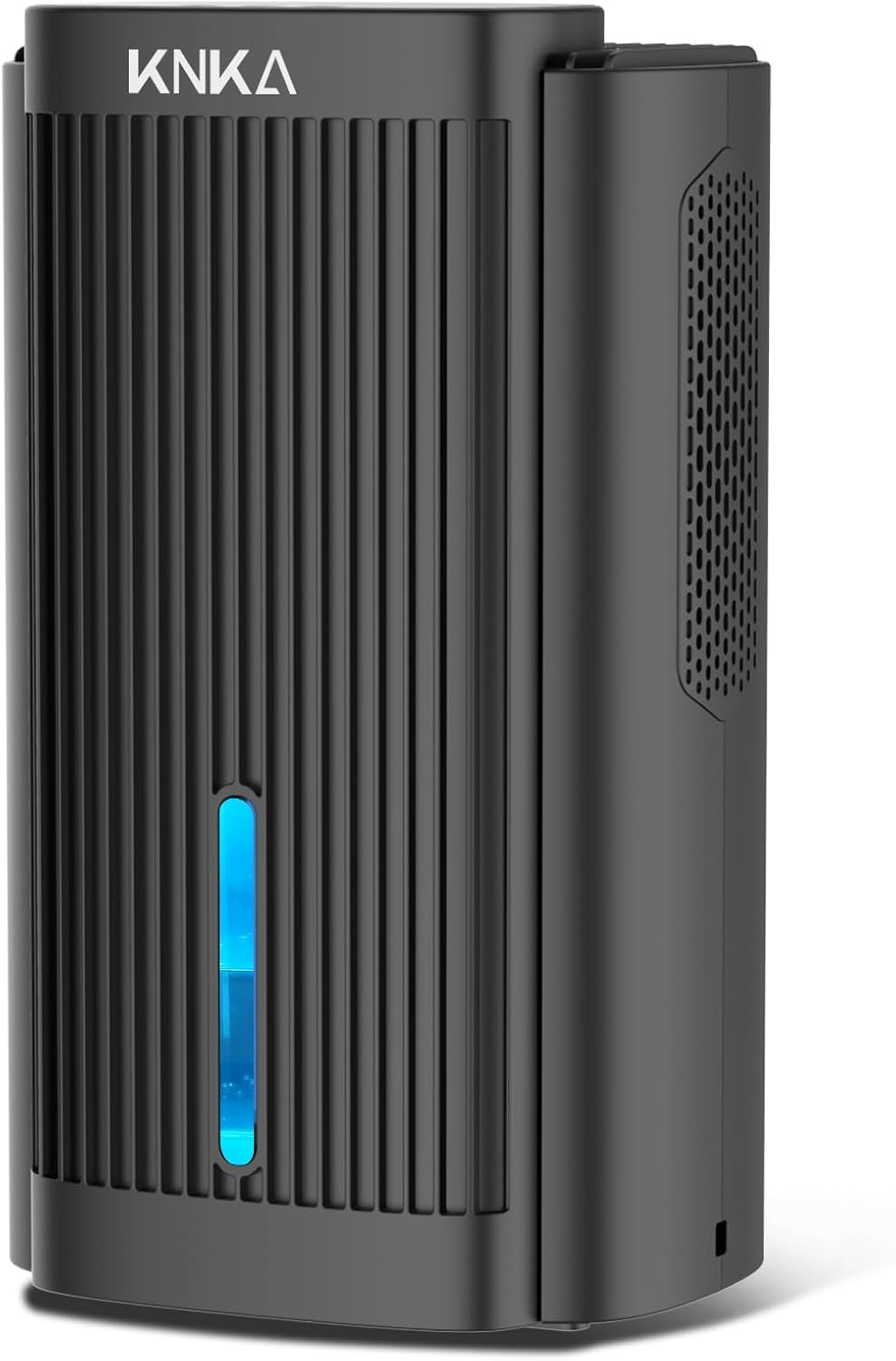
Figure 1: Front view of the KNKA CS06 Dehumidifier, showcasing its sleek black design and visible water level indicator with blue LED light.
Setup
- Unpacking: Carefully remove the dehumidifier and all packaging materials from the box. Inspect the unit for any signs of damage.
- Placement: Place the dehumidifier on a flat, stable surface in the desired location. Ensure there is adequate space around the unit (at least 6 inches) for proper air circulation. This dehumidifier is suitable for areas up to 1000 sq. ft., ideal for bathrooms, basements, bedrooms, RVs, closets, and other small to medium-sized spaces.
- Power Connection: Plug the power adapter into the dehumidifier's power port, then plug the other end into a standard electrical outlet (100-240V AC, 50/60Hz).

Figure 2: The KNKA CS06 Dehumidifier shown in different environments, including a bathroom, RV, basement, living room, bedroom, and wardrobe, illustrating its versatility.
Operating Instructions
Control Panel Overview
The control panel is located on the top of the unit and features intuitive touch buttons for easy operation.

Figure 3: Close-up of the control panel on top of the KNKA CS06 Dehumidifier, showing the power, sleep mode, and light control buttons.
- Power Button (⏻): Press to turn the dehumidifier ON or OFF.
- Sleep Mode Button (🌙): Activates or deactivates Sleep Mode. In Sleep Mode, the fan speed is reduced to approximately 30 decibels for quieter operation, and the LED lights automatically turn off, ensuring a disturbance-free environment.
- Light Control Button (💡): Cycles through 7 different LED light colors. Press once to change color, press again to lock the current color, or press and hold to turn the lights off completely. The LED light also serves as a functional indicator.
Dehumidification Performance
The KNKA CS06 Dehumidifier is capable of absorbing up to 40 ounces (approximately 1100ml) of excess moisture per day (tested at 86°F, 80% Relative Humidity). It effectively maintains room humidity between 45%-65%, which is the recommended range for human comfort (40%-60%).

Figure 4: Illustration showing the dehumidification effectiveness, reducing humidity from 80% to 45% and covering an area of 850 sq. ft.
Auto Shut-Off Protection
The unit is equipped with a smart auto shut-off function. When the 95-ounce water tank is full or incorrectly positioned, the dehumidifier will automatically stop operating to prevent water overflow. A red LED light will illuminate, and an audible alert will sound to indicate that the tank needs to be emptied or re-positioned correctly.

Figure 5: Visual representation of the auto shut-off feature, showing the unit working normally with a blue light and indicating a full water tank with a red light.
Maintenance
Emptying the Water Tank
- When the water tank is full, the dehumidifier will automatically shut off, and the LED light will turn red.
- Carefully pull out the water tank from the back of the unit.
- Empty the collected water into a sink or drain.
- Slide the empty water tank back into the dehumidifier until it clicks securely into place. The unit will resume operation.

Figure 6: Diagram illustrating the dimensions of the dehumidifier (13.78in H x 7.95in W x 6.22in D) and the 95 oz water tank capacity, showing how it absorbs 40oz/day.
Cleaning
- Exterior Cleaning: Wipe the exterior of the dehumidifier with a soft, damp cloth. Do not use abrasive cleaners or solvents.
- Water Tank Cleaning: Periodically clean the water tank with mild soap and warm water to prevent mold or mildew buildup. Rinse thoroughly before reinserting.
- Air Inlet/Outlet: Ensure the air inlet and outlet grilles are free from dust and debris to maintain optimal performance. Use a soft brush or vacuum cleaner to gently clean them.
Troubleshooting
| Problem | Possible Cause | Solution |
|---|---|---|
| Dehumidifier does not turn on. | Not plugged in; power outage; water tank full or incorrectly positioned. | Ensure unit is properly plugged in. Check power supply. Empty and correctly re-position the water tank. |
| Dehumidifier is running but not collecting water. | Room humidity is too low; temperature is too low (below 59°F / 15°C); air inlets/outlets are blocked. | Ensure room humidity is above 45% and temperature is above 59°F (15°C). Clear any obstructions from air grilles. |
| Unit makes unusual noise. | Unit not on a stable surface; internal component issue. | Place the unit on a flat, stable surface. If noise persists, contact customer support. |
| Red light is on and unit is beeping. | Water tank is full or incorrectly positioned. | Empty the water tank and ensure it is securely re-inserted. |
If the problem persists after attempting the above solutions, please contact KNKA customer support for assistance.
Specifications
| Feature | Detail |
|---|---|
| Brand | KNKA |
| Model Name | CS06 dehumidifiers |
| Floor Area Coverage | Up to 1000 Square Feet |
| Dehumidification Capacity | 40 oz (1.1 Liters) per Day (Tested at 86°F, 80% RH) |
| Water Tank Capacity | 95 Fluid Ounces |
| Product Dimensions | 6.22"D x 7.94"W x 13.78"H |
| Item Weight | 5.9 Pounds |
| Color | Black |
| Material | Plastic |
| Wattage | 80 watts |
| Special Features | Anti-Spill, Automatic Shutoff, 7-Color Night Lights, Quiet Operation, Sleep Mode |
| Recommended Uses | Residential |
Warranty & Support
For detailed warranty information and customer support, please refer to the warranty card included with your product or visit the official KNKA website. You may also contact KNKA customer service directly for any inquiries or assistance with your dehumidifier.
KNKA Customer Service: Please refer to your product packaging or the official KNKA website for the most current contact information.
Related documentsCS06

Ask a question about this manual
Ask about setup, troubleshooting, compatibility, parts, safety, or missing instructions. Manuals+ will review the question and use this page’s manual context to help answer it.