
1. Introduction
Thank you for choosing MZYMI Bone Conduction Headphones. These open-ear headphones utilize advanced bone conduction technology to deliver audio through your cheekbones, allowing you to enjoy music while remaining aware of your surroundings. Designed for comfort and durability, they are ideal for various activities including running, cycling, and workouts.
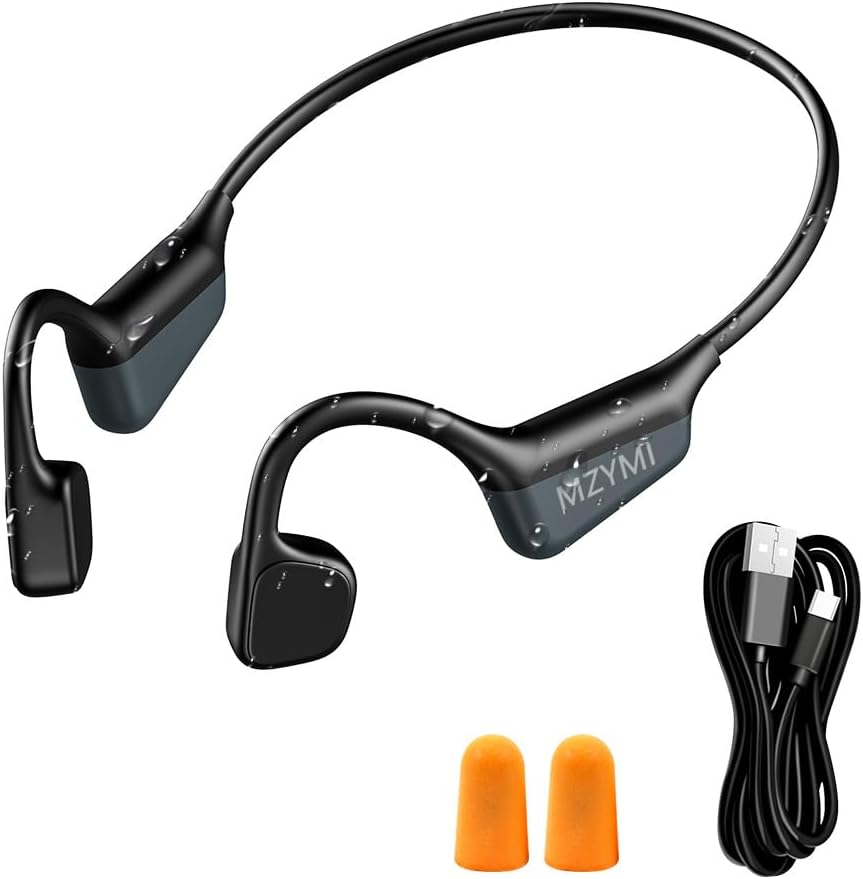
Image: MZYMI Bone Conduction Headphones, showing the headset, a USB-C charging cable, and a pair of orange earplugs.
2. Package Contents
Please verify that all items are present in your package:
- MZYMI Bone Conduction Headphones
- USB-C Charging Cable
- Pair of Earplugs
- English User Manual
- Storage Bag

Image: The MZYMI Bone Conduction Headphones, its retail box, a USB-C charging cable, a pair of earplugs, an English manual, and a storage bag laid out on a blue surface.
3. Product Overview & Controls
Familiarize yourself with the headphone components and control buttons.

Image: A diagram illustrating the MZYMI Bone Conduction Headphones with labels pointing to the Type-C Charging Port, Microphone, and control buttons for power, volume, and track control.
Control Functions:
- Power On/Off: Long press the Power button for 5 seconds.
- Play/Pause: Single click the Power button.
- Volume Up: Short press the '+' button.
- Volume Down: Short press the '-' button.
- Next Track: Double click the '+' button.
- Previous Track: Double click the '-' button.
- Answer/End Call: Single click the Power button.
- Reject Call: Long press the Power button for 1 second.
- Voice Assistant: Triple click the Power button.
4. Setup
4.1. Charging the Headphones
Before first use, fully charge your headphones. The headphones support safe and stable Type-C fast charging.
- Connect the USB-C charging cable to the charging port on the headphones.
- Connect the other end of the cable to a USB power adapter (not included) or a computer's USB port.
- The LED indicator will show charging status (refer to the manual for specific light indications).
- A full charge takes approximately 2.5 hours and provides up to 15 hours of playtime.
4.2. Bluetooth Pairing
Pair your headphones with your device to begin listening.
- Ensure the headphones are powered off.
- Press and hold the Power button for 5 seconds until the LED indicator flashes red and blue alternately, indicating pairing mode.
- On your device (smartphone, tablet, computer), enable Bluetooth and search for available devices.
- Select "MZYMI" from the list of found devices.
- Once connected, the LED indicator will turn solid blue or flash slowly.
4.3. Multipoint Connection
The headphones support connecting to two Bluetooth devices simultaneously, allowing seamless switching between a laptop and a smartphone.
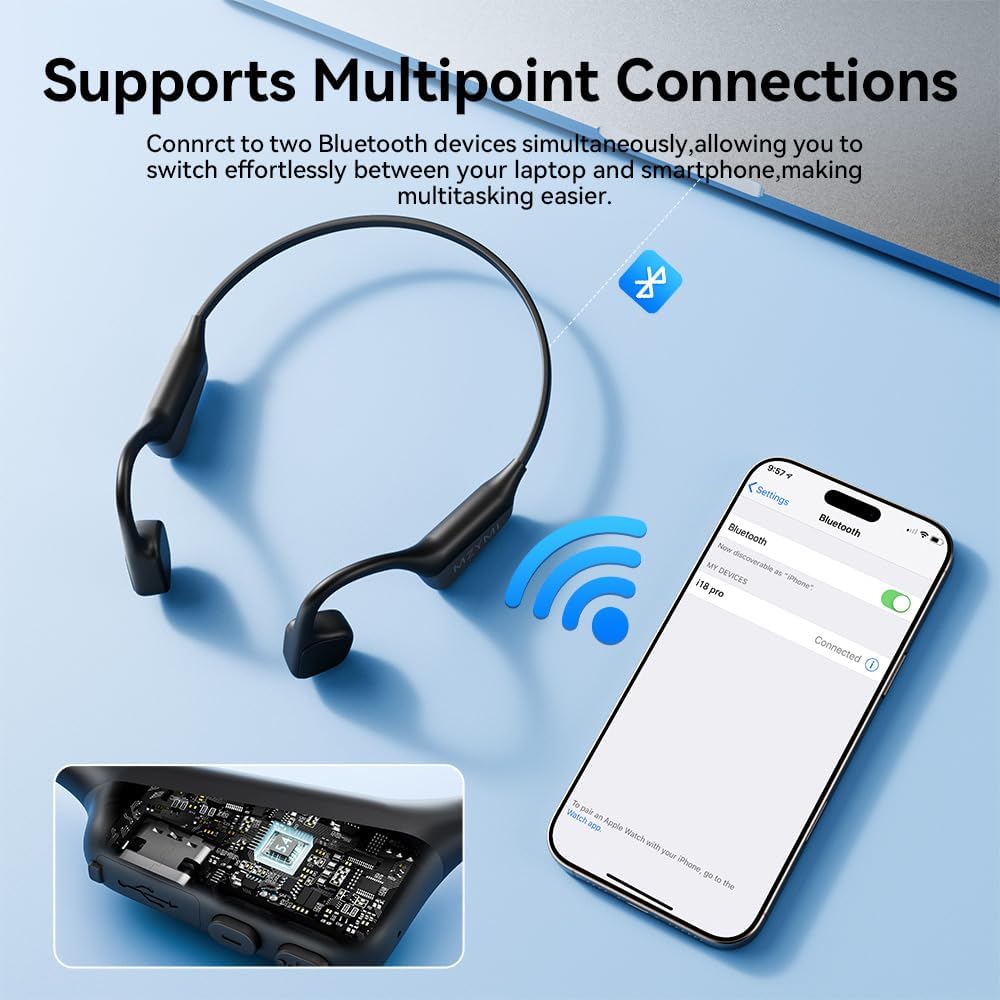
Image: MZYMI Bone Conduction Headphones shown next to a smartphone displaying a Bluetooth connection screen, illustrating multipoint connection capability.
- Pair the headphones with the first device as described in section 4.2.
- Disable Bluetooth on the first device. The headphones will re-enter pairing mode.
- Pair the headphones with the second device.
- Re-enable Bluetooth on the first device. The headphones should automatically connect to both devices.
5. Operating Instructions
Refer to the 'Control Functions' table in Section 3 for detailed button operations for music playback and call management.
5.1. Wearing the Headphones
Place the headphones with the transducers resting on your cheekbones, just in front of your ears. The band should wrap around the back of your head. Adjust for a comfortable and secure fit.

Image: A woman wearing MZYMI Open Ear Headphones, demonstrating a secure, lightweight, and super elastic fit for comfort.
5.2. Using Earplugs
For enhanced audio experience in noisy environments, insert the provided earplugs into your ears. This can help to isolate external sounds and improve the perception of bone conduction audio.
6. Maintenance
6.1. Cleaning
Wipe the headphones with a soft, damp cloth. Do not use harsh chemicals or abrasive materials. Ensure the charging port is dry before charging.
6.2. Water Resistance (IPX6)
The MZYMI Bone Conduction Headphones feature an IPX6 waterproof rating, making them resistant to sweat and splashes. They are suitable for workouts and outdoor sports but are not designed for swimming or submersion in water.

Image: A woman running outdoors while wearing MZYMI Bone Conduction Headphones, highlighting their IPX6 waterproof capability for sports.
6.3. Storage
Store the headphones in a cool, dry place away from direct sunlight and extreme temperatures. Use the provided storage bag to protect them when not in use.
7. Troubleshooting
| Problem | Possible Cause | Solution |
|---|---|---|
| Headphones won't turn on | Low battery; Not powered on correctly | Charge the headphones fully; Press and hold the Power button for 5 seconds. |
| Cannot pair with device | Headphones not in pairing mode; Bluetooth off on device; Device too far | Ensure headphones are in pairing mode (flashing red/blue); Enable Bluetooth on your device; Move device closer to headphones (within 10 meters). |
| No sound or low volume | Volume too low; Not properly connected; Audio source issue | Increase headphone and device volume; Re-pair headphones; Check audio source playback. |
| Sound leakage | Volume too high; Improper fit | Reduce volume; Adjust headphone position on cheekbones for optimal contact. |
8. Specifications
| Feature | Detail |
|---|---|
| Model Name | MZYMI |
| Connectivity Technology | Wireless (Bluetooth 5.4) |
| Bluetooth Range | 10 Meters |
| Audio Driver Type | Bone Conduction Driver (15.2mm) |
| Battery Life | Up to 15 Hours |
| Charging Time | Approx. 2.5 Hours |
| Water Resistance Level | IPX6 Waterproof |
| Item Weight | 28g (0.99 ounces) |
| Frequency Range | 20 Hz - 20,000 Hz |
| Sensitivity | 96 dB |
| Impedance | 80 Ohm |
| Material | Plastic, Silicone |
| Ear Placement | Open Ear |
| Control Method | Button |
9. Safety Information
- Do not disassemble, repair, or modify the product.
- Keep the headphones away from extreme temperatures, humidity, and corrosive substances.
- Avoid listening at high volumes for extended periods to prevent hearing damage.
- Use caution when using headphones in situations requiring awareness of your surroundings (e.g., driving, cycling, walking near traffic).
- Keep out of reach of children and pets.

Image: A woman wearing MZYMI Bone Conduction Headphones while cycling, illustrating the safety and stability benefits of the open-ear design during outdoor activities.
10. Warranty and Support
MZYMI products are designed for reliability and performance. For warranty information or technical support, please refer to the contact details provided with your purchase or visit the official MZYMI website. Please retain your proof of purchase for warranty claims.