
Ieejdn 808
Ieejdn Vanity Desk with Mirror and Lights User Manual
Model: 808
Brand: Ieejdn
Introduction
Thank you for choosing the Ieejdn Vanity Desk with Mirror and Lights. This modern makeup table is designed to enhance your daily routine with its functional features, including a built-in power outlet, adjustable LED lighting, and ample storage. This manual provides essential information for the setup, operation, and maintenance of your new vanity desk to ensure long-lasting enjoyment and optimal performance.
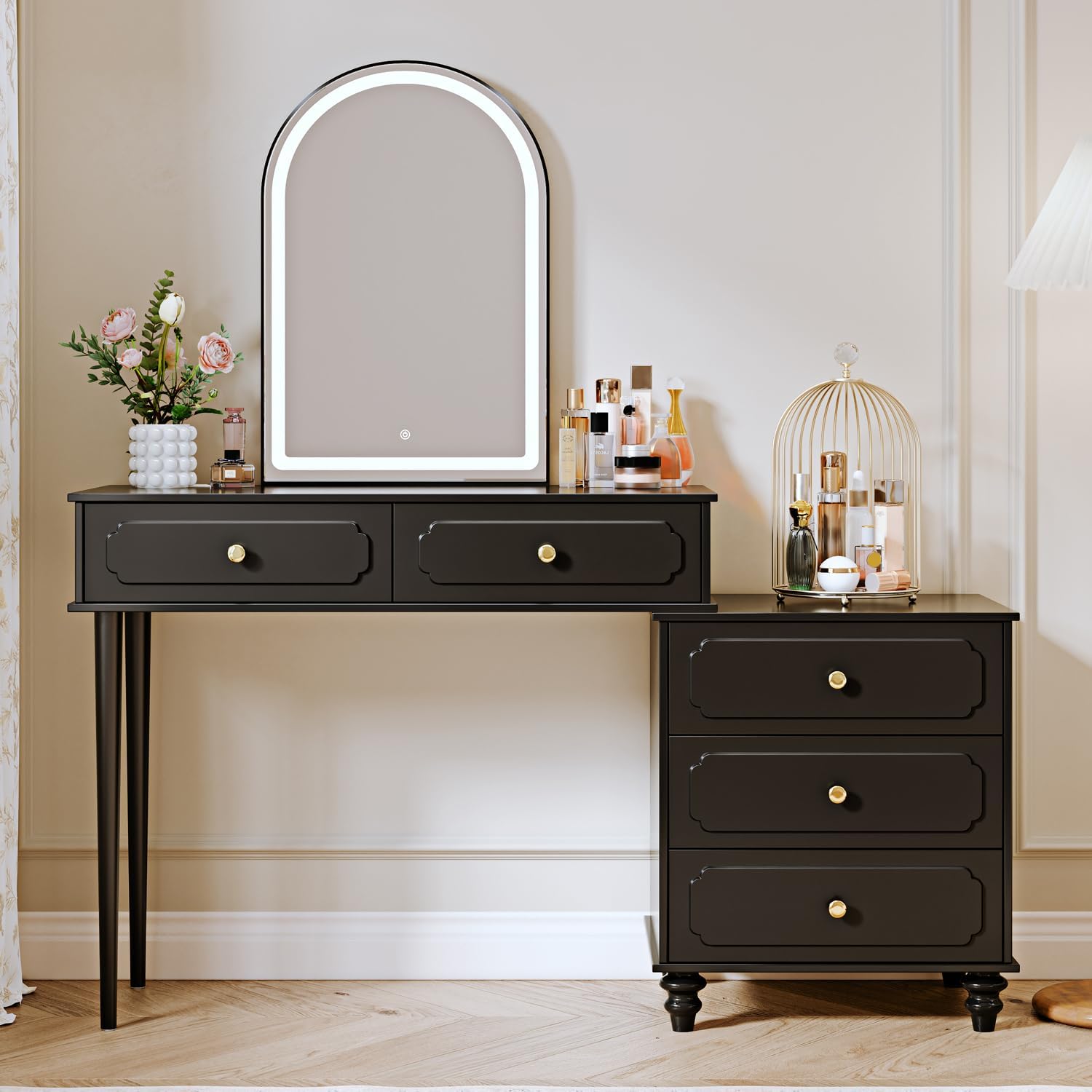
Figure 1: Overview of the Ieejdn Vanity Desk.
Setup
The Ieejdn Vanity Desk requires self-assembly. Please follow the clear and concise instructions provided in the separate assembly guide included with your product. Ensure all components are present before beginning assembly. The product is shipped in a foam shock absorption box package to protect it during transit.
Unpacking and Inspection
- Carefully unpack all components from the packaging.
- Verify that all parts listed in the assembly guide are present and undamaged.
- Keep packaging materials until assembly is complete in case of returns or missing parts.
Operating Instructions
LED Lighting Mirror
The vanity desk features a 25-inch high-definition makeup mirror with integrated LED lighting. This mirror offers three different lighting colors and adjustable brightness to suit various indoor lighting conditions and optimize your makeup application.
- To Turn On/Off: Lightly touch the designated touch sensor on the mirror surface.
- To Change Light Color: Short press the touch sensor to cycle through the three color modes: Cool Light (6500K), Warm Light (5000K), and Warm Yellow Light (3500K).
- To Adjust Brightness: Long press the touch sensor to dim or brighten the light. Release when the desired brightness is achieved.
- Power Indicator Light: In the off mode, long press the switch button to turn off the power indicator light if desired.

Figure 2: LED Mirror Controls and Lighting Modes.
Built-in Power Strip
An upgraded design includes a convenient power strip integrated into the vanity desk. This power strip provides easy access to power for your electronic devices and beauty tools.
- The power strip features two standard plug sockets, one USB port, and one Type-C port.
- It comes with a 4.9-foot power cord for flexible placement.
- Use it to power LED lights, hairdryers, curling irons, or to charge your phone, tablet, and other electronics.

Figure 3: Integrated Power Outlet and USB/Type-C Ports.
Flexible Configuration and Storage
The vanity desk is designed for flexible placement and can be adjusted to fit your space and needs. It also offers ample storage for your makeup and accessories.
- The cabinet component can be moved to the left or right, allowing for adjustable length and configuration to suit different room layouts.
- The desk includes multiple storage compartments: a spacious tabletop, two large drawers within the vanity section, and three additional drawers in the cabinet.
- Drawers are equipped with smooth metal slides on ball bearings for effortless opening and closing.

Figure 4: Flexible Cabinet Positioning.

Figure 5: Ample Storage Space with Open Drawers.
Maintenance
Proper care and maintenance will ensure the longevity and appearance of your Ieejdn Vanity Desk.
- Cleaning: Wipe the surfaces with a dry cloth to remove dust and spills. For stubborn marks, a lightly damp cloth can be used, followed immediately by a dry cloth. Avoid abrasive cleaners or harsh chemicals.
- Surface Protection: The desk is made with scratch-resistant materials, but it is advisable to use coasters or protective pads under items that may scratch the surface.
- Drawer Slides: The metal slides are designed for smooth operation. Periodically check for any debris that might hinder movement and clean as necessary.
Troubleshooting
If you encounter any issues with your vanity desk, please refer to the following common troubleshooting tips. If the problem persists, do not hesitate to contact customer support.
| Problem | Possible Cause | Solution |
|---|---|---|
| LED Mirror lights are dim or not working. | Power connection issue; LED lifespan; sensor malfunction. | Ensure the power cord is securely plugged into a working outlet. Try unplugging and replugging. If the issue persists, contact customer support for assistance. |
| Vanity desk shifts or feels unstable. | Loose assembly hardware; uneven floor. | Check all screws and bolts to ensure they are tightened according to the assembly instructions. If the floor is uneven, use furniture pads or shims to level the desk. |
| Drawers are difficult to open or close. | Debris in slides; misaligned slides; overloaded drawer. | Inspect the metal slides for any obstructions and clear them. Ensure the drawer is not overloaded. If misalignment is suspected, refer to the assembly guide for re-alignment steps or contact support. |
| Power outlets/USB ports not working. | No power to the unit; faulty power strip. | Verify the main power cord is plugged in and the wall outlet is functional. Test with another device. If still not working, contact customer support. |
Specifications
| Feature | Detail |
|---|---|
| Model Number | 808 |
| Brand | Ieejdn |
| Color | Black |
| Frame Material | Engineered Wood |
| Furniture Finish | Paintless |
| Product Dimensions (Overall) | 15.75"D x 35-55"W x 55.91"H (Adjustable Width) |
| Item Weight | 52 pounds |
| Assembly Required | Yes |
| Product Care Instructions | Wipe with Dry Cloth |
| Mirror Features | 25-inch HD, 3-Color LED (Cool, Warm, Warm Yellow), Dimmable, Touch Control |
| Power Outlet Features | 2 Standard Sockets, 1 USB Port, 1 Type-C Port, 4.9-foot Power Cord |
| Drawer Capacity | 30 lbs per drawer (approximate) |

Figure 6: Product Dimensions and Drawer Capacity.
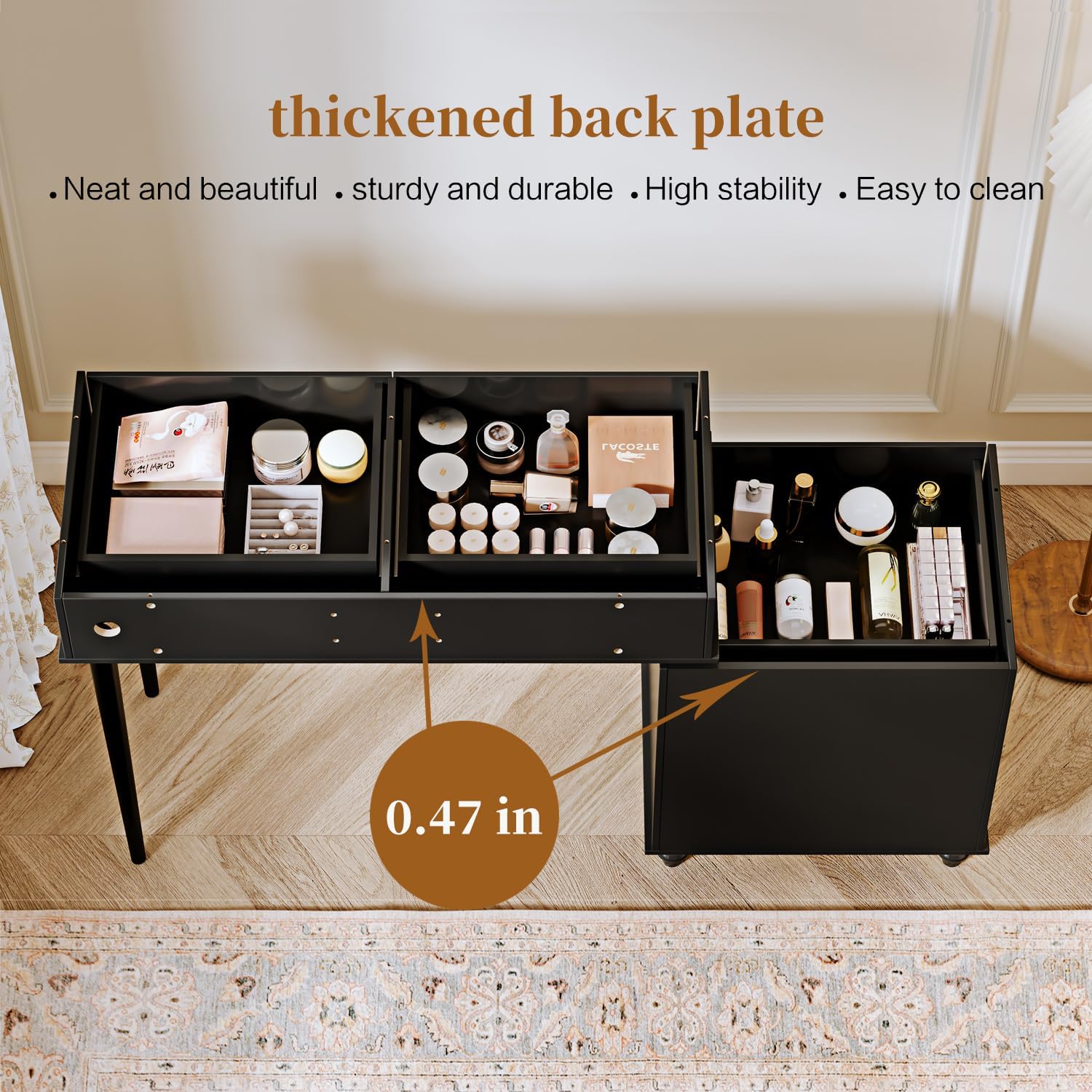
Figure 7: Thickened Back Plate for Enhanced Stability.
Warranty and Support
Ieejdn is committed to providing excellent after-sales service. While specific warranty details are not provided in this manual, we encourage you to retain your proof of purchase. If you encounter any product problems, have questions, or require assistance with assembly or operation, please do not hesitate to contact our customer support team. We are here to help ensure your satisfaction.
For support, please refer to the contact information provided on the product packaging or the retailer's website where you purchased the item.
Ask a question about this manual
Ask about setup, troubleshooting, compatibility, parts, safety, or missing instructions. Manuals+ will review the question and use this page’s manual context to help answer it.