
Introduction
This instruction manual provides essential information for the safe and effective use, maintenance, and troubleshooting of your Milwaukee M18 REDLITHIUM 3.0 Ah High Output Battery Pack. Designed for compatibility with the Milwaukee M18 cordless tool system, these batteries deliver reliable power and extended runtime for various applications. Please read this manual thoroughly before using the product.
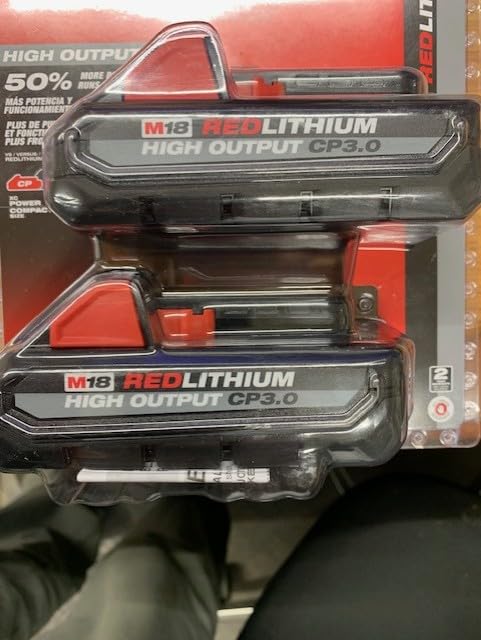
Figure 1: Milwaukee M18 REDLITHIUM 3.0 Ah High Output Battery Packs (Model 48-11-1837) in original packaging.
Setup
1. Unpacking
- Carefully remove the battery packs from their packaging.
- Inspect the batteries for any signs of damage. Do not use damaged batteries.
2. Initial Charging
- It is recommended to fully charge the battery packs before their first use to ensure optimal performance and lifespan.
- Use only Milwaukee M18 compatible chargers.
3. Battery Installation and Removal
- To install, align the battery pack with the battery port on your Milwaukee M18 tool.
- Slide the battery into the tool until it clicks securely into place. Ensure it is fully seated to prevent accidental detachment during operation.
- To remove, press the release tabs on both sides of the battery pack.
- While holding the tabs, slide the battery out of the tool.

Figure 2: Close-up view of the Milwaukee M18 REDLITHIUM 3.0 Ah High Output Battery Pack, highlighting its design and M18 compatibility.
Operating Instructions
1. Battery Fuel Gauge
- Each battery pack is equipped with an onboard fuel gauge. Press the button on the battery to illuminate the LED indicators, showing the remaining charge level.
- Monitor the fuel gauge to avoid unexpected power loss during tasks.
2. Tool Compatibility
- These 18V REDLITHIUM batteries are fully compatible with all Milwaukee M18 cordless power tools.
- The 3.0 Ah High Output design provides enhanced power and runtime for demanding applications.
3. Optimal Performance
- For best results, ensure the battery is fully charged before starting a task.
- Avoid completely draining the battery to prolong its overall lifespan.
Maintenance
1. Charging
- Always use a Milwaukee M18 compatible charger. Using non-approved chargers may damage the battery and void the warranty.
- Charge batteries in a well-ventilated area, away from flammable materials.
- Allow hot batteries to cool down before charging.
2. Storage
- Store battery packs in a cool, dry place, away from direct sunlight and extreme temperatures.
- For long-term storage, charge batteries to approximately 50% capacity.
- Keep batteries away from metal objects that could short the terminals.
3. Cleaning
- Keep battery terminals and contacts clean. Use a clean, dry cloth to wipe away dust and debris.
- Do not immerse batteries in water or any other liquid.
Troubleshooting
1. Battery Not Charging
- Ensure the charger is properly plugged into a working power outlet.
- Verify that the battery is correctly inserted into the charger.
- Check if the battery or charger is too hot or too cold. Allow them to reach room temperature before attempting to charge.
- If the issue persists, try a different Milwaukee M18 charger or battery (if available) to isolate the problem.
2. Tool Not Operating with Charged Battery
- Confirm the battery is fully charged using the onboard fuel gauge.
- Ensure the battery is securely installed in the tool, clicking into place.
- Check the tool itself for any malfunctions or blockages.
Specifications
| Brand | Milwaukee (MKE) |
| Model Numbers | 48-11-1835, 48-11-1837 |
| Voltage | 18V |
| Battery Capacity | 3.0 Amp Hours |
| Battery Cell Composition | Lithium Ion |
| Recommended Uses | Power Tool |
| Item Weight | 2 pounds |
Warranty Information
Milwaukee offers a standard warranty for its M18 REDLITHIUM battery packs. For detailed information regarding warranty coverage, terms, and conditions, please refer to the official Milwaukee website or contact their customer service directly. Keep your proof of purchase for warranty claims.
Customer Support
Should you encounter any issues or have questions not covered in this manual, please contact Milwaukee customer support. You can find contact information, FAQs, and additional resources on the official Milwaukee website.


